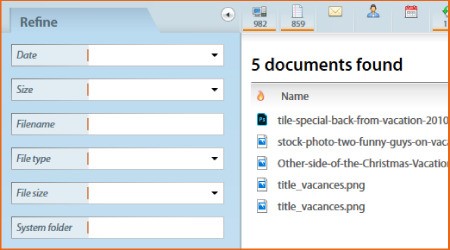
Copernic Desktop Search is an indexing tool for Windows computers. It scans all the files on your computer, in your email, and in cloud storage, and creates a comprehensive catalog that enables quick searches. With its help, you can locate documents, pictures, text, and other types of media via a typed search. You can forget about manually browsing endless folders searching for that one document you need.
Copernic Desktop Search works by keyword indexing. In essence, it looks through all of your files and catalogs them for you to easily find later. That means you are not limited to searching by file name; you can also type the text of the document you’re looking for into the search bar. You can filter your search results by file size, file type, and date modified.
All the indexing takes place locally, on your computer, so your personal data is never shared on the internet.
Why Should I Download Copernic Desktop Search?
You should download Copernic Desktop Search if you are looking for an efficient alternative to Windows Search, which is an inbuilt Windows application. Copernic is often considered a more powerful alternative for people working with different file types and storage solutions. If you want to be able to search through all of your files on your computer’s hard drive, in your cloud storage, and in your email, then Copernic Desktop Search is the solution for you.
The program scans and indexes all of your files, creating a smart catalog that enables it to pull up an accurate result within seconds of you entering your search query. The tool uses advanced keyword mapping to allow you to locate files without knowing their exact names.
You can sync Copernic Desktop Search with your cloud storage solutions, such as Google Drive, OneDrive, and Dropbox, as well as your email account. While you will need a working internet connection to conduct some tasks, searching through your computer and emails is possible even without an internet connection. Search filters can be applied to narrow down your search. Those include keywords, file type, and date modified.
All of the information about your files is stored locally on your computer, so it is never shared with third parties, ensuring absolute security.
Is Copernic Desktop Search Free?
Copernic Desktop Search has a free version and a paid version. The free version comes with some limitations, such as lack of support for cloud and email storage, document limits, and file type restrictions. You can only access cloud and email integration in the premium version, which requires a paid subscription.
What Operating Systems Are Compatible with Copernic Desktop Search?
You can download Copernic Desktop Search for Windows 10 and 11. There is no native utility for Linux and macOS computers.
What Are the Alternatives to Copernic Desktop Search?
If Copernic Desktop Search is not compatible with your computer’s operating system, or you’re looking for a solution with a different set of features, then you have some options to choose from.
Everything Search Engine is another Windows-exclusive utility that can replace the inbuilt search engine. The tool is entirely free to use, and it is significantly faster than Windows Search. It is also lightweight, so it won’t slow your computer down. Start the process by typing the name of the document you’re looking for, and the search results will update in real time. At the same time, Everything is not suited to in-file text searches.
SearchMyFiles is another free Windows utility for locating files. This one has advanced search capabilities, whereby you can filter by file size, dates, text, and attributes. You can even set specific file size ranges and search by in-file text. As a bonus, the tool can locate file duplicates, allowing you to clean up your hard disk and get rid of unnecessary file versions.
Wox is quite different from the aforementioned options—it is a productivity launcher. The app works on Windows, macOS, and Linux computers. File search is not its main feature. Wox’s main purpose is launching applications, but it can also locate documents, search the web, and do math. If you want to get the most out of Wox, it is preferable to pair it with a different tool for file searches.