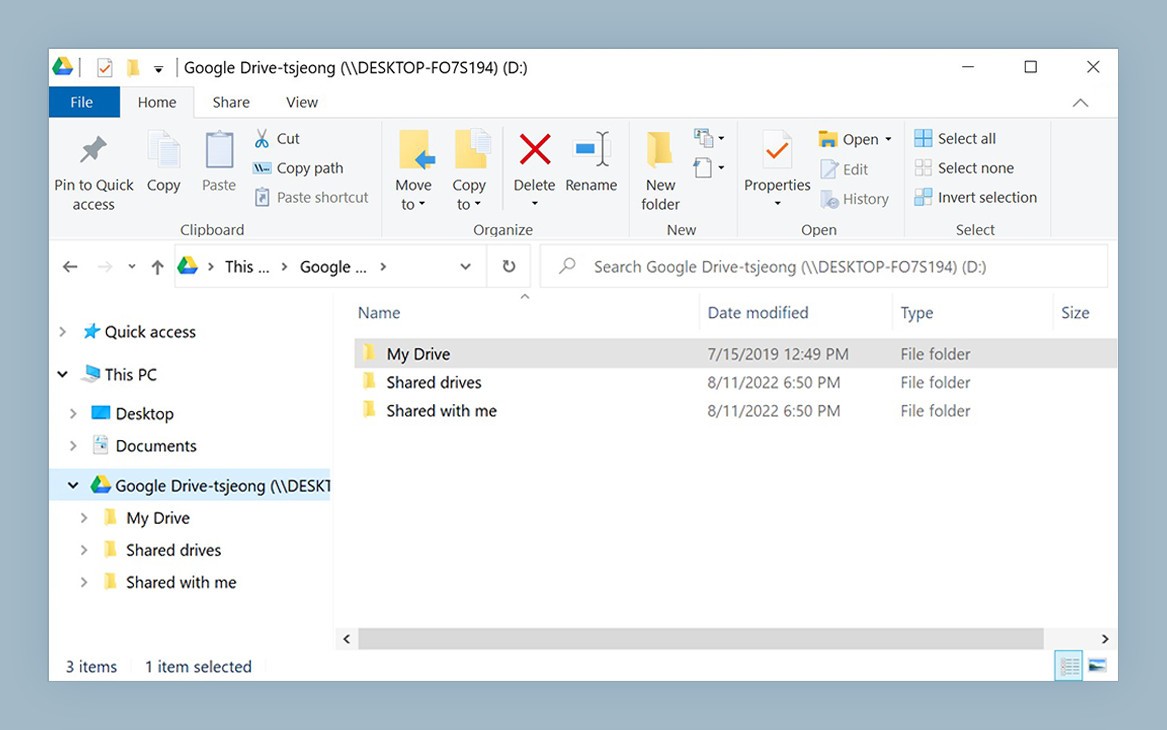
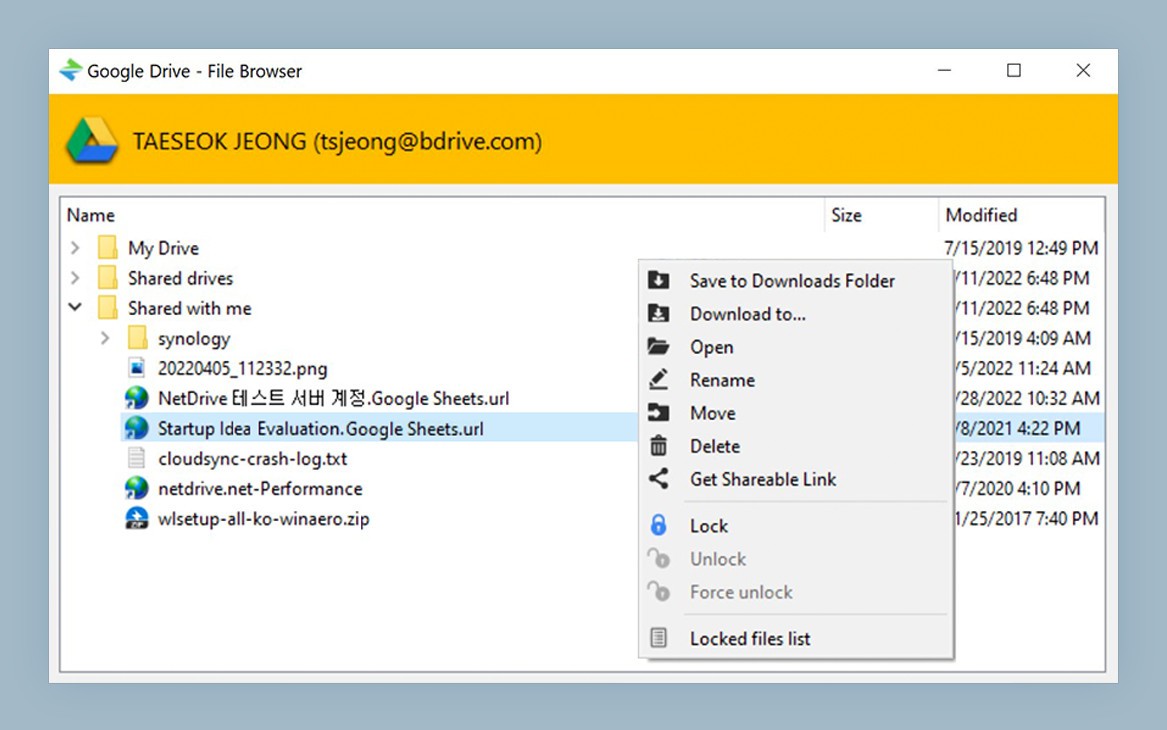
With the help of NetDrive, you can treat cloud storage as local storage. The software has the power to place your cloud storage on your computer without actually creating full local copies. As a result, you can manage your cloud files directly from your desktop. NetDrive works for cloud storage like Dropbox, Google Drive, OneDrive, and more. You can place the drive of your choosing directly on the desktop of your macOS or Windows computer.
While you can see the drive on your computer, the full files aren’t actually stored there; they remain in the cloud storage. For you, that means that you can manipulate the files locally and add new files to the remote server from your desktop.
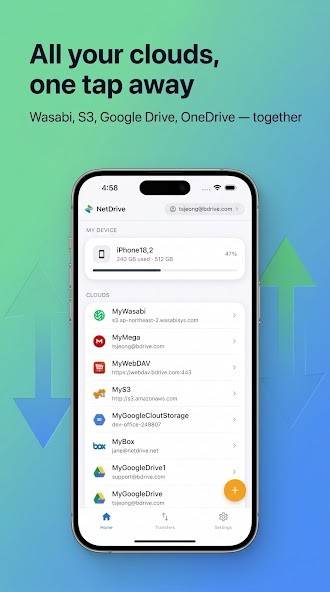
NetDrive works as a mobile app as well. It allows you to keep track of and manage your cloud storage platforms from your smartphone or tablet. The ability to do that gives you great flexibility in accessing files on the go.
Why Should I Download NetDrive?
You need to download NetDrive if you want to access your remote cloud storage servers locally from your computer or mobile device, and manage your files without having to save local copies on your device.
The way NetDrive works is that it saves a small copy of your cloud drive, be it Google Drive, OneDrive, or Amazon S3, on your device and gives it an appropriate drive letter. This way, you can distinguish it from your other drives. That allows you to access the files normally stored in the cloud without downloading full copies on your computer, and managing them or conducting limited edits.
You can connect your NetDrive to multiple different cloud servers, and manage them all from your computer, smartphone, or tablet. That can be helpful in optimizing workflows if you are constantly adding new documents to your storage and retrieving old ones. Saving all of your files locally can be rather resource-intensive for your computer, causing it to slow down and lag. NetDrive is the perfect solution to stop that from happening.
NetDrive enables remote collaboration on projects for team members. Shared drives give users the opportunity to share documents without sending them back and forth. The software’s file locking capability can stop unauthorized users from editing important documents without your permission.
Is NetDrive Free?
No, NetDrive is not a free service. The platform offers a 7-day free trial for new users, which you can take advantage of to learn about its features. Once the trial is over, you will be offered to purchase a monthly, annual, or lifetime subscription. If you find the tool to be useful, spending on a paid plan is worth it. In the opposite case, you can find cheaper or free solutions.
What Operating Systems Are Compatible with NetDrive?
NetDrive is available for macOS and Windows computers. Make sure your Windows computer runs Windows 8, 10, or 11. For Macs, you need macOS 14 or higher. There is also an experimental build for Linux computers that supports Ubuntu 16.04 or higher.
NetDrive Mobile is a mobile application that you can download for iOS and Android devices.
What Are the Alternatives to NetDrive?
If NetDrive is not quite what you’re looking for, you can test other solutions with similar features. Here are some of the best options.
Mountain Duck is another mounting cloud storage solution. Right off the bat, it is not as flexible as NetDrive. Mountain Duck can mount into Finder on macOS and File Explorer on Windows, so you always have access to your cloud storage files. It also offers advanced file encryption through Cryptomator. The software is generally slower than NetDrive when it comes to smaller files, and almost the same when it comes to larger files.
RaiDrive is a mounting software that was developed for Windows computers specifically. There is a free plan that only allows you to access 8 drives at a time and features ads. Subscribing to a paid tier unlocks advanced features and allows you to access more drives at a time. RaiDrive supports all of the major cloud storage solutions, including Google Drive and OneDrive.
Amerigo differs in its features and goals, as it is an iOS mobile app for local and cloud file management. You can only use this app on iPhones and iPads. The app allows you to download files from different cloud storage to your device, organize files, and view media. In essence, it is a tool for media viewing and file management on your iOS mobile device.