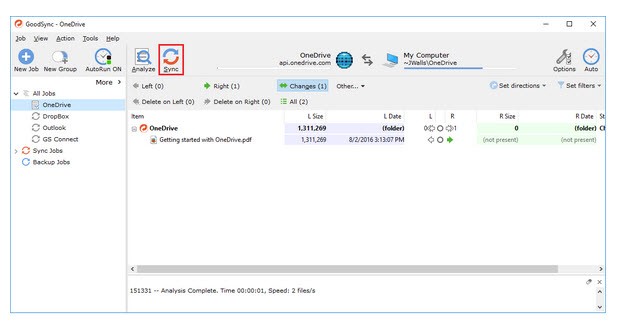
GoodSync is a file synchronization and backup software that takes the stress out of managing data across different devices and platforms. At its simplest, it’s a program that ensures your files are exactly where you need them, when you need them, and in the same condition. You don’t have to worry about updating a document on your computer only to find an older version on your laptop or cloud account. GoodSync bridges those gaps seamlessly.
It doesn’t stop at syncing files, either. It doubles as a reliable backup solution, which is critical if you’ve ever dealt with sudden computer crashes, accidental deletions, or hardware failures. The software creates secure copies of your files and stores them in a location you choose—another hard drive, a remote server, or a trusted cloud service. This way, you’re not only staying organized but also protecting yourself from losing important data.
One of the best parts is how flexible it is. GoodSync doesn’t lock you into a single workflow. You can sync between local folders, external drives, servers, or cloud services like Dropbox, OneDrive, Google Drive, and Amazon S3. It adapts to your preferences instead of forcing you into a narrow system, which makes it a solid option for both personal users and businesses.
Why should I download GoodSync?
There are plenty of reasons to give GoodSync a try, especially if your life or work depends heavily on digital files. If you’re juggling multiple devices or collaborating with others, consistency matters. GoodSync ensures that the most up-to-date version of your file is always accessible. Imagine writing a report at work, heading home, and immediately picking up where you left off without having to email yourself a copy or shuffle around with USB drives.
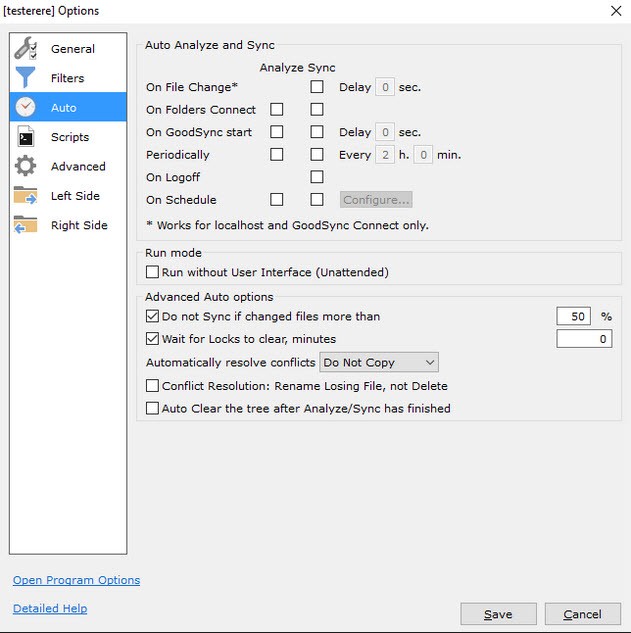
Another benefit is automation. Once you set your sync and backup jobs, they run on their own. That means you don’t need to remind yourself to copy over folders or move files every few days. GoodSync quietly handles everything in the background, so you’re free to focus on what really matters.
It’s also worth pointing out that GoodSync is secure. All file transfers are encrypted, which protects your information while it moves from one place to another. For people handling sensitive materials—legal documents, financial records, or confidential projects—that layer of security makes a big difference.
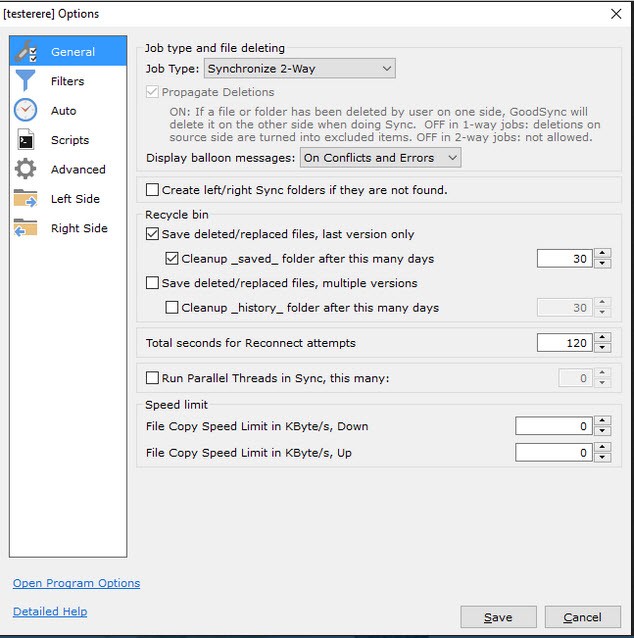
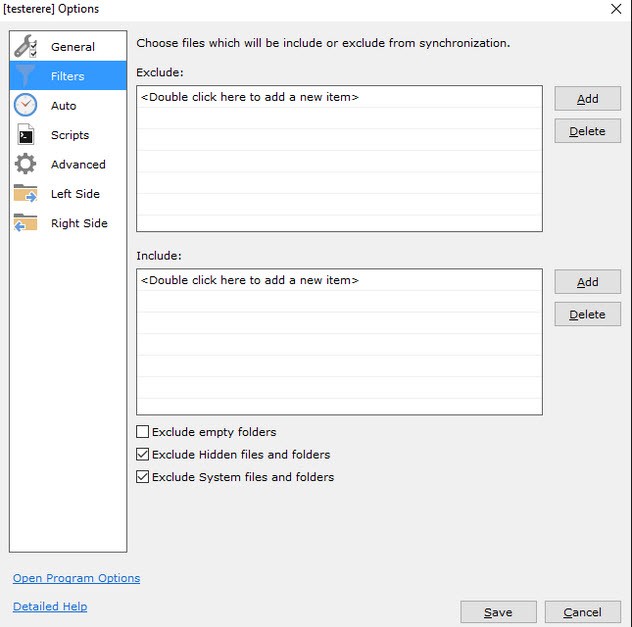
On top of that, it’s customizable. Whether you want to back up only certain folders, schedule jobs at specific times, or set conditions for how conflicts are handled, GoodSync gives you the control. You’re not dealing with a rigid program—you’re dealing with a flexible tool that adjusts to your needs.
Is GoodSync free?
GoodSync does come with a free version, but like many professional tools, it has limitations. The free edition is useful if you only need to run a few sync or backup jobs. It’s great for testing the waters and getting a feel for the interface.
However, if you’re looking for advanced features and the freedom to create unlimited jobs, the paid version is the better option. With the premium license, you unlock scheduling, professional-level automation, and the ability to handle more complex data management. Businesses, in particular, benefit from this because downtime or lost files can mean lost money.
Think of the free version as a trial run. It gives you just enough to see the value, and once you realize how much time and stress GoodSync saves, upgrading becomes more of an investment than an expense. For everyday users, the peace of mind alone is worth it.
What operating systems are compatible with GoodSync?
One of the highlights of GoodSync is how broad its compatibility is. You don’t have to worry about being left out because you prefer one operating system over another.
GoodSync runs smoothly on Windows machines, from desktops to servers, which makes it an easy fit for offices. It’s also fully compatible with macOS, ensuring Apple users get the same features and security. For businesses and IT professionals, the software extends to Linux servers and environments, which adds a lot of flexibility.
It doesn’t stop with desktops and servers. GoodSync also has support for iOS and Android devices. That means you can back up photos, documents, and other files directly from your phone or tablet. Whether you’re switching between a Windows PC at work, a MacBook at home, and an Android phone on the go, GoodSync ties everything together.
This cross-platform approach makes it especially valuable for people who work across mixed environments. Instead of juggling different software for each device, you can rely on a single tool that unifies your workflow.
What are the alternatives to GoodSync?
GoodSync is a good competitor, but it is not the only file synchronization and backup application. You might prefer to take a look at your other options before making a decision.
SyncBackFree is an old Windows backup tool. It is light, easy, and works well with local backups. It does not connect to as many cloud services as GoodSync, but it is still a reliable option to users who simply desire a solution that lets them secure their files more simply. The interface is simple yet considering free software, it is functional.
Another multi-faceted tool that runs in direct competition with GoodSync is Syncovery. It is compatible with Windows, macOS, Linux, and a number of cloud services. It is also often praised by users as having the ability to manage large volumes of data without becoming sluggish. It is especially attractive to advanced users who want to control the way in which synchronization occurs in more detail. It has a good, elaborate scheduling system and optimized performance, which makes it a great tool in the hands of the control-oriented.
FreeFileSync is an open-source, free application that can be used on Windows, macOS, and Linux. It is among the most used free substitutes as it is community-driven and is updated on a regular basis. FreeFileSync allows the process of syncing folders and matching data, as well as maintaining uniformity in data between drives. It is not as professional as GoodSync, but it is still a good and stable solution, so it is smart to use it by students, casual users, or any person who wants to adopt an open-source solution.