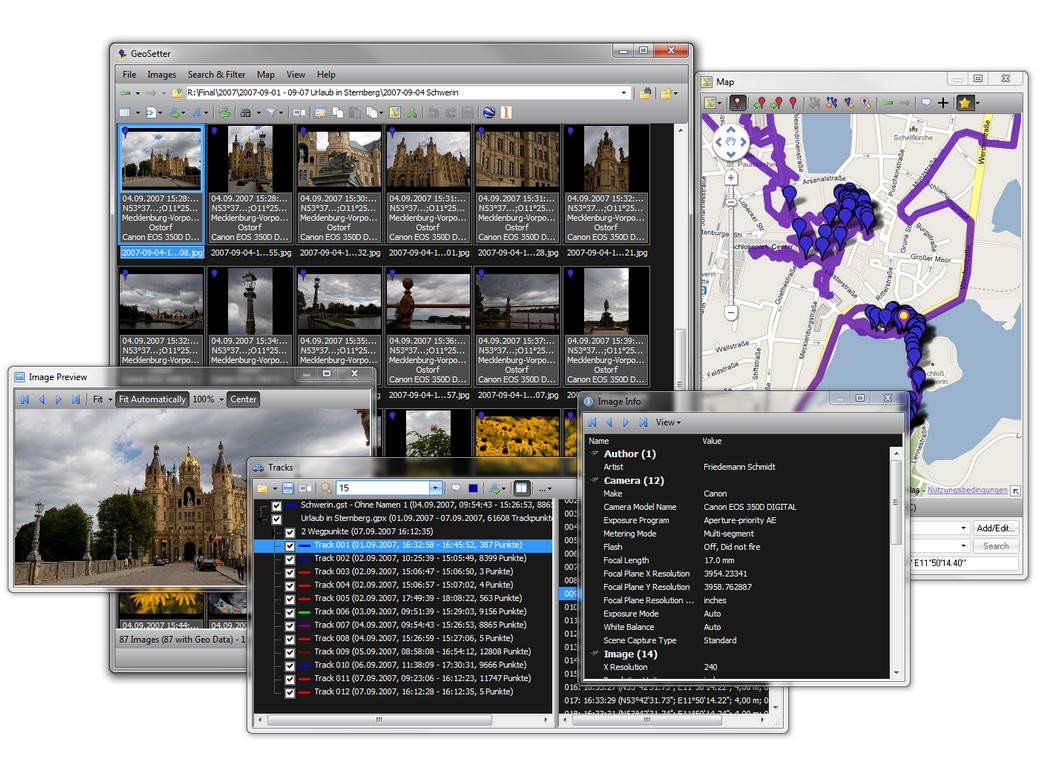
GeoSetter is a Windows-based program designed for anyone who works with digital photographs and cares about keeping their image data organized. At first glance, it might look like just another photo manager, but what makes it stand out is its ability to handle geotagging and metadata editing with precision.
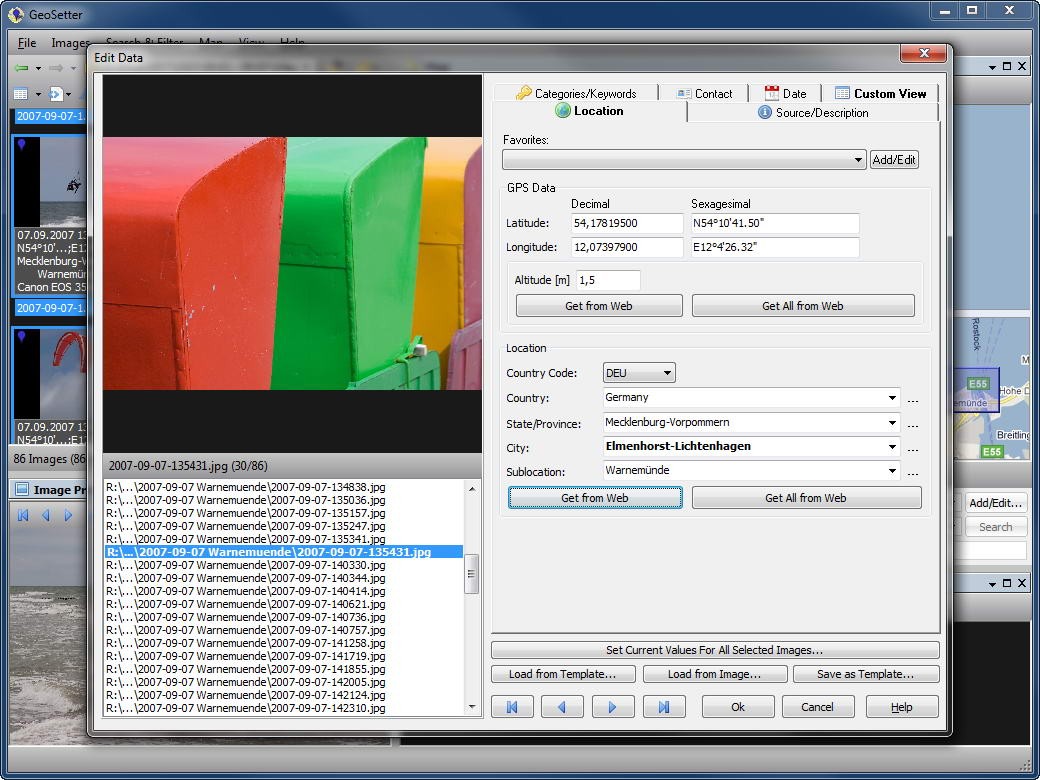
Every time you take a photo, your camera records more than just the image. It saves technical details—known as metadata—like the exposure settings, shutter speed, ISO, and even the model of your camera. If you’re using a device with GPS capabilities, it can also log the exact coordinates where the photo was taken. GeoSetter gives you full access to that information, and more importantly, lets you edit or add to it.
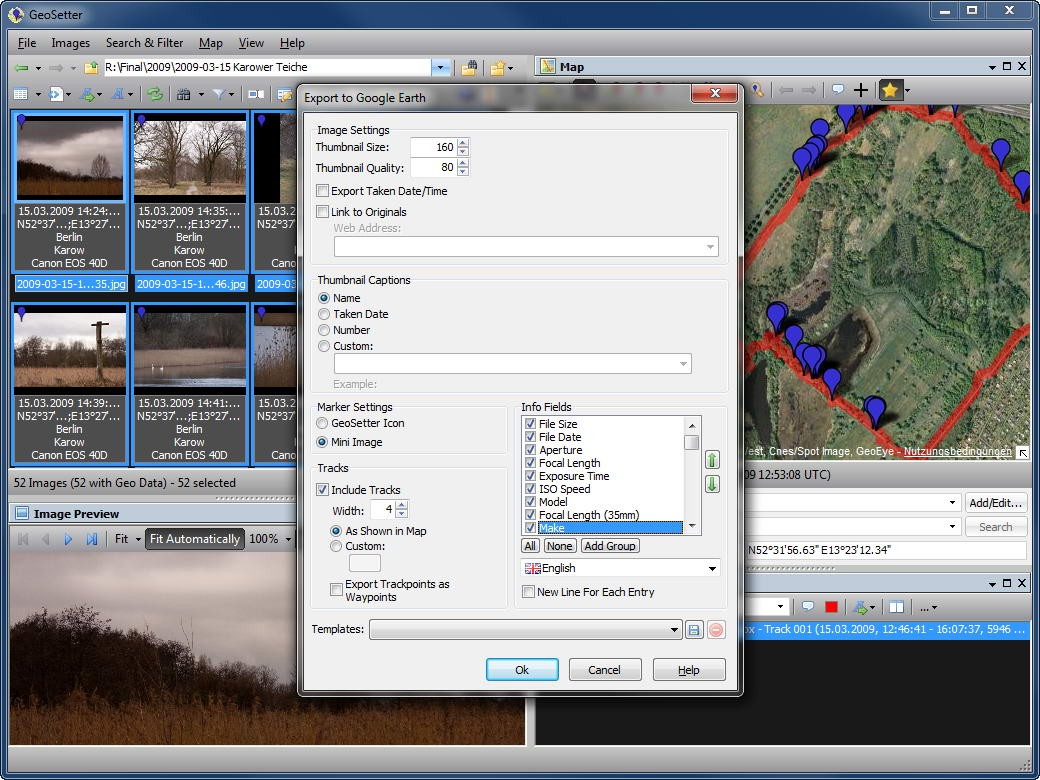
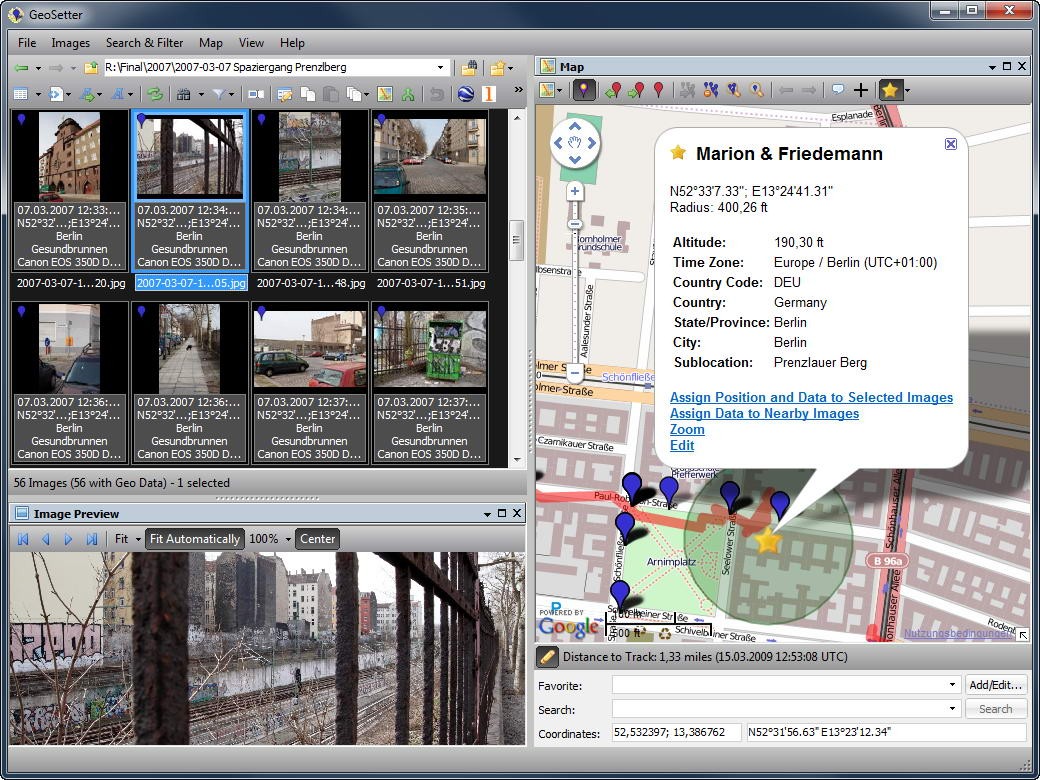
The main attraction of GeoSetter is its map integration. You can see your photos plotted on a map and assign locations to images that don’t already have GPS data. For photographers who don’t use a GPS-enabled camera, this feature is a lifesaver. By matching your pictures with GPS track logs or by simply dropping them onto a map, you can quickly document where every shot was taken. This makes GeoSetter more than just an organizer—it becomes a tool for storytelling.
Why should I download GeoSetter?
There are plenty of reasons why GeoSetter earns a spot in a photographer’s digital toolkit. The most obvious one is accuracy. Memories fade, and it’s easy to forget the exact spot where you captured a certain landscape or city street. GeoSetter ensures you’ll never have to guess.
Beyond that, the software makes managing large image libraries far less painful. Imagine returning from a three-week trip with thousands of photos. Sorting through them manually would be exhausting, but GeoSetter helps you categorize, tag, and geotag everything with consistency. Once your metadata is properly organized, searching for specific images later becomes a breeze. Want to find all the photos you took in Paris in 2019? With well-tagged metadata, you can do it in seconds.
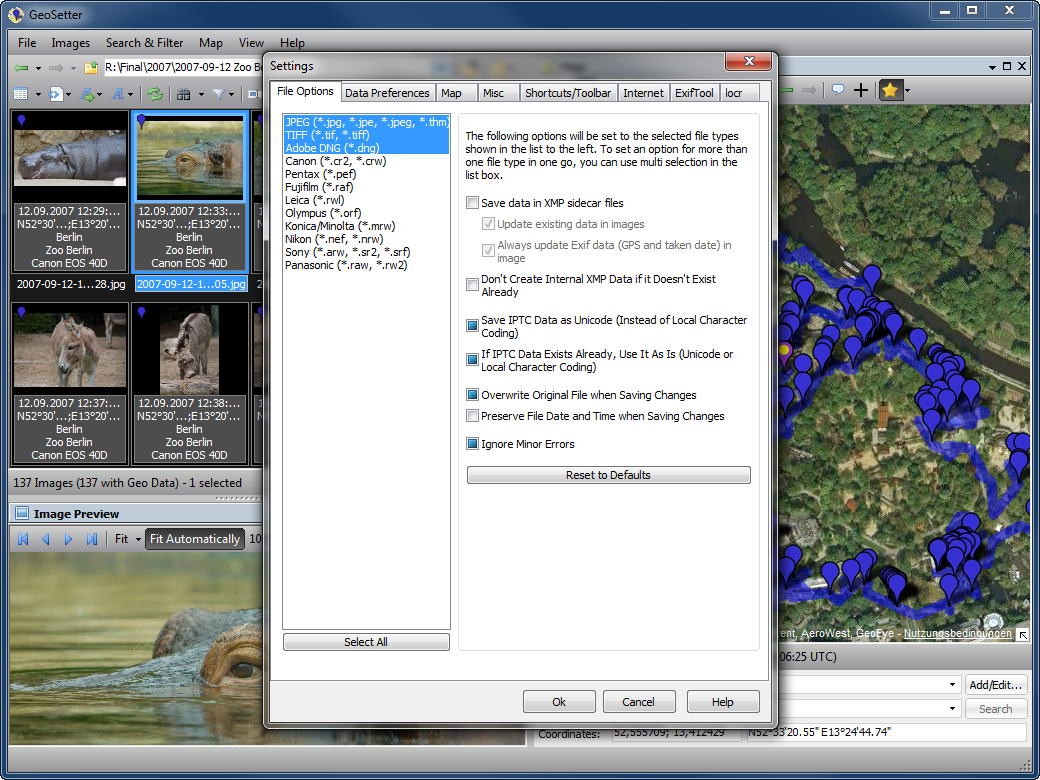
Another reason is control over your data. Many cloud services strip or alter metadata when you upload your photos, which can be frustrating if you rely on that information for archiving or professional use. GeoSetter keeps you in charge. You can add copyright details, author information, or detailed descriptions directly to the image files, ensuring they stay intact no matter where your photos go.
And let’s not overlook the professional edge. If you’re selling photos to stock libraries, accurate metadata isn’t optional—it’s required. GeoSetter helps you clean up and standardize all the important details, so your images meet professional standards. Even if you’re just an enthusiast, it feels good to have your collection organized in a way that’s easy to browse and enjoyable to revisit.
Is GeoSetter free?
Yes, GeoSetter is completely free to download and use. There are no premium versions, no hidden subscription models, and no licensing fees. For users who are used to software companies pushing paid upgrades, this is refreshing. You get full access to all of its features right from the start.
Despite being free, it doesn’t feel like a cut-down tool. The software is packed with features that rival or even outperform some commercial applications. You get the ability to edit metadata, add missing GPS data, sync images with GPS track files, and view everything through map integration—all without paying a dime.
Of course, being free does come with its own quirks. Updates aren’t as frequent as you might see with subscription-based software, and the interface might feel a little old-school compared to modern design standards. But the functionality is solid, and once you get familiar with it, you’ll likely find it meets all your core needs without costing you a penny.
What operating systems are compatible with GeoSetter?
GeoSetter was developed for Windows, and that’s where it shines. It runs smoothly on Windows 7, Windows 8, Windows 10, and Windows 11, making it accessible for most PC users. The installation is straightforward, and it integrates seamlessly into a Windows workflow.
For macOS or Linux users, things are a bit trickier. There isn’t a native version of GeoSetter for those platforms. That said, some users run it successfully through compatibility layers like Wine or within a virtual machine. It’s not as seamless as running it on Windows, but if you’re comfortable with tech setups, you can still make it work.
It’s worth noting that GeoSetter is not designed for mobile platforms. While smartphones already embed GPS data in photos, this tool is more about desktop-level management—perfect for large batches of photos from digital cameras, DSLRs, or mirrorless systems. If you need serious control over metadata, you’ll get the most reliable experience on a Windows PC.
What are the alternatives to GeoSetter?
GeoSetter is not the only one, but it is powerful. It can happen that there is another program that you can better adapt to your workflow and personal preferences.
Metadata++ is a simple, easy-to-use program that is primarily intended to be used by parties who do not require additional functionalities of metadata viewing and editing. It is quick, clean, and does not consume much system space. It is not as good as GeoSetter, but it can be quickly edited, so it can be a good choice when one wants efficiency only.
MetaDoctor is more professional and targets those professionals who deal with metadata-intensive projects. It is optimized to run metadata with high accuracy, and it operates in a highly accurate environment. Although it does not present you with the visual map-based solution that GeoSetter does, it does better with batch processing, which makes it a good option when you manage large collections frequently.
IrfanView is a traditional photo viewer and has been in the market for decades. It is also popular among both advanced and casual users, owing to its reputation for being fast and versatile. Although it is not essentially a metadata tool, it also includes metadata viewing and editing capabilities, mainly when it is used together with its numerous plugins. The type of software that may serve several purposes is IrfanView, which is a fast image viewer, a low-level image editor, and a metadata manager in one.