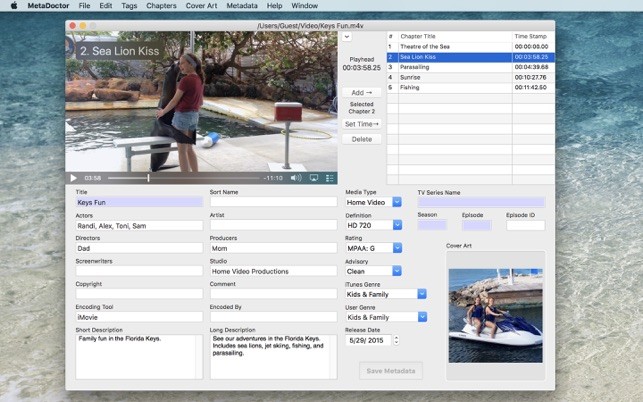
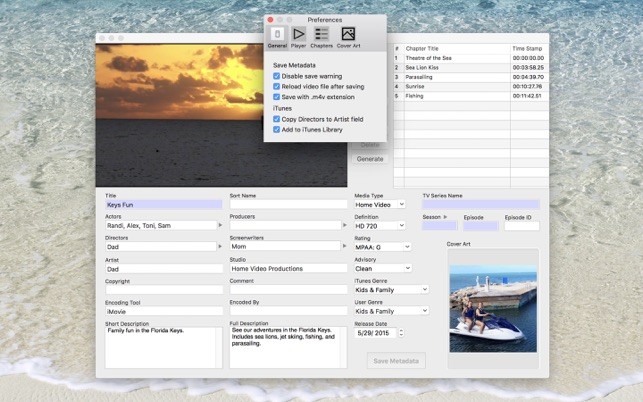
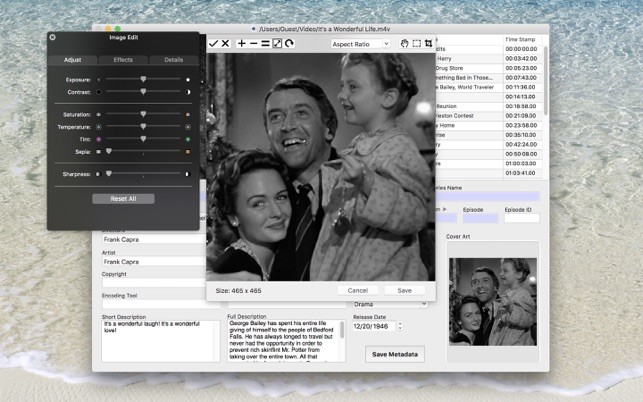
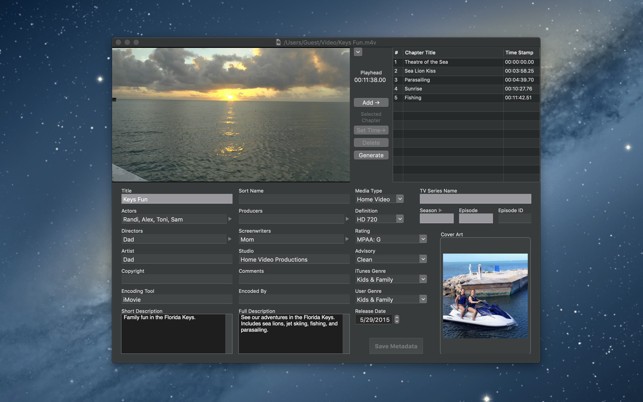
MetaDoctor is a small tool made for Mac users who deal with video files every day. You know how movies or clips often show up with blank icons or strange names in your library? That happens because the metadata—the little bits of information that describe the file—is either missing or wrong. MetaDoctor steps in to fix that.
Instead of juggling with three or four different tools, you get one single window where everything can be edited. You don’t waste time switching back and forth. And the speed is noticeable. You click save, and the tags are there, almost instantly. It doesn’t re-encode the video, so the file itself doesn’t get touched; only the surrounding labels do.
For anyone with a messy library of video files, maybe ripped from discs or exported from different programs, this is a way to give order. Titles appear clean, chapters can be added, and artwork (for image covers) can be put in place. It turns nameless clips into something easier to browse.
Why Should I Download MetaDoctor?
The main reason is to keep your videos organized. Without metadata, everything looks the same in a list. With metadata, you know what’s inside before you even press play. That saves a lot of time.
Chapters are a good example. Normally, if you wanted chapters in a video, you’d need to type out the times manually. That’s boring and prone to mistakes. With MetaDoctor, you just scrub the video to the spot, hit add, and the chapter drops in. If you want to give it a name, fine, type it. If not, it still works. Editing them later doesn’t take effort either.
Artwork is another big one. Having an image in your file makes it easier to spot. A whole library of blank icons is hard to navigate. With this tool, you can set the cover art from a file—whether JPG, PNG, or BMP. You can also drag and drop. And there’s a simple image editor right there. You can crop, rotate, and adjust until it looks right. You don’t need to open Photoshop or anything else.
If you go for the Pro version, you get extra features that matter even more if you deal with a lot of videos. You can copy metadata from one file to another. For example, if you’ve got a series of episodes, you copy once and apply across. That’s a lot quicker than doing it one by one.
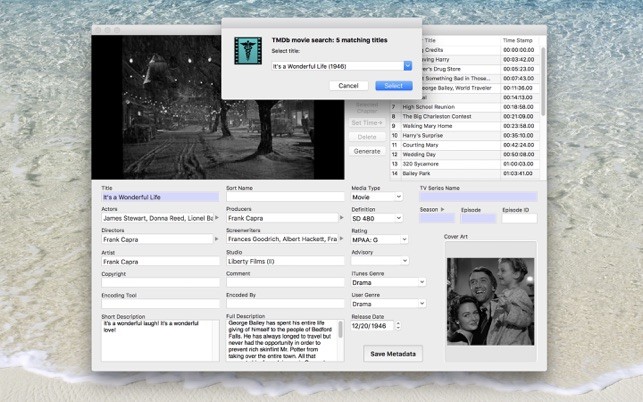
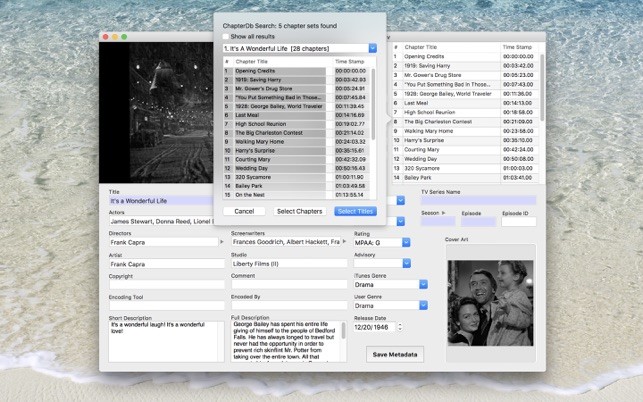
Pro also links to online databases. It can fetch data from TMDb and chapters from ChapterDb. So if you’re tagging commercial movies, the app can fill in the blanks for you. You don’t type everything yourself—helpful if you want consistency.
Another neat feature in Pro is automatic chapter generation. You can set it to create chapters every certain number of minutes, or just tell it how many chapters you want. It also has a smarter mode that scans for scene changes and places chapters at those spots. That’s something that would take forever by hand.
Batch editing is maybe the biggest advantage for power users. Instead of fixing one file, you select many and apply changes at once. Think about tagging a whole season of shows or a large collection of clips. Doing it file by file is painful. Batch mode makes it possible.
Is MetaDoctor Free?
The basic version covers the essentials: tags, art for covers, and chapters. That might be enough for people who just want to clean up their personal collection. If you want automation, batch processing, or online lookups, that’s where MetaDoctor Pro comes in. The Pro version is paid. So the choice depends on your needs. Simple cleanup is free. Heavy lifting requires Pro.
What Operating Systems are Compatible with MetaDoctor?
This program is only for macOS. It doesn’t run on Windows or Linux. It makes sense because it is built on Apple’s frameworks. That’s why it feels fast. As for files, it supports mp4, m4v, and mov—these are the main formats most Mac users deal with anyway, especially those coming from iTunes or QuickTime.
What Are the Alternatives to MetaDoctor
Not everybody works on a Mac, and not everybody edits only videos. Some other programs can serve similar purposes, depending on your workflow.
GeoSetter is not focused on video. It’s more for photographs. It’s good at editing GPS data and other photo metadata. If you’re a photographer, it makes sense. If you’re editing movies, it won’t be your main choice.
Metadata++ is broader. It works with lots of file types, not just video. You can open many different files and change metadata across them. It’s flexible, but it doesn’t give the same smooth video-specific features like adding chapters straight from playback. So it’s more of a general-purpose editor.
XnView is mostly about images. It lets you browse, convert, and tag them. It supports some video metadata, but that’s not its strength. It’s great if your main job is managing big folders of images, and you want a reliable tool to handle them. For videos, it’s not as specialized as MetaDoctor.