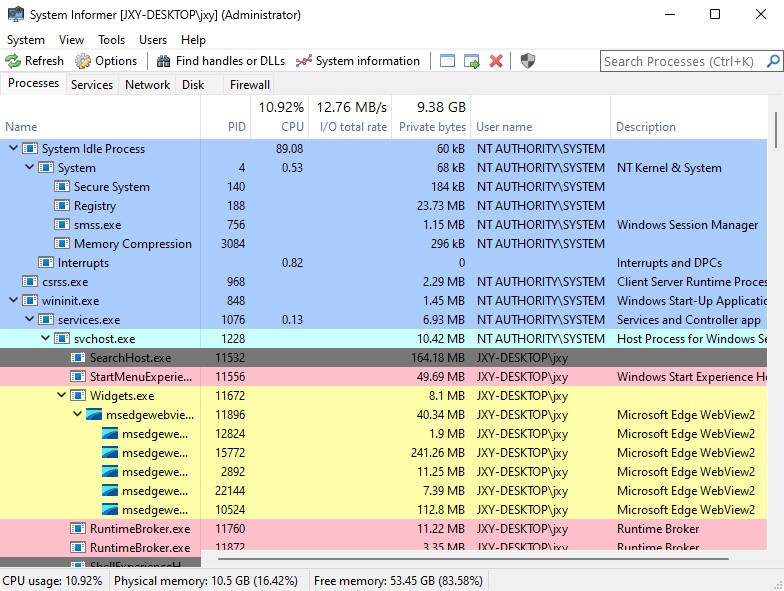
System Informer, formerly known as Process Hacker, is an application that has been developed with users in mind who need insight into what’s happening inside their computer. It does more than just give you the Task Manager; it pulls away the veil of your system, showing you exactly what lies behind each process, thread, handle, and module that is running in real-time.
And there is no need to be an expert in IT to make sense of it, but once you are, it has the detail that you want. It is a small yet capable process manager, great for diagnosing performance issues, monitoring the system behavior, or simply being an eye-opener on the hidden world.
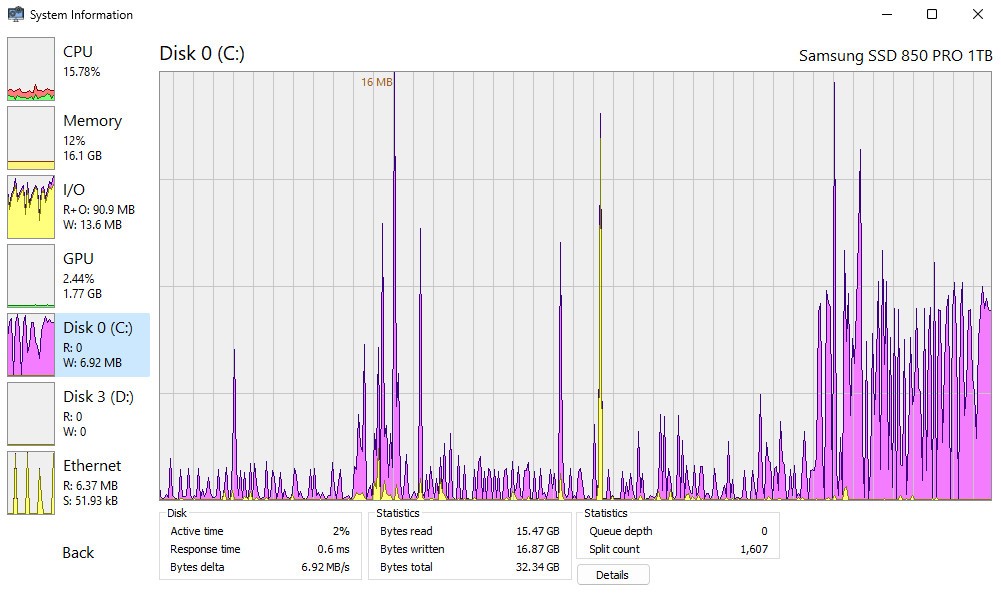
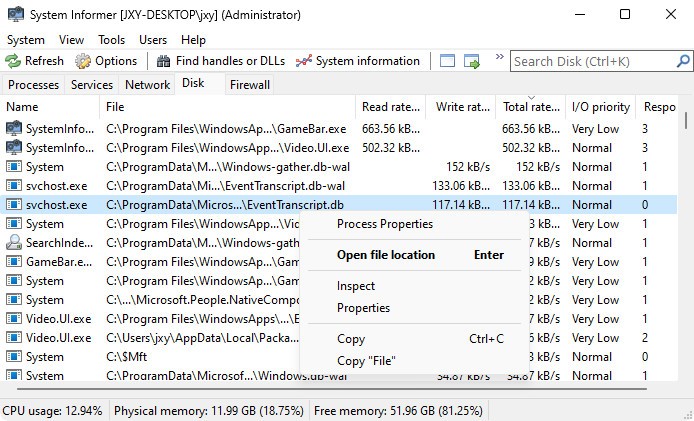
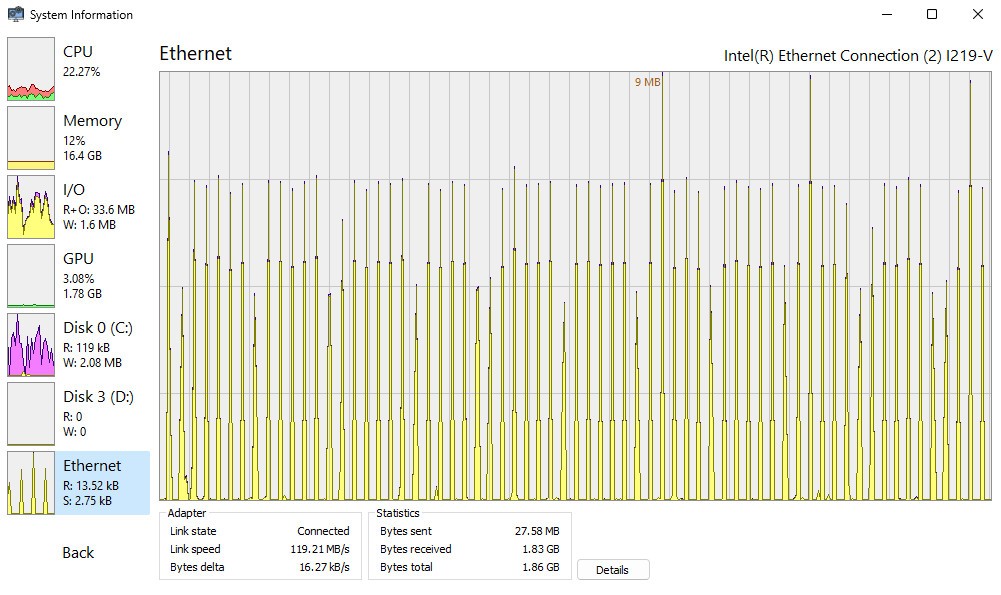
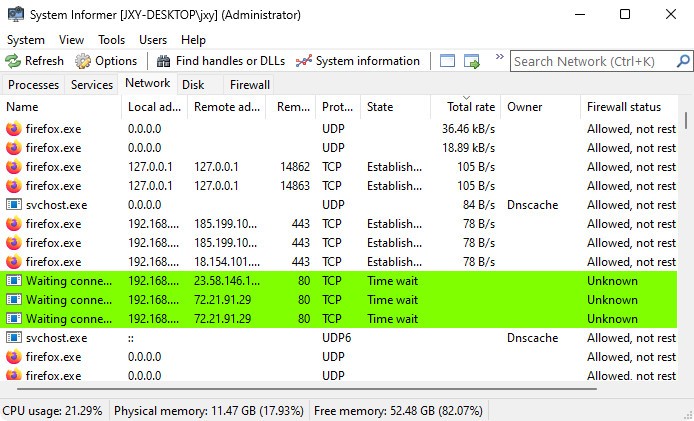
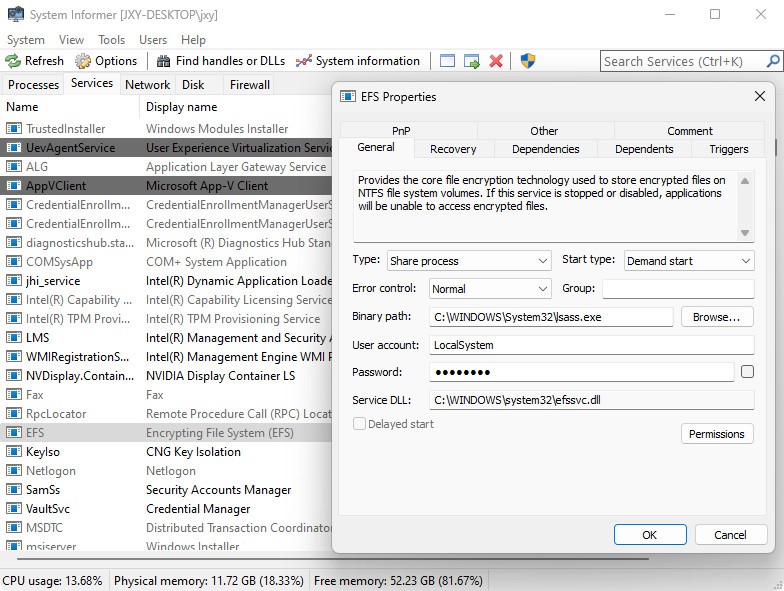
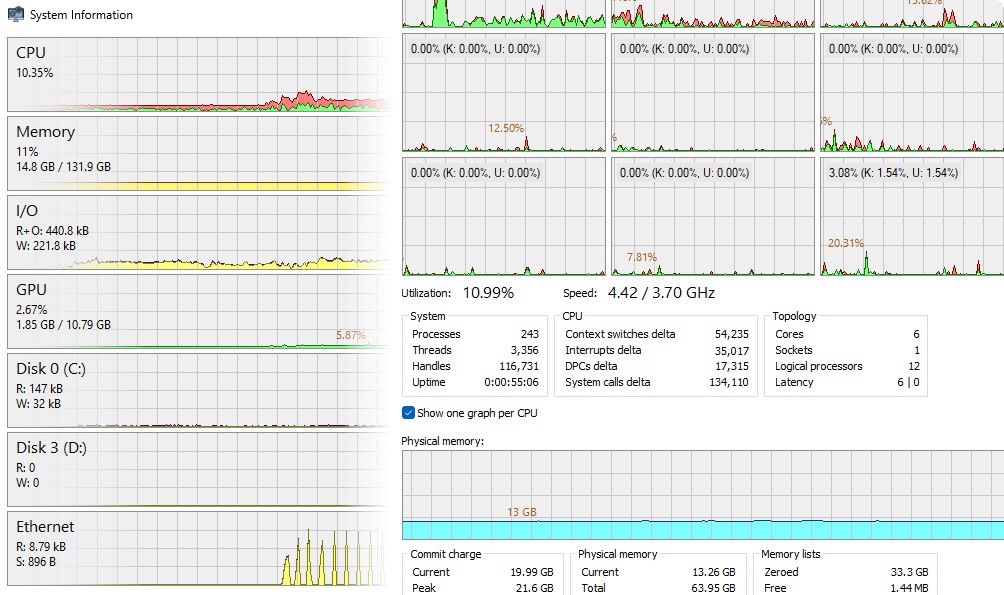
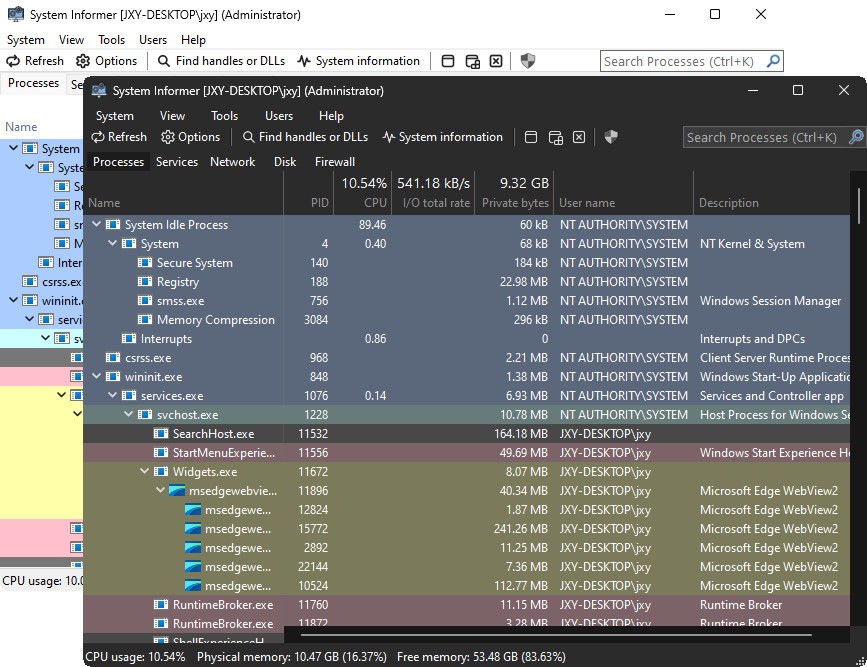
You open it, and very soon you are exposed to an interface with live numbers. It is not a show-off, but it is evident. View the activities of processes that consume the CPU, the services that run out of memory, and the threads that delay the activities. The performance tab, the network tab, and the disk activity tab update in real time. In case something goes wrong with your system, this tool not only detects problems but pinpoints exactly where they originate.
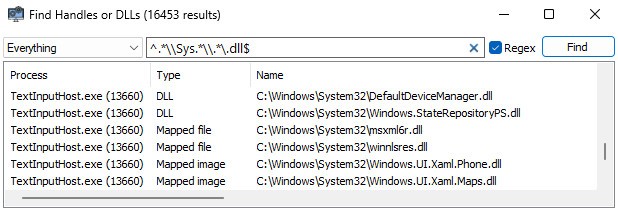
What is most valuable about it is the balance between the technicality and simplicity of the visual side. Everything can be sorted, filtered, and searched. You do not have to go into obscure command-line utilities and wait to see the logs refresh. Everything is represented as-live, under your fingers.
Why Should I Download System Informer?
Windows' built-in Task Manager is satisfactory to the majority of users. However, in case you have ever seen it and considered “this is not the thing that I want to know”, then that is where System Informer can come in.
The software is designed to be used when things are not going according to plan, when a program locks, when the fan switches on even when it is not needed, or when your machine begins to slow down, and you cannot find a reason as to why it is happening. System Informer is not just looking at the tip of the iceberg, and it provides you with the means to not just identify the issue, but also understand it.
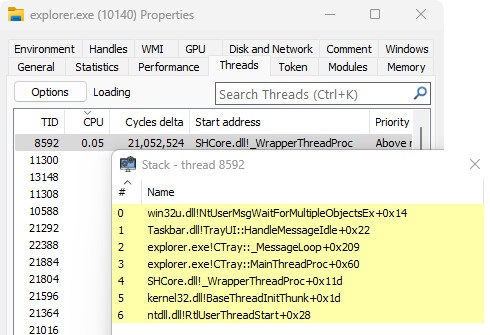
You do not have to guess with System Informer. It is possible to go into a process and get its loaded modules, active threads, handles being used, and performance effects. It is broken down in ways that make sense, and even the ability to pause, suspend, kill, or restart a task is executed instantly. When a malware piece is attempting to remain hidden, or a rogue background service is eating resources, you will immediately realize that. And that sort of clarity is time-saving, especially when you are trying to exercise a diagnosis that you can hardly explain.
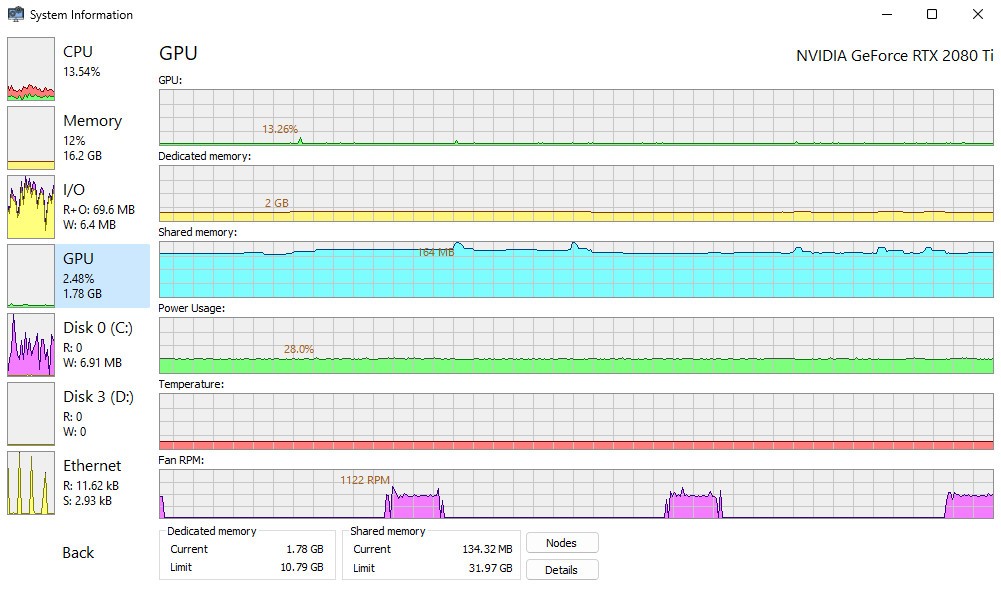
It is also software that uses graphs and a history tracker. You will be able to see the CPU utilization over time, RAM spikes, or browsing which processes call your network interface all the time. It is the type of tool that leaves you more aware of your system as you use it more. After some time, you start to recognize what’s normal and spot the red flags early. That can make you respond to problems, and it can make you foresee them as well.
The second reason behind why you need to run System Informer on your system is performance bottlenecks analysis. Is it a high hang-up from GPU stutter, or is it a background updater active? Does an idle process in the system carry an idle label, or is it masking something? You have the chance to decompose that, to look at what is normal, and determine what remains and what goes.
And this happens in a lightweight package. It does not consume any system resources and does not hog you down with the burden of heavy installation. You can even run it portably and in case you have to troubleshoot some other machine. It is quick, flawless, and effective, especially when your system is under stress.
Is System Informer Free?
It is right, the System Informer can be used free of charge. It is an open-source application, and this implies that there are no paywalls, no limited versions, and no advertisements. There is no need to sign up, and no license is needed to get access to all functions. It is completely accessible to any user, whether you are a student who needs to learn more about the mechanisms of systems, or you are a technological person with a lot of computers and machines under your control.
What Operating Systems Are Compatible with System Informer?
System Informer is really Windows-only. It is also compatible with Windows 10 and 11, and compatible with both the 32-bit and 64-bit architectures. It also works on older Windows OS such as Windows 7, and some features might be constrained according to the version of the operating system. It does not need serious installation and can even run as a portable application, designed specifically to support or perform some form of diagnostic on other machines without leaving any traces.
What Are the Alternatives to System Informer?
Although System Informer can be a potent instrument, it is not the sole one in this field. Here are some other tools that may suit users with different needs, processes, or inclinations.
One of the most renowned tools in the given category is Process Explorer. It was written by Sysinternals of Microsoft, and it is famous because of its extensive knowledge about operating processes. It provides the active task view in the format of a tree, the visual memories mapping, the digital signature validation, and more. This is especially true with Process Explorer, where rootkit detection and DLL inspection are done. Nevertheless, it has quite a dense interface, which might be uncomfortable to navigate at first for those unfamiliar with working at the system level of diagnosis.
Next, there is Process Lasso. It is more of a performance tuning tool than a monitor. This allows you to adjust affinities to the use of CPU, limit background applications, and make automation rules that prioritize your go-to applications when it is really important. It is perfect when users desire more than visibility; they will desire control, especially where performance stability is essential, such as on workstations or gaming PCs. Regarding that, it is an optimization tool and not a deep system tool; therefore, it might not fully replace System Informer in all cases.
System Monitor II is a lesser program that is rather concerned with visual real-time viewing. It is a desktop application that displays up-to-date statistics of CPU usage, memory load, and network traffic. It does not provide a detailed breakdown of processes like you can have with System Informer, but it is ideal for users who just want a quick glance at system performance without opening an entire application. It is silent as it works in the background, and it is good with casual system awareness.