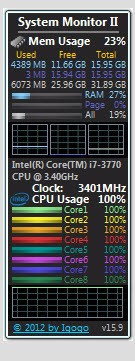
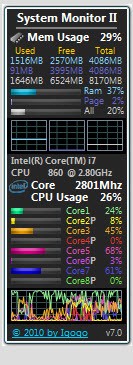
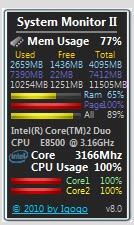
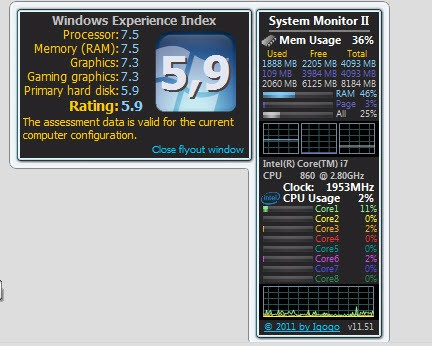
System Monitor II is a free gadget for Windows desktops that delivers information about your system performance. It's a great and comprehensive tool to monitor and keep track of various performance aspects while not adding to the consumption of resources. While it's a lightweight tool, it offers more than just the basic information you'd expect from a gadget.
On the small panel that is the central part of System Monitor II, you can see detailed insights into how your hardware performs. The information includes CPU usage per core and in total, RAM consumption, page filing and network activity, running processes, and CPU temperature. All those metrics reflect real-time data, which can explain why your computer is slowing down, monitor its performance over time, and manage system resources.
You can move or dock System Monitor II anywhere on the screen to always have it on the desktop, customize how it displays data, and check which software is causing trouble. If you're a system administrator, developer, or just a heavy computer user or gamer, System Monitor II is a great tool for diagnostics, analysis, and troubleshooting how your system resources are used or if there's any suspicious activity.
Why should I download System Monitor II?
If you need a lightweight and free tool that will help you monitor and manage processes and resource consumption of your computer, then System Monitor II is a great solution. It can display processes and their hierarchies, show which of them were launched by others, and help you identify the sources of performance issues or high resource usage. Each process can be expanded to display a list of its properties, like the Dynamic-Link Libraries (DLLs) it has loaded, the individual threads it is running, and the files, registry keys, and other system objects it has opened. Use it to track unknown software and its behavior or troubleshoot errors.
With System Monitor II, you get comprehensive real-time performance monitoring that's more than just basic CPU and memory graphs. You can check statistics for each process and input/output activity, and check how much data each app reads or writes to your hard drive. It also has tools for network monitoring that list all active TCP and UDP connections, host names and IP addresses, and which processes are linked to which connections. This way, it's easier to detect unauthorized network activity or apps that consume too much of your bandwidth.
System Monitor II can also be used to check system services and inspect installed drivers so that you can verify which ones are critical Windows operations. You can expand each of the running processes to check individual services running within it, check their status, and stop or restart them. There's also a list of all drivers installed on your Windows computers, and it includes file paths and the drivers' versions, which makes it easy to find outdated ones or check for conflicts.
If you're looking to monitor how your hardware is used, then System Monitor II presents you with detailed graphs based on real-time data coming from your CPU, GPU, and RAM. You can see dedicated and shared memory usage, GPU engine utilization, and even the temperature, which is great for gamers or others who want to verify how the hardware performs under a load, and you get it all in one interface. System Monitor II can work with CPUs with up to 32 cores and allows you to track any spikes, idle moments, or the consistent consumption level, which helps determine your system's health.
You can fully customize how System Monitor II looks and choose from vertical or horizontal layouts, change color schemes, font sizes, and background opacity, enable or disable specific modules, change the size of the gadget, and adjust the intervals at which it refreshes. System Monitor II is a free utility, but you can only get it for Windows devices.
Is System Monitor II free?
Yes, System Monitor II is entirely free, and you get all of its diagnostic tools without any cost. Nothing is hidden behind a paywall or requires an upgrade, so anyone with a Windows computer can download and use this freeware.
What operating systems are compatible with System Monitor II?
As a tool developed only for Windows operating systems, you can download System Monitor II and use it on a variety of versions, including Windows Vista, 7, 8.1, 10, and 11 and it supports a variety of hardware manufacturers.
On most modern Windows versions, such as 8.1, 10, and 11, you need an app that allows you to add gadgets to your desktop, such as Desktop Gadgets Reviver or 8GadgetPack.
What are the alternatives to System Monitor II?
Process Explorer is a system utility that comes together with other tools that are part of the Windows Sysinternals suite. It can be used as a replacement for Windows Task Manager as it offers a hierarchical list of processes that you can view in two ways: through a handle mode or a DLL mode. You can also integrate it with VirusTotal to report any suspicious processes, and the tool is free, but it only works on Windows systems.
System Informer is an open-source utility that provides a detailed view of how your Windows system and its resources operate. It can show extensive data and charts for CPU, memory, disk, and network usage, and you can often find information there that other tools don't provide. It has tools that allow you to monitor any network activity deeply or inspect drivers and running services. System Informer is constantly expanded by its community of developers, and you can get it for free on Windows PCs.
Process Lasso is more than just a system monitoring tool, as it also offers features that help you optimize and automate processes. It has various algorithms that can intelligently and temporarily adjust running processes and their priority so that you can get better system performance. You can also define which CPU cores a given process can use, set input and output priorities, and configure other automated rules. You can download Process Lasso on Windows systems for free, which provides access to all its basic features, or get a paid version with more advanced tools.