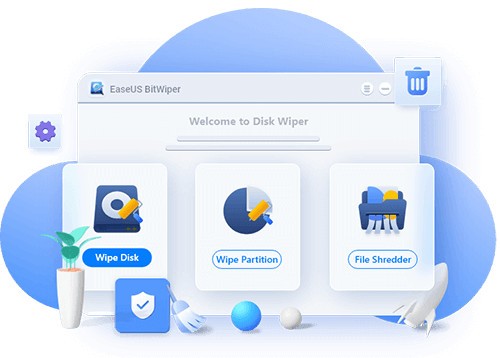
EaseUS BitWiper is a data wiping program built to make sure the files you delete are gone for good. When you drag a file to the recycle bin and empty it, most people assume that’s the end of it. In reality, the data usually still sits on your hard drive until something else overwrites that space. That’s why recovery software can dig up photos, documents, or records long after you think they’ve been erased.
BitWiper takes the extra step of overwriting that space with patterns, so the original file can’t be recovered. It follows secure erasure standards, giving you the choice of simple one-pass overwrites or more advanced multi-pass methods. That makes it useful whether you’re wiping a handful of private documents, clearing an old hard drive before resale, or preparing business hardware for disposal.
The software isn’t limited to individual files. You can wipe partitions, clean entire drives, or erase the free space on a disk to get rid of old “ghost” files that are no longer visible but still recoverable. That’s especially helpful if you’ve been using the same computer for years and want to be sure no leftover data is hanging around.
EaseUS also designed the interface with clarity in mind. You don’t have to be an IT technician to use it. Options are presented in plain language, and the process is step-by-step. For a task as serious as permanently erasing files, that balance of simplicity and security is important.
Why should I download EaseUS BitWiper?
The first reason is peace of mind. Think about what’s stored on your computer right now: old tax returns, work contracts, medical records, personal photos, saved logins. Even if you don’t consider yourself a private person, you probably wouldn’t want all that sitting around if you sold your laptop or recycled a hard drive. Normal deletion doesn’t protect you from recovery tools, but BitWiper does.
For businesses, the stakes are even higher. Many industries require proper data destruction. Regulations don’t accept “delete” or “format” as secure methods. If you’re handling sensitive customer data or financial records, you need a reliable way to wipe drives before passing them along. BitWiper gives you that compliance and assurance.
Even for casual users, it’s practical. Maybe you’re handing down a computer to a friend or family member and don’t want personal documents showing up. Or maybe you’re just cleaning up years of clutter and want to know it’s truly gone. BitWiper makes the process straightforward.
It’s also about flexibility. Some people only want to erase one or two files. Others might want to wipe an entire system drive. With BitWiper, you don’t have to juggle different programs to get that done. It’s one tool that adapts to small jobs and large ones.
Another strong reason is how easy it is to use. Security programs often feel overly technical, full of terms that confuse regular users. BitWiper avoids that. You can open it, pick what you want to erase, choose how securely you want it erased, and run the process. No steep learning curve required.
Is EaseUS BitWiper free?
EaseUS BitWiper does have a free edition, but it’s limited. With the free version, you can securely erase individual files and get a feel for how the program works. For some people, especially those who only need to wipe a few sensitive items, that might be enough.
If you want the advanced features—like wiping entire partitions, system drives, or choosing from more complex erasure methods—you’ll need the paid edition. The premium version unlocks the full toolkit, which is especially valuable if you’re preparing a computer for resale or wiping multiple drives in a business environment.
Some users might hesitate to pay, given that there are free alternatives available. But the paid version comes with the reliability of ongoing updates, technical support, and the reputation of EaseUS. This is a company that’s well-known in the data management space, with products for recovery, partitioning, and backup. Having that kind of backing gives BitWiper a level of trust you don’t always get with no-cost software.
What operating systems are compatible with EaseUS BitWiper?
EaseUS BitWiper is Windows-oriented. It works with such major versions as Windows 7, Windows 8, Windows 10, and Windows 11. The latter implies that it is compatible with older machines and the newest arrangements. BitWiper works on both an old desktop and a modern laptop, whether you are cleaning up or it is ready to sell.
It does not have an official version on macOS or Linux yet. That does not leave those users without choice: there are other options, such as Shredo on Mac and open-source erasers on Linux, but BitWiper itself remains Windows-centered.
The integration is natural since it is optimized for Windows. It supports internal drives, external hard drives, USB drives, and SSDs. You may even wipe the main system disk in case you are resetting a machine to be sold. And because it is lightweight, it does not slow the system down during operation.
What are the alternatives to EaseUS BitWiper?
In case BitWiper does not meet your needs, or in case you want to have the alternatives on other platforms, you have several good alternatives.
Eraser is a free open-source Windows application. It is an old product and it offers various secure erasure techniques. You can even plan some erasures to run at specific times. It is trustworthy, but the interface is outdated and might be difficult to use for novices.
O&O SafeErase is a commercial software that is refined and fits well within the Windows Explorer. A file can be right-clicked and deleted safely right away. It promotes various wiping standards and has professional support, yet, as in the case of the BitWiper premium, it is not free.
Because BitWiper is not compatible with macOS, one good option is Shredo, which is compatible with Apple systems. It enables you to wipe files, folders, or free space safely; it is designed to integrate well with the Mac environment.