Lazesoft Recovery Suite is a rescue toolkit designed for those dreaded moments when your computer suddenly stops cooperating. We’ve all had it happen: files disappear, a partition goes missing, or worse, your PC refuses to boot at all. Instead of panicking, this software gives you a lifeline.
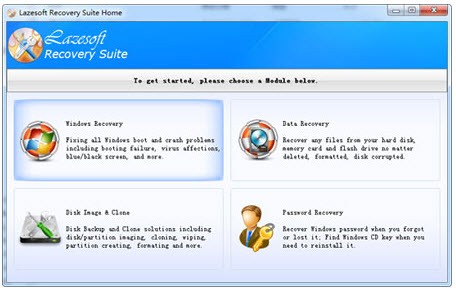
What makes Lazesoft Recovery Suite different from single-purpose tools is its all-in-one nature. It isn’t just about recovering deleted files. It includes modules for fixing Windows boot problems, restoring corrupted partitions, resetting lost or forgotten Windows passwords, and even creating disk images and backups. Essentially, it combines multiple recovery solutions into one package, making it much more practical than juggling several programs.
For everyday users, that means if you accidentally delete a work document or family photos, Lazesoft can dig them out of your hard drive. For tech-savvy folks or IT professionals, it can also repair a non-booting system, restore damaged files, and ensure a machine is usable again without a full reinstallation. In short, it’s like having a recovery technician on standby, except it lives on a USB stick or DVD you prepare in advance.
Why should I download Lazesoft Recovery Suite?
The biggest reason is peace of mind. Computers don’t always give warnings before something goes wrong, and when disaster strikes, most people don’t have a backup plan ready. Lazesoft Recovery Suite acts as that plan. It helps you take control of emergencies instead of letting them ruin your day.
Take data recovery, for example. Everyone has at some point deleted something they wish they hadn’t. Maybe it was a folder emptied from the Recycle Bin or files lost after formatting a USB stick. Lazesoft can scan the drive and, in many cases, bring those files back. That’s priceless if you’re dealing with school projects, work reports, or irreplaceable family photos.
Another situation where Lazesoft shines is system repair. Imagine turning on your PC and seeing nothing but a black screen or a cryptic error message. Without the right tools, that often leads to reinstalling Windows from scratch and losing everything in the process. With Lazesoft, you can boot from recovery media, run the repair utilities, and often get Windows working again without data loss.
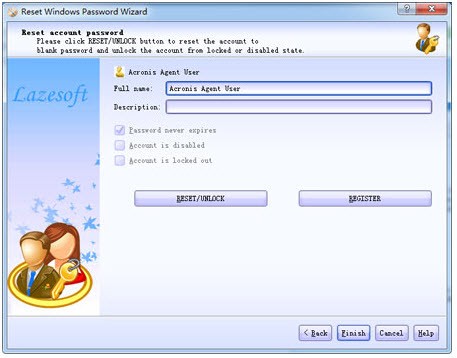
Password recovery is another underrated feature. Forgetting your Windows login can be more than just frustrating—it can lock you out of your own files. Lazesoft provides a way to reset or recover the password so you can regain access quickly. And if you want to be proactive, the disk cloning and backup features let you prepare for the worst by creating a snapshot of your system while it’s healthy.
What ties all these reasons together is the user-friendly design. Many recovery tools are intimidating, packed with jargon and complicated menus. Lazesoft keeps things straightforward, guiding you step by step so you don’t feel overwhelmed. Even if you’re not tech-savvy, you can still make it work. That’s exactly why it’s worth downloading before you actually need it.
Is Lazesoft Recovery Suite free?
Yes, Lazesoft Recovery Suite has a free edition, and that’s one of its biggest advantages. The free version gives you access to a wide range of features: data recovery, system repair, partition management, and password reset tools. For most home users, this is more than enough to cover the kinds of problems they’re likely to face.
Of course, there are paid editions too—Professional, Server, and Unlimited. These expand the features for advanced environments. For instance, IT departments managing multiple machines or businesses running servers may find the premium versions more suitable because they add server support and allow unlimited usage rights.
But the important part is that the free edition isn’t just a watered-down demo. It genuinely works and can solve real issues. That makes it easy to try without risk. If you end up needing the more advanced capabilities, upgrading is straightforward. For casual users, though, the free version often provides everything they require.
What operating systems are compatible with Lazesoft Recovery Suite?
Lazesoft Recovery Suite is built for Windows environments. It works across a broad spectrum of versions, starting from the old Windows XP days right up through Windows 10 and Windows 11. That makes it versatile, especially for people or organizations still running a mix of older and newer machines.
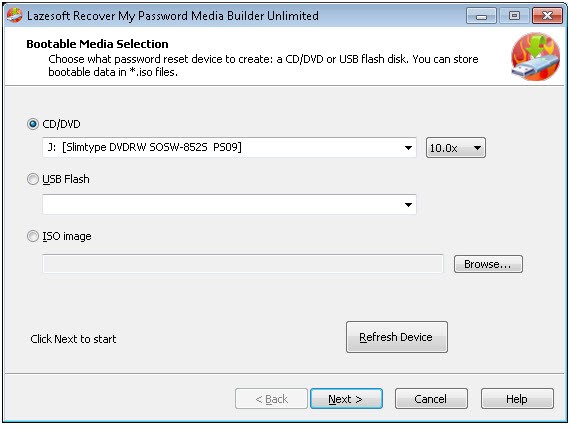
One of its key strengths is that it doesn’t rely on Windows being functional in the first place. If your system won’t boot at all, you can use the recovery media created by Lazesoft—whether that’s a CD, DVD, or USB drive—to access the software directly. From there, you can attempt system repairs, recover files, or reset passwords without needing Windows to start.
That said, it is a Windows-only tool. If you’re using macOS or Linux, you’d need to look at alternatives designed for those platforms. But given that the majority of PCs worldwide still run Windows, Lazesoft’s focus makes sense, and it covers the most common situations people encounter.
What are the alternatives to Lazesoft Recovery Suite?
One of the most popular recovery tools is Disk Drill. It is robust, compatible with Windows and macOS, and is focused on finding files not only in the internal drive but also in USB drives, as well as SD cards and external hard drives. It has a reputation for having an easy-to-use interface and good file recovery scores.
Another popular one is Recuva. It is light, simple to install, and especially suitable for users who only require simple file recovery. It does not match the range of features of Lazesoft; there is no system repair or password reset, but when your main focus is restoration of lost photos, videos, or documents, Recuva is a basic and efficient application.
Another large player in this market is EaseUS Data Recovery. It is compatible with Windows and macOS and is as versatile as Disk Drill. It provides extensive scanning and can deal with more intricate recovery scenarios, like formatted hard drives or partition failures. It is well-polished and dependable; some of its more advanced features are restricted to paid versions.