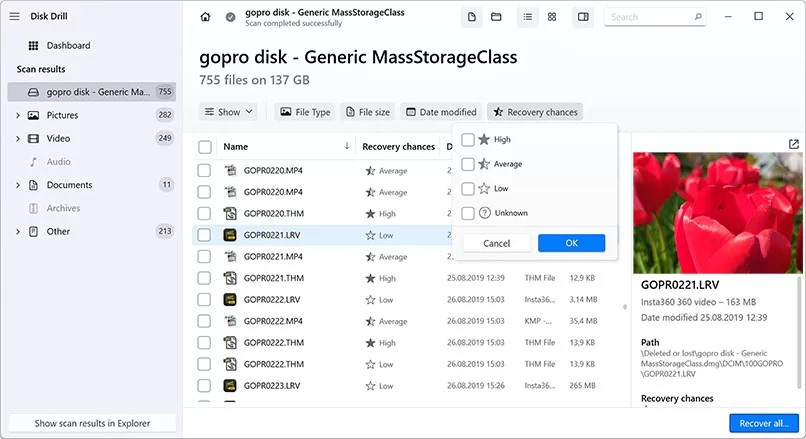
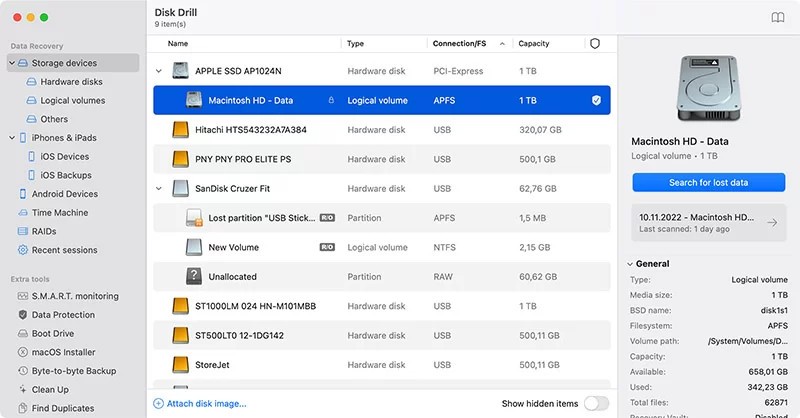
Disk Drill brings an effective solution to recover files that users have accidentally deleted or lost on their storage devices. This data recovery software functions as the data recovery solution that works to provide seamless retrieval for all scenarios of file loss, including accidental deletion and system failures or reformatting of storage devices. The software functions with multiple file formats, including documents, photos, videos, audio files, and archives, which allows users to handle different recovery tasks. Disk Drill stands out for its user-friendly interface, making it easy for individuals with no technical skills to understand. The system demands no advanced technical skills to successfully recover lost data.
The scanning techniques implemented by this program allow it to investigate storage layers deeply in order to detect missing files. Quick Scan provides fast access to restore recently deleted data by searching for data still present in un-overwritten areas. Users can select Deep Scan mode because it performs an extensive storage analysis to reconstruct lost data fragments. Having two scanning algorithms works better for data recovery since they recover files regardless of how severe the loss was. Data management is complete with Disk Drill, which combines recovery functions with disk health monitoring services and data protection capabilities.
Recovery Vault stands out as a vital feature because it constructs a mapping of deleted files to ease their restoration at a later time. Users can recover lost data through Disk Drill from secure digital cards, hard drives, SSDs, USB drives, and various other storage devices. The recovery capabilities of Disk Drill extend to various situations, including both disk repairs and file restoration.
Why Should I Download Disk Drill?
Disk Drill stands out as a useful tool to consider downloading because it delivers robust data protection features. With its capability to retrieve files from all types of devices, Disk Drill ensures that data loss stays a concern for your PC and mobile devices, together with external storage.
Disk Drill’s features cover every situation because it can restore data from both USB flash drives that randomly malfunction and SD memory cards that fail during transfers. Users looking for straightforward recovery programs quickly select the user-friendly interface of this solution because it avoids complex processes. Users can choose their drive for scanning and then let the program finish its work automatically. The whole process is simple and easy to do.
Disk Drill stands out with its Recovery Vault feature, which provides advanced preemptive data protection for users. Data protection occurs in real time through this feature, which keeps a track of file deletion logs to help users recover valuable information. This recovery system serves as an additional safety measure to protect essential files. The deep scanning feature of Disk Drill eliminates the need to recall data storage locations because it scans your entire drive system to find data fragments.
Disk Drill stands out because it presents previews of files during the recovery process. Users can preview all recoverable files right before selecting the restore button after the scanning procedure ends. The preview function helps you avoid pointless recoveries of damaged or unnecessary data files. The small preview feature enhances your file recovery process notably by letting you see recoverable files before any restoration command.
Disk Drill offers its users protection features together with its basic file retrieval service. Through its monitoring tools, the software detects disk problems before they create severe issues. The notified approach to data protection reduces the likelihood of unexpected failures that threaten your data security. Additionally, Disk Drill provides users with file system repair features that allow them to fix disk errors that might limit data access.
Is Disk Drill Free?
The free version of Disk Drill enables users to restore a maximum of 500 MB of accidentally lost data. The free version of this program brings users’ most important recovery tools together with those offering Quick Scan, along with Deep Scan abilities.
Unlimited data recovery, as well as features such as Recovery Vault and disk health monitoring, becomes accessible when users upgrade to the Pro version of the software. The free edition of the software allows users to evaluate its functionality before deciding to acquire it.
What Operating Systems Are Compatible with Disk Drill?
The Disk Drill application functions on Windows and macOS systems; it remains accessible to users on both operating systems. The Windows version of the software operates with Windows XP through Windows 11.
Disk Drill supports data recovery through all versions of macOS Big Sur, Catalina, and Mojave, as well as earlier macOS releases. Users running multiple operating systems can take advantage of Disk Drill data recovery functions since the software supports various platforms.
What Are the Alternatives to Disk Drill?
Users can consider Recuva data recovery software from Piriform as an alternative to Disk Drill. Recuva stands out as a favorite data recovery software because users find it simple yet effective to retrieve recently deleted files. The software enables users to recover various file types from its platform and external storage devices. Recuva operates through a free version that extracts data from damaged or formatted storage devices, but does not possess the sophisticated Disk Drill system algorithms. Users can easily use the software interface, and this tool lets them view possible file types similar to the Disk Drill preview. Stellar does not achieve the same level of performance in data recovery situations that involve deteriorated or modified files.
Users searching for Disk Drill alternatives should consider Stellar Data Recovery because it provides efficient data recovery solutions for intricate data loss cases. The recovery capabilities of Stellar make it an optimal tool for damaged or corrupted storage devices that fail to respond to ordinary recovery methods. The tool supports many file types and includes functions for repairing damaged images and video content. Stellar Data Recovery serves as a dependable purchase for users who experience substantial data losses due to its more expensive nature, but it offers dependable extraction capabilities. Professional users choose this software because it provides an easy-to-use interface combined with reliable data recovery features.
The recovery software DiskGenius might also serve as an excellent substitute option. The utility runs as a flexible program that brings together data rescue functions with other tools, including partition restoration and drive duplication abilities. The disk management and partition issue resolution features, along with efficient disk space management of DiskGenius makes it particularly useful for users. Basic recovery software does not compare to DiskGenius because it features partition recovery capabilities, together with file system repair and lost partition detection functions. Although its interface may be complex for new users, the program provides advanced control to technologically inclined users who need to manage their data recovery tasks.