Stellar Data Recovery serves as a program that restores deleted data from various storage systems. The data protection tool Stellar Data Recovery retrieves all types of missing files, such as documents and multimedia content, from multiple storage devices, regardless of what caused their loss. The platform provides data retrieval services that offer complete control of your data storage regardless of its complex loss status.
Stellar Data Recovery functions with storage mediums such as hard drives, SSDs, USB flash drives, and SD cards, and RAID configurations. Your data retrieval needs are taken care of during unexpected file loss scenarios, thanks to Stellar Data Recovery, which investigates your entire storage space until all inaccessible or lost data is found. The data recovery software enables you to retrieve documents from NTFS, along with exFAT and FAT file systems, which makes it a suitable option for both personal users and professionals.
The exceptional scanning algorithms of Stellar Data Recovery complete an exhaustive examination of your storage to find the entire collection of recoverable data. The software demonstrates remarkable effectiveness because it can recover both missing partitions and severely damaged files across different file system types. The user-friendly system interface automatically guides you through each step of data recovery with no complicated technical requirements or complex procedures to manage.
Why Should I Download Stellar Data Recovery
Stellar Data Recovery is a good choice for anyone who has dealt with data loss problems and does not have file retrieval capabilities. The software system offers more than simple fixes as it gives users the ability to recover their lost data in situations where it would otherwise be beyond repair. Recovery of your files happens through the established Stellar Data Recovery tool, which provides more than just hope. It delivers professional solutions. The Stellar Data Recovery software excels in restoring data that has been lost from accidental deletion, formatting errors, virus attacks, and system crashes.
The main advantage of Stellar Data Recovery is its ability to work in many situations, which should make you choose it. The recovery tool provides users with additional features beyond basic file retrieval, enabling deep scanning modes, preview facilities, and RAID data restoration functions. Your tool functions completely every time you use it. The program applies advanced functionality across a wide variety of data loss cases to keep you ready for any disaster.
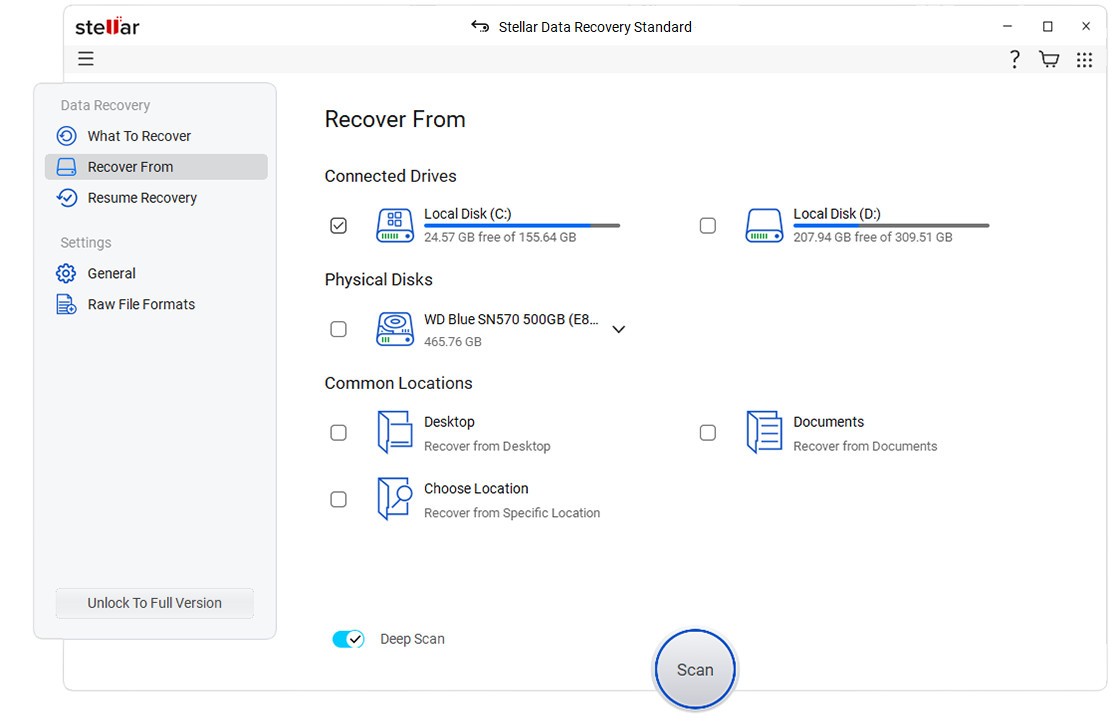
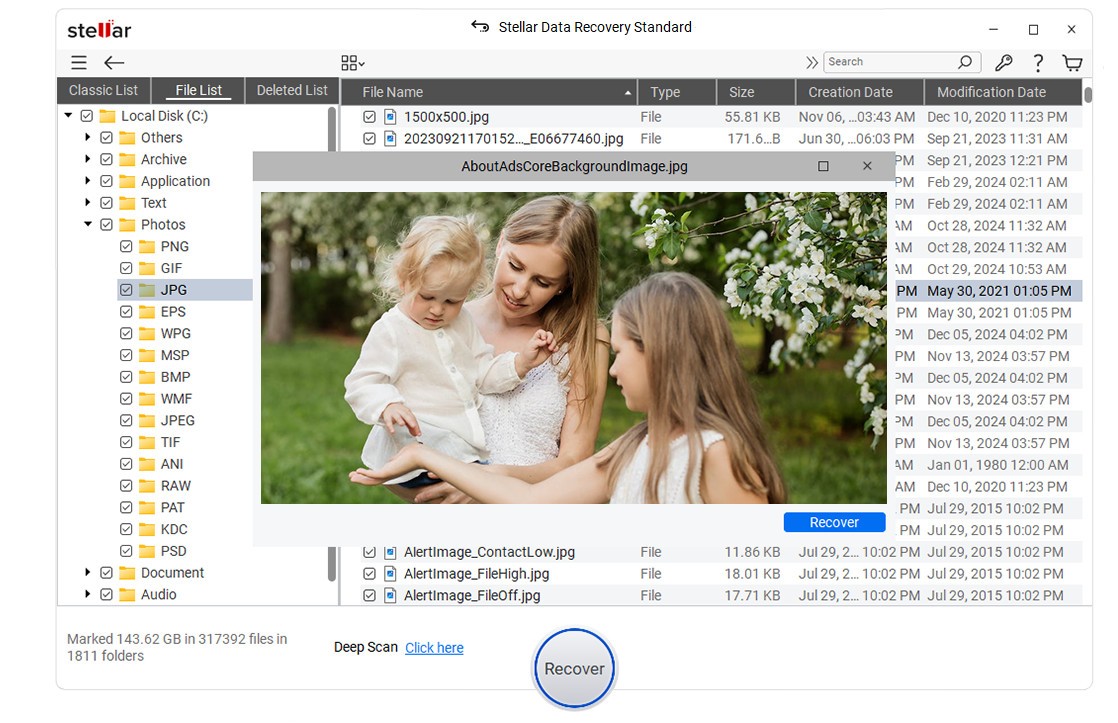
The main benefits stem from rapid performance and swift operation speeds. The program performs its drive scanning task without making you wait. Two scan modes are available in the software: quick scan lets you quickly find recently deleted files, and deep scan thoroughly explores your device for more difficult-to-find data. The program provides users with a complete overview of recoverable files before offering preview capabilities during the data retrieval process.
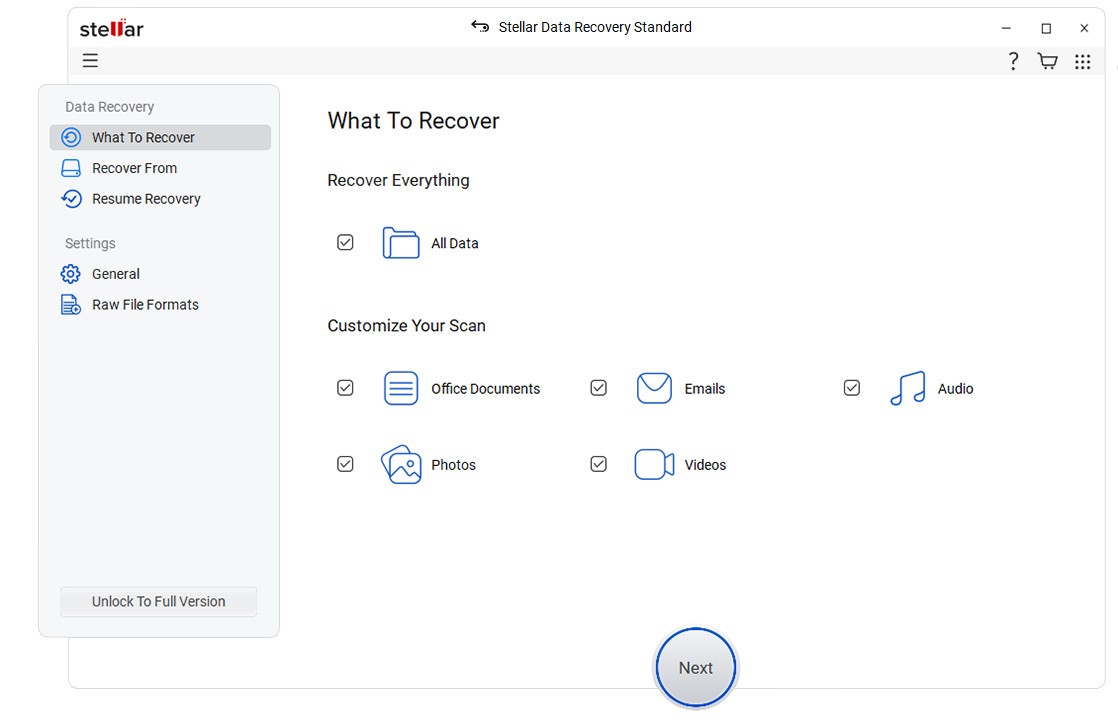
Stellar Data Recovery gives users substantial control over the recovery process, which becomes another vital reason to install the program. When using this software, users execute controlled recoveries without clicking random buttons. The software allows users to modify their scanning parameters while selecting which file types to recover, and provides control to pause or resume the recovery operation at any time during the process. Stellar Data Recovery serves each person differently through its adaptable nature during the recovery process, from family photo retrieval to business document restoration.
Is Stellar Data Recovery Free?
Stellar Data Recovery offers a free version with 1 GB of data recovery capacity. Testing Stellar Data Recovery capabilities does not require any immediate payment.
A basic glimpse of Stellar Data Recovery capabilities is available through its free version; however, users need one of the paid plans to access advanced features and recover extensive amounts of data. Premium version customers can benefit from improved data recovery functionality as well as quick assistance, which enhances their general confidence in recovering their data.
What Operating Systems Are Compatible with Stellar Data Recovery?
The data recovery software Stellar Data Recovery functions on Windows OS along with macOS, thus providing support to a broad section of users.
All users of Windows 10, Windows 11, Windows 7, and Windows 8 can benefit from this software's support. The Mac version functions perfectly across macOS Catalina through Monterey.
The efficiency of Stellar Data Recovery allows users to access its features equally on Windows and macOS operating systems, regardless of which device they have.
What Are the Alternatives to Stellar Data Recovery?
Among the reliable and robust solutions Stellar Data Recovery provides, users should have knowledge about additional programs that might suit their individual needs or preferences. The main alternatives to Stellar Data Recovery comprise Recuva, DiskGenius, and Disk Drill.
Recuva represents a simple yet efficient data recovery solution that the creators of CCleaner created. The tool does not push its users toward complicated features, which makes it ideal for people who seek straightforward functionality. Among its useful features, this program recovers deleted files well with universal device and file support. The program has an uncomplicated design that makes everything approachable, even when users have no technical experience. Only three steps exist within this software: selecting the target drive, followed by scanning and recovery execution.
The advanced capabilities of DiskGenius offer data recovery features joined by disk management tools, along with partition management and system backup abilities within this program. The tool proves beneficial mainly for people who need to work with partitions or solve complicated recovery issues involving missing or damaged partitions. File recovery sits beside disk health management and maintenance responsibilities because you confront these tasks as well. Users who demand versatile tool functionality that extends beyond basic file recovery should choose DiskGenius because of its advanced features.
Users appreciate Disk Drill for its stylish, contemporary interface and multiple data recovery solutions. The software system supports advanced capabilities that extend past file recovery, so it can function as a full backup solution. Disk Drill provides two scanning levels that enable users to select the correct procedure based on the type of data loss they experienced. The recovery process becomes streamlined through Disk Drill, no matter if you need to retrieve data from a formatted drive or if an unintentional deletion occurred. The easy-to-follow interface helps navigate you through each step of your work with absolute competence without needing to handle complex equipment settings or uncertain operations.