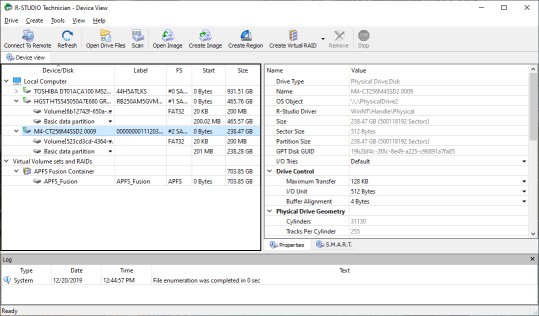
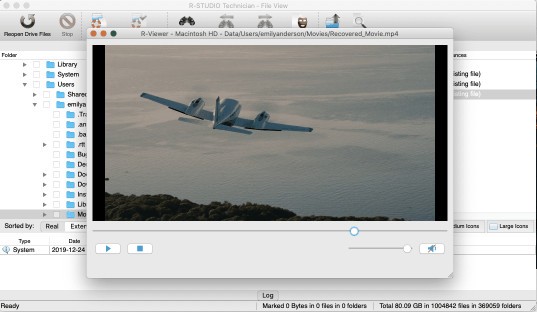
R-Studio is a data recovery program that lets users restore deleted or lost files from a wide range of storage devices. It goes well beyond basic file retrieval, offering tools to recover data from damaged or corrupted disks, formatted drives, and devices affected by partition loss or virus attacks. The software uses complex scanning algorithms to analyze disk structure and locate files that would otherwise seem unrecoverable.
One of R-Studio's strengths is its support for multiple file systems, including FAT, NTFS, HFS+, and APFS, among others. This cross-platform compatibility makes it useful for data recovery work across different operating systems. It can also recover data from RAID arrays, which is particularly valuable for IT professionals managing servers and business storage systems.
R-Studio includes a built-in hex editor that allows manual editing of file and disk sector content, a function aimed at expert users who need to work directly with data structures. It also supports creating disk images, which act as protected copies of a drive so you can work on a replica without risking the original data. This controlled approach reduces the chance of further data loss during the recovery process.
Why Should I Download R-Studio?
R-Studio earns its place when free tools are not getting the job done. For hard drive failures, deleted files, or corrupted partitions, its advanced scanning algorithms find hidden files that simpler applications tend to miss. If you have already tried a basic recovery tool unsuccessfully, R-Studio is a logical next step.
The software runs on Windows, macOS, and Linux, which means you do not need separate tools for different systems. One installation handles recovery tasks across all three platforms.
RAID reconstruction is one of its standout capabilities. When a RAID array fails and data becomes inaccessible, R-Studio can reconstruct the array and restore access to the files within it. For businesses that rely on RAID storage, this feature alone can justify the investment.
Network recovery is another practical advantage. R-Studio can retrieve data from remote machines over a network connection, which is useful for IT administrators who need to recover data from systems they cannot physically access. This saves time and makes it possible to respond quickly to data loss events without traveling to the affected hardware.
Is R-Studio Free?
R-Studio offers a demo version that lets you scan for and preview lost files without paying anything. This gives you a chance to assess whether the software can find what you need before committing to a purchase. If the scan successfully locates the files you are trying to recover, you can then buy the full license to complete the restoration.
What Operating Systems Are Compatible with R-Studio?
R-Studio supports Windows, macOS, and Linux. On Windows, it runs on everything from Windows XP through Windows 11. Mac users can run it on Catalina, Big Sur, Mojave, and several earlier versions of macOS. Linux support covers a broad range of distributions, making it a useful tool for IT professionals who manage systems across multiple environments.
What Are the Alternatives to R-Studio?
Recuva is a lightweight recovery tool from Piriform, the developers behind CCleaner. It handles file recovery from hard drives, USB drives, and SD cards with a simple interface that works well for users who need quick, basic undeletion without a steep learning curve. A standard scan recovers recently deleted files, while a deep scan mode digs further for files in more difficult situations. Recuva does not offer RAID recovery or disk imaging, so it is best suited to straightforward personal recovery tasks rather than the complex scenarios R-Studio handles.
DiskGenius combines file recovery with partition management, disk cloning, and backup capabilities in a single tool. It recovers data from damaged partitions and handles a wide range of file types, making it effective after partition loss or accidental formatting. The partition management side is particularly strong, covering partition recovery, disk cloning, and disk formatting alongside the recovery features. It is a capable option for users who require both recovery and disk management in one place, though its interface is more involved than simpler tools and suits users with some technical confidence.
Disk Drill is a user-friendly recovery solution that works well for both beginners and experienced users. It restores files from internal and external hard drives, USB devices, and memory cards, and its Recovery Vault feature makes previously deleted files easier to locate when required. Quick and Deep Scan modes let you match the scan depth to the severity of the data loss situation. A built-in disk health monitor helps track drive status over time, which can give early warning of potential failures before data is actually lost.