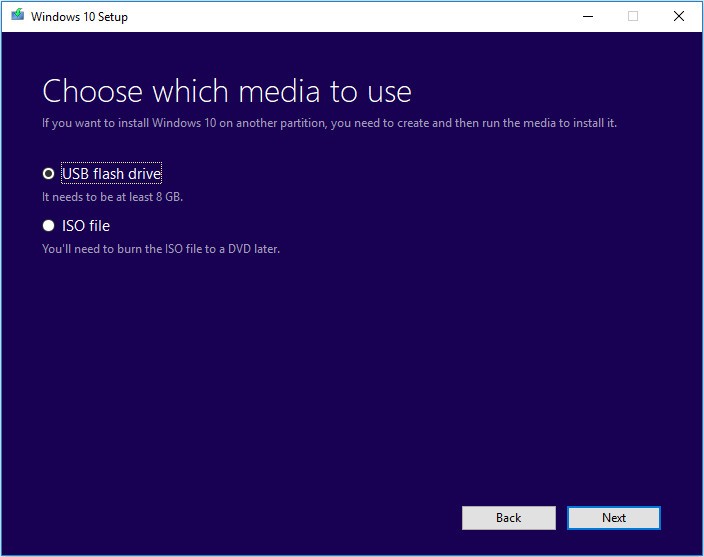
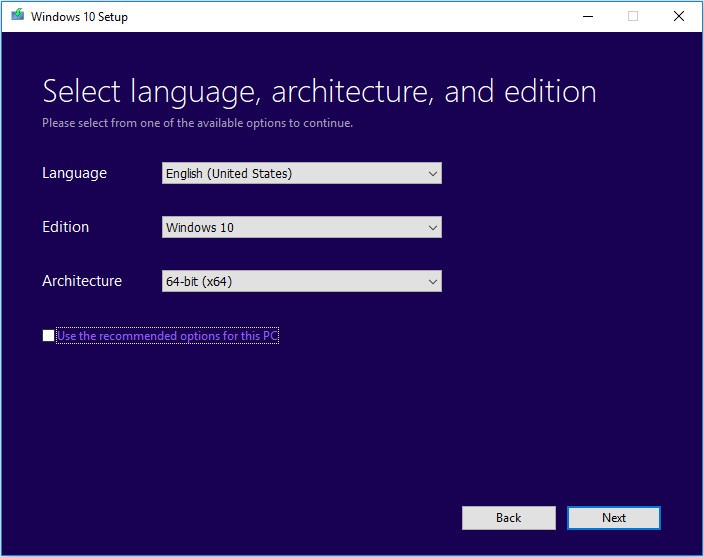
Microsoft created the Windows 10 Media Creation Tool as a utility to simplify the installation and upgrade process for Windows 10. Through its interface, you can build bootable USB drives or ISO files for clean installs and system upgrades. The tool is user-friendly enough that people of any technical skill level can generate Windows 10 installation media without trouble. Whether your goal is to repair a corrupted OS or set up Windows 10 on a new machine, this tool handles the job.
Users value the Media Creation Tool because it packages everything needed for installation into one simple workflow. You download the tool, follow the on-screen instructions, and it automatically fetches the latest Windows 10 version from Microsoft's servers, eliminating concerns about outdated or compromised files. You can choose to create a USB drive or an ISO file that can later be burned to a DVD. The process works reliably for both first-time users and experienced technicians upgrading multiple systems.
The interface walks you through each step clearly. No special technical background is required. You will need a USB drive with at least 8 GB of free space, and you should back up any important data beforehand. The tool makes creating a bootable Windows 10 drive a practical, low-effort task.
Important note: Windows 10 support ended on October 14, 2025. Microsoft no longer provides security updates or technical support for Windows 10. We strongly recommend upgrading to Windows 11 (if your hardware is compatible) or switching to a Linux distribution such as Ubuntu, Linux Mint, or Fedora.
Why Should I Download Windows 10 Media Creation Tool?
Downloading the Windows 10 Media Creation Tool gives you a direct way to manage your Windows installation process. When dealing with slow, outdated, or corrupted systems, having this tool available provides a dependable path to resolution. It handles the technical details of the installation process automatically, so you can focus on other tasks.
The main benefit is that you can download the official, verified version of Windows 10 directly from Microsoft's servers, removing the risk associated with third-party ISO sources. The guarantee of receiving a clean, unmodified copy of the operating system is critical for protecting your data and system integrity. You do not need to worry about tampered files or missing components.
The tool is also remarkably versatile. It handles system restarts, fresh installs on new hardware, and recovery drive creation all within the same application. You do not need separate programs for different tasks. Launch the tool and let it guide you through each step. Even users who have never created installation media before can complete the process without confusion or guesswork.
Speed and efficiency are additional strengths. The tool downloads the necessary files and creates bootable media in a single pass, which is faster than manually downloading an ISO, verifying it, and writing it to a USB drive with a separate application. The streamlined process is especially valuable when you need to get a computer up and running quickly after a failure.
Is Windows 10 Media Creation Tool Free?
Windows 10 Media Creation Tool is completely free to download and use. Microsoft provides it at no charge for creating Windows 10 installation and upgrade media. You do not need a license to run the tool itself, though you will need a valid Windows 10 product key or digital license to activate the operating system after installation. If you are reinstalling on a machine that previously ran an activated copy of Windows 10, the activation should happen automatically.
What Operating Systems Are Compatible with Windows 10 Media Creation Tool?
Windows 10 Media Creation Tool works with Windows 7, Windows 8, Windows 8.1, and Windows 10. You can run it on any PC that operates under one of these supported Windows versions to create installation media or perform a system upgrade.
The tool supports both 32-bit and 64-bit architectures, so you can select the version that matches your hardware requirements. For best results and maximum compatibility, run the tool on a system that meets the minimum specifications for Windows 10. An internet connection is required throughout the process for downloading the latest system image from Microsoft's servers.
What Are the Alternatives to Windows 10 Media Creation Tool?
Some users prefer alternative tools that offer more flexibility, faster performance, or cross-platform support, even though the Media Creation Tool delivers reliable results for its intended purpose.
Ventoy is a versatile tool that creates multi-boot USB drives without requiring you to format the drive each time. Unlike the Media Creation Tool, which is limited to a single Windows 10 image, Ventoy lets you place multiple ISO files on one USB stick and boot from any of them. It is open-source and uses a simple drag-and-drop workflow. Just copy your ISO files onto the USB drive, and Ventoy handles the rest automatically.
ISO to USB is a lightweight utility designed to convert ISO files into bootable USB drives. It does not offer as many options as Ventoy, but it is simple to use and gets the job done quickly. It works best when you need a basic, single-boot USB drive without any extra features or configuration.
Rufus is the go-to choice for advanced users who value speed and customization. This lightweight utility creates bootable USB drives quickly and supports multiple ISO formats, including Linux distributions. Rufus works with both BIOS and UEFI boot modes, which is essential for modern hardware compatibility. For creating Windows 10 installation media specifically, Rufus is widely considered the fastest tool in its category and offers more granular control over the process than the Media Creation Tool provides.