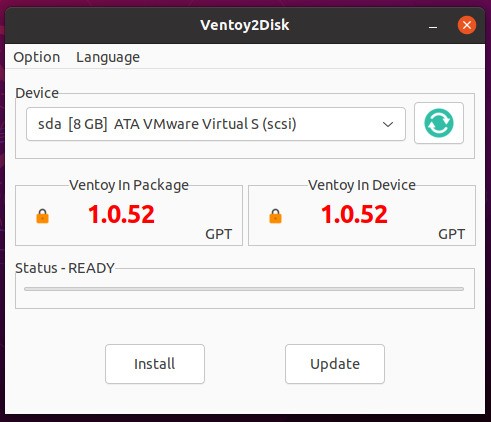
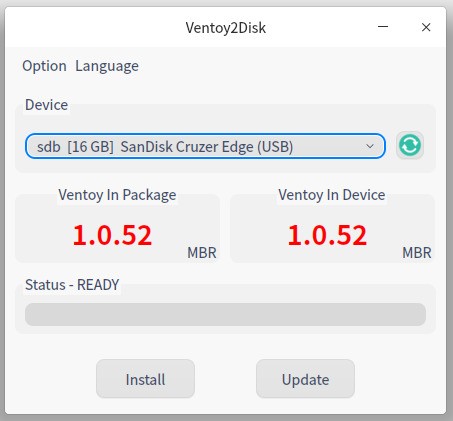
This free, open-source software serves as an interface that simplifies creating a bootable USB drive. Users benefit from Ventoy because it enables the storage of multiple ISO files on a single storage device without formatting the drive or repeatedly rewriting the files. They can use your USB device with Ventoy by installing the application first, then transferring their files to it so they can be booted directly. Its unique design gives users a remarkable opportunity to manage multiple ISO files through a single, flexible tool.
The main strength of Ventoy is that it enables users to boot from all types of ISO files, including Windows, Linux, and other operating systems. Through Ventoy, they can boot different image file types, such as WIM, VHD, and EFI. Its flexible design makes Ventoy an essential utility for users who need to manage and evaluate multiple operating systems or utilities without having to discard their USB storage.
Ventoy's functionality serves IT professionals and system administrators who typically manage multiple operating systems. A single Ventoy-powered USB stick lets users bypass the need for multiple sticks or recurring drive reformats by loading different files as needed. This standard procedure guarantees BOTH convenience AND easy access to the proper tools required for work.
Why Should I Download Ventoy?
Ventoy offers users an extraordinary solution for generating bootable USB drives. They should download Ventoy primarily for its convenience. Creating ROM drives by formatting the USB stick each time before writing new files involves an inconvenient process that takes a lot of time and effort. The Ventoy software eliminates the need to format their removable USB storage by allowing them to easily store multiple files. The drag-and-drop file copy process is made possible by Ventoy, which completes the rest of the operation automatically.
People can even continue to use their removable USB storage devices for other file storage while still being able to boot any ISO stored on it!
Ventoy's broad OS and image format support is one of the main reasons to opt for this tool. The Ventoy software allows users to boot Windows, Linux, and utility software from a single platform. The program enables them to work in either legacy BIOS or UEFI mode, ensuring compatibility across different generations of machines. This multifaceted feature enables Ventoy to support every user's needs.
The speed of Ventoy, combined with its ability to handle system repair needs, makes it an optimal choice for regular users of system distribution testing. The USB preparation process becomes much shorter thanks to Ventoy, and they can store and conveniently access several ISO files on a single drive. The software provides valuable benefits to users who switch between operating systems, as it creates ideal conditions for managing a dual Windows/Linux environment on a single storage device.
The lesser-known feature of Ventoy enables it to protect data stored on the boot-able device. Ventoy's boot functionality differs from that of other similar tools, as it allows users to maintain additional files on the removable device storage while still retaining boot capabilities. Booting ISOs and storing files on a single drive make this tool more convenient for system implementation.
Secure boot features available in Ventoy provide secure protection for portable drives. The secure boot restrictions on systems do not affect Ventoy's performance because it can function as intended. The excellent usability features, coupled with its impressive capabilities, make Ventoy one of the prime solutions for creating multi-boot drives.
Is Ventoy Free?
The entire Ventoy software application is available without paying any fees, since it exists as a totally free platform. Users have full access to the open-source GPL v3 licensed software free of charge.
You can download Ventoy on its official website or GitHub page free of charge. Users who seek free access to reliable USB booting capabilities can select Ventoy because it does not contain hidden fees or premium versions.
What Operating Systems Are Compatible with Ventoy?
The platform Ventoy operates universally with Windows, Linux, and macOS to produce bootable USB drives. Through Ventoy, users can create one device that functions as a host for Windows, together with Linux distributions, BSD, utility software, and other OS images.
A removable USB storage device generated by this computer features legacy BIOS together with UEFI support, so it functions on contemporary and previous machine setups. The service operates across multiple platforms to provide booting USB function access to users who work with different operating systems.
What Are the Alternatives to Ventoy?
The innovative approach of Ventoy to USB boot creation has made it popular; discrete tools exist that provide comparable functionality through different features. The leading alternative tools to Ventoy remain UNetbootin, UltraISO, and Rufus, among them.
The live USB drive creation software UNetbootin has been active since it was one of the earliest and most dependable platforms for such purposes. UNetbootin creates a live device from an individual file, instead of allowing multiple storage options available on a single USB, as Ventoy does. Through its application, users can access downloadable Linux distribution files and handle a broad spectrum of Linux distros. Those who need to create a single removable USB storage benefit from its straightforward operation because the program works reliably, although it doesn't match Ventoy's ability to handle multiple files at once. The main advantage of this software lies in its user-friendly design, which requires minimal setup. Windows ISO files are not supported by this tool, thereby reducing its versatility compared to Ventoy.
UltraISO's main function is to create and edit ISO files. Users generally employ UltraISO to make ISO images for CDs and DVDs, but the platform also lets users create bootable USB drives. UltraISO is best for customizing files before turning them into bootable images by adding files and editing boot configurations. Users seeking free solutions may avoid purchasing this software because it includes a post-trial cost. The program presents an interface that looks dated, yet users choose it because it provides both ISO editing and USB creation capabilities.
Users consider Rufus to be one of the quickest and most effective tools for creating Windows bootable USB drives. The software supports multiple ISO formats to create drives and works well with Windows and Linux sources. Rufus stands out as a reliable, fast USB creator that supports both BIOS and UEFI systems. Users must reformat their USB drive using Rufus when they wish to alter the OS or installed utilities, since the program supports only one ISO file per storage unit. Users seeking a straightforward, responsive utility solution opt for Rufus for its simple interface and efficient performance.