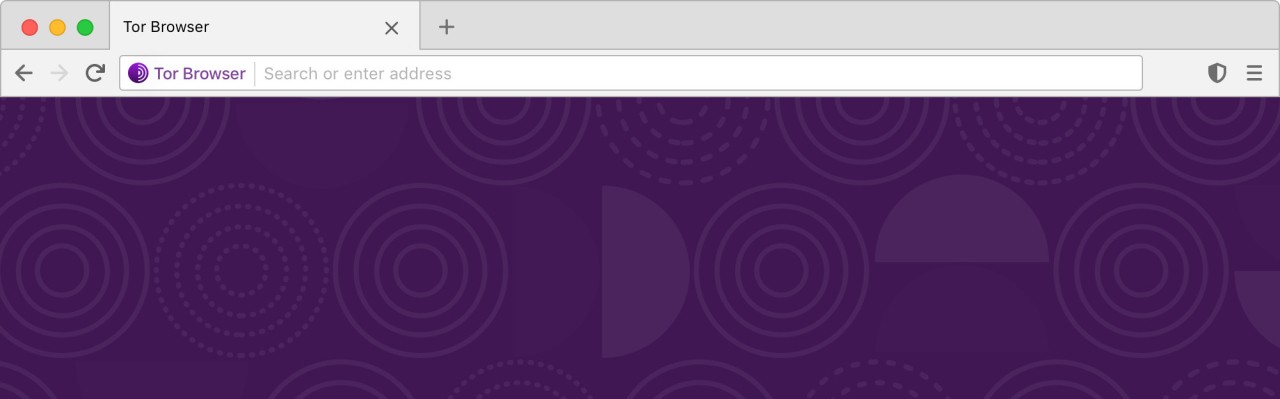
Tor Browser is a web browser designed for anonymous communication and web browsing. It ensures secure browsing by using onion routing, which combines multiple nodes to obscure your IP address and protect your anonymity online. It's a great option for protecting your online identity and activities from tracking, digital threats, and online surveillance. The first version of Tor Browser was released in 2008, developed by The Tor Project—a nonprofit foundation created by seven computer scientists, including Roger Dingledine and Nick Mathewson, among others.
This browser is based on Mozilla Firefox but uses the Tor network to allow you to browse the internet anonymously. It can help you bypass censorship or access location-restricted content by routing your internet traffic through a network of volunteer-operated servers, known as Tor nodes. That, in turn, helps protect your privacy by obscuring your IP address.
Tor Browser also lets you choose an appropriate security level, with Normal mode enabled by default. Increasing the security level can slow down your connection due to the additional processing required. For enhanced privacy, it is recommended to use a no-logs VPN such as ExpressVPN or NordVPN alongside Tor Browser.
Tor Browser is available for download on desktop computers running Windows, macOS, and Linux, as well as on Android smartphones and tablets. The platform ensures secure and anonymous browsing across all your devices.
Why Should I Download the Tor Browser?
Anyone concerned about privacy, anonymity, and digital security should consider downloading Tor Browser. It gives you a way to experience the internet in a more private and protected way, using the Tor network to route your traffic through multiple distributed nodes linked to computers worldwide, effectively hiding your IP address and geolocation. Because of this decentralized network, it is almost impossible for websites, advertisers, and various agencies to track your online activities. Whether you're a journalist, an activist in a restrictive country, or just a regular user who cares about their privacy, you can benefit from Tor Browser’s security features.
When using Tor Browser, you can reset your settings and generate a new connection by clicking a button next to the search bar, which is useful if you fear your current online identity might be compromised.
When you download Tor Browser, you also get many security features in addition to privacy tools. These include NoScript for blocking harmful scripts and HTTPS Everywhere, which forces pages to use the secure HTTPS protocol whenever possible.
There are also various security levels to choose from in the browser settings. Once you download Tor Browser and open it, it operates in Normal mode, which includes private browsing enabled by default, along with settings such as not saving your history or cookies. You can also opt for a more restricted version, where JavaScript is disabled on non-HTTPS pages, and different media must be authorized before it can play. Keep in mind that the more restrictive the security level, the slower your connection becomes, and some websites may not load at all or have limited functionality.
With all of these settings combined, Tor Browser minimizes vulnerabilities and blocks malware, phishing attempts, and other cyber threats. You can also access content that would otherwise be restricted based on your location. Among other features, you’ll find isolated browsing sessions to prevent cross-site tracking and the option to explore downloaded files offline to avoid potential data leaks.
Tor Browser's interface is based on Mozilla Firefox, so it will feel familiar in features and look to those used to working with Firefox. However, it does not allow syncing between devices, as that could pose a security and privacy risk. While not recommended, extensions can be installed, though you should carefully investigate each plugin's developer before doing so.
Is Tor Browser Free?
Since it's an open-source project, you can download Tor Browser and use it completely free of charge. The Tor network is also volunteer-based, with the whole solution being community-driven and committed to transparency in its development and update process.
Donations can be made on the official website if you'd like to support the project, but this is entirely voluntary.
What Operating Systems Are Compatible With Tor Browser?
You need a Windows, macOS, or Linux device to use Tor Browser and connect to the Tor network. There is also a Tor Browser app for Android smartphones and tablets, but there is currently no solution for iOS users, as this platform is highly restricted. That said, iOS users can use a pretty similar app called Onion Browser. It is based on Tor Browser and works on Apple's mobile devices.
What Are The Alternatives To The Tor Browser?
Other good options on the market can help keep you safe online, even though Tor Browser is the only one with access to the secure Tor network.
Brave is one of the alternatives. It is fast and blocks all ads and trackers by default before your page even loads. You can get it on Windows, macOS, and Linux for desktop, or iOS and Android for mobile. Similar to Tor, Brave automatically upgrades pages to the HTTPS protocol. It also features a unique cryptocurrency-based reward system, a built-in crypto wallet, and tools to block ad targeting and keep your searches and browsing activities private.
Opera is another excellent option, known for the strong features it offers for free. For privacy, there is a built-in VPN service that hides your IP and encrypts your traffic at no cost, with an option to upgrade to a pro version. Opera also blocks ads by default before pages load. Additional features include a battery saver tool, integration with social media and messaging platforms, and an AI assistant called Aria. Opera is available on Windows, macOS, Linux, Android, and iOS.
Mozilla Firefox is another open-source project worth considering. While it is a major and widely used browser, it includes privacy and security features such as tracking and ad blocking, data leak alerts, and password security checks. Firefox also offers a large library of extensions for customizing your browsing experience. You can count on frequent updates and security patches from its active developer community. Firefox is available for download on Windows, macOS, and Linux desktops, as well as iOS and Android mobile devices.