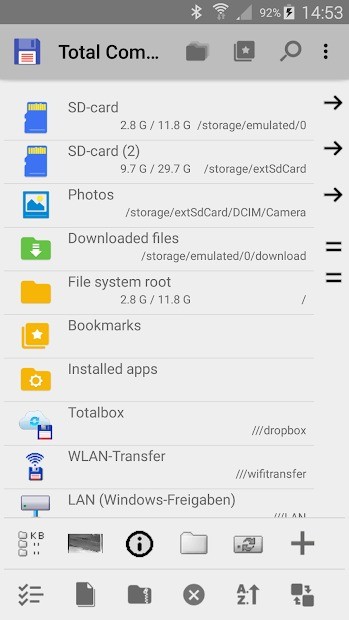
Total Commander is a robust file management software built for Windows that provides enhanced file operations beyond what Windows Explorer offers. It is a comprehensive software that provides an enhanced approach to managing system folders and files, with improved performance for tasks such as file transfers, folder organization, name changes, and folder deletion. Total Commander debuted in the market as Windows Commander in the early 1990s before evolving into its current form, which caters to power users, IT professionals, and basic file management users.
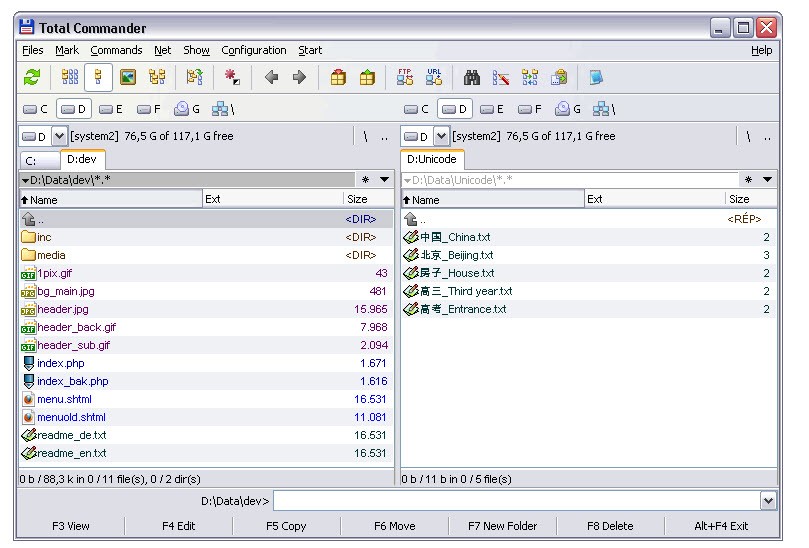
Developed by Christian Ghisler, Total Commander comes with a set of internal commands, and the default ones are already installed, but you can add more commands if needed. It has a two-window display design that allows users to easily manage files from their computer systems. The software displays two folder panels next to each other, allowing users to quickly move files and compare contents without opening new windows. The interface has a simple visual design, which helps to streamline operations and keep you focused on important tasks. This feature-rich program includes essential built-in tools such as FTP and file compression, as well as multiple name manipulation options and plugin expansion capabilities.
Total Commander distinguishes itself from other software applications by allowing you to customize the layout and providing keyboard shortcuts that allow tasks to be completed more quickly. Total Commander gives users complete control over big data transfers and bulk operations. Basic file management capability goes beyond simple approaches, as Total Commander includes specific tools that allow you to perform demanding file operations effortlessly and with complete confidence.
Why Should I Download Total Commander?
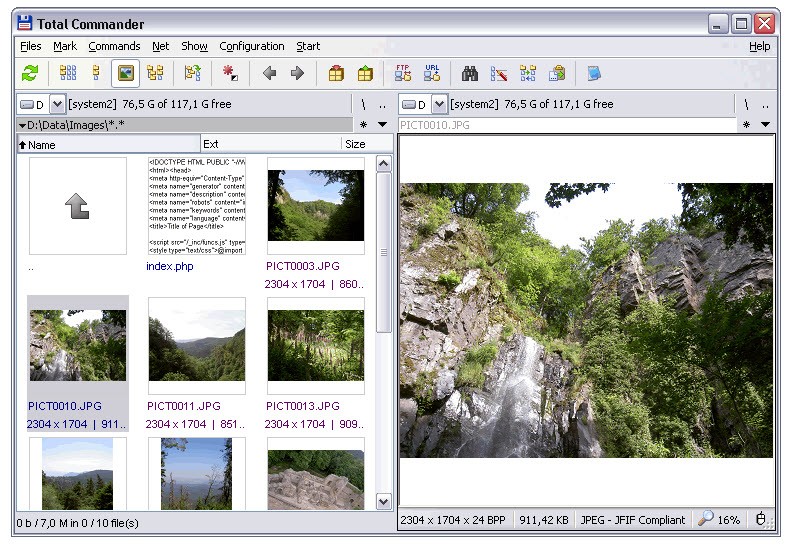
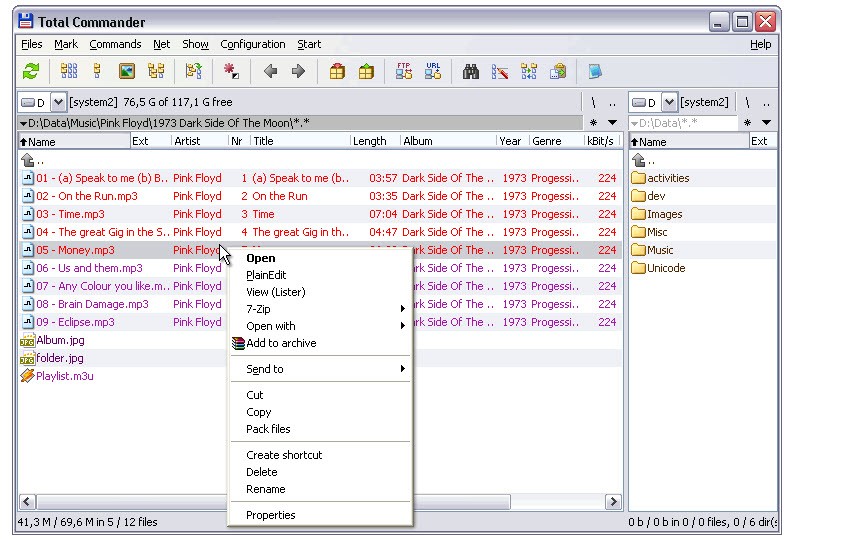
When you process large amounts of files or encounter program deficiencies in Windows’ standard file explorer behavior, the decision to install Total Commander becomes obvious. This software exceeds basic file management by transforming file interaction patterns so dramatically that it qualifies as a productivity strength. The dual-pane system is a significant advantage because it allows you to manage two directories at the same time without having to switch between them constantly. The folder layout design speeds up operations, especially when moving or copying files. The multi-tab interface increases efficiency by allowing you to open multiple locations at once, while features like thumbnails and customizable columns help you visualize and organize your data.
Users should download Total Commander because the software provides deep control capabilities. The software enables users to handle their data via precise operations beyond basic file transfers between two points. Its powerful multi-rename tool uses advanced rules and regular expressions to simplify batch renaming, and built-in file comparison and synchronization tools ensure that folders remain identical across multiple locations. It also allows you to synchronize empty directories and create log files to track your operations. In addition, the integrated viewer and editor allow you to preview and compare file contents without opening external applications. Total Commander includes full Unicode support, allowing it to handle long file names and international characters reliably, along with password protection and compatibility with long paths exceeding standard Windows limits.
Getting Total Commander provides users with an advanced search system, which stands out as an essential feature. Total Commander allows you to optimize your search results by adding filters such as file size, date, content, and attributes, and you can even use quick filters for instant narrowing of results. The software also supports searching within archives, eliminating the need to extract files in order to find specific content. With regular expressions and extended search parameters, you can conduct precise and deep searches across directories, archives, and complex folder structures.
Another significant advantage is its extensive archive management capabilities. Total Commander supports popular file formats such as ZIP, 7ZIP, RAR, TAR, GZ, CAB, ARJ, LZH, UC2, and ACE, as well as additional compressors via plugins. This means that compressed files can be opened, browsed, extracted, and managed just like normal folders. This capability significantly reduces the time required to manage backups, downloads, and packaged files.
Total Commander integrates a powerful FTP client with support for secure FTPS connections and HTTP proxy management, allowing users to manage server files on remote machines in the same way that they would manage local storage. Network administrators and web developers both regard this software as critical because they deal with server upload and download operations on a daily basis. FTP activities can be resumed after an interruption, and users can manage multiple connections and configurations at the same time. Additional connectivity features, such as USB cable transfer support and simple file transfer access, increase its utility for device-to-device file management.
Overall, Total Commander offers a comprehensive file management solution that combines advanced search, archive handling, synchronization, secure file transfer, and extensive customization. Its extensive tool set, performance enhancements, and adaptability make it a dependable and efficient solution for both home users and professionals who require quick, precise, and comprehensive file management.
Is Total Commander Free?
Total Commander exists as a non-free program. You can download the software for a trial period using their shareware model, after which you must purchase a license to continue using it lawfully. During the trial period, the software allows unrestricted use despite periodic requests to register.
The license purchase provides you with unlimited access to updates and support benefits in exchange for a commitment to a user who requires advanced file management in their daily tasks.
What Operating Systems Are Compatible with Total Commander?
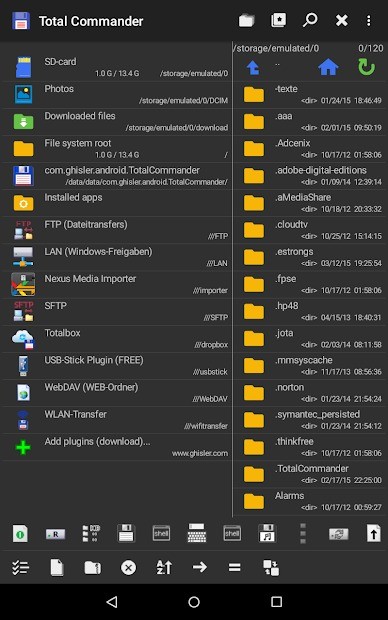
Total Commander functions specifically for Windows systems, including versions starting from Windows 7 through Windows 11. The software offers Total Commander for Android as its mobile version for users who have Android devices.
Total Commander operates without native macOS and Linux support, but users can execute it through Wine compatibility layers to run the application. The software maintains optimal performance on all systems, including older devices, thus providing dependable usage no matter what machine you use.
What Are the Alternatives to Total Commander?
Total Commander stands as the leading Windows system for file management, yet alternative solutions are available on the market. Several choices exist for those who have particular requirements or preferences beyond Total Commander. The file management alternatives Q-Dir, Unreal Commander, and XYplorer should be examined together as popular options.
A different file management software named Q-Dir extends file management capabilities through its multiple display panes. Q-Dir provides users with four screens instead of two like Total Commander, so it suits workers who manage multiple directories at once. The extensive interface takes time to adapt to, but its powerful advantages emerge when users master its system. Each pane in your Q-Dir program allows personalization of file display through drag-and-drop functions for seamless directory data transfer. The tool runs without installation requirements because it is both compact and movable.
Unreal Commander stands as an alternative to Total Commander because it possesses a dual-pane interface in addition to numerous features. The software maintains capabilities for FTP and SFTP networks and file handling solutions, together with a simultaneous renaming option. Unreal Commander offers a contemporary interface design while it maintains all essential features that power users need from Total Commander. The software comes ready with Total Commander plugin support to assist users who prefer its plugin ecosystem. XYplorer provides users with free access to its services because of its budget-friendly design that appeals to cost-conscious customers.
The file manager XYplorer delivers an interface that users love and impressive search functionality for their files. XYplorer presents itself with a contemporary user interface that delivers visual comfort through its modern design instead of Total Commander's basic functional approach. The software allows users to browse files through different tabs, while its scripting option allows users to automate frequent tasks. It uses a strong search engine to scan through every directory and locate files through their various file properties, along with metadata. This software provides an attractive substitute for Total Commander with equivalent performance capabilities.