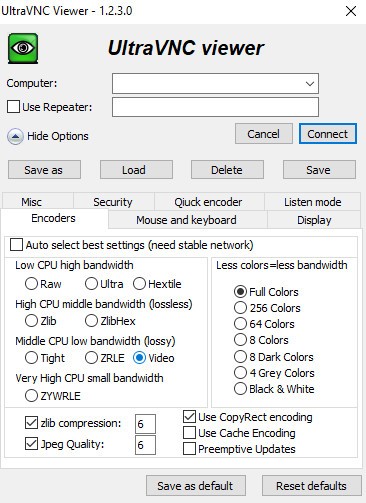
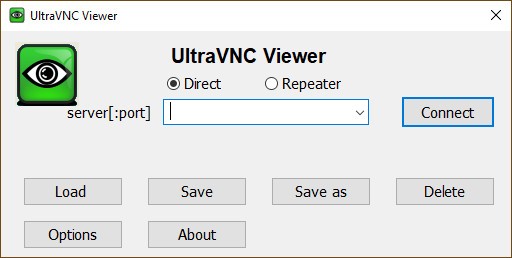
UltraVNC is a remote desktop application that enables remote users to operate another device as if they were present at it. IT professionals and remote workers should have this tool because it is essential for managing systems through remote support and debugging, while facilitating file transfers and system administration. UltraVNC includes desktop screen viewing, full keyboard and mouse control, and file transfer capabilities.
UltraVNC's key strength is its ability to make remote connections that work flawlessly over slower data connections. UltraVNC relies on the Virtual Network Computing (VNC) protocol to build secure connections that enable users to manage remote machines from any location. The product delivers enormous value to businesses that offer employee technical assistance and to anyone who wants computer control from any location.
UltraVNC surpasses standard remote desktop solutions with a flexible design that lets users add encryption, enable chat, and modify viewer settings. The program enables authentication through multiple methods, meeting the needs of both private users and business clients. Whether you are a technician providing IT assistance or an individual who requires remote access to programs and files, the UltraVNC solution remains your practical and efficient option.
Why Should I Download UltraVNC?
UltraVNC is a dependable tool that enables seamless remote connections between computers, making it a first-rate solution for remote users. The software serves as a convenient, affordable tool that enables IT professionals, business owners, and regular users to access files located on different machines remotely. UltraVNC stands out for providing users with a comprehensive feature set at no cost.
UltraVNC is a favorable choice because it offers intuitive usability. The software includes professional customization functions but enables new users to operate its basic features immediately. Users can quickly start the installation, followed by basic IP address and password configuration to connect to other computers running the software. Encryption functions in UltraVNC ensure secure remote sessions, making it particularly useful for handling sensitive information.
File transfer capability is another reason to choose UltraVNC as your tool. UltraVNC provides effortless file transfer between machines, whereas other remote access tools often require complex software installations. Through UltraVNC, users can conduct fast document transfers without delay, share presentation files smoothly, and perform unhindered software updates between computers.
IT professionals consider remote support one of their essential benefits. A company that relies on computer administrators would benefit greatly from remote troubleshooting capabilities, as they lower operational costs and reduce service time. Your ability to remotely connect to any workstation enables you to resolve system problems without being physically present at the workstation, applying the necessary remedies instantly. It serves as an essential tool for IT teams, managed service providers, and support technicians, as they need to manage their systems across multiple sites.
The remote session communication function in UltraVNC enables users to exchange messages while staying connected. Remote chat assistance is a critical advantage for support staff who require step-by-step guidance with users during technical issue resolution.
Among remote desktop applications, UltraVNC allows users to customize and optimize performance extensively. Users achieve better performance by adjusting bandwidth settings and optimizing resolution, as well as selecting compression levels based on their network speed. Its flexibility gives UltraVNC an advantage in the remote access market, as users can tailor it to their individual requirements.
Opting for UltraVNC becomes the preferred solution because it represents an open-source project. UltraVNC provides unrestricted access to all features without paywall restrictions because it is open-source software with community-developed enhancements. With the modification options available to advanced users, this software becomes a perfect solution for people who want complete control of their remote access system.
Is UltraVNC Free?
UltraVNC provides its services to users completely without charge. People maintain this free program because it is open-source, whereas commercial companies typically run software projects.
The complete version of UltraVNC remains free for everyone, since it does not require premium restrictions behind subject to premium restrictions. Users can obtain UltraVcan NC at no cost because this solution is for both business and personal use. The deuseers accept charitable donations to sustain future software development.
What Operating Systems Are Compatible with UltraVNC?
UltraVNC functions best as a Windows interface application. The software operates on Windows XP through Windows 11, including Windows 7, Windows 8, and Windows 10. The application functions well on outdated machines because it is a lightweight program, making it an appropriate choice for users who work with legacy hardware.
The remote desktop software UltraVNC lacks built-in support for macOS and Linux, yet functions with VNC clients from external providers on those platforms. Users can run the program through Erreur! Référence de lien hypertexte non valide or compatibility layers on non-Windows systems, but the manufacturer does not endorse this method. Users seeking full cross-platform integration will need to use different tools, as UltraVNC does not offer this capability.
What Are the Alternatives to UltraVNC?
UltraVNC is a high-quality remote desktop solution, yet numerous alternatives offer diverse capabilities and user interface options for computer users. Users have three preferred remote desktop software options: Chrome Remote Desktop, AnyDesk, and TeamViewer.
Google provides users with Chrome Remote Desktop, a basic, straightforward tool for remote system access. The tool functions entirely free of charge in Google Chrome, with a basic configuration required to link computers. The remote tool is an excellent choice, as it offers straightforward use and requires only basic configuration to work. This program does not offer complete professional IT functions, such as file sharing between devices or multiple-user collaboration.
AnyDesk's remote connection performancematches its powerful functionality as a remote connection alternative. The tool delivers optimal performance while remaining lightweight; therefore, it ranks among the top remote access solutions for users seeking lag-free connections. AnyDesk distinguishes itself by offering availability across Windows, macOS, Linux, Android, and iOS. The application delivers reliable security elements through its encryption system, together with permission restriction features suitable for business users and IT professionals. Operators can use the personal version of the software free of charge, yet companies must buy a license to gain professional capabilities.
TeamViewer is among the most prominent remote access tools because it offers an easy-to-use interface and a range of useful features. The tool finds its main business applications across organizations for remote assistance sessions, team collaboration, and troubleshooting IT systems. TeamViewer operates across different platforms, which include Windows, macOS, and Linux systems, as well as mobile gadgets. Through its platform, this program delivers functions such as remote printing with VPN access and cloud-based management systems. The commercial license required by TeamViewer for business applications makes it more expensive than the free UltraVNC solution.