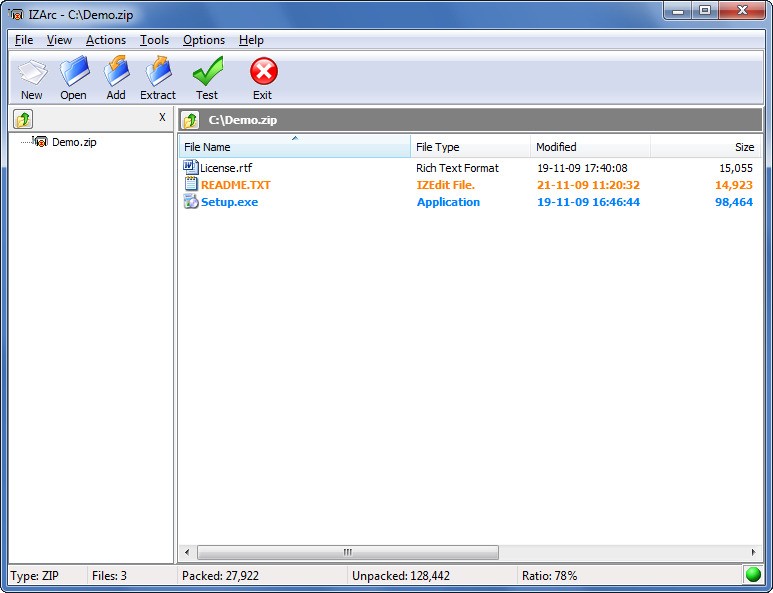
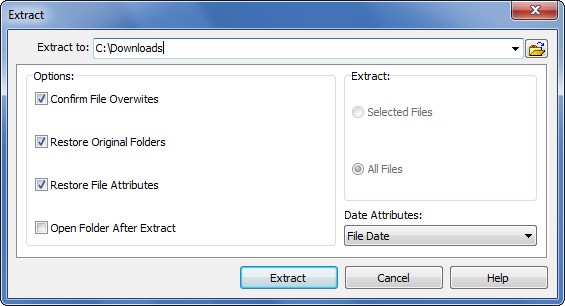
rogram supports ZIP and RAR, as well as 7-ZIP, ISO, and TAR formats, among others, making it an excellent all-around solution for those who work with compressed files regularly. IZarc provides a simple user interface for creating and extracting archives. The program simplifies file compression for storage and file extraction from downloaded archives.
The main reason behind user attraction to IZarc lies in its broad file format compatibility. The program supports all current compressed file formats and is designed for professionals who work with a variety of file sources. IZarc offers encryption features to improve file security during protected information exchange processes. The app functions as an efficient file management environment and provides dependable data protection, which makes it an essential tool for users.
Except for compression, IZarc has built-in features that enhance its capabilities. It provides file users with three capabilities: it allows them to transform different archive types, repair archive damage, and create distribution-friendly self-extracting EXE files. The program goes above and beyond standard functions to provide a comprehensive set of file management capabilities. It seamlessly integrates with Windows Explorer, making it accessible via the context menu, increasing productivity and convenience.
Why Should I Download IZarc?
Users who need to work with compressed and archive files efficiently should download IZarc as their preferred solution. Along with traditional ZIP creation and RAR extraction, IZarc also includes archive conversion and file repair, which helps to prevent file corruption. Because of encryption capabilities, archives will remain secure while being transported and stored. When dealing with sensitive data, the additional encryption layer adds an important layer of security.
IZarc provides users with an enormous benefit because it supports an extensive range of file formats. They only need IZarc to manage various archive types because the platform supports almost every format. IZarc is a single solution for extracting files from ZIP, RAR, 7-ZIP, and other obscure formats such as ACE and LHA. The product eliminates the search trouble while freeing up your time to work on tasks rather than finding the proper tool to view files.
The main reason to choose IZarc is its seamless integration with the Windows operating system. IZarc's right-click function allows users to access compression extraction and file conversion tools directly from the context menu, rather than launching separate applications. When working with individual files or large datasets, IZarc's integrated system optimizes your workflow.
Users appreciate IZarc's ability to repair files, which is one of its key features. The main issue of archive corruption happens frequently during downloads from sketchy sources or when working with outdated backup files. Damage repair capabilities within IZarc protect users from losing their essential data because of file damage. IZarc allows users to retrieve archive contents from corrupted files rather than discarding them permanently.
Users can utilize the program to generate archives that extract themselves without requiring any external software. These files are easier to share because they operate independently of compression applications. An archive transformed into executable form allows users to start exploring it after performing a simple double-click. Large file sharing is made easier for both professional and personal purposes thanks to the program's features.
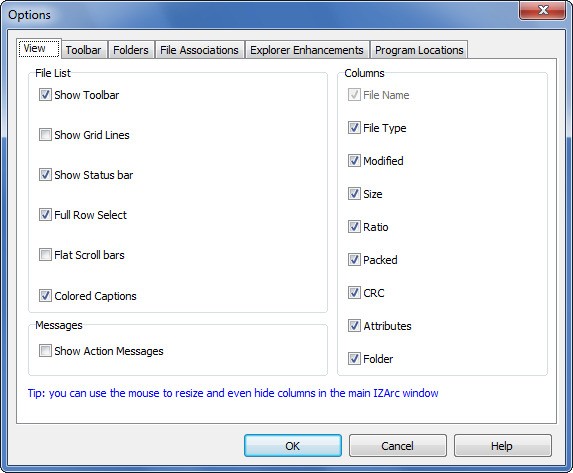
IZarc's customization options allow users to set compression parameters, select file formats, and split files into multiple volumes. This feature allows for custom control because processes can be optimized for either size reduction or speed improvement.
Is IZarc Free?
Users can obtain all IZarc functions at no cost because the program is completely free. When using the service, all users can avoid paying subscription fees or other hidden costs. All IZarc features are available for free to users who download them.
IZarc is an excellent file compression and management software that includes all required functions for free. The lack of pricing has no bearing on the robust set of features that IZarc provides for managing your archives.
What Operating Systems Are Compatible with IZarc?
The IZarc app is fully compatible with all Windows releases, including Windows 11, Windows 10, as well as Windows 7 and Windows 8 (available in installable and portable versions). There is also a version for iOS, available for iPhone, iPad, and iPod Touch. The app is only compatible with Windows operating systems, so users of macOS or Linux must look for alternatives.
Because of its optimized software structure, IZarc's lightweight design runs seamlessly on older machines. The installation process begins after downloading the installer and following the setup instructions until completion.
What Are the Alternatives to IZarc?
The most favored choice as an IZArc replacement is 7-Zip. The entire app is freely available to users via open-source protocols, and it supports ZIP, RAR, and a specialized 7z compression system. 7-Zip achieves optimal results by utilizing a high ratio. This program's Windows Explorer right-click menu integration allows you to easily compress and extract files. Terms in the app interface remain straightforward, but the interface design is simpler than IZarc. 7-Zip is a popular file compression application because it provides fast performance while also supporting a wide variety of formats.
Users consider WinZip as one of the most trustworthy compression tools since it has dedicated decades to the market. After completing the trial period, users must purchase a license because WinZip does not provide free usage. Users benefit from features such as cloud integration and file encryption, as well as direct sharing capabilities, which make the application's premium price reasonable. WinZip is preferred by business users because it offers robust file management capabilities due to its support for multiple formats. The interface of this software provides professional-grade convenience by supporting standardized cloud storage services such as Google Drive and OneDrive.
People who seek a free file archiver with attractive visuals should consider using PeaZip. This program provides users with open-source file archiving and compression for a variety of formats, including RAR and ZIP files, as well as TAR. PeaZip provides users with a sleek interface that outperforms 7-Zip in appearance and creates a more convenient system for visually savvy users. File encryption and secure file deletion are two useful privacy features. Users can gain access to the app through regular updates and the convenience of cross-platform capabilities that benefit both Linux and Windows users equally.