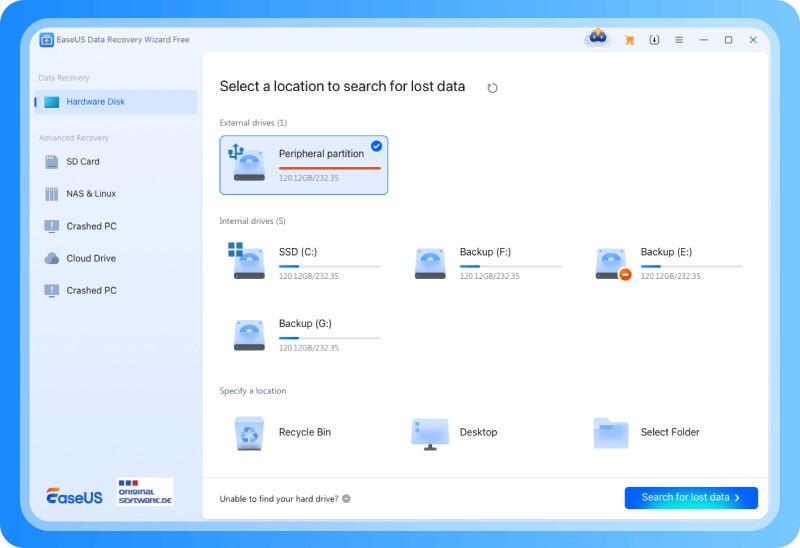
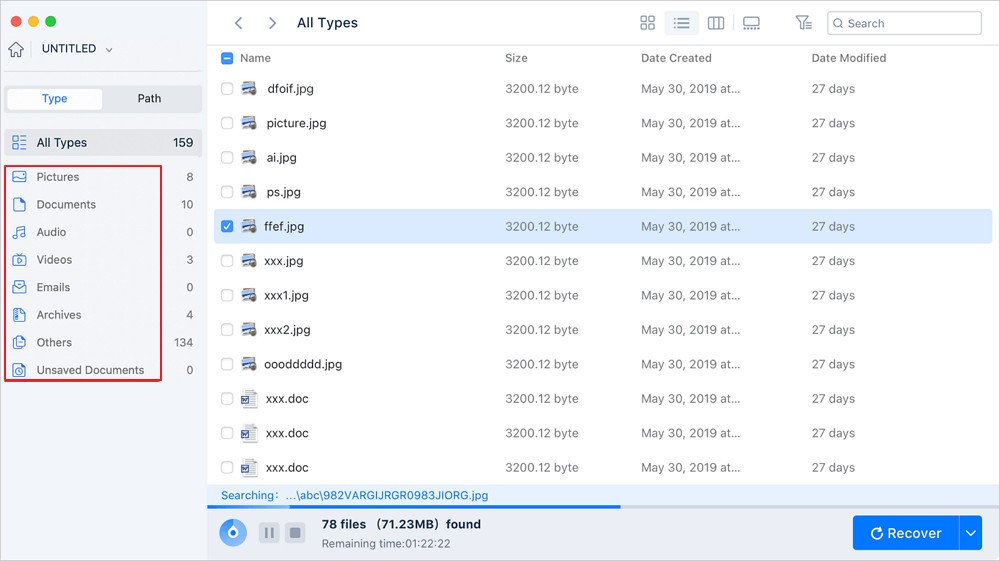
EaseUS Data Recovery Wizard is an advanced software application that enables users to recover their lost or deleted data from different storage devices. This tool guarantees users an efficient method to retrieve their files through its user-friendly interface after experiencing accidental data loss fromcauses such as accidental deletions, formatting, and system crashes. EaseUS Data Recovery Wizard allows users to retrieve data saved on hard drives, SSDs, USB flash drives, memory cards, and digital cameras. People at every skill level can use this data recovery tool because of its intuitive design, which delivers dependable solutions.
EaseUS Data Recovery Wizard delivers outstanding functionality that enables users to recover data from deleted partitions, along with formatted and inaccessible partitions. This software explores complete storage capacities to recover deleted files when users empty their recycle bins or format disks without backup. The software operates with numerous file categories, such as photos, videos, documents, audio files, and many further formats.
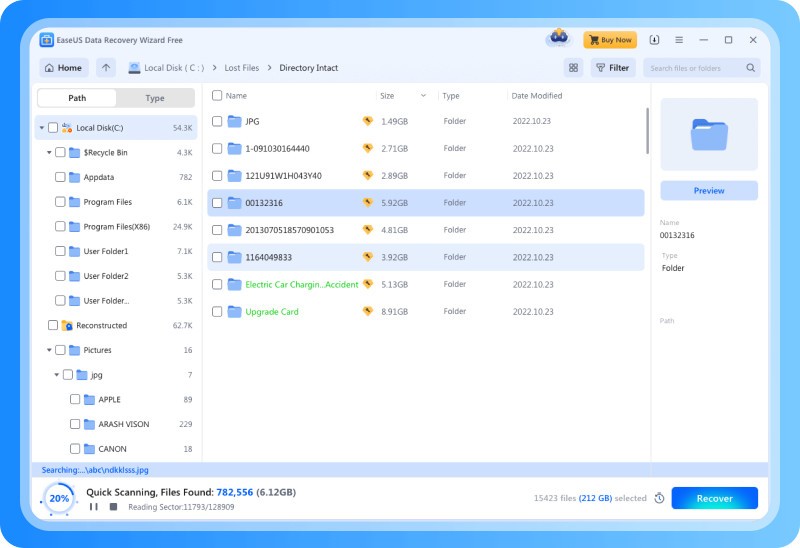
The program provides users with two scanning options: Quick Scan and Deep Scan. Deep Scan investigates data that has been lost for a longer period of time or because of intricate system issues, whereas Quick Scan recovers files that were recently deleted. The software scans data twice to maximize visibility of results, even when the data appears irretrievable to the user.
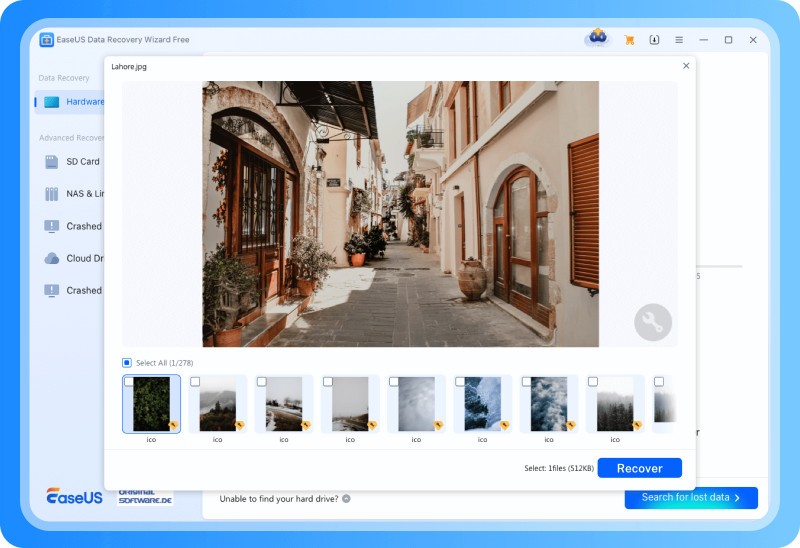
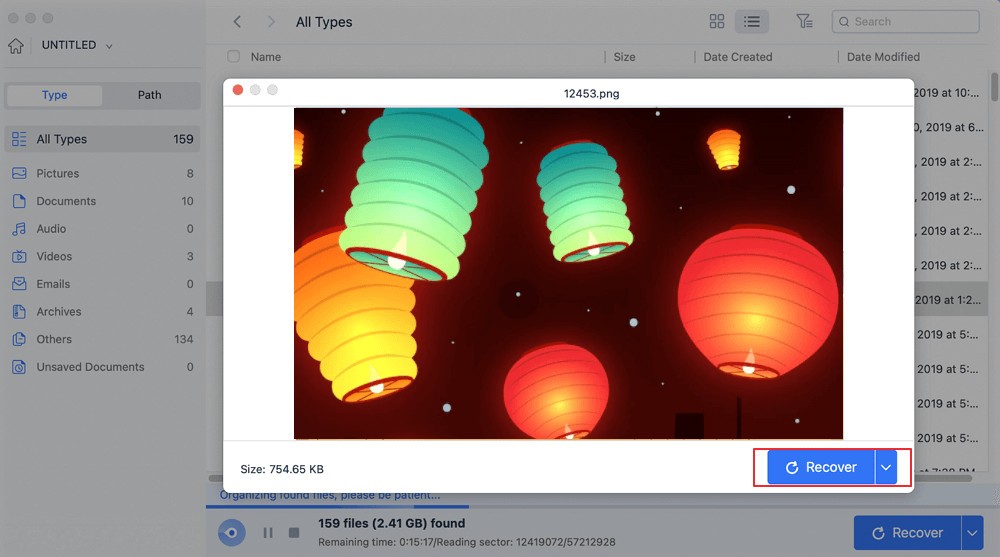
Users can preview files that can be recovered through EaseUS Data Recovery Wizard before the recovery operation begins. Users can optimize time and storage space by selecting only the essential files before restoration with this tool.
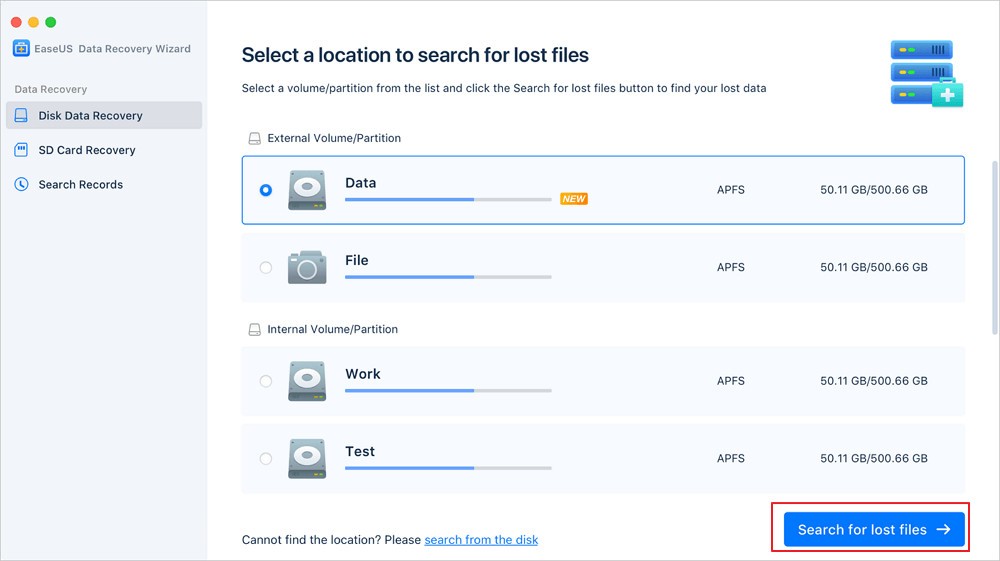
EaseUS Data Recovery Wizard works on Windows and Mac platforms, allowing users to use it in both personal and professional environments.
Why Should I Download EaseUS Data Recovery Wizard?
Any one who experiences frequent data loss should consider downloading EaseUS Data Recovery Wizard, as it offers numerous benefits for their needs. This outstanding data recovery tool presents itself as one of the most intuitive applications that ordinary users can easily use. The simple design of this application enables users to complete their data recovery tasks automatically, without technical expertise. When using EaseUS Data Recovery Wizard, you can avoid challenging configurations because the simple step-by-step process leads you effortlessly through the system.
The key benefit of EaseUS Data Recovery Wizard includes itshigh recovery rates of lost data. The combination of dual scan modes in the software helps restore maximum data types from various causes, such as accidental file deletion, virus infections, or formatting mistakes. In cases of recent file deletion, users should use Quick Scan, but Deep Scan is the method of choice to uncover deeply-hidden data fragments. Your chances of data recovery success increase because this program includes two retrieval methods.
The main reason to select EaseUS Data Recovery Wizard is its expansive list of supported file types. This tool supports almost all types of digital data, including images and videos, together with documents and archives. The software restores all file types from work-related documents to personal photographs because of its wide-ranging support. This tool enables successful file recovery operations from all storage devices, including both internal hard drives and external hard drives, USB sticks, memory cards, and digital cameras.
The preview option serves as a main benefit of using this program because users can preview their files before doing any restoration. The preview feature helps users optimize recovery time because unnecessary or broken files remain unselected. The recovery process becomes simple by checking the list, then selecting the needed items, followed by starting recovery operations. The software tool enables users to verify that restored data remains complete and usable.
The tool enables users to resume or pause their scanning operations at any time, thanks to its adaptable recovery features. The tool enables uninterrupted data recovery by saving your work even when you need to exit your computer or take a temporary break. The tool provides users with the capability to preserve scan results, which ensures they can restart their data recovery task at any point in the future.
The crucial aspect of handling data loss involves both speed and simplicity when you need to retrieve lost information. Many users select EaseUS Data Recovery Wizard because they require simple yet dependable data recovery features.
Is EaseUS Data Recovery Wizard Free?
EaseUS Data Recovery Wizard provides users with a free version, which enables them to recover lost files within a 2 GB constraint. The application works properly for handling minor data recovery operations.
A paid version purchase unlocks endless recovery potential, together with enhanced capabilities in the application. Users get testing opportunities within the free version to determine the performance of the tool before any purchase.
What Operating Systems Are Compatible with EaseUS Data Recovery Wizard?
EaseUS Data Recovery Wizard operates effectively under both the Windows and macOS environments, therefore enabling wide user access. It operates with every current Windows version from Windows 11 through Windows 7, Windows 10, and Windows 8.
The program supports macOS Monterey, Big Sur, Catalina, and Mojave, and earlier versions. Note that EaseUS also provides a mobile version of its recovery system, it’s called Mobisaver data&photo recovery and is available for Android users.
EaseUS Data Recovery Wizard’s ability to function across various operating systems ensures its reliability regardless of system preference.
What Are the Alternatives to EaseUS Data Recovery Wizard?
Recuva is a well-known alternative to EaseUS Data Recovery Wizard among users. Piriform created this tool, featuring a user-friendly interface and performance-oriented file recovery capabilities. The data recovery software Recuva delivers exceptional performance when locating files that users unintentionally erase, with its support for both internal drives and external storage devices. EaseUS Data Recovery Wizard does not have some advanced features, such as deep scanning, but users benefit from unlimited free access to its basic recovery functions. Recuva provides users with excellent free data recovery services to handle standard file restoration needs through an easy-to-use program.
The data recovery field has Stellar Data Recovery positioned as a forceful competitor, along with other providers. This program stands out for its effective performance in retrieving data from damaged and reformatted storage devices, combined with support for multiple file types. The features of Stellar extend beyond file recovery because users can fix damaged photographs and videos. The software finds wide adoption among users who manage media files since it retrieves lost data with an intact file structure. While users need to pay more for its features than what free alternatives provide, the complete set of capabilities makes the expense worthwhile, according to many customers.
The data recovery tool Disk Drill serves as an important alternative for users. This software solution retrieves lost data while providing users with additional monitoring functions for disks in addition to safety protection capabilities. The user-friendly interface of Disk Drill attracts novice users with its desirable appearance because they need a complete data recovery capability. Users can access multiple file systems through this tool due to its versatile operating capabilities, along with its capacity to retrieve information from various devices. The Recovery Vault in Disk Drill provides supplementary security by creating backups of removed files, simplifying recovery operations. The free edition of Disk Drill provides basic functionality, yet users can unlock enhanced capabilities with the premium edition, which restricts the recovery capacity.