PhotoRec scans and recovers data through a deeper analysis because it operates independently of file system structure, making it possible to recover damaged or formatted systems. The program serves users who require dependable data recovery from HDDs as well as memory cards, USB drives, and CD-ROMs.
The helpline PhotoRec restores more than 400 different file extensions. The tool performs beyond file restoration of recently removed documents by reconstructing deeply concealed data, which gives it exceptional utility for restoring vanished files. It serves users by recovering files from storage devices that appear unmountable or show partition corruption because it functions without OS dependencies.
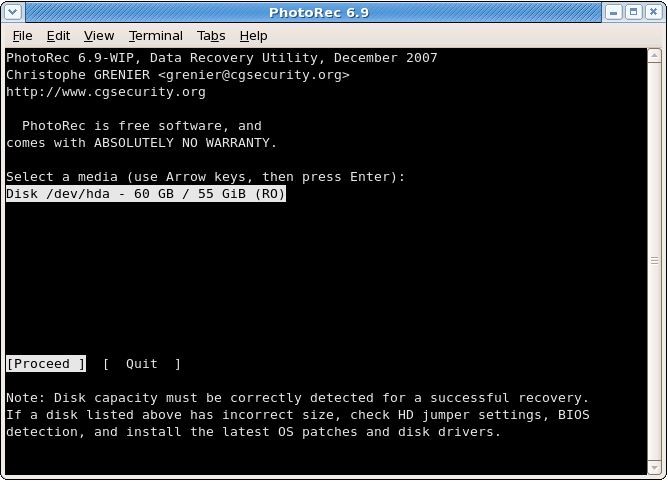
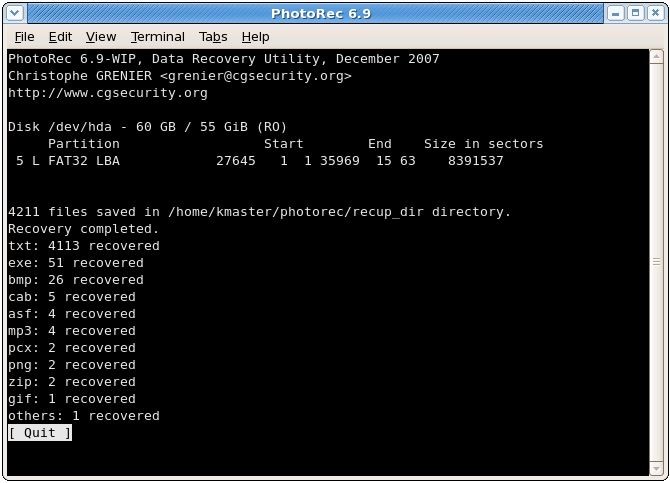
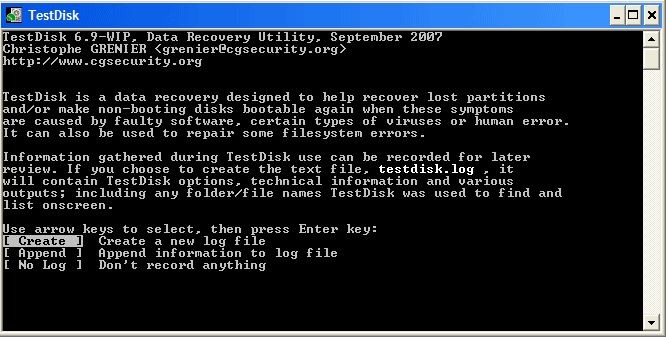
Unlike popular programs, which provide user-friendly front ends, PhotoRec functions through text-based commands only. A user-friendly step-by-step experience within the command-based interface allows new users with text-based operation skills to successfully recover lost data. A broad range of professional IT workers, photographers, and numerous users select this dependable data recovery application.
The tool offers users free access to all of its features, functioning as open-source software with a code base regularly maintained by volunteer programmers. Free users can recover data without any imposed limitations. It is also highly compatible across multiple operating systems, including Windows, macOS, and Linux, making it attractive for professionals working with different platforms.
Why Should I Download PhotoRec?
PhotoRec presents itself as an excellent choice for those seeking free software. The main reason to download it is its capability to restore files regardless of storage device damage and formatting issues. The data recovery tools function by depending on preserved file systems, so partition damage prevents their ability to recover deleted information. PhotoRec obtains data directly from disk raw information, which enables users to restore files from challenging situations.
Cloud recovery via PhotoRec finds application in its ability to restore a variety of file types. The program recognizes and recovers all major file types, including lost and erased documents, archived files, photographs, and videos. The tool proves useful because users who require data recovery for multiple file types can use it as their general solution.
Because PhotoRec operates through open-source development, it has earned a high reputation from users. As a free application, it provides users with no payment requirements or file count restrictions, which distinguishes it from standard paid commercial programs. The tool emerges as an essential tool for users seeking powerful data recovery capabilities at no software cost.
Although PhotoRec operates from the command line, it features an easy-to-use layout. PhotoRec's recovery procedure provides users with step-by-step instructions for their actions during the recovery process. This program includes a protection system that keeps the original files safe and stops their loss.
The main advantage of using PhotoRec is its ability to recover data from diverse storage media such as hard drives, SSDs, USB flash drives, and SD cards. PhotoRec retrieves files effectively from both computers where you lost content accidentally and camera memory cards bearing lost photographs.
The loss of important files presents a significant problem to photographers and videographers who work in their profession. Age professionals depend on PhotoRec for successful file reconstruction because it specializes in retrieving RAW image files and videos. Deep file scanning by the software allows it to recover partially damaged files into recoverable formats.
Users who seek a simple, uninstalled data recovery tool should consider PhotoRec because of its lightweight design. The tool runs off a USB drive, through which it operates on multiple systems without modifying the hard drive contents. The open-source nature draws active community involvement, which leads to continuous updates of the techniques.
The no-cost nature of PhotoRec makes this tool a perfect solution for users who want to recover their lost data files without the restrictions or expenses of other solutions. The software helps users with any profession, including IT technicians, photographers, and regular PC users who have mistakenly lost documents, to restore their essential data easily.
Is PhotoRec Free?
The tool offers users free access to all of its features. It functions as open-source software because its code base experiences frequent development as volunteer programmers provide regular maintenance.
Free users can recover data without any imposed limitations because the software provides complete functionality to all users without any usage restrictions. The GNU General Public License grants worldwide access to modify and update PhotoRec because of its free license status.
What Operating Systems Are Compatible with PhotoRec?
Users find PhotoRec particularly attractive because its operating system compatibility extends across different platforms. The tool supports Windows and macOS in combination with Linux operating systems, thus enabling users from multiple platforms to perform easy lost file recovery. It enables users to restore files from FAT, NTFS, exFAT, ext2/ext3/ext4, and HFS+ file systems. Users can run the standalone PhotoRec tool from a USB drive that provides data recovery across multiple computers, as the software does not need installation on individual systems.
The application benefits professionals who need to work with multiple operating systems through its compatibility standards. PhotoRec delivers identical recovery operations that function successfully on every major OS, including Windows-based PCs, macOS systems, and Linux distributions.
What Are the Alternatives to PhotoRec?
PhotoRec stands as an excellent data recovery tool, but users have alternative tools with unique features and interface experiences. Common choices include Recuva, Stellar Data Recovery, and EaseUS Data Recovery Wizard.
Recuva stands among the most recognized data recovery tools that came from the developers behind CCleaner. Through its user-friendly graphical interface, Recuva becomes more accessible for users who avoid using its command-line approach due to intimidation. It demonstrates maximum effectiveness when it comes to retrieving deleted files from various storage devices, including hard drives, USB flash drives, and memory cards. A deep scan option is present in the tool to enable more comprehensive recovery operations. As a free entry point, users can access the program, but the premium version enables virtual hard drive support and delivers automatic updates to users.
Stellar Data Recovery serves well as an alternative software solution that delivers advanced file recovery capabilities. This commercial software provides users with an elegant interface to recover lost files present on internal and external drives, as well as formatted partition drives. Stellar serves businesses and professionals requiring a sophisticated tool, together with technical customer assistance, because of its advanced features. RAID arrays, encrypted drives, and email files constitute advanced options within this software, making it an excellent choice for IT professionals who need to resolve complex data loss scenarios. The complete features of Stellar are available only after subscribing to its paid version.
EaseUS Data Recovery Wizard presents users with effective scanning performance in addition to intuitive operation for maximum user appeal. The step-by-step process of this platform leads users through the file retrieving procedure with user-friendly operations even if they lack technical expertise. The file type and storage device versatility of EaseUS make it a suitable choice for both personal and professional uses. The basic free service enables file retrieval, but customers who purchase the full version benefit from extensive scanning capabilities that exceed what users normally get with free services.