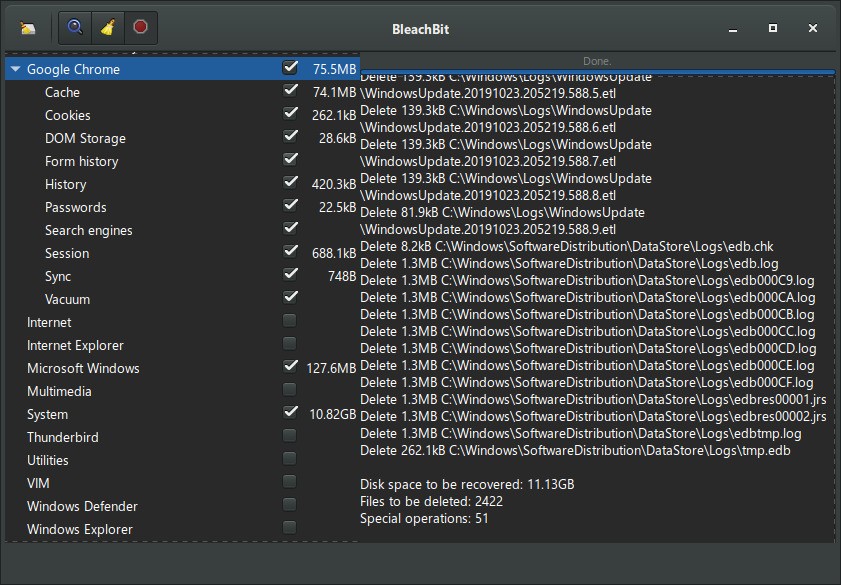
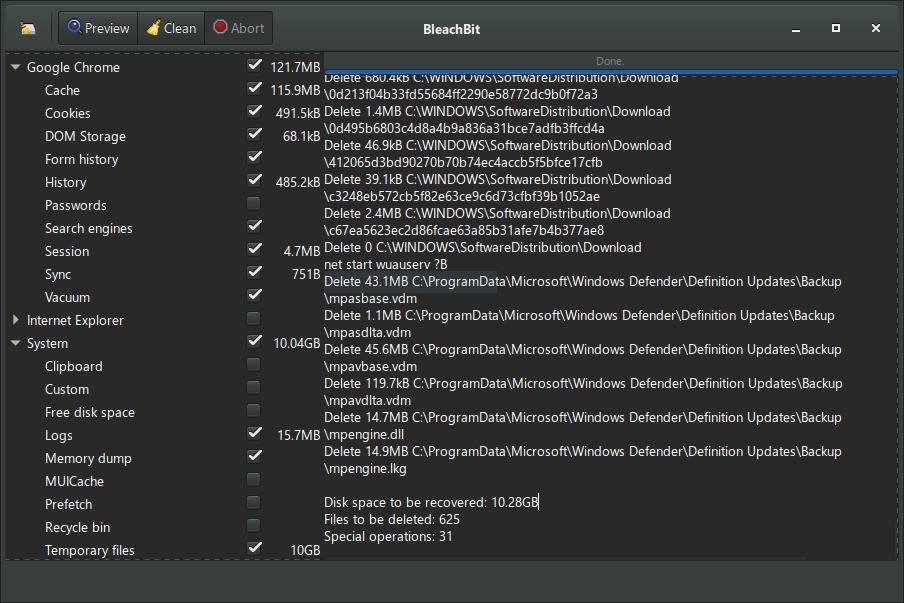
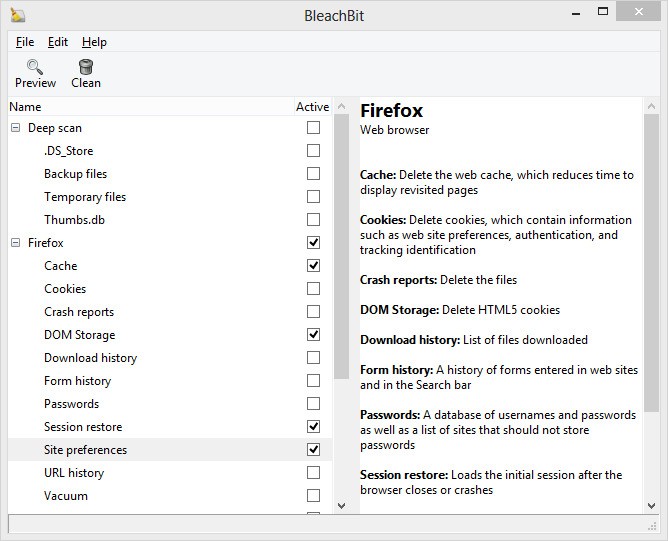
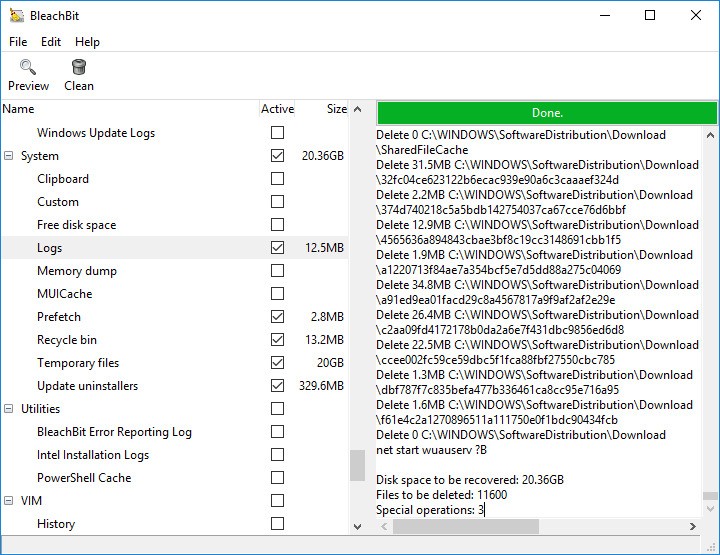
As an open-source system cleaning tool, BleachBit helps users increase their disk capacity through file removal for better computer protection. Commercial cleaning programs are not comparable to this application, since it maintains a simple and effective execution of maintenance operations through its lightweight method. The program investigates system-wide storage to locate temporary files, caches, and logs, alongside other superfluous data that consumes space during normal system functions.
BleachBit provides users with a permanent file deletion feature because it deletes files in a way that makes retrieval virtually impossible. Thus, it is an excellent security option for those who value their anonymity. The files deleted with BleachBit become irretrievable to data recovery tools because the machine uses methods that secure permanent removal of sensitive knowledge. The software provides strong benefits to users who manage confidential documents and companies that need to fulfill demanding rules regarding information safety.
This software provides additional powerful functions for cleaning operations, which include shredding unused disk space to eliminate deleted content remnants together with browser history deletion and software log clearance. As an open-source solution, the developer community continues to develop BleachBit, which ensures users receive a dependable tool for computer performance and privacy maintenance.
Why Should I Download BleachBit?
Several compelling reasons exist that demonstrate the worth of BleachBit. Firsthand users obtain BleachBit completely free of charge since the program has an open-source framework, which removes concerns about hidden program costs and intrusive advertising found in other programs. Users gain an easy method to remove unwanted files through this program that keeps its interface clean of nonessential attributes.
BleachBit places significant emphasis on personal data protection. Users can benefit from two primary functions of the program, as it performs space cleanup and deletes files in a secure manner that resists recovery attempts. People who handle sensitive private data together with business entities would find it to be an ideal solution for enhancing file security removal needs. The application clears browser histories combined with cache and cookies, making it convenient for users who need to protect their private internet information.
BleachBit maintains its reputation for producing lightweight computer programs. It performs system maintenance efficiently by using few resources in the background, as opposed to similar cleaners, which drain resources. The product works well with vintage computers and low-resource systems because its requirements are minimal; thus, when deleting files, it does not reduce operational efficiency.
The tool enables support for various types of applications. It helps users clean away temporary files and logs accumulated from all the main programs, including browsers and office packages as well as media players and developer utilities. Users can remove unnecessary files from a variety of sources using a single application because it includes universal cleaning tools that do not require separate tools for each program.
Users who seek complete authority when cleaning their systems can utilize BleachBit due to its command-line functionality. IT professionals, along with advanced users, find command-line operations useful to automate their cleaning tasks and incorporate the software into scripts. The program allows them to erase disk free space, which makes it harder for anyone to retrieve deleted files.
BleachBit should be downloaded because it functions without requiring any installation. Users can execute the software by placing it on their USB drive, since it exists as a portable version that needs no installation. The program suits technicians and professionals who maintain numerous computers because it provides quick yet powerful confidentiality and cleanup functions.
BleachBit provides users with advanced cleaning solutions with clear features that produce stronger results than other commercial products. It stands out as an excellent choice for users looking for a simple yet effective confidentiality tool that eliminates unnecessary software components. As an effective solution, it provides users with necessary space clearing, security boosts, and performance optimization capabilities.
Is BleachBit Free?
BleachBit is a completely free application that can be used by anyone. Users have full access to all functions because it is an open-source platform with no payment plans.
BleachBit provides unrestricted access to all its functions, placing it among the top free alternatives to commercial cleaning software. Users have unrestricted access to the software throughout the installation process, as the open-source foundation allows the developer community to constantly improve its functionality.
What Operating Systems Are Compatible with BleachBit?
The software works with Windows, Linux, and macOS systems, though the macOS edition has limited functionality. The program supports Windows operating systems ranging from 32-bit to 64-bit versions, including Windows 11, Windows 10, Windows 8, and Windows 7.
The desktop cleanup tool BleachBit provides broad support for Ubuntu and Linux platforms, along with Fedora, Debian, and Arch Linux. Linux users choose to use this software because of its simple interface and robust security features. Its basic functions can operate on macOS through command-line commands, even though there is no official functional macOS solution.
What Are the Alternatives to BleachBit?
BleachBit provides excellent cleaning capabilities and confidential safeguards, but Linux users have several suitable alternatives with varying functional outputs. The three major options in the market for system optimization include CCleaner, Advanced SystemCare, and DaisyDisk.
CCleaner maintains popularity as one of the most recognized cleaning utilities on the market. Through its user-friendly interface, this software allows users to delete temporary files as well as browser cache and data that is unnecessary. As well as cleaning up the PC, it allows users to manage startup processes and clean the registry. The free edition of CCleaner exists along with its premium version, which contains enhanced capabilities, including real-time monitoring and automatic update options. Several users select BleachBit instead of CCleaner because they remain concerned about the security problems developed from personal information gathering in recent times.
The alternative product Advanced SystemCare extends its functionality beyond basic system cleaning tasks. This software suits users through its functionality, which includes three primary functions, namely system optimization together with malware protection and performance enhancement. BleachBit centers its operation on file deletion together with privacy maintenance, but Advanced SystemCare provides users with a complete range of PC maintenance utilities. This software describes itself perfectly for those who want all cleaning and safeguarding capabilities contained within a single program. The basic cleaning functions are available free of cost in the platform, but users who choose to buy the premium version gain access to advanced optimization and protection instruments.
The utility software DaisyDisk targets macOS users' needs through its specialized platform. The interface shows an interactive display of hard disk space distribution, making users able to identify their disk space usage details by file and folder types. None of BleachBit's automatic cleaning capabilities exist in DaisyDisk since users have complete authority to select the files for deletion. The disk cleaning interface of DaisyDisk matches Mac requirements due to its visual approach through touch-based interaction, thus making it a prime selection for this specific platform. DaisyDisk exists in both trial and paid versions, although users can test its functions through the free trial before buying the full product.