DaisyDisk is a macOS application that gives you a visual breakdown of everything on your hard drive. Instead of leaving you to guess which folders are eating up your storage, the app lays it all out in a clear, interactive format so you can make informed decisions about what to keep and what to remove. When your Mac starts running low on space, DaisyDisk takes the guesswork out of figuring out why.
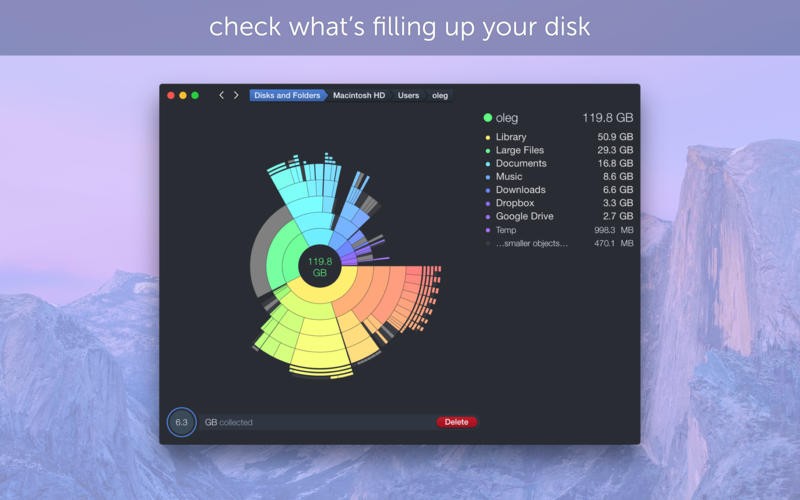
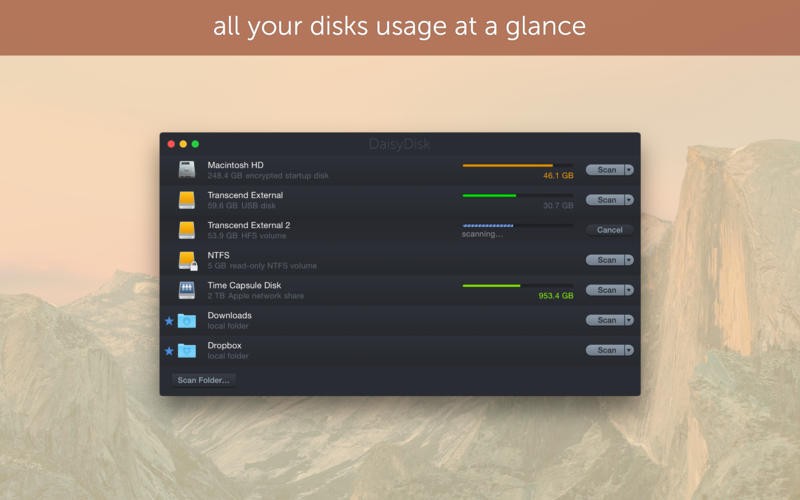
After you launch the app, DaisyDisk scans your drive and produces a colorful sunburst chart that maps out disk usage by category and folder. Each segment of the chart is clickable, letting you drill down into specific directories to see exactly which files are taking up the most room. The visualization is intuitive enough that you can spot bloated folders and oversized files within seconds of opening the app.
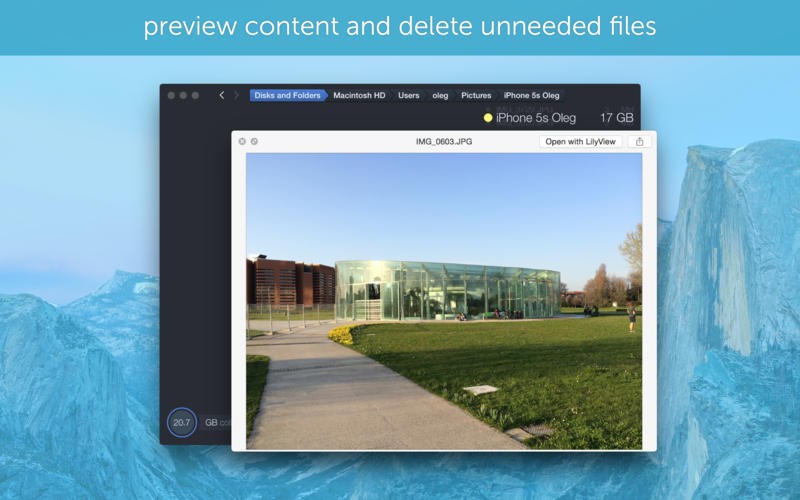
DaisyDisk does not force you to delete anything or run automated cleanup routines. You stay in full control of every decision. The app simply shows you where your space is going and lets you choose what to do about it, removing the uncertainty that comes with blindly deleting files or emptying random folders.
Why Should I Download DaisyDisk?
Managing storage on a Mac can be surprisingly frustrating. The built-in storage tools give you a rough overview, but they rarely tell you exactly which files or folders are responsible for filling up your drive. You might delete a few old downloads and clear your desktop, but the free space barely changes. DaisyDisk solves that problem by showing you everything at once in a single, easy-to-read view.
The app uncovers storage hogs that you would never find on your own, including buried video files, old system caches, leftover data from apps you uninstalled months ago, and duplicate files scattered across different folders. Once you can actually see what is taking up space, cleaning becomes a quick and satisfying process rather than a shot in the dark. You can download DaisyDisk, run a scan, and start reclaiming storage within minutes.
What really sets DaisyDisk apart from most disk utilities is the quality of the experience. The app is fast, responsive, and genuinely pleasant to use. The color-coded chart is not just decorative; the design choices make it easy to identify problem areas at a glance. Instead of clicking through endless lists of file paths or relying on automated tools that clean without explaining what they removed, DaisyDisk lets you see the full picture and act on it yourself. That balance of visibility and user control is something most competing tools do not achieve.
Speed is another major advantage. Scans complete in seconds, and the interface responds instantly as you navigate through the chart. There is no waiting around, no progress bars crawling across the screen. For Mac users who expect their software to feel polished and responsive, DaisyDisk fits right in.
The app is useful for a wide range of people. Creative professionals dealing with large media libraries, students managing limited laptop storage, and everyday users who just want their Mac running smoothly will all find value in it. DaisyDisk does not promise to magically fix your storage problems, but it gives you the visual tools to make smart, deliberate choices about which files stay and which ones go.
Is DaisyDisk Free?
DaisyDisk offers a free trial that lets you scan your drives and explore the interface, so you can see how it works before committing. To actually delete files through the app, you need to purchase the full version. The purchase is a one-time payment with no recurring subscription fees and no ads. For most users, paying once for permanent access without ongoing costs feels like a fair deal, especially compared to subscription-based alternatives.
What Operating Systems Are Compatible with DaisyDisk?
DaisyDisk is built exclusively for macOS. It works on MacBooks, iMacs, Mac Studios, and other Mac hardware running macOS 10.10 (Yosemite) or later. The developers keep the app updated for new macOS releases, so if your system is current, you should not run into compatibility issues.
There is no Windows or Linux version, and the developers have not indicated plans to expand beyond macOS. That narrow focus is part of what makes the app feel so well integrated with the Mac experience. You can download DaisyDisk from the Mac App Store or directly from the developer's website.
What Are the Alternatives to DaisyDisk?
CCleaner is one of the most widely known cleanup tools available. Originally built for Windows, it now supports macOS as well. CCleaner excels at automatically sweeping away system junk, browser data, and temporary files with minimal user input. The trade-off is that it does not offer the kind of visual disk analysis that DaisyDisk provides. If you want a one-click cleanup tool that handles the work without asking many questions, CCleaner fits that use case. For users who prefer to see exactly what is being removed and make those decisions themselves, CCleaner's automated approach may feel less transparent.
BleachBit is a free, open-source cleaning tool that has a strong following in the Linux community and also runs on macOS. It digs into cache files, log files, and leftover fragments from uninstalled applications, cleaning areas that surface-level tools often miss. The interface is functional but not particularly polished, presenting options as lists of checkboxes rather than visual charts. BleachBit lacks the guided, visual disk mapping that makes DaisyDisk approachable, but it is effective at deep cleaning and appeals to users who are comfortable navigating more technical interfaces.
Advanced SystemCare is a system optimization suite primarily designed for Windows. It combines junk removal, privacy protection, and performance tuning into a single package, offering a broader set of tools than DaisyDisk. Because it targets Windows rather than macOS, it serves a different audience entirely. Users looking for an all-in-one optimization platform on Windows may find it useful, but Mac users will not find a direct comparison here. For Mac-specific disk visualization and cleanup, DaisyDisk remains the stronger choice.