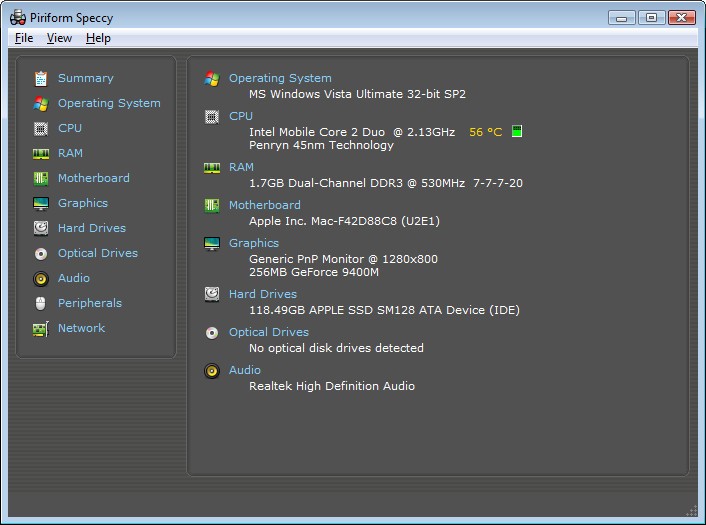
Speccy serves as a minimalist analytical tool for computers that delivers comprehensive hardware details to users. The application presents its information in a user-friendly, well-organized manner.
The application presents vital information about your hardware, starting with CPU, RAM, storage, graphics, and motherboard, followed by operating system details. The interface is very easy to navigate even if you lack technical knowledge, because everything is neatly arranged.
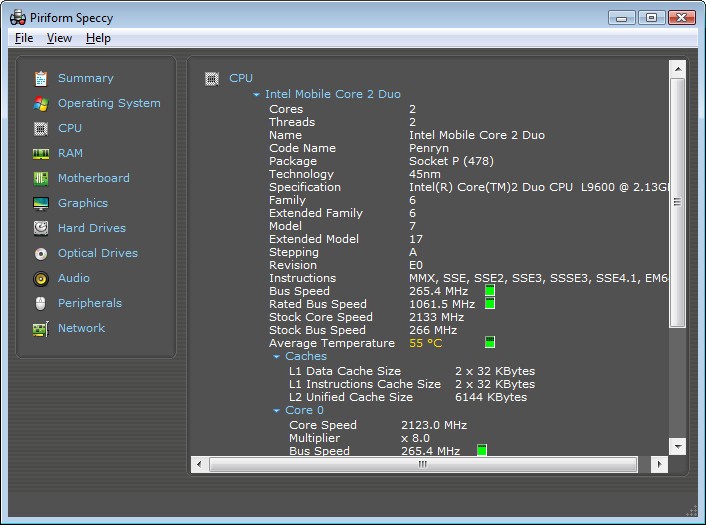
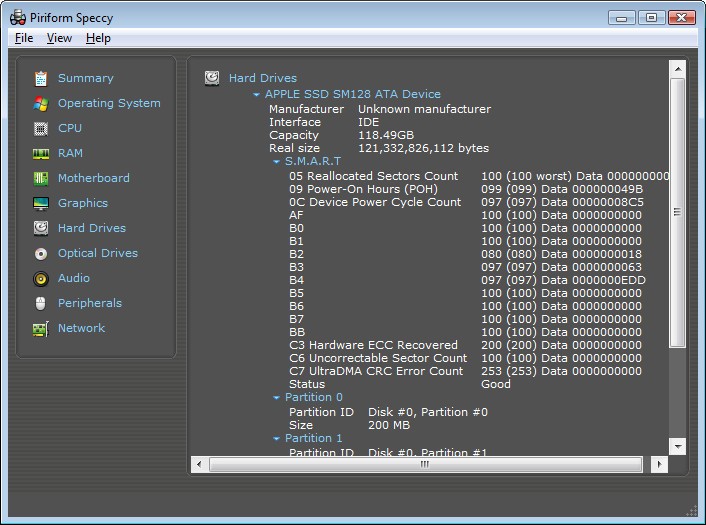
The software is credible because it is developed by Piriform—the developer of CCleaner. Operating system data, such as processor temperature, memory usage, and hard drive health, appears in real time, which is useful for observing system activity.
The application delivers PC system health status reports that are similar to medical check-ups, thus helping users identify normal functioning and potential issues. Speccy provides these insights to users who lack deep technical skills and prefer to avoid complex menu structures. The program gives you a complete display of your computer components and system status right after launch.
Why Should I Download Speccy?
Users who need to understand their system better beyond BIOS settings and tech forums will benefit from downloading Speccy. Speccy can identify signs of overheating or performance reduction, which can be helpful during system troubleshooting. The application enables you to verify your system components by showing your CPU temperature, memory availability, and hard drive status. The ability to observe system components through Speccy prevents both time waste and confused attempts at fixing errors.
Another reason to download the tool is upgrades. The current specifications revealed by Speccy enable you to make educated decisions regarding RAM and hard drive upgrades or processor replacements. You can access all the necessary system information without case opening or manufacturer documentation. The program shows you all key hardware information, including used RAM slot count and memory type, alongside motherboard socket and other vital details. The ability to duplicate and paste system information becomes essential during online queries and computer component purchases.
Anyone with a PC can benefit from Speccy. This innovative diagnostic tool is always useful. Keeping system specifications by your side can prove useful when you need to provide system information or storage space verification. Internal diagnostics are especially useful when you handle older computers and vintage devices.
The tool operates without taking any notice of system resources. Affordable developer-level tools become more manageable since this tool maintains an easy-to-use interface, unlike developer-oriented software. Speccy was designed to deliver speed and simplicity, along with its light system impact. The application displays important information without overwhelming users with advertisements.
Speccy serves users well as a system record-keeper. As a system manager, you can store system data snapshots. The recorded snapshot can be useful during troubleshooting when users report disruptions or unexpected changes. The saved data can also be used for comparison. The software maintains a digital genetic representation of your PC's operating system. Though it’s not particularly visually attractive, the program provides significant value when you need to handle multiple devices.
Is Speccy Free?
All essential features of Speccy are accessible through its free version. Whether users need the professional version of Speccy or not depends on their particular requirements. The free version has all the essential features needed for general users to conduct basic diagnostics. You can use the application without signing up or providing a credit card.
What Operating Systems Are Compatible with Speccy?
The software Speccy delivers its functionalities exclusively for Windows OS platforms. This application operates optimally across Windows 10 and Windows 11 systems, and functions without issues on Windows 7 and 8.
The Speccy application does not work on computer systems operating with Mac or Linux, since the developers have not released it for those platforms.
The lightweight nature of Speccy allows it to launch promptly and provides dependable results to Windows users. A Windows PC user can easily use Speccy for their computer needs.
What Are the Alternatives to Speccy?
The system spec checker Speccy works well, yet you should be aware of other applications with similar features.
CPU-Z stands as one of the most commonly used substitutes for system specification identification processes. The tool operates as a straightforward system component that provides detailed information about processor and memory performance in addition to motherboard functionality. The tool presents complex technical information, which makes it suitable for PC builders and performance testers who require specific hardware data. Although CPU-Z lacks visual sophistication, it presents extensive information about hardware specifications. Users who require exact data about processor structure and memory timings, along with core frequency information, should choose CPU-Z because it provides complete and detailed technical specifications.
Belarc Advisor is quite different from other hardware identification tools. Belarc Advisor provides comprehensive computer profiling services that compile hardware parameters together with software listings, license information, and security update reports. The program suits administrators who manage various machines or seek current device configurations for inventory records and audits. The program executes a local network check that produces a browser-based report with comprehensive information. The built-in report provides thorough information, but it has an outdated user interface. The tool remains a critical asset for everyone who needs to examine systems for maintenance purposes.
Users should consider CrystalDiskInfo as an outstanding option that specializes in showing hard drive and SSD information. All users concerned with storage health should try this tool. The program reveals complete S.M.A.R.T. data that reports temperatures alongside uptime and read/write error statistics. The tool focuses exclusively on drive management since it does not assess complete system components. CrystalDiskInfo is excellent for drive failure and performance monitoring.