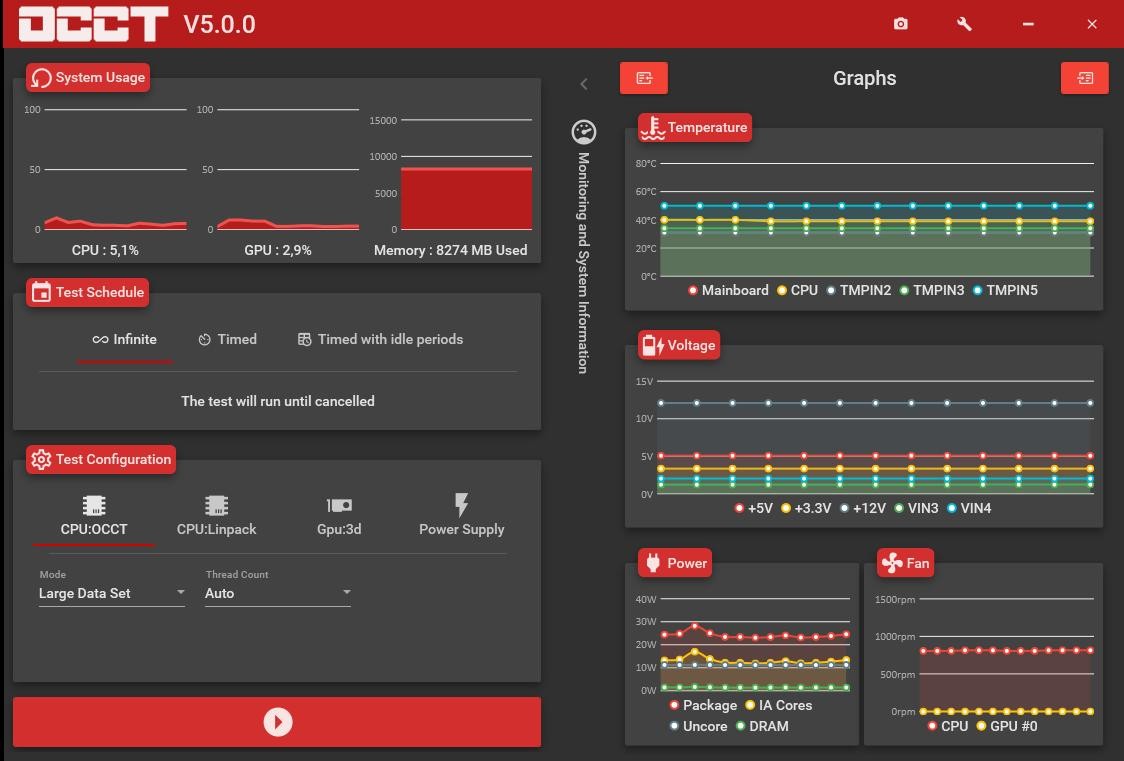
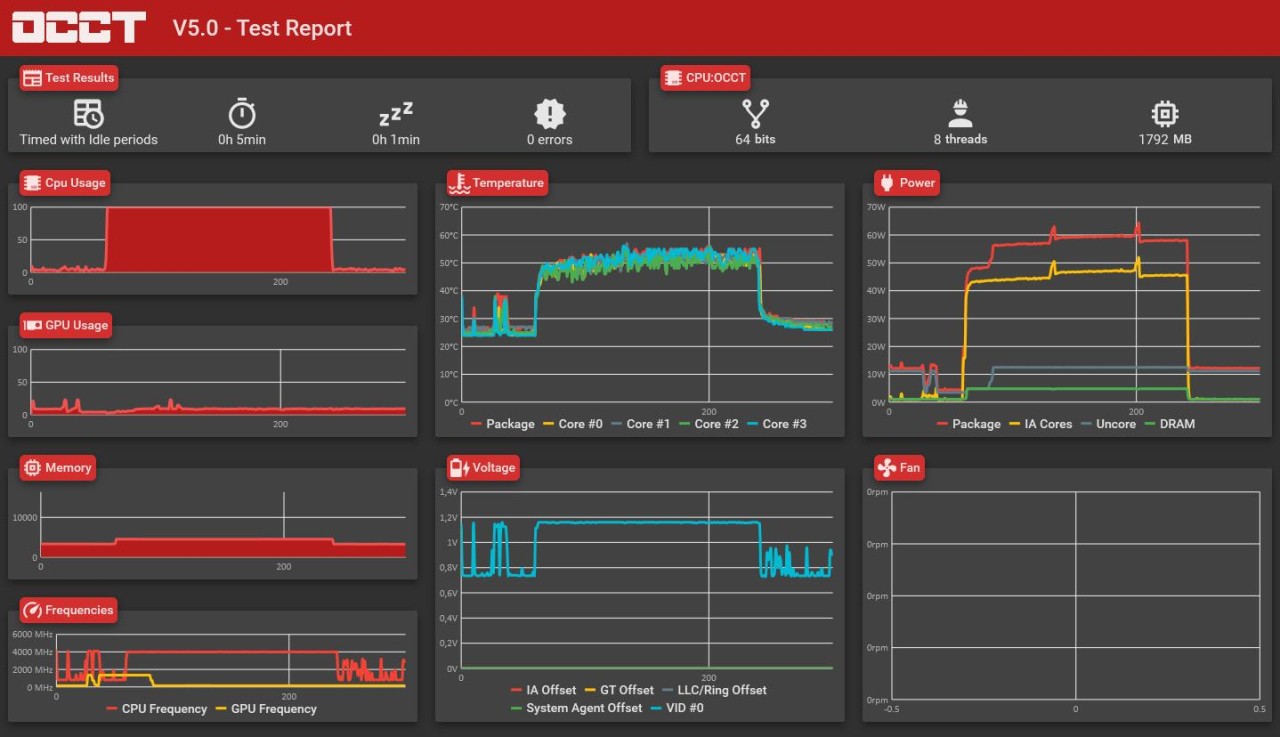
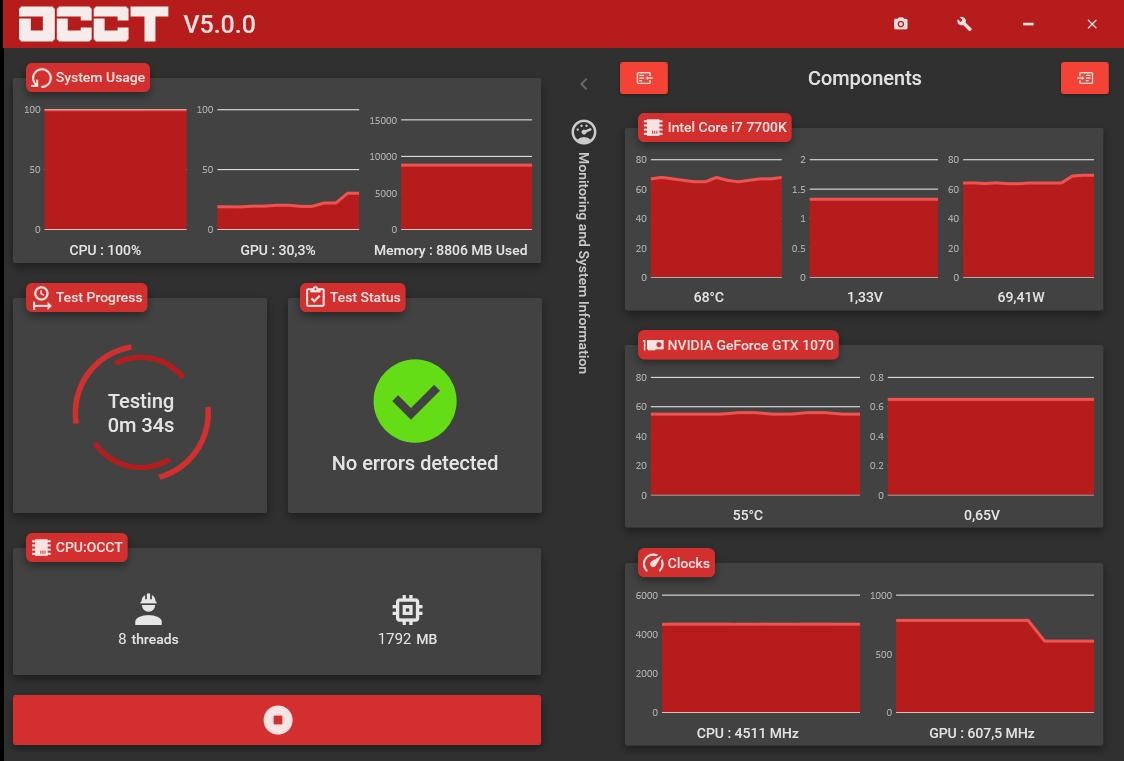
OCCT, which stands for OverClock Checking Tool, is intended to help overclockers but in practice, is also used by gamers, system builders, hardware testers, and regular users looking to see if their systems are working correctly. OCCT is designed to both test and monitor your system’s performance, with a special focus on the CPU, GPU, power supply, and memory. It does more than simply measure your system’s performance briefly. By stressing your system, OCCT observes each component and reports its performance instantly.
Opening the software gives you a simple interface, but hidden beneath that simplicity is a great deal of activity. There are various stress tests in OCCT, each one either testing the CPU, checking the GPU stability, or verifying the RAM consistency. While each benchmark is ongoing, the tool collects ongoing data to demonstrate system heat, total power consumption, and whether components are behaving as expected.
OCCT is especially beneficial when you need to find out what is really going on with frequent restarts, heating concerns, or low gaming performance. Even if you’re not an expert, the software is easy to use, but it includes details for advanced users as well. If you’re interested in seeing how your setup performs after making hardware changes or if you want to ensure your system doesn’t struggle under intense tasks, OCCT provides the necessary testing to reveal unexpected problems.
Why should I download OCCT?
If, at any time, you’ve pushed your PC beyond regular use—whether building it or just by playing demanding games or heavy apps—you’ve likely asked yourself if your machine can handle the load. OCCT is designed to help you see your system’s limits before an actual problem appears. You might view it as a way to check your computer’s overall fitness. It’s not just telling you your battery functions well; it reveals your processor’s reactions to a heavy load. And, in many situations, this is the sole means of finding out about a problem with a part.
OCCT allows you to check the performance of each key part individually or have them all work simultaneously. It becomes important because some faults take time to appear. There is a chance your CPU overheats and has to reduce its speed. Your power supply’s output may go down once you ask a lot from your system. Errors from your RAM may appear if it’s fuller than 80% of its capacity. You may not spot these kinds of problems during normal use, but OCCT clearly reveals them to you. It puts your system under rigorous strain with control, all while logging aspects like temperatures, voltages, frequency, and fan speed. Because everything is logged, you’ll have a record should any part of the system stop working or hang during testing.
Still, it’s not merely preventing damage that matters. OCCT proves useful when your goal is to optimize components or performance. For example, suppose you’re trying to overclock, undervolt, or increase cooling performance. OCCT enables you to check your system’s changes after configuration adjustments, comparing them to previously recorded results. Was there an increase in how long the system remained stable? Did temps go down? Did the power draw improve? Such changes, though minor, are important over the long run, and OCCT provides clear information on them.
Just watching OCCT perform its test is enough to reassure you that your system stays robust under heavy demand. When you have purchased new parts or put together a new system, OCCT can make sure everything is working as it should. Should you experience unexpected system behavior, such as freezing games or sudden system resets, OCCT can help you isolate the problem. You may learn that your CPU starts to overheat after running a load for 10 minutes. Or it may be the case that your GPU needs more power than your PSU can provide over time. Life Without OCCT, you are left to interpret issues by trial and error.
Is OCCT free?
The standard OCCT version is free to download and includes all the major features you require for personal purposes. You can perform stress tests, keep an eye on your system, and use various diagnostic tools at no charge. Although a paid version offers extra tools and expands testing time, most people will find that the free version is already well-equipped for their needs.
What operating systems are compatible with OCCT?
It should be noted that OCCT supports all major Windows operating systems. You can use it on most versions of Windows, starting from Windows 7 right through to the most recent Windows 11. You can also download a version for Linux systems.
Owing to its light nature, OCCT runs smoothly on most older computers. You should make sure that your drivers are up-to-date and that your system is kept in good shape. OCCT does not work with macOS; its main audience is PC users interested in thorough stress testing and monitoring.
What are the alternatives to OCCT?
As powerful as OCCT is, other applications can meet similar needs and could therefore be more suitable for you, depending on your requirements or comfort level.
HWinfo is quite widely used among similar tools. Unlike OCCT, HWinfo focuses on detailed system monitoring and shows an incredible amount of hardware data. HWinfo offers a live view of your system’s hardware, covering details from motherboard sensors through to your fan configurations. Though it lacks stress testing, it still follows your system’s performance and stores all results. Running OCCT alongside HWinfo greatly enhances many users’ visibility during testing.
The program CrystalDiskInfo was specifically created to monitor your SSDs and hard drives. Should you notice slow performance or odd noise from your disk, CrystalDiskInfo will enable you to read the SMART data (a self-monitoring system built into most drives) and check its current health status. Since it avoids loading your CPU or GPU, it’s a simplified solution if you’re interested in diagnostic data about your storage devices. If you combine it with OCCT, you gain more access to your system’s overall health status.
You will also find CPU-Z and GPU-Z in this category. Although not designed for testing, these tools are indispensable for anyone who seeks easy-to-read information on their processor or graphics card. CPU-Z gives you details about your CPU, such as clock speeds, voltage, and architecture, and GPU-Z does the same for your graphics card. They are not designed to run stress tests, but they are regularly utilized before or following OCCT tests in order to see if any hardware adjustments have occurred and to assess matters like boost clocks and memory utilization. They are designed to be easily carried and consistently deliver accurate information.