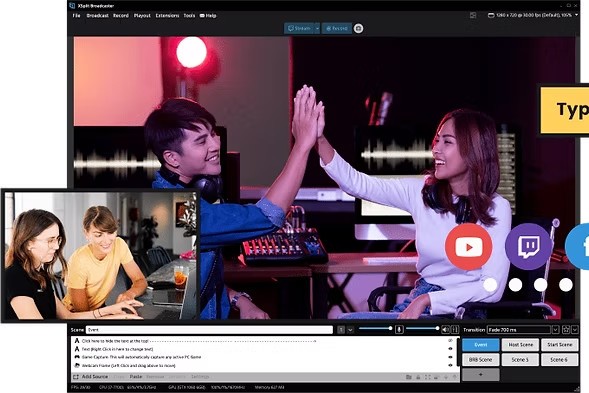
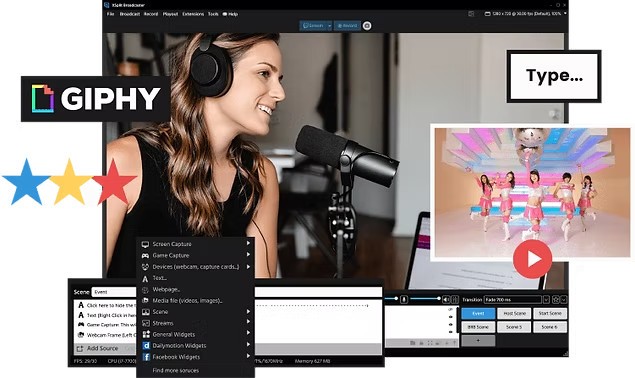
XSplit Broadcaster is, as the name suggests, a broadcasting tool. People use it for livestreaming and creating video/audio content and presentations. The app functions as a production studio where you can combine video clips from different sources into one final product. For example, gamer streamers can utilize webcam and gameplay footage simultaneously. Alternatively, the same tools can be used to create a walkthrough or guide for a new platform or process in the workplace.
The platform boasts simple drag-and-drop controls that allow you to combine different media. In addition to video and audio, you can add text and pictures. XSplit Broadcaster allows you to stream on multiple platforms at the same time, including simultaneous vertical and horizontal streaming. The resulting videos can be shared directly via video call on Zoom and Microsoft Teams.
Why Should I Download XSplit Broadcaster?
You should download XSplit Broadcaster if you’re looking for a tool that will help you livestream and create video content. The tool is most popular among streamers and gamers, as well as for presentations and walkthroughs. It has a friendly user interface with drag-and-drop capabilities, which makes using it easy even for inexperienced broadcasters. The result promises to be high-quality.
Because the app is easy to set up, you can get started on recording almost right away. Many elements of your video are customizable; you can crop webcams, add pictures, switch from horizontal to vertical streaming, stream from multiple video sources simultaneously, and more. Advanced tools will turn your video into a high-quality production with transitions, scene mixing, and other features. Your real background can be hidden from view with the help of blurring or background removal.
XSplit Broadcaster is built for streaming, so the tool can be directly integrated with YouTube and Twitch. You can also get support for Discord and Skype, among other platforms.
Is XSplit Broadcaster Free?
XSplit Broadcaster has a free version. That version is rather limited. For example, you can only have 4 scenes or fewer in a project, and higher-quality streams will appear with a watermark. The free tier is only available for individuals; you will need to purchase the paid tier for commercial use.
Most of XSplit’s advanced features are locked behind a paywall. If you’d like to access them, you need to buy a monthly or yearly subscription.
What Operating Systems Are Compatible with XSplit Broadcaster?
XSplit Broadcaster is a Windows-exclusive software. You can access the app on Windows 10 or Windows 11 (both 64-bit). There is no native version of XSplit Broadcaster for Linux and macOS computers, as well as older Windows models.
What Are the Alternatives to XSplit Broadcaster?
You may want to explore other options if XSplit Broadcaster is not available on your preferred platform or is out of your price range. You may even just be curious to try an alternative production program or add a supporting tool to your arsenal. Below are some apps to choose from.
Nvidia Broadcast is not as much a competitor as it is a complementary service to XSplit Broadcaster. The program’s main goal is to get rid of background noise and ambient sounds you don’t want in your video. It also uses AI to blur or remove your video background. In other words, it enhances the work of your microphone and camera, using artificial intelligence to make your broadcast look and feel more professional. The tool is free, but you will need an Nvidia RTX graphics card to make it work.
OBS Studio is an alternative tool for macOS, Linux, and Windows computers. The program is entirely free and open-source. The focus of OBS Studio is on customization, really making each stream your own. It’s not as user-friendly as XSplit Broadcaster, so complete beginners will have a hard time learning how to use it. At the same time, if you want to achieve a high degree of customization, then OBS Studio is the right choice for you. The program is quite lightweight, so it won’t drain your computer resources.
Streamlabs is quite similar to XSplit Broadcaster. It is a Windows program for livestreaming with a large selection of themes and widgets, and an integrated chatbot. Much like XSplit, it has a limited free version and a paid version that unlocks access to advanced features. Streamlabs boasts a user-friendly interface and is quite easy to use, though running it can be resource-heavy for your computer’s CPU and memory.