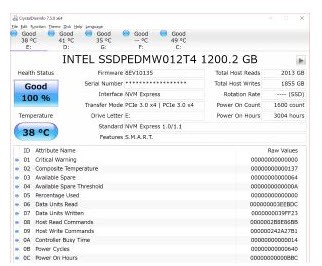
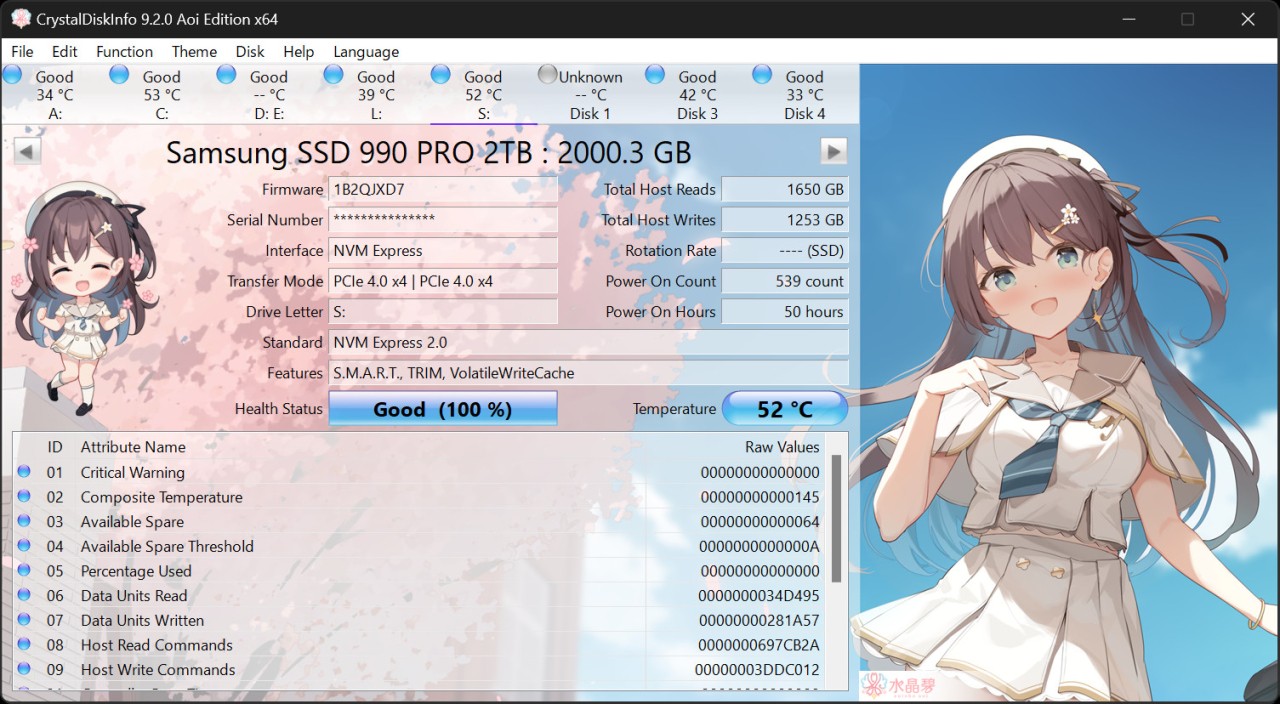
CrystalDiskInfo is a free, open-source program that monitors the health and performance of your storage devices, whether they're traditional hard drives or solid-state drives. It goes well beyond basic monitoring by pulling detailed operational data straight from your drives and presenting it in a format that's easy to understand. Developed by Crystal Dew World, the tool gives you a clear picture of drive health, performance indicators, and temperature readings so you can tell at a glance whether everything is running properly.
As soon as you launch CrystalDiskInfo, it generates detailed reports on every connected storage device. The software reads S.M.A.R.T. (Self-Monitoring, Analysis, and Reporting Technology) data directly from your drives, giving you up-to-date information on their condition. Beyond the basic stats, it breaks down specifics like read errors, spin-up times, power-on hours, and a range of other metrics. That level of detail helps you spot drives that might be heading toward failure before anything actually goes wrong.
One of the best things about CrystalDiskInfo is how it presents all this information. Instead of burying you in raw technical data, it uses a simple color-coded system to flag drive health. Healthy drives get a clear green indicator, while anything problematic shows up in yellow or red. It's intuitive enough for casual users to understand immediately, but still detailed enough for IT professionals who want to dig into the numbers.
Why Should I Download CrystalDiskInfo?
Anyone who cares about protecting their data and keeping their drives in good shape should have CrystalDiskInfo installed. It's a monitoring tool that catches problems early, giving you warning signs before a drive fails and takes your files with it. Whether you're safeguarding important documents on a single drive or keeping tabs on multiple storage devices, this download helps you stay ahead of hardware trouble.
Real-time health monitoring is one of the strongest reasons to use CrystalDiskInfo. You don't have to wait for a crash to find out something is wrong with your drive. The software continuously checks S.M.A.R.T. attributes and alerts you when any values drift outside recommended limits. That early warning gives you time to back up your data and replace a failing drive before you're stuck trying to recover lost files after the fact.
Temperature monitoring is another compelling reason to download and install CrystalDiskInfo. You can track your drive temperatures alongside other performance metrics in real time. Excessive heat is one of the fastest ways to shorten a drive's lifespan, and CrystalDiskInfo makes it easy to spot when an HDD or SSD is running hotter than it should. If temperatures are climbing, you'll know to improve airflow or add cooling before any permanent damage occurs.
The interface itself is easy to work with. CrystalDiskInfo doesn't bury useful information behind complicated menus or force you to interpret confusing data on your own. Everything is presented clearly, making it accessible whether you're comfortable with hardware diagnostics or not. People at every skill level can get useful information out of it without needing a technical background.
Customization adds another layer of usefulness. You're not stuck with the default settings. You can set your own temperature alert thresholds, choose how often health checks run, and pick between prominent pop-up notifications or quieter background alerts depending on your preference. The software keeps you informed about developing problems on your own terms.
CrystalDiskInfo also supports monitoring internal drives, external USB drives, and RAID arrays. It covers both HDDs and SSDs regardless of how they're connected, which makes it a flexible tool for anyone managing backup drives, external storage, or more complex multi-drive setups.
Is CrystalDiskInfo Free?
CrystalDiskInfo is completely free to use. There are no license fees, no premium tiers, and no subscriptions required. You can download it directly from the official website and use every feature without paying anything or sitting through ads. The open-source nature of the project means the code is fully transparent and community-maintained.
What Operating Systems Are Compatible with CrystalDiskInfo?
CrystalDiskInfo runs on Windows versions from Windows 7 through Windows 11 and works on both 32-bit and 64-bit systems without any compatibility issues.
The program performs well on both older and newer hardware. It runs in the background using minimal system resources, so it won't slow down your computer while it monitors your drives.
What Are the Alternatives to CrystalDiskInfo?
CrystalDiskInfo is an excellent drive monitoring tool, but a few other utilities serve related purposes depending on what you're looking to track. Three alternatives worth knowing about are GPU-Z, Belarc Advisor, and CPU-Z.
GPU-Z focuses on monitoring graphics card performance rather than drive health. It won't tell you anything about your storage devices, but it's the go-to tool for tracking GPU temperatures, clock speeds, voltages, and other video card metrics. If your system is struggling during games or GPU-heavy applications, GPU-Z shows you exactly what's happening inside your graphics card. It's a favorite among enthusiasts who want to push performance without risking damage to their hardware.
Belarc Advisor takes a broader approach by performing a full system audit. Rather than focusing on a single component, it scans your entire computer and generates a detailed profile covering hardware specs, installed software, product keys, and security update status. If you need a complete overview of your machine's configuration and security posture alongside basic storage information, Belarc Advisor covers all of that in one report, making it a handy tool for system administrators and anyone managing multiple machines.
CPU-Z is the processor and memory counterpart to GPU-Z. It doesn't monitor drive health either, but it provides precise details about your CPU speed, core count, cache sizes, and memory configuration. It's particularly useful during overclocking or when troubleshooting performance issues, giving you the hard numbers you need to make informed decisions about system optimization and hardware upgrades.