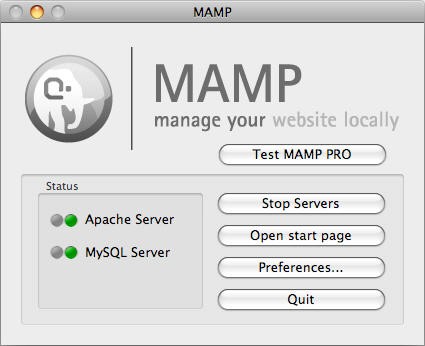
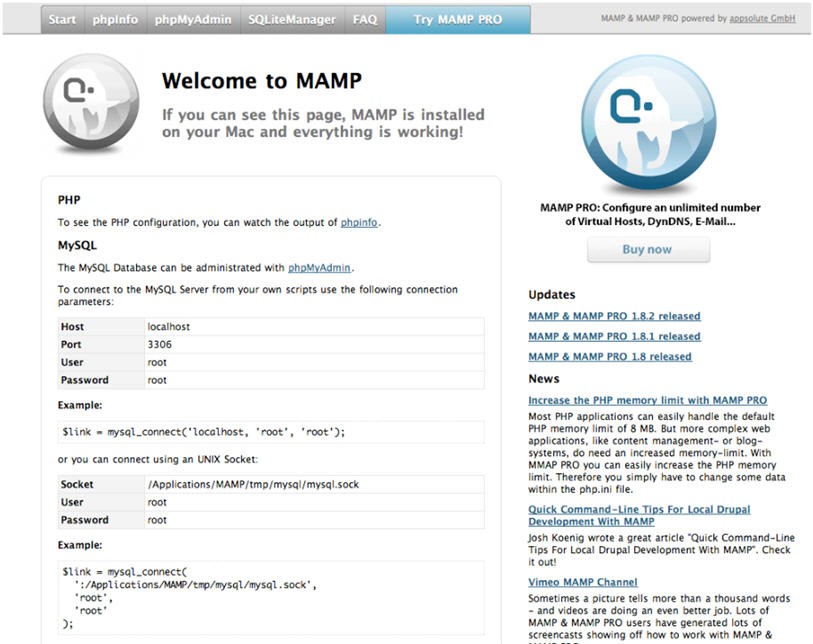
MAMP is a free local server environment built for creating and testing web applications on your own machine. The name stands for Mac, Apache, MySQL, and PHP, though the software runs on both Windows and macOS. Once you install MAMP, your computer essentially becomes a local hosting server where you can build and test website content without needing a live server. It's especially useful for developers working with WordPress or Joomla, since it gives them a safe testing ground that keeps their production sites untouched.
At its core, MAMP bundles the key components needed for dynamic websites: Apache for serving pages and MySQL for handling databases. Instead of installing and configuring each piece separately, everything comes packaged together and ready to go. Beyond PHP, MAMP also supports Python and Perl, along with multiple coding frameworks, so you're not limited to a single language.
One of the best parts of MAMP is how well it keeps projects organized. You can set up separate local hosts to manage multiple projects at once without worrying about file conflicts or tangled configurations. A clean graphical interface handles all the server management, so you don't need deep technical knowledge to get things running. Whether you're testing a basic blog or building out a complex application, MAMP gives you everything you need to work efficiently on your local machine.
Why Should I Download MAMP?
If you need a reliable, easy-to-use local environment for web development, MAMP is well worth the download. It's more than a basic tool; the bundled Apache and MySQL stack creates a full local server that lets you test code, develop new features, and build entire websites without an internet connection.
Setup is one of MAMP's strongest selling points. There's no wrestling with manual configuration or complicated installation steps. A few clicks and you're ready to start developing. Everything comes pre-configured in a single package, so you don't have to piece together individual server components on your own. Even if you're relatively new to web development, the learning curve is minimal.
Flexibility is another reason to download MAMP. It goes beyond just supporting PHP; you can choose from multiple programming languages and switch between PHP versions depending on what each project requires. If one project needs PHP 7.4 and another runs on PHP 8, you can toggle between them without reinstalling anything. That kind of adaptability matters when you're juggling projects with different technical requirements.
On the performance side, MAMP runs light. It won't bog down your system or hog resources while it's active. Whether you're on macOS or Windows, it operates quietly in the background and leaves plenty of room for your other applications. The interface is clean and intuitive, making it easy to manage server controls and database connections without getting lost in menus.
MAMP Pro adds a layer of premium features on top of the free version, including the ability to create and customize multiple virtual hosts independently. Upgrading is entirely optional, and the free version already covers what most developers need day to day. Pro mainly becomes useful when you're running several projects at once or need finer control over your server configuration.
Is MAMP Free?
Yes, MAMP is free to download and use. The free version includes everything you need to set up a working local server environment, and it handles typical development tasks without any limitations that get in the way.
MAMP Pro is the paid upgrade, adding features like simultaneous multi-PHP support, dynamic DNS, and more advanced host management. That said, the free version is fully functional for running your projects, and plenty of developers never need to move beyond it.
What Operating Systems Are Compatible with MAMP?
MAMP runs on both macOS and Windows, so developers can work on whichever platform they prefer. On the Mac side, it supports macOS versions from Mojave through Monterey. Windows users are covered from Windows 7 all the way through Windows 11.
You can develop and test applications on either operating system without running into compatibility issues along the way. MAMP keeps its toolset consistent across platforms, so your workflow stays the same regardless of which machine you're sitting at.
What Are the Alternatives to MAMP?
While MAMP is a solid local server solution, a few other tools might be a better fit depending on your workflow and platform preferences. Three alternatives worth considering are XAMPP, WampServer, and Apache HTTP Server.
XAMPP is one of the most popular cross-platform server packages available, bundling Apache, MySQL, PHP, and Perl in a similar fashion to MAMP. It shares that same easy setup philosophy and gets you running quickly. Where XAMPP pulls ahead is platform support: it works on Windows, macOS, and Linux, which gives it an edge for developers who work across all three operating systems. The interface is straightforward enough for beginners, but it also offers plenty of configuration options for more advanced users who want to fine-tune their setup.
WampServer is another dependable choice, though it's built specifically for Windows. Because it focuses entirely on one operating system, it delivers a more native-feeling experience on Windows machines than cross-platform tools typically do. It bundles Apache, MySQL, and PHP just like MAMP, but the interface and overall design feel right at home on Windows. WampServer keeps local server management simple and handles compatibility issues behind the scenes, making it an excellent pick for developers who work exclusively on Windows and want something that feels purpose-built for their environment.
Apache HTTP Server is the option for developers who want full control over their setup. Unlike MAMP or XAMPP, Apache HTTP Server is a standalone server software. You'll need to install and configure PHP, your database system, and any other components separately. That gives you complete flexibility over your environment, but it comes with a steeper learning curve and assumes a level of comfort with manual server configuration. Apache HTTP Server is rock-solid and widely battle-tested across the industry, but it demands more technical know-how than the all-in-one bundled packages provide.