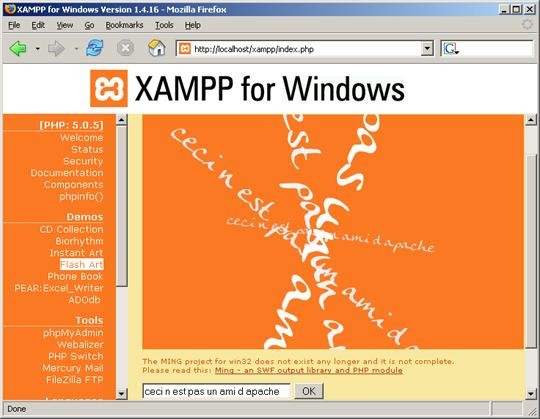
The open-source XAMPP package provides developers with all the tools they need to set up a local web server environment on their own computer. The name breaks down as Cross-Platform (X), Apache (A), MySQL (M), PHP (P), and Perl (P). By bundling these core components together into a single install, XAMPP removes the need to set up each piece of software individually, making it straightforward to get a working local server running in minutes.
Apache HTTP Server sits at the center of XAMPP and handles page hosting. MySQL, running under the MariaDB name, manages databases alongside PHP and Perl for server-side scripting. XAMPP also includes phpMyAdmin for database management and FileZilla for FTP support. A lightweight control panel makes it easy to start and stop individual services as needed.
One of XAMPP's main strengths is that it runs on Windows, macOS, and Linux, so developers are not locked into a specific operating system. Whether you are setting up a WordPress test environment, working on PHP scripts, or managing a local database, XAMPP simplifies the process considerably.
Why Should I Download XAMPP?
XAMPP is a solid choice for developers at any experience level who want a reliable way to test web projects locally. Rather than installing Apache, MySQL, and PHP separately and configuring them to work together, XAMPP bundles everything into a single installation that is ready to use with minimal setup.
The control panel makes running the server simple. Starting and stopping services takes a single click, which means you can get a local WordPress site or web application running without dealing with command-line configuration. The process is direct and practical from the first launch.
Cross-platform compatibility is another reason developers choose XAMPP. It works identically on Windows, Mac, and Linux, which is useful when a team uses different operating systems. Everyone works in the same environment, which reduces the chances of something working on one machine but not another when projects are shared.
The built-in phpMyAdmin tool handles database management through a web interface, letting you create and manage databases without writing SQL directly. For data-heavy projects or applications that rely on multiple database connections, this saves a significant amount of time. Having the database tool bundled into the same package as the server keeps everything in one place.
XAMPP also benefits from a large and active community. As a widely adopted open-source tool, there are plenty of tutorials, forums, and documentation available online. Whether you are troubleshooting an error message or looking to extend your configuration, it is rarely difficult to find relevant help from other users who have encountered the same issues.
Is XAMPP Free?
Yes, XAMPP is completely free to download and use. It is an open-source project, so all features and updates are available at no cost and without any licensing fees. It can be used freely for academic, personal, or professional projects. XAMPP is available directly from the Apache Friends website.
What Operating Systems Are Compatible with XAMPP?
XAMPP runs on Windows, macOS, and Linux. The installation process and control panel work the same way across all three operating systems, so developers can switch between platforms without relearning the tool. It provides a consistent local server environment regardless of which system you are working on.
What Are the Alternatives to XAMPP?
MAMP is a local server environment available for macOS and Windows that includes Apache, MySQL, PHP, and Python. It is particularly popular among macOS users due to how naturally it fits into the Mac environment. A free version covers the core functionality, while MAMP Pro adds advanced features, including multiple host configurations, which is useful for developers juggling several projects simultaneously. The interface is clean and easy to navigate, making MAMP a good choice for users who want a straightforward setup experience.
WampServer is a Windows-only alternative that provides Apache, MySQL, PHP, and phpMyAdmin in a single package, similar to XAMPP but tailored specifically for Windows. One useful feature is the ability to switch between PHP versions directly from the system tray, which is handy when testing compatibility across different versions. For developers who work exclusively within the Windows ecosystem and want a tool built around that environment, WampServer is a natural fit.
Apache HTTP Server, on its own, is a more stripped-back option for developers who want complete control over their server setup. Unlike XAMPP, it does not come bundled with MySQL or PHP, so those components need to be installed and configured separately. This makes it less convenient for quick setups but gives experienced developers greater flexibility in how they structure their environment. Developers who find XAMPP's bundled approach limiting and who are comfortable configuring each component manually will find that Apache HTTP Server offers more precise control over the final result.