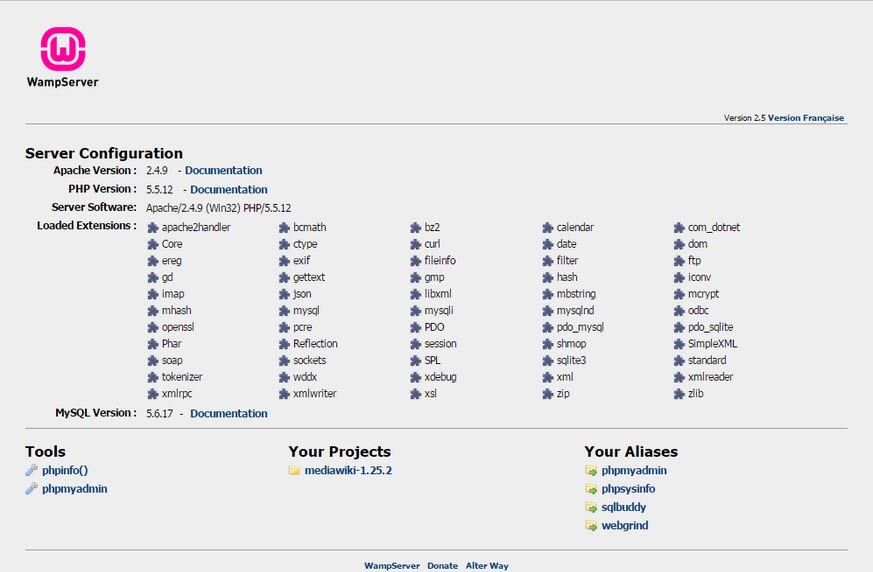
The web development environment WampServer is designed for Windows users who need to develop, test, and run web applications on their local network. The single-package installation of WampServer combines MySQL, Apache, and PHP, so users do not need to search for separate components or perform manual configuration.
Such an arrangement enables novice users to set up functional development servers directly on their desktop computers without altering active websites. Through its control panel interface, WampServer simplifies working with server components while keeping the core technologies of Apache, MySQL, and PHP easily accessible.
The software targets builders and students of web app development who work either through PHP free-form coding or through CMS systems such as WordPress, Joomla, or Drupal. WampServer operates independently of an internet connection, which enables users to test code while troubleshooting without modifying anything in a live environment.
The server configuration process feels much simpler to beginners using this program. WampServer enables users of all experience levels to keep direct control through its underlying settings, yet provides enough control systems and configuration adjustments for experienced operators. The application enables you to operate private internet services from your personal computer desktop environment.
Why Should I Download WampServer?
Developing an environment on your local machine becomes very difficult when you start your first development journey. Multiple programs require synchronization for communication. Every permission detail needs to be adjusted properly. The complete system can fail due to a missing semicolon in config files. During installation, WampServer minimizes much of the developer stress.
WampServer provides a simple way to install Apache, MySQL, and PHP, bringing all components into seamless operation. Because it provides ready-to-use server functionality, many users choose to install WampServer—it simplifies their testing and development.
The platform offers more than just ease of installation. WampServer delivers its greatest value to users during web project development by enabling live-environment testing of behavior without affecting live sites. The software establishes a dedicated testing environment where you can experiment without impacting your live online platform.
You can modify all aspects of your project, including themes, plugins, backend code, and database commands, freely on the local copy because any mistakes result in no permanent damage. Any mistakes made in the local environment can be removed without causing damage. Testing through trial and error becomes easier with WampServer, and developers get a protected space to conduct safe update testing before deployment to production servers.
Through its control panel, WampServer lets users easily switch between different PHP versions and activate specific extensions based on project requirements. WampServer allows users to easily change settings through a graphical interface, sparing them the need for file configuration or computer restarts. From its initial setup, WampServer includes phpMyAdmin, a browser-based interface for effectively interacting with MySQL databases.
WampServer extends its functionality beyond novice developers. Developers at all experience levels use WampServer as their development environment because it provides a fast, stable operating system for testing their project ideas. WampServer enables endpoint testing for APIs and server emulation and application prototyping, which require a setup that replicates your actual production environment.
WampServer provides you with a steadfast foundation to work from, regardless of your work tasks, including freelancing, studying, or substantial application development. The local machine installation ensures your experiments remain private before you decide to present them publicly.
Is WampServer Free?
WampServer can be obtained and used at no cost to users. The software comes with an unlimited free plan because it does not charge for payments or limit its core functionality. The platform serves both personal and professional use, making it the preferred option for students and freelancers who need to develop without buying additional server licenses.
What Operating Systems Are Compatible with WampServer?
The developers at WampServer specifically created this software to run exclusively on Microsoft Windows operating systems. It works on Windows 7, 8, 10, and 11. Windows architecture integration enables this software, but it does not function correctly on macOS or Linux. Users on these systems frequently choose between MAMP and LAMP rather than WampServer.
WampServer provides a simple setup for Windows users who can access the program equally well on both 32-bit and 64-bit systems. The installation process requires administrative rights, and port conflicts with programs like Skype and IIS must be avoided; once that's done, WampServer operates smoothly afterward.
What Are the Alternatives to WampServer?
WampServer offers a good local web development solution for Windows users, though other options are available. Several users will discover that their development work requires alternative program configurations to meet their specific requirements.
One popular alternative is MAMP. MAMP functions on Windows platforms just like it does on macOS systems, where it originally appeared. This tool bundles Apache, MySQL, and PHP to help users get started quickly. MAMP offers a different interface design and provides a Pro version enhancement that delivers virtual hosts functionality as well as multi-site management for developers. Developers who need uniformity between Mac and Windows platforms choose this setup because of its compatibility.
XAMPP is one of the key solutions for this requirement. XAMPP functions similarly to WampServer by including the combination of Apache, MySQL (or MariaDB), and PHP and Perl. It is a suitable option because it supports Windows, macOS, and Linux across multiple platforms. XAMPP provides a control panel despite its somewhat less refined interface, yet it delivers wide system compatibility with detailed documentation. Users pick Perl support, along with its larger user base, as their primary reasons for preferring this system.
Apache HTTP Server functions as the web server core that runs inside WampServer, XAMPP, and MAMP. You gain complete control by installing Apache independently, but this approach requires greater technical expertise. Using Apache HTTP Server requires manual PHP and MySQL configuration and individual piece management. The more experienced users select this setup option because they need detailed configurations, which also work well with systems that require light software packages. Its installation process tends to be complex; this setup confers extensive power for real-world production usage.