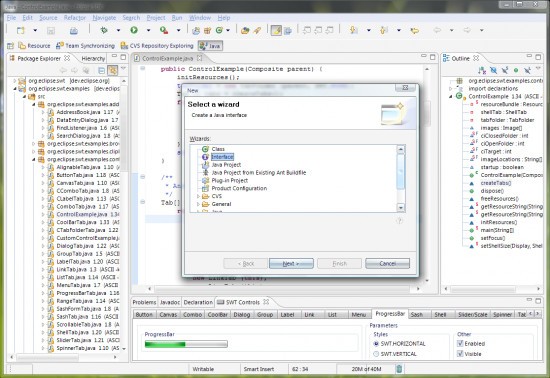
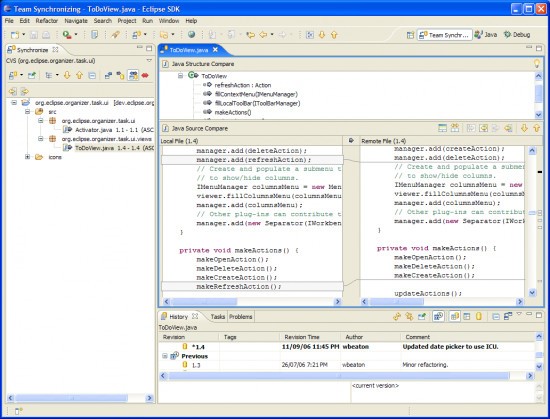
Eclipse IDE might look intimidating the first time you open it, but once you get past that initial impression, it functions as a central hub for everything involved in building software. The name stands for "Integrated Development Environment," which means it bundles a code editor, compiler, debugger, and testing tools into a single application. Instead of juggling separate programs for each part of the development process, everything lives under one roof.
Eclipse originally started as a Java development tool, but its reach has expanded well beyond that. A plugin system lets you add support for Python, C++, PHP, and a wide range of other languages. If a feature doesn't come built in, there's likely a plugin available that adds it. That extensibility is a core part of how Eclipse operates, and it's one of the reasons the platform has stayed relevant for so long.
Think of Eclipse as a blank canvas that developers can shape to fit their workflow. The interface isn't going to win any design awards, but it delivers where it counts: stability, flexibility, and deep functionality. Development teams of all sizes trust Eclipse IDE for projects ranging from small personal tools to large enterprise-grade applications.
Why should I Download Eclipse IDE?
Whether you're just getting into coding or you need a reliable environment for professional development work, Eclipse is worth a serious look. Developers keep coming back to it because it's dependable and expandable, two qualities that matter more than a flashy interface when you're deep in a project. Eclipse has been around for years in a space where tools come and go quickly, and that longevity says something about how useful it actually is.
For Java and enterprise development in particular, Eclipse provides an exceptional level of project management. It keeps your files, libraries, packages, and configurations organized and accessible without hiding anything from you. The workspace system makes switching between projects efficient, and the platform gives you full visibility into what's happening at every level. Once you understand how everything connects, that depth of access becomes incredibly valuable.
Built-in support for Git, Maven, Gradle, and Docker integration gives Eclipse a head start over lighter editors that require you to hunt down and install separate plugins for each of those tools. Eclipse is heavier than a basic code editor, but the trade-off is that you get a working development environment right out of the box without spending time piecing together extensions before you can start a project.
Debugging in Eclipse is a standout experience. You can step through code execution line by line, set breakpoints, and watch variable values change in real time. Even just the breakpoint functionality alone can save hours of frustration when tracking down bugs. Beyond debugging, Eclipse lets you customize the interface layout through configurable perspectives, so you can strip things down to a minimal view or expand to see every panel at once, depending on what the task requires.
Because Eclipse is free and has been around for so long, documentation, and community resources are extensive. Beginners will find tutorials and guides readily available, and just about any problem you run into has already been asked and answered somewhere in the Eclipse community. The tool scales with your skills, too. You might start using only the basics, but as your projects grow more complex, Eclipse has the depth to support whatever you need next.
Is Eclipse IDE Free?
Yes, Eclipse IDE is free to download and use. There are no paid tiers, no feature restrictions, and no licensing costs for any use case, whether personal or commercial.
Eclipse is open-source, which means the developer community can extend its capabilities and build plugins for it without any barriers. The project is community-driven and maintained by the Eclipse Foundation, with development guided by the needs of working developers.
What Operating Systems Are Compatible with Eclipse IDE?
Eclipse IDE runs on Windows, macOS, and Linux without any differences in functionality between platforms. You can download the appropriate installer from the Eclipse website and be up and running quickly.
Since Eclipse is built on Java, it requires a compatible Java runtime environment on your system. Beyond that, there are no unusual requirements. Moving between operating systems is straightforward, and the experience stays consistent whether you're on a Windows laptop or a Linux workstation. All features and plugins work the same way regardless of which platform you're using.
What Are the Alternatives to Eclipse IDE?
Eclipse is one of several strong options in the IDE space, and some developers prefer tools that feel lighter or more modern in their design. A few alternatives stand out depending on what you're looking for.
Theia IDE is a modern, open-source development environment that can run either in a browser or as a desktop application. It borrows some of the underlying technology from Visual Studio Code but offers more customization options and is designed to be extensible at a deeper level. Several companies use Theia as the foundation for their own branded IDEs, which speaks to its flexibility. Theia supports multiple programming languages and works well for cloud-based development workflows where running an IDE in the browser makes more sense than installing one locally.
Visual Studio Code (VS Code) has become one of the most popular code editors available. On its own, it's technically a code editor rather than a full IDE, but the extension marketplace is so extensive that most developers can build it into a feature-rich development environment that rivals traditional IDEs. VS Code is fast, lightweight, and has a clean interface with built-in support for IntelliSense, Git integration, and debugging. Web developers and anyone working across multiple languages tend to gravitate toward VS Code because it strikes a good balance between simplicity and power without the heavier resource footprint of a full IDE like Eclipse.
Notepad++ is the right choice for users who just need a fast, reliable text editor without the overhead of a full development environment. It opens instantly, handles scripts and configuration files well, and stays out of your way. Notepad++ doesn't try to be a project management tool or a full IDE. It excels at quick edits, small scripts, and lightweight coding tasks. It won't replace Eclipse for serious project work, but as a simple, no-fuss editor that belongs on every developer's machine, it fills that role perfectly.