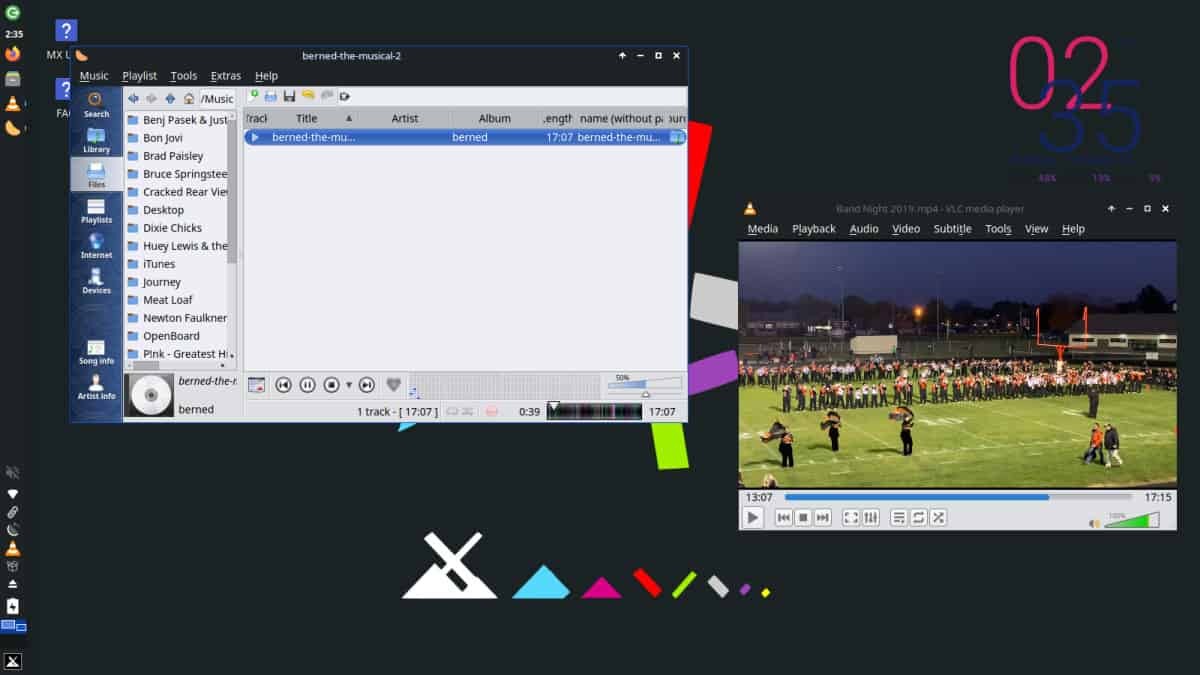
To create a midweight Linux operating system, MX Linux blends the extensive capabilities of the Xfce desktop environment with the user-friendly features of Debian. MX Linux was designed to be a quick and reliable system that runs smoothly on less powerful computers. The combined forces of antiX and former MEPIS communities create a joint operation, leading to the development of a system that produces familiar yet elegant usability. The operating system avoids exaggerated attempts to appear modern. The system highlights performance through usability without imposing complicated demands on its users.
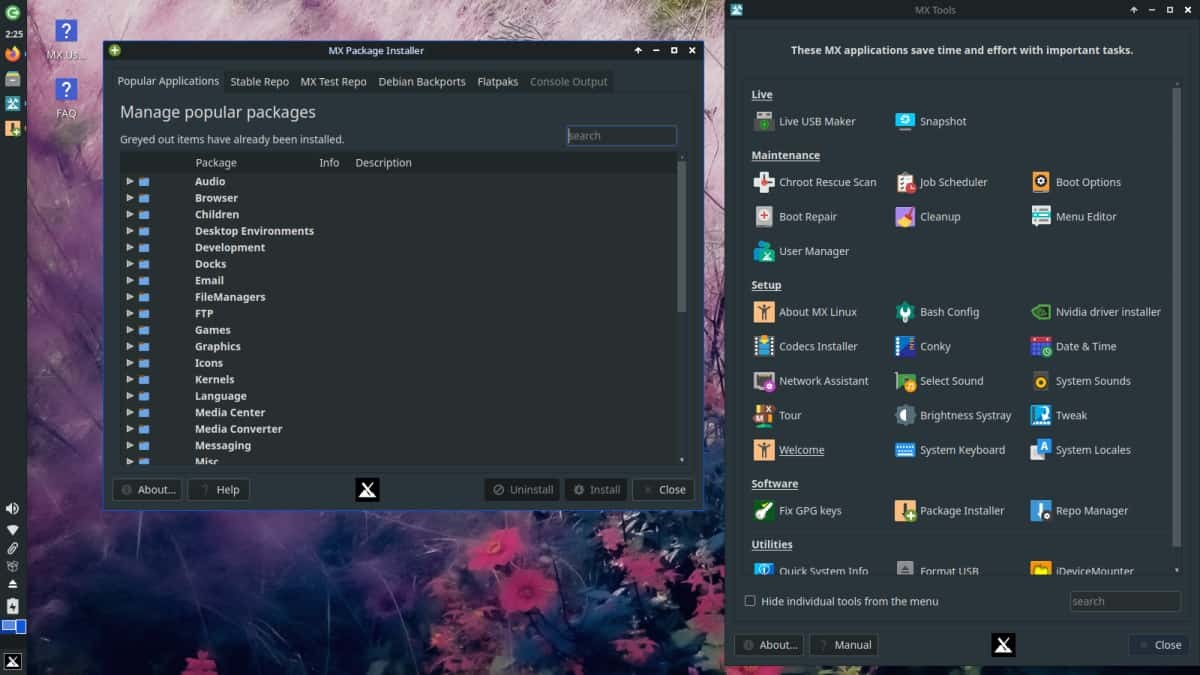
The distribution demonstrates its instant responsiveness during installation. You will find that browsing online activities, modifying documents, or reviewing system tool functions just as smoothly as exploring the software interface on MX Linux. MX Tools offers users access to numerous built-in utilities through its suite, including package management and features such as system backups, driver management, and more.
Linux beginners can use a step-by-step guide to MX Linux because of its guided interface. MX Linux provides a smooth transition for users migrating from Windows or other Linux distros, as it maintains a graphical interface while running Debian at its core.
Why Should I Download MX Linux?
Many users seek operating systems that facilitate their work rather than just functioning automatically. Transforming into your current situation is what MX Linux provides users. The system requires no advanced knowledge and remains accessible to anyone. MX Linux presents itself as both straightforward and capable of additional functionality whenever users explore deeper functions.
MX Linux should be downloaded because it perfectly unites system performance with user-friendly functionality. The system works perfectly well on outdated computer systems. Users need not perform endless system adjustments to run the computer effectively. The operating system performs consistently and smoothly after setup is complete.
Rainbow-themed MX Linux stands out as an optimal choice for people who dislike having their computers slow down due to large operating systems. Upon boot, the system starts quickly and keeps RAM usage low while avoiding unnecessary background operations.
The operating system works perfectly for users with older laptops or desktops. In both recent and aging systems, users enjoy greater usable performance since the operating system does not deplete their computer resources. Xfce provides users with a desktop interface that offers both functionality and visual appeal without affecting performance speed.
Then there’s the community support. The broad user community of MX Linux keeps active by assisting members in various forums and online collaboration spaces. The adoption of MX Linux by new Linux users alongside earlier Windows users is a major benefit of the system.
The system developers maintain a stable platform through systematic updates that do not require you to deal with excessive system modifications at once. MX Linux takes a different approach than other distributions regarding its software update frequency. System reliability and consistency take priority as features in the user interface, allowing users to focus on their work rather than worry about system stability.
Administration work naturally improves with this feature. Each administrative task has its designated tool in MX Tools, so users can avoid using the terminal unless they choose to. MX Tools takes a dual approach that balances simplicity for new users with the needs of experienced professionals.
Users can manage their packages easily because Debian's large repository is combined with MX's supplementary package collection. Two different methods exist for software installation on MX Linux: through the Synaptic control center and the MX Package Installer interface.
Is MX Linux Free?
MX Linux is available for free and anyone can download it. The program is as an open-source platform available at no cost for downloading, use, and distribution.
MX Linux is free, with no database sign-up or service payments required. The project's support comes from its dedicated volunteer community and donations, as it does not depend on advertisements or subscriptions for sustainability
What Operating Systems Are Compatible with MX Linux?
The MX Linux system functions as a complete operating system that users can install either on its own or in combination with other systems as a dual boot. The operating system works with most devices that run Linux, including computers that support 64-bit x86 and 32-bit systems.
Users primarily choose to install MX Linux dual-boot along with Windows or use it on outdated computers that cannot handle current Windows versions efficiently. Running MX Linux from a USB stick enables live testing, allowing you to check before a complete installation. The combination of small memory usage and low system requirements allows MX Linux to operate effectively on all types of PC devices.
What Are the Alternatives to MX Linux?
The Linux world offers several alternatives to MX Linux based on individual user preferences.
Linux Mint is a highly regarded Windows replacement that many users find attractive, thanks to its popularity among Windows newcomers. The system emphasizes user-friendly design, sleek graphical elements, and quick installation procedures. The Linux Mint distribution provides comparable graphical enhancements through its Cinnamon and MATE interface options compared to MX Linux's default Xfce environment, without placing excessive weight on the system performance. This system starts easily because it has a strong support infrastructure, thus being ideal for new users.
Fedora is an innovative distribution that embraces a forward-thinking approach to new technology capabilities. Linux fans recognize Fedora as a distributor that keeps its users ahead of the curve by delivering fresh features to the Linux environment before competitors. The GNOME desktop provides the default interface, featuring a contemporary design with a neat appearance, but you can also opt for KDE. Fedora tends to consume more resources and use more system memory than MX Linux. Linux power users and developers download Fedora because it provides advanced access to the latest tools and features supported by Red Hat. The system presents an advanced aspect that makes it somewhat difficult for novices, yet dedicated beginners can master it.
Zorin OS is an excellent alternative, as it targets users who want a Windows-like visual and operating experience. The desktop in Zorin OS provides users with a well-groomed interface that resembles both Windows 7's appearance and Windows 10's design. With its emphasis on user-friendly interfaces, Zorin OS provides additional customization settings in its Pro version and includes packages. Users can access the core edition for free, but some capabilities will be limited to paying customers, creating an obstacle for some users. Users looking for a Windows-like interface and a smooth transition can download Zorin because of its strong features.