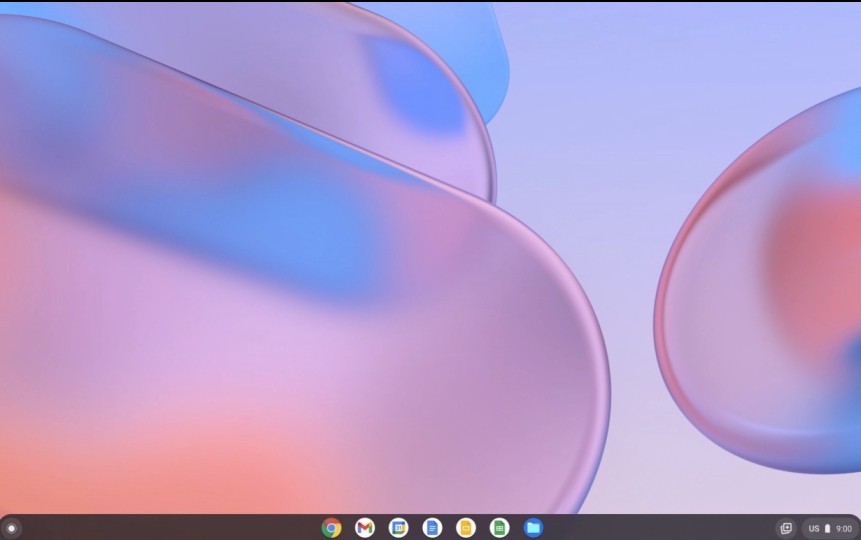
Built on the same foundation as Chrome OS for Chromebooks, Chrome OS Flex is a cloud-based operating system designed specifically for older devices. It is an ideal solution if you have an aging Windows or Mac machine and want to use it for web browsing, basic office tasks, and streaming music or video.
Chrome OS Flex provides a fast, secure, and straightforward system that extends your device's useful life without the overhead of a full operating system. It integrates natively with Google services, including Google Drive, Google Workspace, and Gmail, with all of these available right out of the box.
Security follows the same standards as the full Chrome OS, with updates installed automatically in the background. The system includes a built-in antivirus, uses verified boot, and sandboxes apps for better stability and performance. The interface is clean and distraction-free, keeping things simple by design. You can download Chrome OS Flex for free and use it for personal or business purposes.
Why should I download Chrome OS Flex?
If you have an older computer sitting idle and are not sure what to do with it, Chrome OS Flex is worth downloading. It is a lightweight operating system built for aging hardware. It installs quickly, integrates with cloud services, and has minimal system requirements. It is free for personal users and comes with long-term support.
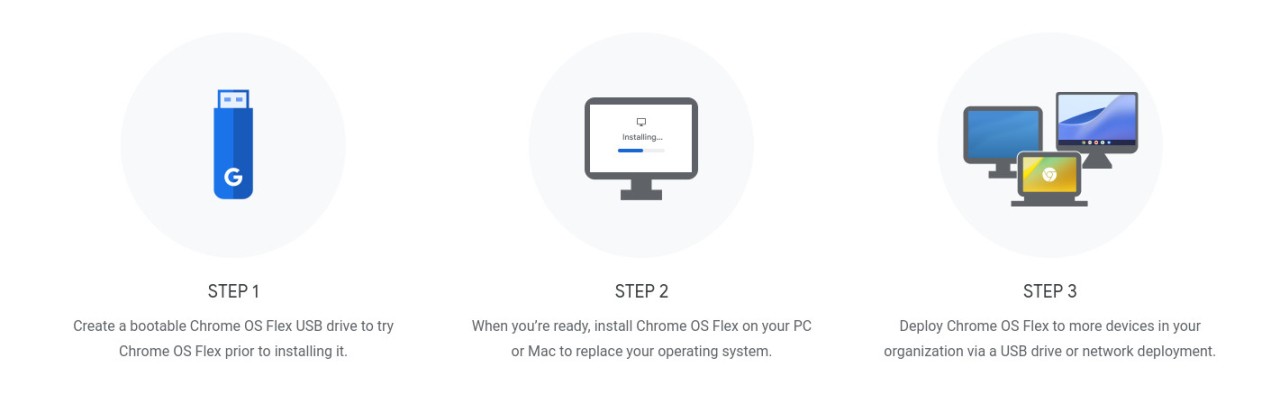
Although Chrome OS Flex shares its roots with the Chromebook operating system, it works with older Windows and macOS computers without compatibility issues. Installation is done from a bootable USB drive. Once installed, the system prompts you to sign in to your Google account, and you can start working right away. Boot times come in under 30 seconds, and the interface is clean and straightforward with minimal background processes running.
The whole system is built around the Chrome browser, but it supports progressive web apps and virtual desktops, and connects fully with Google Workspace tools like Docs, Sheets, Slides, Gmail, and Drive. You do not need to install traditional software, and the system also works with non-Google services like Zoom, Slack, Canva, and Microsoft 365 through their web-based versions. Enterprise users can manage multiple devices through the Google Admin Console to enroll machines, apply group policies, monitor activity, manage user access remotely, and enforce security protocols.
Chrome OS Flex is a secure system from the ground up, using verified boot, app sandboxing, and automatic updates to keep even older hardware protected against malware and performance issues. Each session runs as an isolated process, and files can be stored in the cloud or on encrypted local drives. Guest sessions and parental controls are also available, making it easy to turn an old computer into a shared family device.
To install Chrome OS Flex, your machine needs just 4 GB of RAM and a basic processor. While it's running, you can edit documents, access cloud-stored files, stream media, and even run Linux-based development environments.
Is Chrome OS Flex free?
Yes, Chrome OS Flex is completely free to download and install for personal users, educational institutions, businesses, and non-profit organizations.
Google develops and distributes it free of charge as part of its effort to reduce hardware waste by extending the lifespan of existing computers through cloud-based computing.
Only users who need enterprise-level features, such as access to the Google Admin Console, would need to look at purchasing Chrome Enterprise.
What operating systems are compatible with Chrome OS Flex?
Chrome OS Flex is designed to run on older hardware, so its system requirements are minimal. You need an Intel or AMD x86-64-bit processor, at least 4 GB of RAM, 16 GB of internal storage, USB boot capability, and full BIOS or UEFI settings access.
Chrome OS Flex supports most Intel- or AMD-based PCs and laptops from the past ten or more years, as well as Intel-based Macs made between 2010 and 2019. It does not support Macs with non-Intel processors.
What are the alternatives to Chrome OS Flex?
Ubuntu is one of the most widely used Linux distributions and a solid alternative for anyone looking for a stable, open-source system with broad software and hardware compatibility. It supports full desktop environments and gives access to thousands of open-source applications and developer tools. It is free to download and supports both ARM and x86 hardware. That said, Ubuntu is not as lightweight or beginner-friendly as Chrome OS Flex, so it comes with a steeper learning curve.
Windows 11 (Home + Pro editions) is the latest version of Microsoft's operating system, available as a free upgrade for Windows 10 users. It runs all Windows applications, and features a refreshed interface, improved Android app integration, and stronger security tools. It is a capable and full-featured system, but it requires more powerful hardware, which means older machines may not be able to run it.
macOS is Apple's operating system, included on all Mac desktops and laptops. It works seamlessly with other Apple products and offers the clean, intuitive interface the brand is known for. The main limitations are that it can only be installed on Apple hardware and operates as a closed ecosystem, which means less flexibility for customization compared to Windows or Linux-based systems.