The free Hasleo Backup Suite provides users with all the necessary tools for backup and recovery functions. It functions as an accessible data backup solution that provides total data management capabilities at no cost.
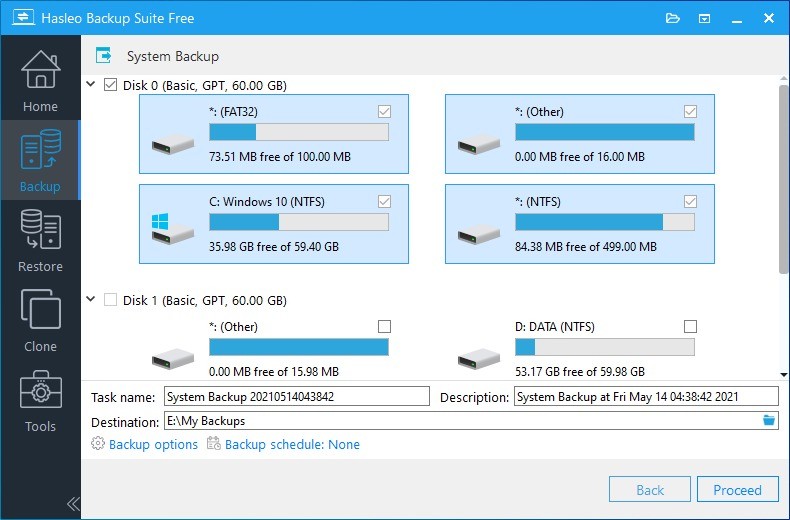
The program gives users a system backup option, together with disk/partition backup functions and file backup options that run inside an intuitive user interface. Backup tasks can be accessed by users without any expert knowledge. The tool simplifies data protection methods that are usually too complex for standard users. Despite being free, the application embraces plenty of valuable features.
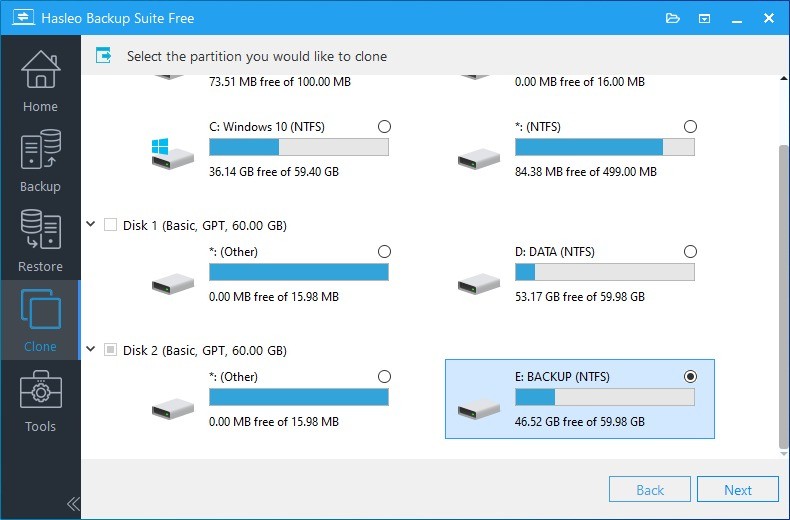
Hasleo Backup Suite Free allows users to perform extensive operations without ever asking users to invest their money. You gain access to disk cloning features, together with the capability to program automated backups and establish a WinPE bootable disk for error recovery purposes. This tool manages to carry out both system backup for failure prevention and OS migration between drives quietly and efficiently.
This solution refrains from seeking attention through graphical elements or extraneous functions. The program operates solely for performing its tasks with exceptional efficiency. Hasleo Backup Suite Free functions as a dependable safety mechanism to address the concerns of users who worry about drive failures, as well as ransomware and OS corruption.
Why Should I Download Hasleo Backup Suite Free?
People typically become preoccupied with backups only when something they need protection against actually happens. That’s just how it is. You will deeply wish for a reliable backup system during emergencies such as drive failures and system crashes that make your critical files vanish.
Hasleo Backup Suite Free enters the scene to provide backup services without demanding payment. You will appreciate Hasleo Backup Suite Free because it neither requires payment nor mounted choices nor heavy user manuals. The process begins with downloading Hasleo Backup Suite Free, which leads to its installation, followed by emergency backups and secure file transfers within minutes.
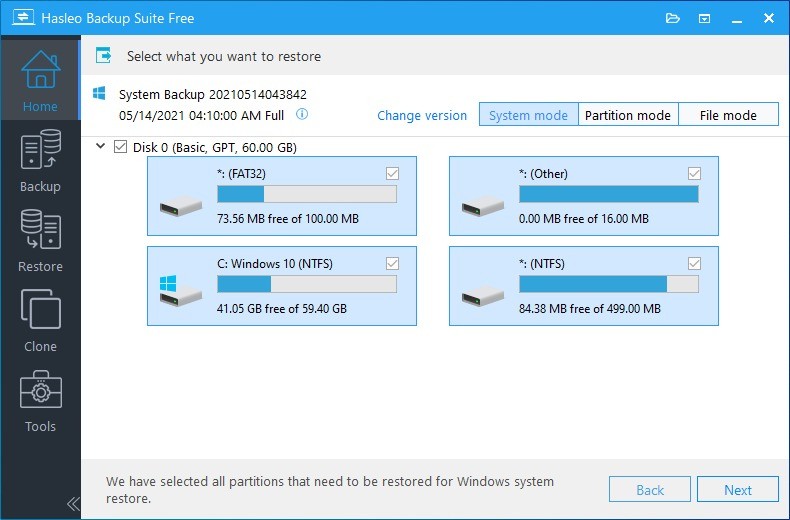
The strongest factor in selecting this program stems from its trustworthy nature. The backup process includes all computer content, with the addition of system files as well as boot records and partitions. The ability to restore your whole machine to its previous condition is possible through this system. No guesswork, no partial recovery. The protection system serves as a full-fledged safety measure instead of basic first aid.
Basic users can handle the backup system because of its user-friendly design. Every feature of each option is easy to understand. The system guides users effortlessly through operations, so they won't face problems from pressing incorrect buttons, while accessing help forums remains unnecessary.
Another important point is performance. Backups don’t take forever. The program operates without using up your system's resources and maintains normal performance speed. The program operates undetectably, so users can schedule backups to run automatically without the need for reminders. With this software, you have complete control over your backup schedule because it allows either daily backups or periodic disk-image creation. Data management stays in your hands while you prevent continuous micro-level administrative work.
Using backup solutions provides comforting reassurance to users. After installing all is done automatically from then onwards. With restore points in place you achieve total reassurance because any system mishaps like failed updates will be handled. Your system operating stability increases when you use this method. With Hasleo Backup Suite Free you can dispose of system instabilities because you have all your important work safely protected. You’ve got a fallback.
Is Hasleo Backup Suite free?
It’s free. It’s stable. It works. Any person who desires computer security and file protection, together with secure time management, should consider Hasleo Backup Suite Free. The application works quietly in the background, enabling you to remain calm when system failures happen.
Hasleo Backup Suite Free operates as a totally free product that users can use without any charge. All features in Hasleo Backup Suite Free can be accessed without cost restrictions or extra paid features. All backup and recovery features within the core functionality remain accessible without any requirement to buy any upgrade version.
What Operating Systems Are Compatible with Hasleo Backup Suite Free?
Hasleo Backup Suite Free can back up Windows 11, Windows 10, Windows 8/8.1, Windows 7, along with Windows Server 2008 to 2022 editions and both 32-bit and 64-bit computer architectures. The software functions on structures that include 32-bit and 64-bit systems.
Hasleo Backup Suite Free delivers sufficient performance on outdated machines, allowing data protection through any system that needs no hardware upgrades. The application delivers dependable functions with no issues for each configuration option, from home systems to smaller office implementations.
What Are the Alternatives to Hasleo Backup Suite Free?
Free users of Hasleo Backup Suite should note that this application stands its ground, yet competing free solutions in the market could be appealing based on individual needs.
The most similar backup solution to Hasleo Backup Suite Free is AOMEI Backupper Standard. Users recognize AOMEI Backupper Standard as a popular free backup solution. System imaging, together with disk cloning and file synchronization, along with scheduled backup features, compose the application package. Through its interface, the tool enables users to build recovery media for bootable scenarios. Differential backup, along with the ability to merge backup images, remains exclusive to paid customers. Conventional users consider this solution a dependable tool for basic requirements because it dominates residential and commercial backup needs.
The free version of Macrium Reflect, which is called Reflect X, is a widely selected solution. The application finds its largest base of users among technical users who prefer system imaging done with precision. The main functions of Reflect X revolve around disk cloning procedures while providing disaster recovery capabilities. IT professionals, as well as intermediate users who require complete control throughout the backup process, should use Reflect X because of its technical features. Although its interface looks outdated and technical in comparison to Hasleo, the system maintains a solid reputation for dependability. People who take pleasure in hands-on tinkering with their system while preferring direct manual control will probably find Reflect X suitable.
EaseUS Todo Backup Free presents itself as a third viable backup solution for users. It provides an attractive interface and consumer-friendly design compared to other options in its category. The application performs well during file-backup processes and disk-imaging, and partition-backup functions. The software includes a capability for bootable recovery while allowing users to set up backup schedules. Advanced features need to be unlocked through purchasing a premium membership in this backup solution. EaseUS focuses on user-friendly interfaces alongside visual simplicity that certain users value, although it might present itself primarily as a beginner device in contrast to Hasleo's balanced method.