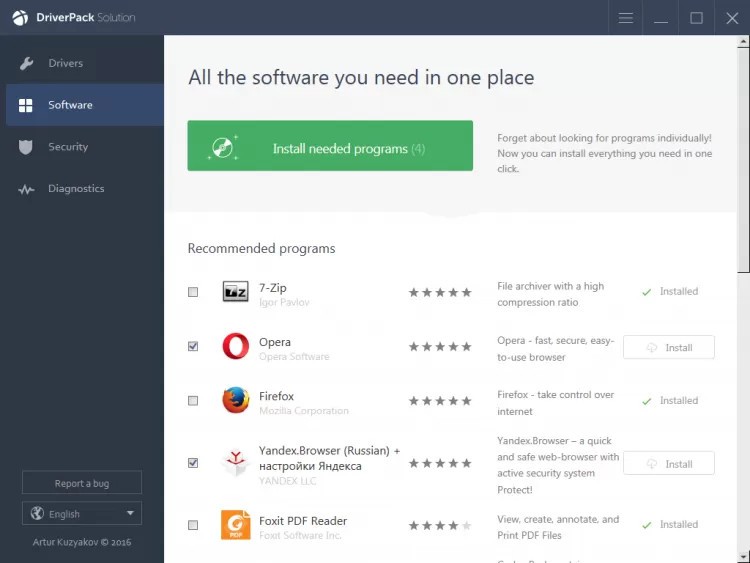
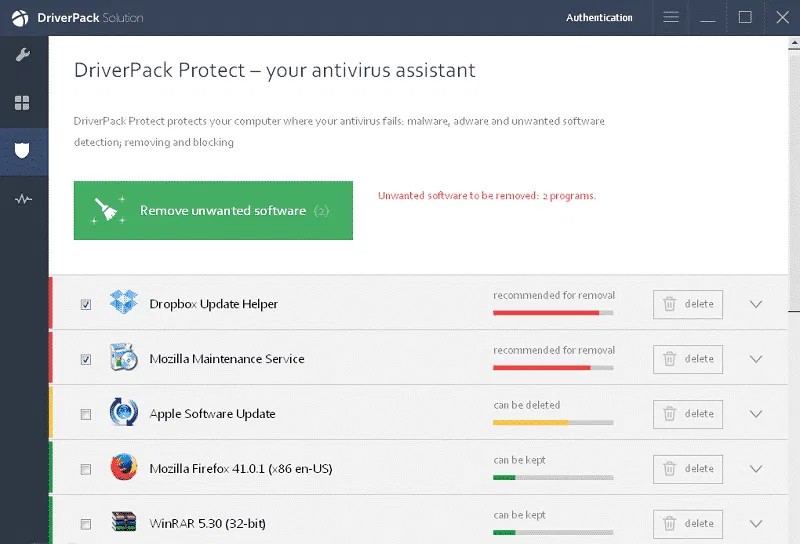
DriverPack Solution performs automated detection of a computer's hardware requirements, then downloads and installs the necessary drivers. The program works as a single dashboard, simplifying both driver discovery and keeping installed versions current.
It scans the system to identify obsolete, missing, or faulty drivers and presents suggested updates. A key advantage of this software is that it sources drivers directly from original manufacturers' websites, which means users always get the most accurate and up-to-date versions available.
The built-in driver update process supports bulk installations, eliminating the need to update drivers one by one manually, which can be time-consuming on a freshly installed system. Users can choose between automatic installation mode and manual mode, giving them control over which drivers are updated and which are left alone. The software works well for technically confident users and for those who just need a reliable way to maintain a PC without digging into hardware specifications.
DriverPack Solution supports Windows operating systems from XP through to Windows 11 and helps resolve hardware malfunctions tied to outdated driver software. The interface guides users through the process without requiring any prior knowledge of how driver software works. It is completely free to download and use, with no hidden fees.
Why Should I Download DriverPack Solution?
Anyone dealing with outdated drivers or hardware-related problems should consider downloading this program. Updating drivers does more than keep a system stable: it also ensures hardware runs at its best. Outdated drivers can cause audio problems, unstable Wi-Fi, and graphical errors that are frustrating to track down without the right tools.
DriverPack Solution removes the guesswork by automatically identifying what needs updating and retrieving the correct files from trusted sources, without requiring users to manually search manufacturer websites or worry about downloading the wrong version for their hardware configuration.
Efficiency is a core reason to use this software. It handles the entire driver update process in the background while users focus on other things. The time savings are especially noticeable after a proper operating system reinstall, when multiple drivers all need attention at once, and doing them manually would take hours. By sourcing updates from manufacturers directly, the tool delivers verified, safe, and current driver packages that reduce the risk of installing incorrect software.
Another practical benefit is the bulk installation capability. On a fresh system or new PC, installing drivers one at a time is a tedious process. DriverPack Solution supports parallel driver installation, deploying multiple drivers simultaneously, and accelerating the whole setup process. Whether updating one driver or a dozen, the tool gets through the work quickly without destabilizing system performance.
The interface is accessible for users with basic technical skills, with step-by-step guidance throughout. The built-in database covers a broad range of hardware, including graphics cards, sound cards, network adapters, and peripheral devices. Full system scan results and a clear update plan give users a solid overview of what is happening before any changes are applied.
Is DriverPack Solution Free?
DriverPack Solution is free to download and use, with no hidden fees. All essential features are available without any charges, and no subscription is required, unlike many competing driver updater tools on the market.
What Operating Systems Are Compatible with DriverPack Solution?
DriverPack Solution runs on Windows only and supports all versions from XP through Windows 8.1, 10, and 11. It works on both 32-bit and 64-bit systems, making it compatible with almost any PC configuration in common use today. The software has modest system resource requirements, so it can run efficiently on older machines as well as modern ones.
What Are the Alternatives to DriverPack Solution?
Several other programs can handle driver management and bring their own combination of features and strengths.
Microsoft DirectX Drivers is a relevant alternative for systems that rely on multimedia and graphics processing. DirectX APIs handle multimedia tasks, particularly in gaming and video rendering, and getting driver updates directly from Microsoft keeps the system compatible with current games and multimedia applications. It does not update all hardware drivers, but it is the right tool for maintaining graphics performance at the system level.
Snappy Driver Installer is a strong alternative for users who need offline driver updates. As an open-source tool, its standout feature is the ability to download complete driver packs in advance and apply them without an active internet connection, making it ideal for machines with limited or unreliable connectivity. It performs well, maintains a broad hardware database, and keeps the interface clean without excessive bloatware or advertising.
Driver Booster is an IObit product that handles driver updates through a straightforward, click-based process. Its database pulls updates directly from certified manufacturers to keep systems current, and a restore point feature protects against updates that cause problems. Driver Booster also includes game optimization tools, which has made it a popular option among PC gamers who want automated system maintenance alongside their driver management.