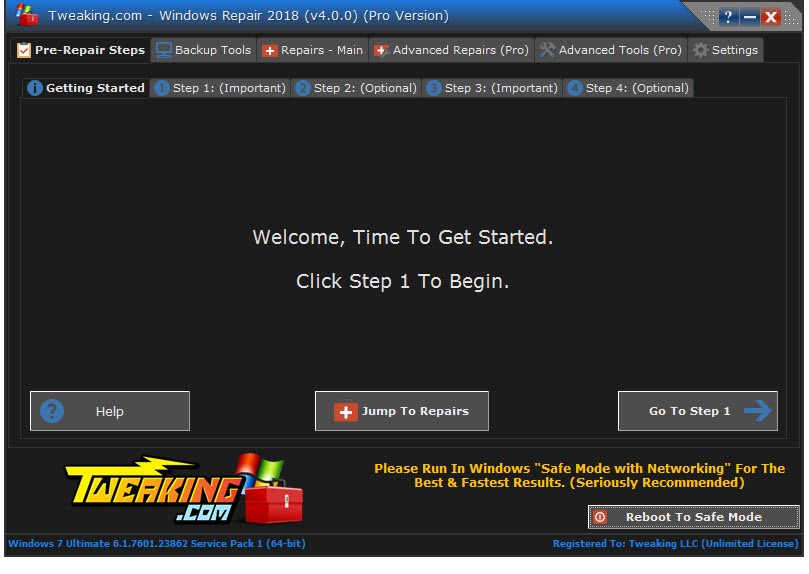
Windows Repair is a multipurpose utility that helps you fix a wide variety of issues within the Windows operating system. It tackles registry problems, file permission errors, and even damage caused by malware infections. Developed by Tweaking.com, Windows Repair gives you a way to restore system health and performance without resorting to a full reinstall. Instead of digging through forums trying to figure out what's wrong with your PC, the program offers a structured approach that walks you through the repair process step by step.
Running Windows Repair takes you through a series of guided steps covering system cleaning, optimization, and targeted repairs. Everything is presented on a clean, easy-to-follow interface, so you don't need to be an expert to use it. The software works through each area one at a time rather than overwhelming you with every option at once, which makes it much easier to focus on what actually needs fixing. It includes tools for resolving system file corruption, repairing broken Windows updates, and correcting misconfigured settings.
Where Windows Repair really stands out is its ability to reset both registry permissions and file permissions back to their defaults. When registry corruption starts causing performance issues, this tool identifies the problem and resets things to how they should be, clearing out conflicts that slow your system down.
The program also includes Winsock repair for fixing network connectivity issues. If your internet connection has been acting up due to corrupted network settings, Windows Repair can reset those deeper system components and get you back online.
Why Should I Download Windows Repair?
If you're dealing with persistent computer issues like sluggish performance, random crashes, or unexplained error messages, Windows Repair is a solid download that addresses these problems at their root. Rather than treating symptoms one at a time, it provides a broad set of tools designed to fix the underlying causes of common Windows problems.
One of the biggest advantages is that it bundles multiple repair functions into a single application. You don't need to download separate programs for registry fixes, file association repairs, and system file restoration. Everything is in one place, which saves time and lets you address several issues in a single session without jumping between tools.
Safety is built into the process, which is another good reason to download Windows Repair. Instead of following random advice from the internet and potentially making things worse, the program uses structured repair procedures and creates backups before making significant changes. If something doesn't go as planned, you can roll your system back to its previous state without any headaches.
The tool is particularly useful when your system has been damaged by malware or a botched update. Rather than trying to manually undo the damage, Windows Repair runs automated repair scripts that are purpose-built for these situations. Whether your internet has stopped working or desktop icons have vanished, the program diagnoses the issue and fixes it efficiently.
Windows Update problems are another area where this tool shines. If you're stuck in a loop of failed updates or getting error codes that block new patches from installing, Windows Repair can restore the underlying services and permissions that the update system depends on. It fixes the plumbing so updates can flow again, without you having to manually edit services or dig through system configuration settings.
Is Windows Repair Free?
Yes, Windows Repair offers a free version that includes the full set of core repair tools. For most users, the free version covers everything you'll need to diagnose and fix common system issues.
The Pro version adds automatic updates, enhanced performance tweaks, and priority support. The free edition is solid on its own, but the paid upgrade is worth considering if you want additional convenience features and ongoing maintenance tools.
What Operating Systems Are Compatible with Windows Repair?
Windows Repair supports every major version of Windows from XP through Windows 11, including Vista, Windows 7, 8, and 10. It works equally well on older installations as it does on current ones, so the age of your system isn't a limiting factor.
The software is lightweight and runs efficiently without hogging system resources. Whether your machine is a decade old or brand new, Windows Repair handles maintenance tasks without putting any noticeable strain on performance.
What Are the Alternatives to Windows Repair?
Windows Repair is a strong system repair tool, but a few other utilities handle similar tasks with different approaches that might better suit your needs. Three notable alternatives are Glary Utilities, Windows Repair Toolbox, and BleachBit.
Glary Utilities goes beyond basic repair by bundling in system optimization features like disk cleanup, startup management, and memory optimization. The interface keeps things simple, so you can work through issues without getting overwhelmed. Its one-click maintenance feature is especially convenient, automatically scanning for and resolving a range of common system problems in a single pass. If you want repair tools combined with general system upkeep in one package, Glary Utilities covers a lot of ground.
Windows Repair Toolbox takes a different approach by collecting a variety of specialized repair utilities into one launcher. Instead of downloading malware removal tools, disk checkers, system info utilities, and performance boosters separately, you get access to all of them from a single interface. The trade-off is that it doesn't automatically detect what's wrong; you need to know which tool to reach for in each situation. That makes it better suited to more experienced users who want full control over their repair process, but it's flexible enough to handle a wide range of problems.
BleachBit focuses primarily on cleaning up system clutter and freeing disk space. It won't fix broken system components directly, but it does a thorough job of removing temporary files, clearing caches, and wiping junk data that accumulates over time. It also cleans up browsing history and other digital traces, which is useful for both privacy and general system hygiene. BleachBit works best as a complement to a repair tool, handling the cleanup side while something like Windows Repair takes care of the actual fixes.