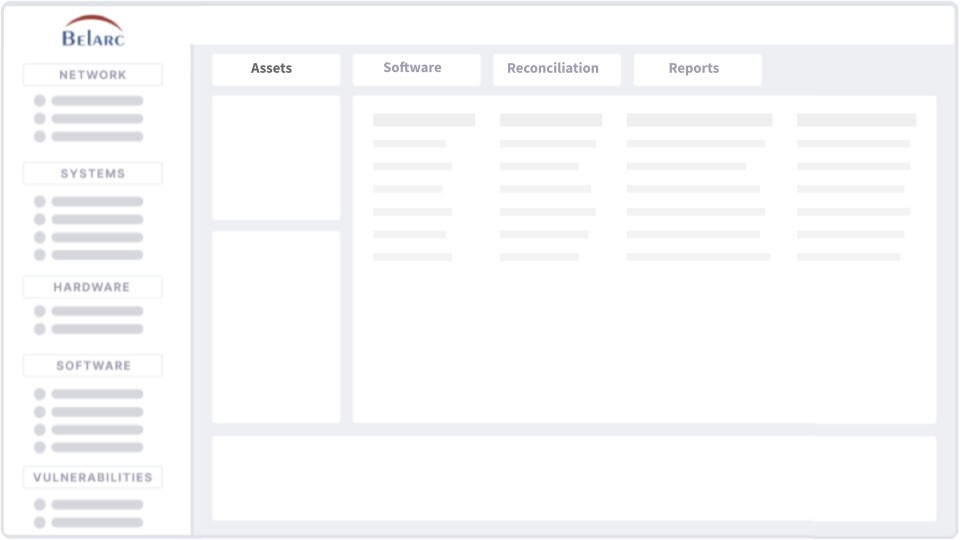
The background-running software, Belarc Advisor, delivers an entire profile of your system hardware and installed software components without generating noise or demanding attention. Belarc Advisor lacks the showy features that aim to dazzle users. The program operates with practicality and straightforwardness because its main objective is to deliver complete system profiles to users.
Upon completion, Belarc Advisor generates an all-encompassing document that shows details about your operating system, software, and network inventory, along with hardware descriptions and security update status. Such system analysis enables users to understand their computers with the same level of insight as technical support, without manual manipulation.
The tool distinguishes itself through its effective organizational structure of system data. The system generates a clear report that users can view directly in their browser. Anyone can understand the reports without specialized technical expertise. Through logical structure and organization, Belarc Advisor breaks down system information in a way that non-expert users understand.
Software license management and product key tracking are two key advantages this system delivers to users. Finding previously stored product keys or email data can be time-consuming because you often forget where you saved this information, which creates problems when reinstalling or changing the system. The intuitive organization of Belarc Advisor eliminates the need to rush around for important computer system data during critical moments. This program provides reliable, thorough licensing information without using much system memory. The application exists predominantly to assist you when needed, yet it quietly runs in the background to start working automatically.
Why Should I Download Belarc Advisor?
The download of Belarc Advisor offers practical benefits for those who require comprehensive computer insight. The scan that Belarc performs goes beyond typical user insight about their system. The software provides extensive information beyond simple hardware and OS versions, presenting everything in a single view.
With Belarc Advisor, you can access detailed information about your software packages while viewing your hardware environment and system security information, along with all product keys you might have long forgotten. Belarc Advisor provides users with a unique view of their PC, displaying both active and out-of-date components that may pose security risks.
Technology support issues and self-maintained troubleshooting could be avoided by using Belarc Advisor. The tool presents essential system information in one convenient location. Belarc Advisor provides all the information in one convenient location. The device information will not disappear in endless menus or require you to memorize Windows' storage location. The simple report gathers all necessary information into a single, well-structured document. Its behind-the-scenes thoroughness gives Belarc Advisor value for keeping nearby.
One major motive to get this program is its powerful approach to running security updates. People often mistake outdated OS information because Windows Update doesn't issue complaints. Some updates manage to bypass notification systems, while others fail during installation. Belarc Advisor performs a comprehensive check to identify all missing system components, then displays them in detail. Belarc Advisor functions as a security surveillance tool that detects system weaknesses without requiring user input.
Is Belarc Advisor Free?
Personal users can obtain Belarc Advisor completely without charge. Belarc Advisor functions free of charge both in terms of licensing requirements and time-limited tests.
Users can obtain Belarc Advisor by downloading the program, followed by installation, which grants unlimited use for free. The system provides an especially open-ended data-collection operation to give users comprehensive access to information.
What Operating Systems Are Compatible with Belarc Advisor?
The Windows operating system is the only platform on which Belarc Advisor operates. Users can run Belarc Advisor on all Windows versions from Windows 7 through Windows 11. The application has dual compatibility, which supports degraded and modern platforms alike, thus making it available for every type of user.
Users can easily install Belarc Advisor by downloading its official website installer, followed by simple program execution, which completes the setup process. The tool does not need any exceptional configurations or complicated installation procedures.
What Are the Alternatives to Belarc Advisor?
There are reputable alternatives to Belarc Advisor that you should explore if the original product does not do the job effectively.
The program CrystalDiskInfo emerges as an excellent choice because its main feature is storage monitoring specifically for hard drives. The program provides storage health monitoring capabilities that generate information about device temperature alongside status reports and overall health ratings. This program lacks Belarc Advisor's comprehensive analysis since it doesn't monitor both system information and software, but it proves useful for predicting hard drive decline. Knowing in advance allows you to protect your data before an impending failure, which saves essential files that cannot be replaced.
GPU-Z functions as an efficient hardware tool for graphics assessment purposes. The program shows precise information regarding GPU operations, including speed measurements, temperature statistics, and memory operational details. This tool provides more specialized information about your graphics hardware, whereas Belarc Advisor gives you a broader view. Therefore, it benefits users who need to resolve performance problems or verify hardware performance under gaming pressure.
CPU-Z serves as an equivalent program to GPU-Z that provides detailed information about processor systems. The program provides all the technical information about performance, including clock speed, together with voltage statistics and different cache levels. The program doesn't attempt to replicate Belarc Advisor's system profiling capabilities, although it displays CPU information exceptionally well. The tool stands out as one of the top choices for people who wish to overclock or investigate their system processor capabilities. The application offers a completely free service that makes it attractive to users who need precise data without paying any fees.