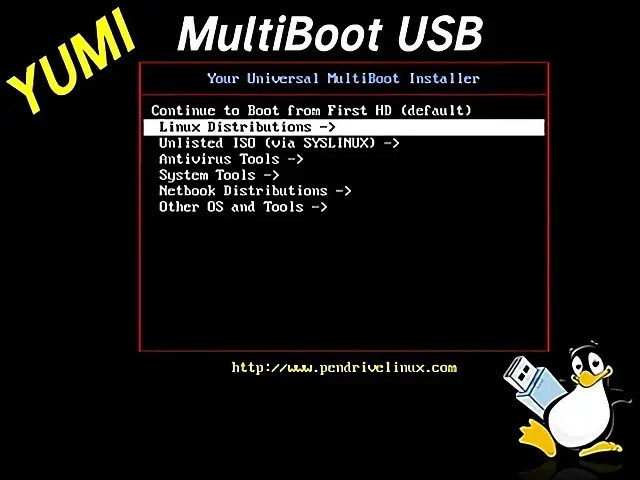
YUMI (Your Universal Multiboot Installer) is a useful application that lets users create multiboot USB drives. By using it, users obtain a single unified device that operates as multiple operating systems together with utility tools.
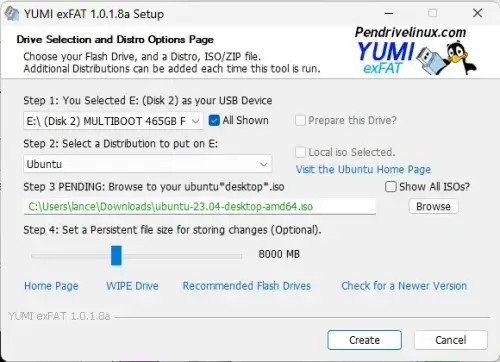
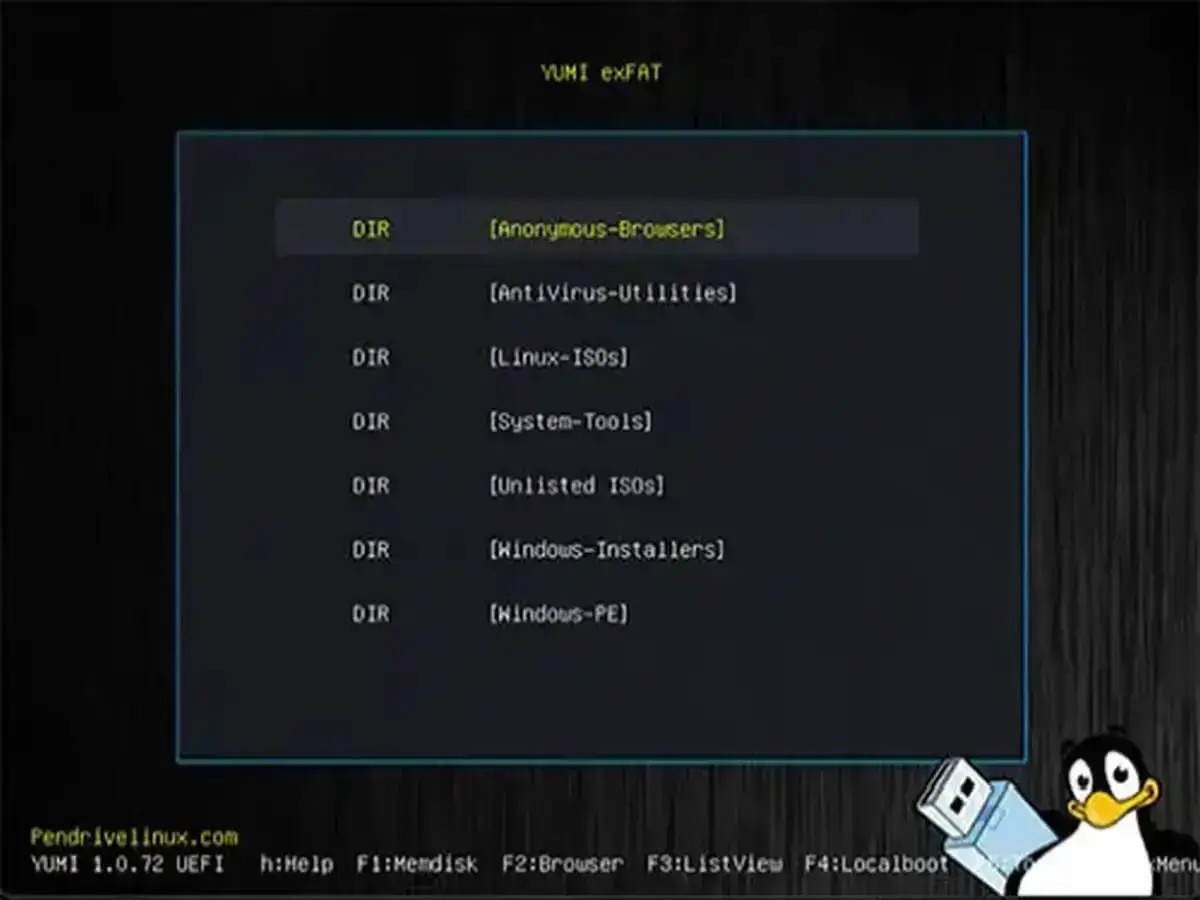
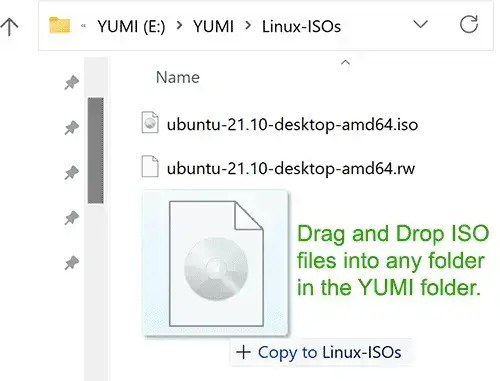
YUMI exFAT enables users to add multiple bootable ISOs to USB drives through its straightforward method. You only need one USB stick because the tool provides access to multiple OS options via its multiboot feature. A USB drive made with YUMI exFAT serves as a portable selection panel that appears during the computer startup process. Each item is available for use directly from the single device.
What distinguishes YUMI exFAT from other options is its capability to manage the file system. exFAT performs the file storage instead of the common FAT32 file management system. ExFAT solves the 4 GB file size limit that FAT32 creates, which prevents the storage of files bigger than 4 GB. That’s where exFAT comes in. The file system has no size restrictions, allowing you to load practically any ISO directly onto your drive. This minor change provides significant advantages during operations that involve extensive use of operating system images.
The YUMI exFAT tool offers continuous use because it serves as an ongoing solution rather than a one-time tool. The drive lets you add new ISOs without requiring a full wipe and also lets you remove individual ISOs you no longer need. YUMI exFAT offers a futuristic approach to multibooting that is both efficient and straightforward to manage. Users can select their desired files and launch the build process, which watches the tool as it completes its operations. The software operates very efficiently alongside numerous possible ISO file types because it supports a wide range of compatibility.
Why Should I Download YUMI exFAT?
Having every tool within easy reach makes it practical because everything is in a single location. YUMI exFAT implements a straightforward system for executing its functionality that anyone can automatically use. The frequency with which you require bootable USBs for various purposes, like Linux deployment, Windows restoration, and diagnostic operations, supports the use of YUMI exFAT. YUMI exFAT lets you prepare for any situation without requiring multiple sticks. You place everything on one drive before you walk away. The concept provides a kind of freedom in its operating design.
The benefits of YUMI exFAT extend well beyond storage optimization and setup optimization. It’s about flexibility, too. You can test Linux distributions using diagnostic utilities on the same YUMI exFAT USB drive, since the tool supports all these programs from a single drive. YUMI exFAT lets you install multiple operating systems and tools one after another without any specific arrangement. The YUMI exFAT boot menu enables you to select the desired tools or operating systems after PC startup. No hassle, no fuss.
YUMI exFAT enables users to select from multiple ISO file types, providing expanded functionality. The utility provides multi-distribution Linux support, Windows installer capabilities, antivirus software, and disk cloning tools, among others. YUMI exFAT supports any ISO format users require.
This tool presents a basic boot menu that lacks nonessential components. The interface prevents you from continuously pressing buttons to understand which ones carry specific functions. The program presents itself in a logical format, enabling users to start what they need to do and proceed with their everyday tasks after completing each task.
Is YUMI exFAT Free?
There is no cost for using the YUMI exFAT software. There are no license fees or trial limitations. You can download YUMI exFAT for free.
Users can use YUMI exFAT without any hidden expenses because it follows the open-source model. Users can download YUMI exFAT for free and begin creating their multiboot drive by connecting a USB. It’s as straightforward as that.
What Operating Systems Are Compatible with YUMI exFAT?
The design of YUMI exFAT ensures 100% compatibility with Windows operating systems. Users can smoothly run YUMI exFAT on Windows versions from Windows 7 to Windows 11. Your USB drive has various options for support under YUMI exFAT.
Linux distributions, Windows installers, antivirus rescue kits, and many other items can be loaded via YUMI exFAT. The primary purpose of using YUMI exFAT is to determine whether you need to create a recovery drive or establish a portable operating system environment. The flexibility of YUMI exFAT comes from the fact that users can create multiple bootable tools, offering choices beyond a single type.
What Are the Alternatives to YUMI exFAT?
Several reliable programs can replace YUMI exFAT for users who need different options.
Ventoy is widely used among all other options. With Ventoy, your USB drive requires no multiple formats for adding new ISO files to the storage system. The drive detects ISO files automatically after users simply place them there for booting purposes. The program operates at high speed while handling all ISO formats without exception. Add unlimited ISOs to your Ventoy USB drive, as the system treats each one as a distinct bootable option with no additional setup required.
The Universal USB Installer provides users with an option to work with their USB drive. Although YUMI exFAT delivers superior multiboot functionality, Universal USB Installer stands out for fast, reliable single-boot USB drive creation. A bootable Linux drive setup and a Windows installer creation process are available when you need a simple, quick solution with this tool. You can use this program without unnecessary complexity, as it maintains a straightforward design that focuses on basic operations.
And then there’s Rufus. Rufus stands out among its competition as a fast and effective tool when creating bootable drives. The main feature of Rufus allows users to quickly generate bootable USB drives, enabling Windows installations. Rufus offers unparalleled performance for its intended use, which is creating single-purpose bootable drives, yet it cannot work with YUMI exFAT multiboot systems. Cleaning the data on your USB or performing OS installations will benefit greatly from Rufus because it delivers fast speed alongside reliability.