Universal USB Installer is a basic, user-friendly software that simplifies creating USB bootable drives. Users typically use Universal USB Installer to install multiple Linux distributions onto USB sticks, even though it supports Windows and other operating systems. Many people like this utility because it makes converting USB drives into operating system testing environments simple and quick.
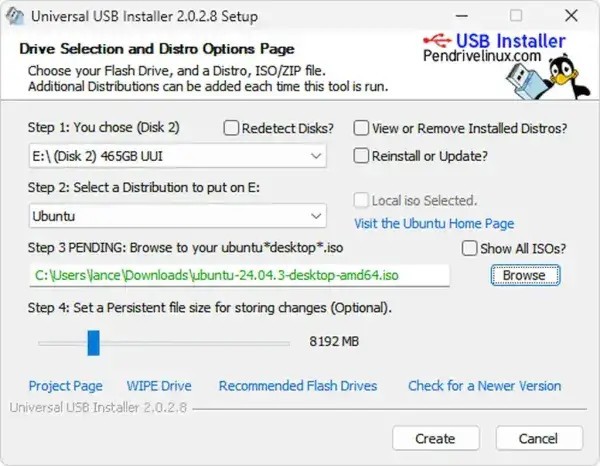
Universal USB Installer provides users with a basic interface that presents procedures for step-by-step completion. The tool allows you to choose your preferred distribution or operating system, then select its ISO file before selecting your USB drive, which the tool will automatically configure with no additional effort. Universal USB Installer has a strong feature that allows users to choose from a variety of Linux distributions, including well-known systems like Ubuntu and Debian, as well as more niche options.
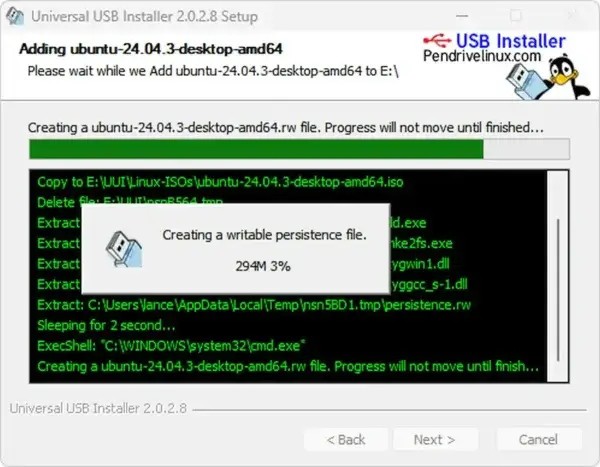
Universal USB Installer includes the option of persistent storage, which allows you to save changes made to your USB drive after the system restarts. Such functionality enables people to operate customized systems with installed applications directly from a portable storage device. Universal USB Installer provides an uncluttered installation and a minimal interface that keeps it an efficient solution for users seeking a simple tool to create bootable USB drive mechanics.
Universal USB Installer stands out because it supports a wide range of Linux distributions, as well as antivirus rescue kits, with exceptional software compatibility. As an all-purpose bootable drive creator, the tool meets the bootable drive needs of Linux enthusiasts, system administrators, and users who require OS installation or recovery tools.
Why Should I Download Universal USB Installer?
You should download Universal USB Installer because it provides numerous critical benefits for operating systems and system recovery tasks. Users should download Universal USB Installer because of its straightforward user interface. The USB installation tool simplifies the process of creating bootable drives and does not require advanced technical knowledge from users. This step-by-step process enables beginners with no technical skills to make operational live USB drives in under five minutes.
Universal USB Installer stands out because it provides users with multiple options. This tool allows users to create bootable USB devices because it supports both Windows and various Linux distributions. It provides a solution for both new Linux testing and emergency rescue USB requirements. Through its feature, Universal USB Installer enables users to add antivirus rescue kits for performing portable system cleanups when infections occur.
The persistent storage capabilities of this tool provide users with an additional reason to choose it. This functionality helps you design an operating system saveable storage device that retains your information between different user sessions. Regular USB drive users will appreciate this feature because it allows them to save and protect customizations as well as data without having to rebuild everything at each session. Universal USB Installer appeals to tech enthusiasts and IT professionals because it allows for automatic installer downloads that other products in its category may not.
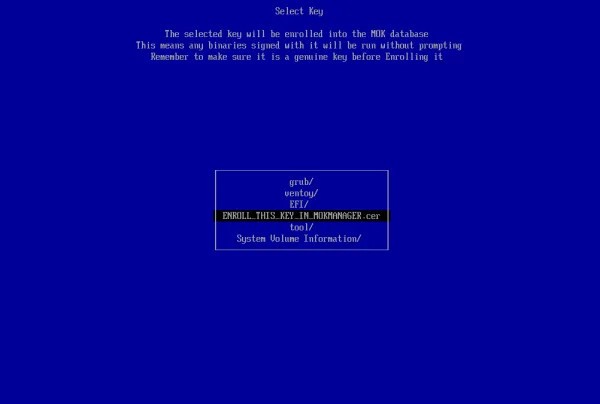
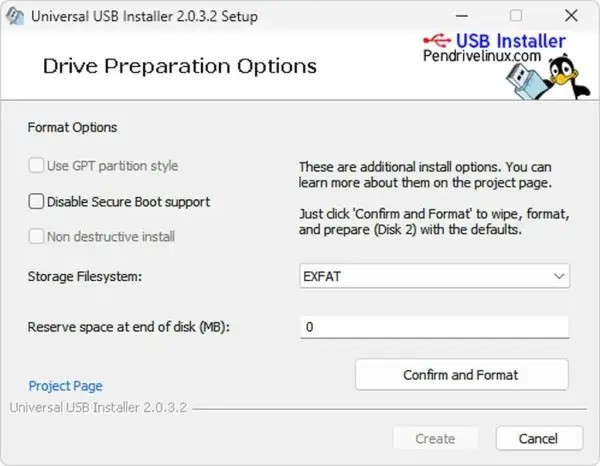
This tool operates across multiple system configurations, since it supports legacy BIOS as well as UEFI systems. Users can use the same tool for all machine builds because it supports both UEFI and legacy BIOS systems. The utility provides additional flexibility by giving users more control over USB drive formatting and partitioning than other similar tools.
This software comes with notable performance features. It allows users to create bootable USB drives quickly and without encountering any major issues. It prevents corruption and errors from damaging the creation process of USB drives, unlike other tools that sometimes experience issues. Users can multitask on their system because this tool uses few system resources while operating.
Is Universal USB Installer Free?
The Universal USB Installer software is completely free for both downloads and operations. Users can use Universal USB Installer for free because it offers freeware services with no additional fees or premium versions.
Users can download the free software without any restrictions from the official website. The software is available as a free service, allowing all user types, from beginners to experts, to use it without payment.
What Operating Systems Are Compatible with Universal USB Installer?
Universal USB Installer works with all versions of the Windows operating system, from Windows 7 to the most recent Windows 11. This creator's USB bootable drives support a wide range of Linux distributions, including Ubuntu, Fedora, Linux Mint, and others.
The software allows users to create both Windows USB drive bootability and rescue disk tools, as well as diagnostic tools. It is useful because it can generate various types of bootable environments from a wide range of supported operating systems.
What Are the Alternatives to Universal USB Installer?
The highly reliable tool Universal USB Installer includes a number of alternative tools that offer users distinct advantages. Users frequently seek software that allows them to store multiple ISO files on a single drive, as well as tools for advanced customization. The popular replacement programs for Universal USB Installer consist of Ventoy alongside UltraISO and Rufus.
The open-source tool Ventoy provides users with a ground-breaking solution for bootable USB drive creation. Ventoy allows users to copy multiple ISO files to USB storage before selecting the desired bootable system. This tool offers extraordinary flexibility because it does not require USB drive formatting every time you modify the bootable system. It allows you to manage files in ISO and WIM formats, as well as IMG, VHD, and EFI. Users who need multiple bootable systems on a single USB stick use Ventoy as their default tool because of its ability to maintain multiple bootable environments.
UltraISO functions as a dual-purpose software that enables users to create USB boot systems and edit ISO files. This tool enables ISO file management by allowing users to edit and convert various ISO files before burning to a USB drive. One major advantage is its ability to modify ISO file contents directly rather than extracting them first, which significantly increases working speed during custom install operations. Despite its pay-to-use nature, the trial version provides adequate functionality for occasional users. The UltraISO software is useful for advanced users because it allows them to manage and modify ISO files for bootable media with complete flexibility.
The tool Rufus stands as one of the most frequently used options for producing bootable USB drives. Rufus works quickly to create both UEFI and BIOS bootable drives from ISO files. This tool is optimized for making both bootable Windows installations and rescue USB drives. Rufus' automatic detection system for the optimal partition scheme and file system that applies to selected ISO images is a popular feature, as it results in error-free operations and speeds up the overall process. Rufus, as a portable program that does not require installation, provides lightweight performance for creating USB drives, making it an ideal solution for users who require a dependable USB creation tool.