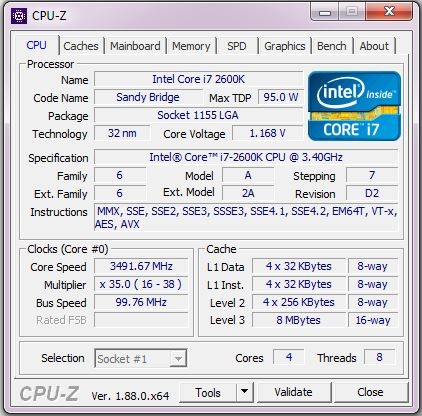
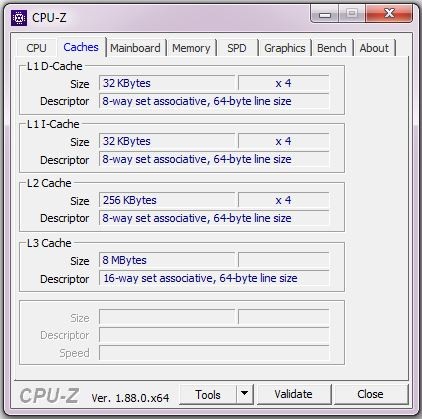
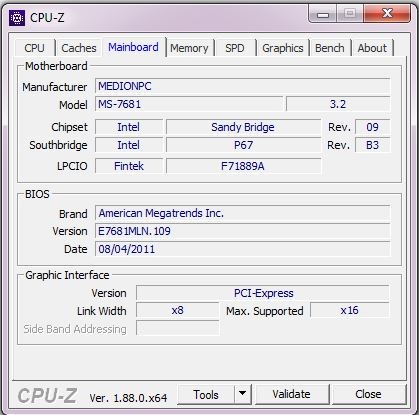
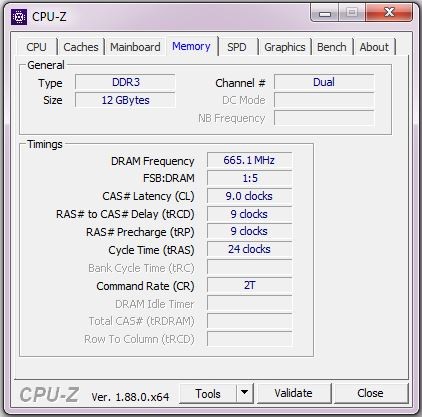
CPU-Z is a free utility that provides detailed information about your computer's CPU and Android devices, including its name, number, codename, and specifications. Developed by TechPowerUp, it is the twin software to GPU-Z, which is more interested in the GPU part of your computer.
CPU-Z gives you hardware details regarding computers by functioning as an efficient, lightweight system information viewer. PC enthusiasts, gamers, IT professionals, and overclockers use this tool to check processor information, motherboard, and memory specifications of their essential computer components. Real-time data collection through the software produces important information about the processor model plus clock speeds alongside voltage levels and memory timings, which makes this tool crucial for detecting performance and stability obstacles.
The program can also generate complete system reports that can be exported for later analysis or technical support. This helps users identify potential problems and monitor hardware health over time. CPU-Z also proves useful when purchasing second-hand parts because it verifies that the hardware matches the seller’s description. All users, from PC troubleshooting professionals to casual gamers, can benefit from accurate and real-time data in its simple interface.
CPU-Z facilitates monitoring on Windows computers (32-bit, 64-bit, and ARM64 platforms) as well as on Android devices. You can download it for free.
Why Should I Download CPU-Z?
Easy hardware investigation happens through CPU-Z, making it possible to see PC contents without manual disassembly. CPU-Z acts as a simple tool that instantly shows essential information about processors and memories, as well as motherboards, for all users regardless of their experience level. CPU-Z serves as a basic requirement for users who need real-time performance data and to validate hardware compatibility and functionality, which can be interesting for gaming or other demanding tasks.
Real-time monitoring stands as one of the main reasons why users should download CPU-Z. Generic system info tools are not capable of showing processor clock speeds and voltage fluctuations or memory performance like CPU-Z does immediately at any time. The functionality proves beneficial for all overclocking enthusiasts who operate their CPU at levels exceeding standard specifications for enhanced performance. Users can check system stability and decide needed tweaks through observing recorded values in order to prevent overheating and system crashes.
The verification capabilities of CPU-Z function as a valuable tool for users to validate their hardware systems. CPU-Z serves as a valuable tool for verifying that purchased computer hardware contains the specifications that the manufacturer advertised. The tool proves invaluable for both second-hand component purchases and system performance checks because it automatically reveals all hardware contents inside the machine.
People who play games can use CPU-Z to verify their system configurations. The tool enables users to measure memory speeds and view CPU core ratios for optimizing gaming performance via latency timing inspection. Accurate hardware data in CPU-Z gives users the necessary information for making smart changes to BIOS configurations and system hardware decisions.
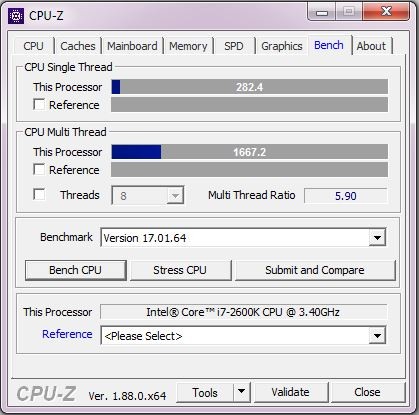
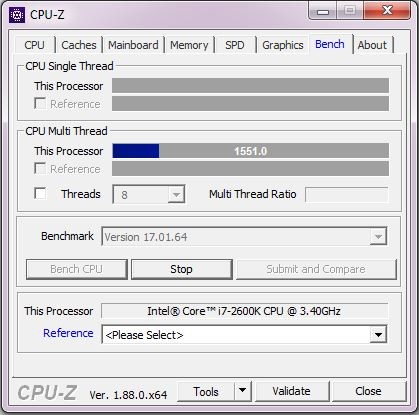
One factor that makes CPU-Z unique is its minimized file size when initially launching the tool. This program operates on the system without resource utilization, so users can easily execute it while running other programs efficiently. CPU-Z functions well as an assessment tool for benchmarking purposes, even when running stress tests on systems that need to maintain peak performance.
IT experts and other professionals adopt this software for its capabilities to diagnose issues and verify hardware compatibility in system stability testing during product update and upgrade deployments. Users can verify the current state of their processor functioning through CPU-Z while using the tool to verify system requirements match software needs through a single centralized display of information.
CPU-Z for Windows vs Android: What Are the Key Differences?
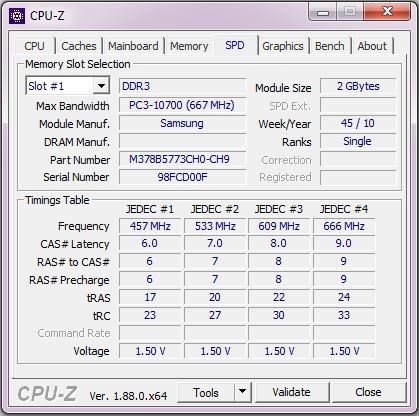
On Windows (x86/x64), CPU-Z shows the processor name, number, code name, package type, and cache levels. It also provides data on the motherboard, chipset, and memory modules (type, size, and SPD specifications). CPU-Z measures the internal frequency of each processor core in real time, as well as the memory frequency. This is useful for performance monitoring and stability testing after overclocking.
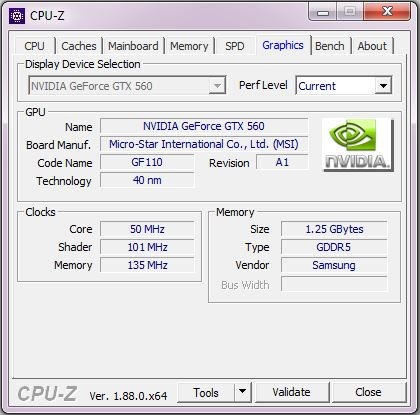
There is also a specific version for Windows ARM64. It displays the processor name and architecture, maximum core frequency (including hybrid cores), GPU details, cache topology, motherboard, BIOS, RAM, and the version of Windows 11 ARM installed.
In its Android version, CPU-Z analyzes the SoC (System on Chip, aka processor), clock frequency of each core, RAM, internal storage, and the device's make and model. It also shows battery status (charge, temperature, capacity) and sensors like the accelerometer and gyroscope.
Is CPU-Z Free?
The usage of CPU-Z comes entirely free of charge to all users. CPU-Z serves users for free without needing any license subscription, thus providing unlimited accessibility to all its users. CPUID provides the software without any limitations through their freeware program, which enables users to download and operate it freely.
Users can access all essential features within the basic CPU-Z program without paying any fees, since it remains available for free as a standard version. People can access the tool on the official website, which allows them to begin performing system analysis right after downloading.
What Operating Systems Are Compatible with CPU-Z?
CPU-Z facilitates monitoring for Windows 11. It operates effectively on both 32-bit, 64-bit, and ARM64 platforms to support multiple system types. The mobile version of CPU-Z for Android users provides system processor and memory information while displaying battery condition calculations.
The application does not possess official versions for macOS or Linux operating systems. Most Linux users acquire hardware specifications either through system commands, including lscpu, or by using external diagnostic tools. CPU-Z stands as a preferred system monitoring tool because it combines basic usability with support for numerous hardware setups regardless of its main Windows orientation.
What Are the Alternatives to CPU-Z?
Despite being one of the most commonly used system monitoring tools, CPU-Z continues to have very popular substitutes that offer comparable features. These other tools provide improved features together with specific hardware integration while offering advanced benchmark performance capabilities. The variety of preferences among users allows different users to choose suitable alternatives.
The software company behind CPU-Z developed HWMonitor, which presents itself as a robust alternative. The real-time temperature and power usage data, together with fan speed metrics, which CPU-Z lacks, form the core feature set of the HWMonitor application. The main advantage of HWMonitor above other tools comes from its component monitoring ability, which helps users keep track of temperature and power consumption levels to ensure system health. The hardware monitoring needs of users can be adequately addressed by using HWMonitor.
The user-friendly interface of Speccy by Piriform enables detailed system information presentation to users. Through its interface, users can view an overview that combines information about CPU, RAM, storage, graphics card, and network capacity. CPU-Z users benefit from the visual display capability while comparing it to its competitor because this feature enables users with limited technical knowledge to interpret their system details. Speccy enables users to create reports that help during hardware troubleshooting sessions and when sharing system specifications with support personnel.
When users require extensive hardware monitoring alongside diagnostics, they should choose HWiNFO because of its advanced functionality. The system details provided by HWiNFO include comprehensive information about every system element alongside specific sensor measurements, together with statistical component data and component assessment reports. Users interested in processor and memory information should use CPU-Z, but for comprehensive hardware analysis, HWiNFO serves professionals and enthusiasts better.