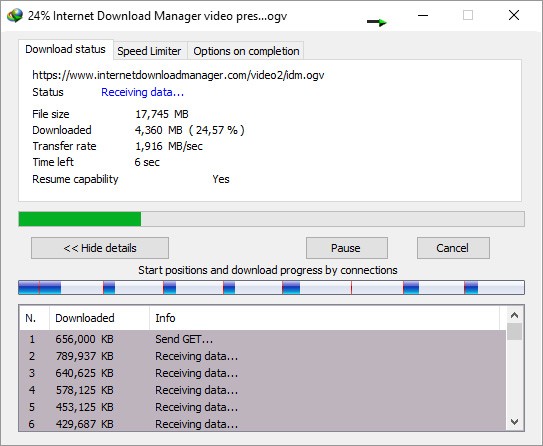
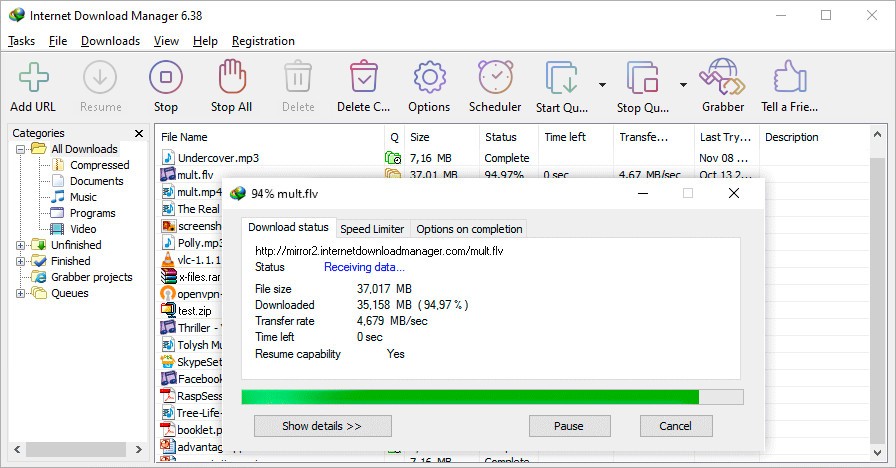
Internet Download Manager (also known as IDM) is a popular download acceleration tool that is made to improve the speed and efficiency of file downloads from the internet. Developed by Tonec Inc., IDM is considered one of the most reliable and feature-rich download managers available in the market today. The software's primary function is to increase download speeds by up to 500 percent, which makes it the perfect tool for users who frequently download large files (or need to manage multiple downloads at the same time).
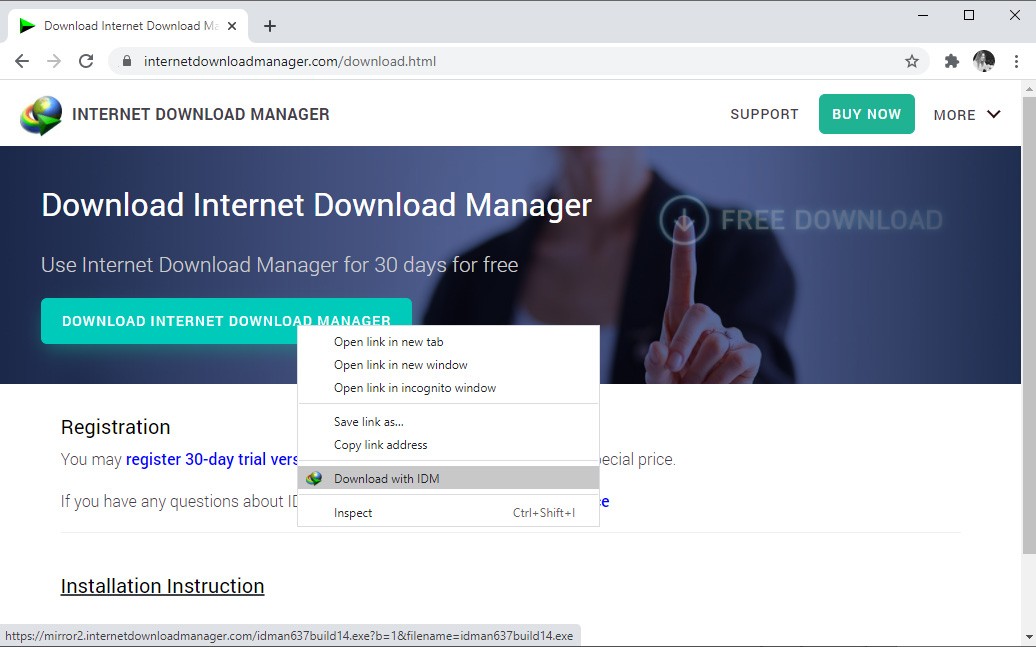
IDM is compatible with all recent versions of Windows, from Windows 7 to Windows 11. It integrates easily with the most popular web browsers, including Google Chrome, Mozilla Firefox, Opera, Microsoft Edge, and Safari, allowing downloads to start automatically when you click on a link. Users can download multiple files at the same time or split a single file into several parts to accelerate the process. The software also allows you to pause and resume downloads whenever needed, which is useful if your internet connection is unstable or if a power outage interrupts the download.
IDM provides a simple interface that is easy for beginners to use, while still offering advanced features for experienced users. It also includes a built-in scheduler to set download times, organize files, and even automatically shut down your PC when downloads are complete. A free trial is available.
Why Should I Download IDM?
IDM employs a sophisticated download logic accelerator that uses intelligent dynamic file segmentation and safe multipart downloading technology. Unlike other download accelerators that segment files before the download starts, IDM segments downloaded files dynamically during the download process. This is how IDM has a more efficient use of available bandwidth and helps to overcome common issues that can slow down (or even interrupt) downloads. What makes it even faster is that IDM reuses available connections without additional connect and login stages.
One of the strengths of Internet Download Manager is that in the event of lost connections, network problems, computer shutdowns, or even unexpected power outages, it can restart broken or interrupted downloads. It means that you won't lose progress on large downloads due to unforeseen circumstances, which will save you a lot of time and bandwidth. The IDM software also includes a built-in scheduler so that you can plan downloads for specific times – such as during off-peak hours when internet speeds may be faster.
As you can imagine, Internet Download Manager also supports a wide range of protocols and file types, including FTP, HTTP, and HTTPS. It can obviously also handle various types of files, from simple documents to complex multimedia content like MP3 audio and MPEG video. The software also includes a site grabber feature, which is super useful and allows you to download specified parts of websites, including all images or audio files, or even… complete websites for offline browsing or mirroring purposes.
If you’re very concerned about your security when downloading software, IDM offers password-protected downloads but also the ability to work with firewalls and proxy servers. Like some of its competitors, Internet Download Manager also integrates antivirus scanning for downloaded files, adding an extra layer of protection against potential malware threats.
Is IDM Free?
Internet Download Manager operates on a paid license model. The company offers a 30-day free trial so that you can experience the full feature set before committing to a purchase. After the trial period, you need to purchase a (lifetime or one-year) license to continue using the software.
The lifetime license for IDM comes at a very reasonable price investment given the software's capabilities. The one-year license is cheaper, but may end up being more expensive for long-term users. Remember that IDM focuses on providing a premium product with regular updates and responsive customer support, which makes it a great deal in the long run.
What Operating Systems Are Compatible with IDM?
The IDM software integrates with all popular web browsers (as a classic extension), including Google Chrome, Mozilla Firefox, Microsoft Edge, Opera, and Safari. This way, IDM can automatically handle downloads initiated from these browsers and intercept download links for optimized download efficiency. Internet Download Manager also supports less common browsers and can be configured to work with virtually any browser that allows custom download managers.
Internet Download Manager is also designed for Windows OS and supports versions from Windows 7 through to the latest Windows 11. There isn't an “official” version for macOS or Linux, but you can try running IDM on these platforms using Windows emulation software.
What are the Alternatives to Internet Download Manager?
One alternative to IDM is JDownloader, which is a free and open-source download management tool. It offers many similar features to IDM, including the ability to accelerate downloads, manage multiple downloads simultaneously, and extract audio from video files. One of the advantages of this one is that it is available on multiple platforms, including Windows, macOS, and Linux.
Another good alternative to IDM is Free Download Manager (FDM), which is available at no cost. FDM provides a good set of features, including download acceleration, torrent support, and the ability to schedule downloads. It won’t match IDM in terms of raw download speed in all scenarios, but keep in mind that it’s free and that it supports both Windows and macOS.
Orbit Downloader is another great alternative, which is very popular, and which can help you download streaming media from various websites. It offers a very simple interface and integrates well with web browsers. Orbit Downloader includes features such as download scheduling, download acceleration, but you can also capture videos from streaming sites. Unfortunately, the development of Orbit Downloader appears to have slowed in recent years, and it might have some issues with the latest OS.