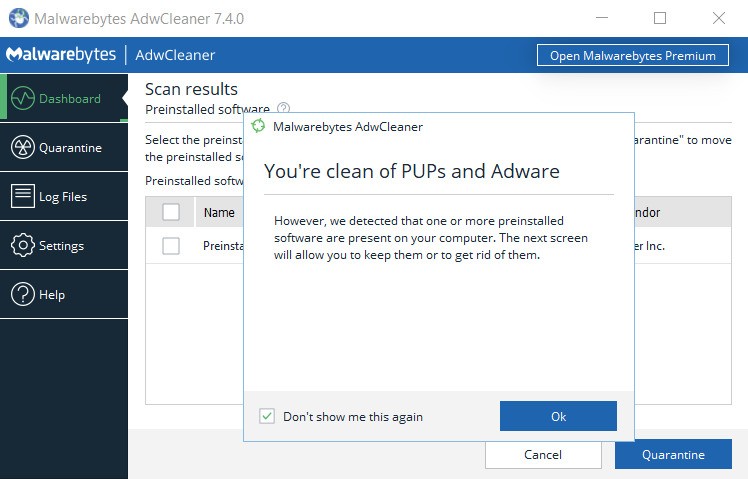
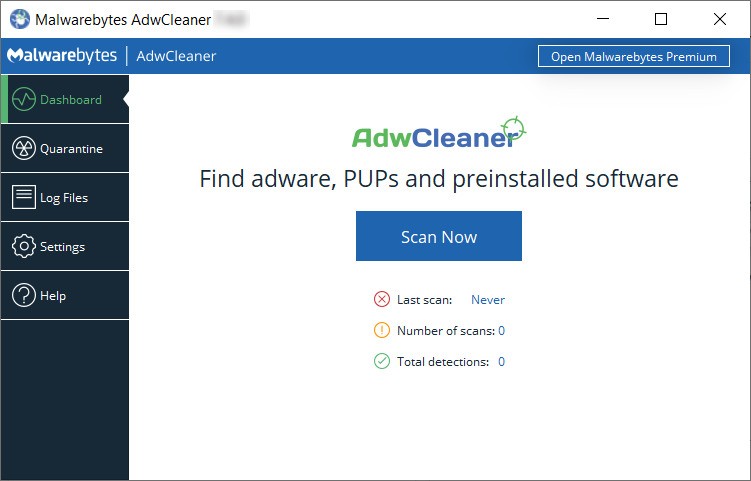
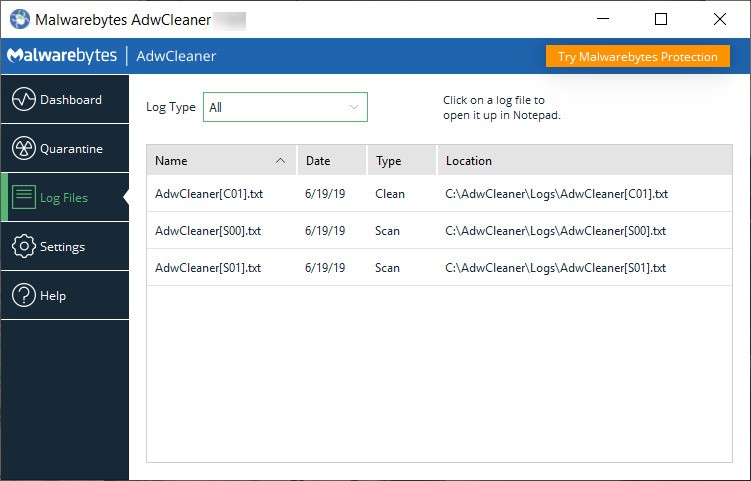
The light and effective AdwCleaner tool locates and deletes both adware and potentially unwanted programs (PUPs), toolbars, and browser hijackers in computers. The security software developer Malwarebytes created this application, which IT professionals, along with regular users, deploy to eliminate ads and unwanted changes in web browsers and software that degrade system speed. Standard antivirus programs cannot detect adware-related dangers, which AdwCleaner identifies, as it specifically targets these common security threats that evade traditional antivirus detection methods. The tool also detects preinstalled software that is frequently included with systems and gives users the choice to uninstall or preserve it. If necessary, it also offers the ability to restore removed files from quarantine.
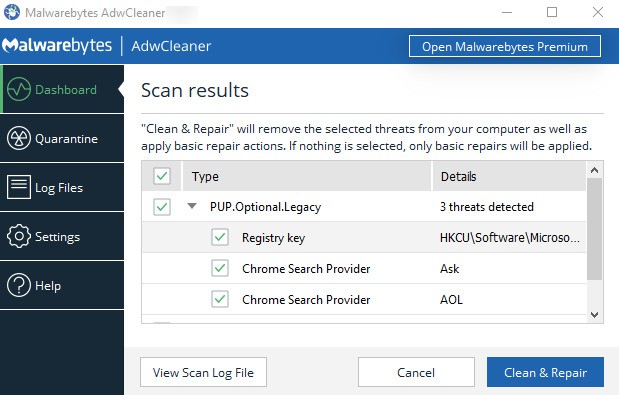
Many computer users experience adware infections because adware gets hidden inside downloaded software bundles that users do not opt out of. These unwelcome programs manipulate web settings while introducing advertisements, which leads to diversion of web traffic, resulting in unhappy browsing sessions. The system-wide scan performed by AdwCleaner enables it to identify threats, subsequently removing them with efficiency. Once a scan is completed, users can review the detected items and uncheck those they don't want removed before confirming the cleaning. After removal, the program prompts a system reboot to finalize the process.
AdwCleaner offers users an easy-to-use advantage as its primary benefit among its features. As a standalone executable, the tool provides simple operation without occupying system resources because it does not need installation. Users can finish their system cleaning operations through a fast scanning option that completes the process within a few minutes using this tool. AdwCleaner offers users a preferred solution, combining an intuitive interface with powerful results to remove both adware and unwanted applications from their systems.
Why Should I Download AdwCleaner?
The download of AdwCleaner provides critical protection against intrusive software, along with unwanted advertisements, to anyone using a computer. People commonly install unwanted software components called adware through their downloads of free programs from the internet because these legitimate software packages usually include these hidden items. Users should install AdwCleaner because this specialized tool specifically targets threats and recovers system performance. Suspicious samples can also be sent to Malwarebytes for further research. This helps improve the rate of detection in the future.
You should download AdwCleaner because it successfully erases adware along with browser hijackers from your system. These programs affect browser preferences while at the same time inserting ads into pages, as well as directing users to websites containing potential dangers. These exposures gradually diminish web speed while creating safety vulnerabilities that make hand-driven browser setting restorations difficult. The program immediately finds adjustments made to browsers, which it then returns to default configurations.
Users benefit from AdwCleaner's removal capability for potentially unwanted programs (PUPs) among its main advantages. Many applications appear beneficial but drain computer power through background resource usage while secretly harming system operation. Furthermore, these programs exhibit responsive advertisements and follow user activities while also installing supplementary unwanted software. The PUP detection feature of AdwCleaner enables users to achieve superior computing performance through its removal operations.
Users who suspect their PC is behaving unusually should use AdwCleaner because the tool effectively deals with unexpected slow performance, along with advertisements that appear too often and suspicious browser configuration changes. Standard antivirus detection systems concentrate on virus and malware threats while ignoring adware and PUPs in their inspection work. Adware programs fail to register as security threats to standard antivirus solutions, although they do not directly damage computer security. AdwCleaner serves as a solution for these gaps by focusing on these specific types of threats, which results in improved cleaning processes.
The ease of operation stands among the primary advantages that AdwCleaner provides users. AdwCleaner functions as an easy-to-use portable application that does not require complex installation processes that many security tools require. Users can obtain AdwCleaner through a download and proceed to automatically scan for threats before using one button to eliminate identified threats from their system. The minimalistic design of this tool serves as an advantage that works for novice users, as well as expert users. The database format has also been updated to make screening faster and more efficient. This makes the whole cleaning process go more smoothly.
Is AdwCleaner Free?
Users can access AdwCleaner at no cost because it is offered without any charge to the end-user. AdwCleaner functions as a standalone program that provides free adware removal and PUPs and browser hijacker elimination to users wanting antivirus protection without spending on paid services. The free version of AdwCleaner grants users uninhibited access to its entire scanning and removal functionality, unlike other tools that limit free users to basic capabilities.
AdwCleaner is available without cost, yet users might encounter suggestions to switch to Malwarebytes Premium. AdwCleaner functions completely free as a standalone program for PUP and adware removal, even though the premium version adds real-time protection against ransomware and malware. AdwCleaner works well to handle adware problems, yet users who desire stronger security options might use its features by updating, but basic adware resolution exists without paying for an upgrade.
What Operating Systems Are Compatible with AdwCleaner?
The broad user base has access to AdwCleaner since it works on all Windows operating systems. AdwCleaner operates across all Windows 7 through Windows 10, including Windows 1,1 to provide its features to a wide range of operating systems from older to newer versions.
AdwCleaner functions fluidly across different system setups because it maintains a quick and portable design that does not strain system resources. The application can be accessed immediately after download since it operates without the need for system installations.
The current version of AdwCleaner supports only Windows-based systems and does not operate on macOS, Linux, or Android and iOS mobile operating systems. Users working with Mac operating systems would need to find alternative security software tools developed exclusively for macOS security requirements.
What Are the Alternatives to AdwCleaner?
Malwarebytes, developed by the same studio as AdwCleaner, represents one of the popular choices for users seeking alternative software packages. AdwCleaner functions as a one-time cleanup tool, while Malwarebytes Premium operates continuously to protect the user base from ransomware alongside malware and unwanted programs. This system security program conducts continuous monitoring of threats to stop potential infections during their development. Users who want advanced protective services after removing adware would find the best fit in Malwarebytes Premium. Malwarebytes Premium also features AI-driven behavior-based detection, real-time multi-layer protection, exploit shielding, and web protection that blocks malicious sites, phishing links, and fraud attempts. The software offers fast scanning options, scheduled scans, and minimal impact on system performance.
Users seeking security scanning tools should consider HitmanPro because this small program effectively finds and removes malware, spyware, and adware. Users can run HitmanPro without needing to install the program, and it operates alongside any antivirus solution currently running on their system. The software utilizes cloud scanning capabilities to detect threats, followed by automatic removal procedures. HitmanPro doesn't have a free version, but users can try it out for free for 30 days and see how well it works before they buy it. Additionally, HitmanPro.Alert extends the software’s capabilities by offering real-time protection, ransomware protection, phishing protection, and anti-fraud protection, providing users with comprehensive system security beyond on-demand scanning.
If you're looking for a long-standing security tool, you can benefit from using the established scanning tool Spybot – Search & Destroy to combat spyware alongside unwanted adware and other kinds of software. Users who demand system cleanup at an advanced level should use this program because of its strong scan and deletion tools. The graphical user interface of Spybot presents potential challenges because it does not have the same level of simple navigation that AdwCleaner provides. Spybot offers features such as basic real-time protection, immunization to block harmful websites, and a secure file shredder.