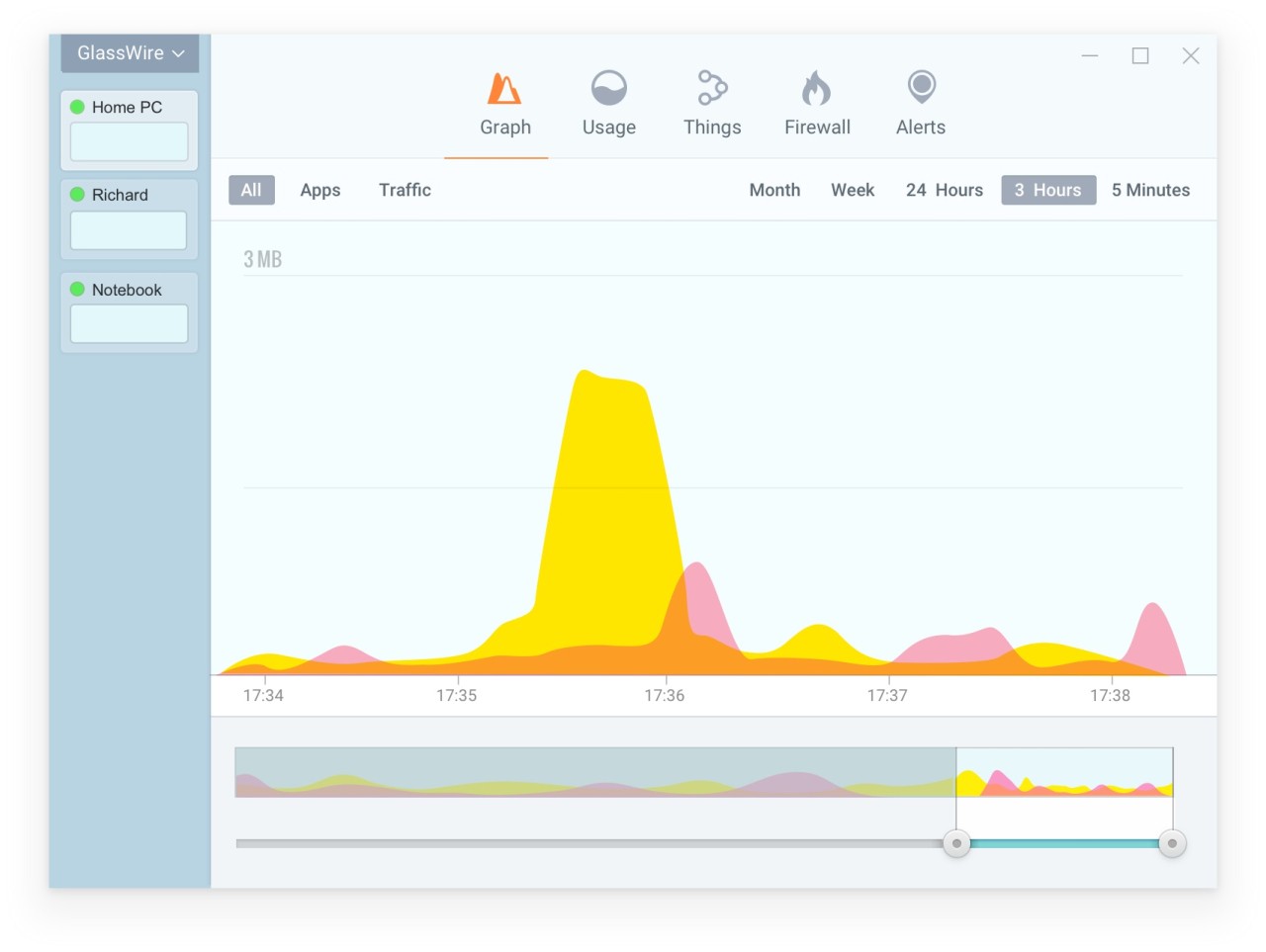
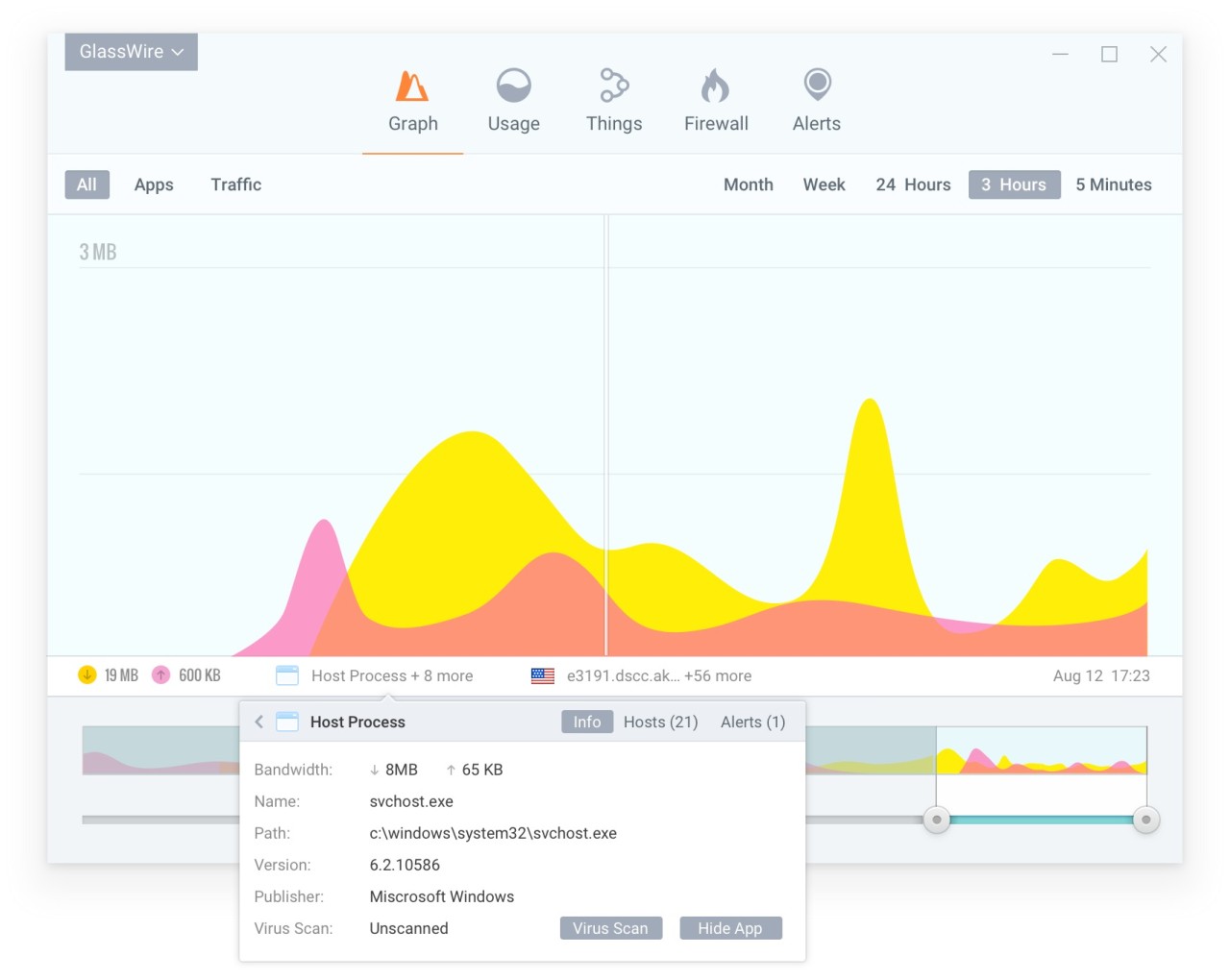
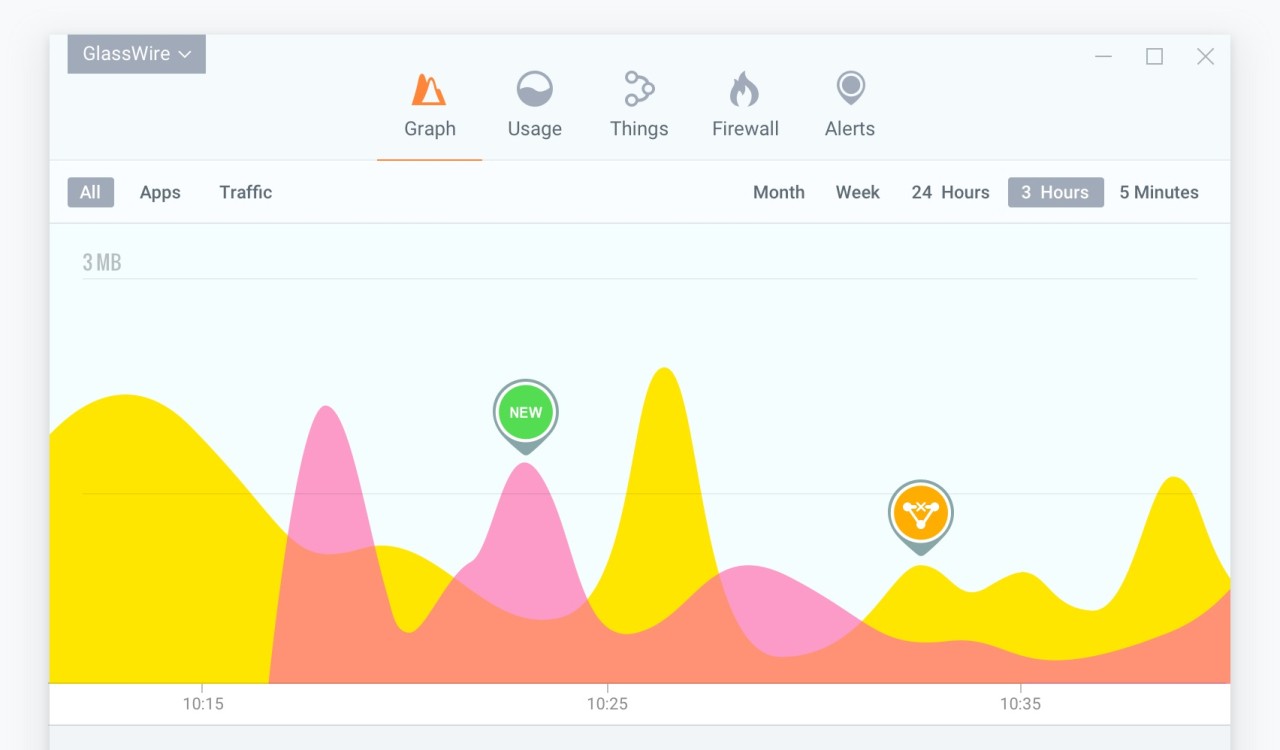
With Glasswire, you can visualize data that flows from and to your computer. It's a network security and monitoring tool that works with Windows machines and has a mobile version for Android devices. On its dashboard, you can see a color-coded graph that shows your bandwidth usage, both for uploads and downloads. You can verify which apps consume the most data and check them over time by using the timeline to detect any anomalies or spikes.
Once you download Glasswire and install it, the app sits in the background and logs all activities by application, traffic type (HTPS, DNS, streaming, etc.), and remote host, so that you can easily distinguish between all of them. Glasswire can also alert you when it detects suspicious changes, such as connections from unknown hosts, WiFi profile changes, or spoofing attempts.
You can use Glasswire to control your firewall, whether it's from Windows or a third-party provider. Glasswire comes in both free and paid tiers, and its developer promises the app doesn't store your usage logs or track your personal data. So, it's the perfect solution if you're looking for a tool to complement your antivirus and firewall tools.
Why should I download Glasswire?
If you want to have real-time access to your network activity but also control app behavior and data flow, then Glasswire is the perfect tool for that. This utility lets you easily check which programs use the most bandwidth and detect unusual traffic. Glasswire uses its intuitive and straightforward interface to break down complex network data into an understandable format.
When you download Glasswire and launch it, you'll see a graph that visualizes live traffic on a color-coded timeline with both upload and download speeds. If you click any point on the chart, you can check different spikes or dips in network usage, which app caused them, and the server it was connected to. Use Glasswire to investigate different background processes, updates, or unexpected data transfers.
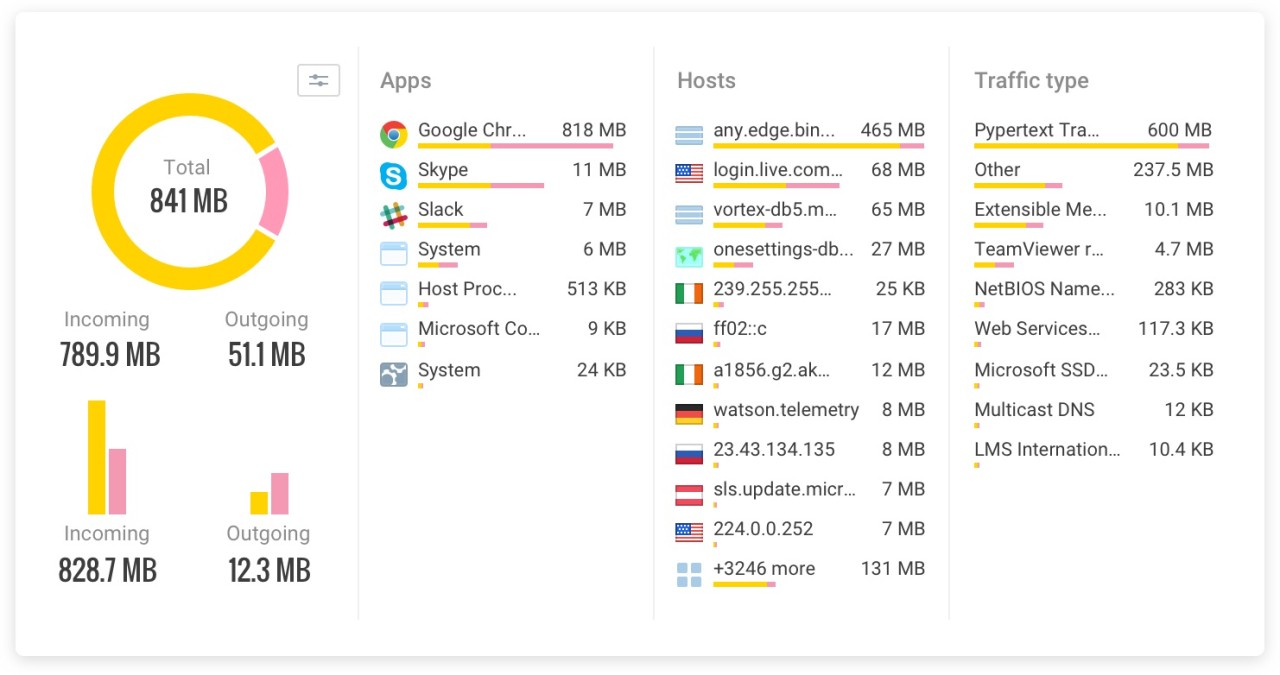
In order to see your traffic broken down by app, host, and traffic type, open the Usage tab to get all the details. This way, you can keep track of your daily, weekly, or monthly bandwidth consumption and create exportable reports to help you monitor trends over time, which is helpful if you need to watch out for data limits on your network.
Glasswire also logs events and can alert you about new connections, unknown devices on your network, or modifications to system and app files. You can configure in which cases you want to be notified and flag any suspicious activity on your own. With Glasswire, you get built-in firewall management that can be integrated with Windows firewall, and you can use it to block apps with a single click and cut off their network access if you see any suspicious activity. You are also able to whitelist apps and check associated IPs, traffic amount, and behavior history on top of the process name.
With Glasswire premium plans, you also get access to remote monitoring so that you can control various machines from a single dashboard. The utility has an Android version where Glasswire displays data usage and monitors your apps and how they use your data. It also offers statistics on WiFi and mobile network usage and sends alerts when new software is unexpectedly connected in the background.
Is Glasswire free?
When you download Glasswire, you can decide between the free and paid versions, depending on what your needs are and how much detail and control you want to get.
With the free option, you get live traffic graphs, a 24-hour network history, tracking of connected apps, alerts for new applications, and basic firewall blocking.
If you require more, Glasswire offers a premium plan that adds features like monitoring proxy settings, system files, devices, unlimited network history, firewall profiles, exporting usage reports, and much more.
What operating systems are compatible with Glasswire?
You can download Glasswire on both Android and Windows machines, and to run the app on mobile devices, you need to have Android 6.0 or higher.
For computers, the app requires Microsoft Windows 8, 10, 11 (x86,x64), and at least Intel Celeron 2GHz, and 1GB of RAM. Recommended settings include 4GB of RAM or more and an Intel Core i3 or faster processor.
Currently, Glasswire doesn't offer versions for macOS, Linux, or iOS.
What are the alternatives to Glasswire?
If you're looking for a solution that will work across Windows, Linux, and macOS, then Sniffnet is a free and open-source tool that can monitor your traffic. You can use it to check real-time bandwidth usage by app and filter through various protocol types. While the app doesn't offer firewall controls, you can view overall statistics about your internet traffic and export reports, identify the domain name and ASNH of the hosts you're connected to, and check connections on your local network.
Checkmk offers enterprise-level infrastructure monitoring for business users that tracks more than just your network and bandwidth usage. With this tool, you're also able to verify app uptime, check different performance metrics, and view all data centers across servers, network, and containers on your infrastructure with the Checkmk "monitor everything" approach. You can customize and scale the app, but it's a premium product for Linux, Docker, and Virtual Appliance.
Simplewall is a utility for Windows computers that uses the Windows Filtering Platform (WFP) to block access to your network or allow inbound and outbound connections. It gives you more control than Windows Firewall, but it's a utility for advanced users with more technical experience. Simplewall is available for free, and you can use it with rulesets or filter traffic by application or service.