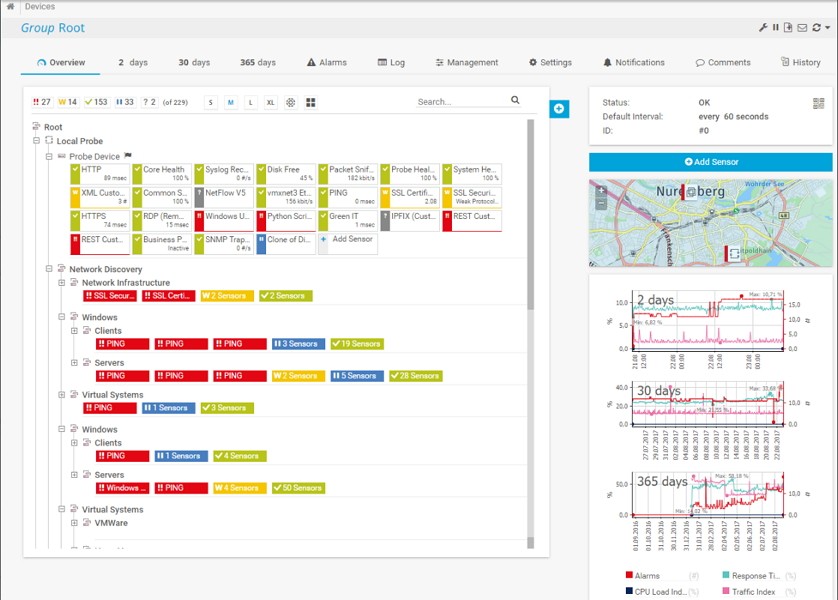
PRTG Network Monitor is a powerful network monitoring tool created by Paessler that helps you track everything happening across your IT infrastructure from one place. Whether you manage a small office network or a large enterprise system, it keeps you updated on performance, availability, and health in real time.
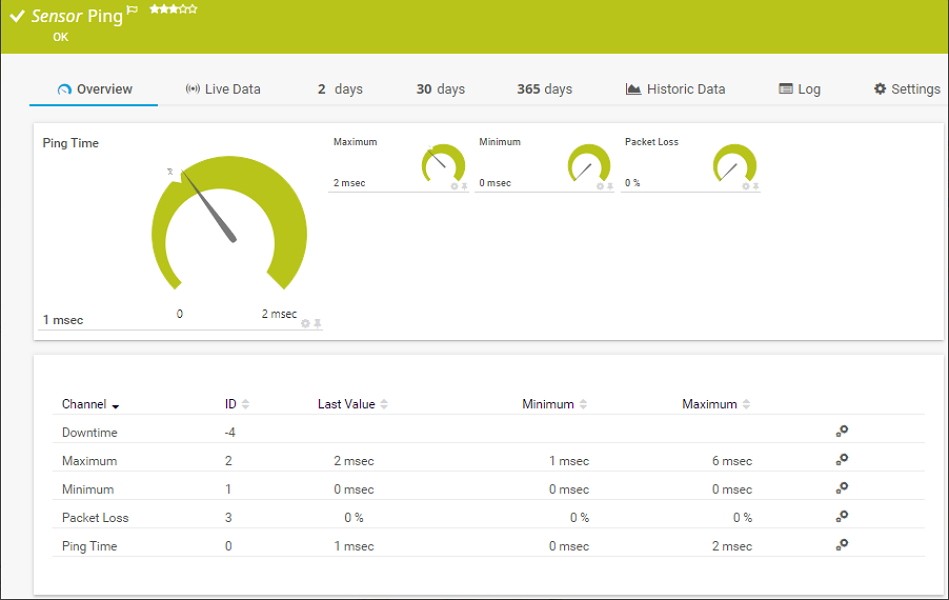
The software uses “sensors” — small components that each monitor a specific part of your network. One sensor might track bandwidth on a router, another could watch CPU usage on a server, and another might check if a website is up. PRTG supports hundreds of sensor types, so you can monitor hardware, cloud services, virtual machines, firewalls, and more.
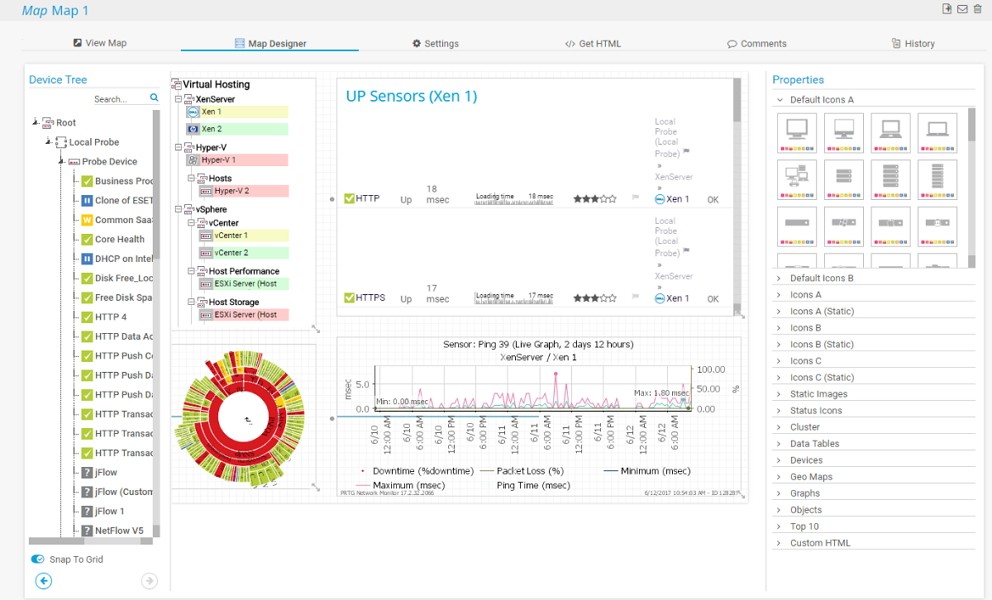
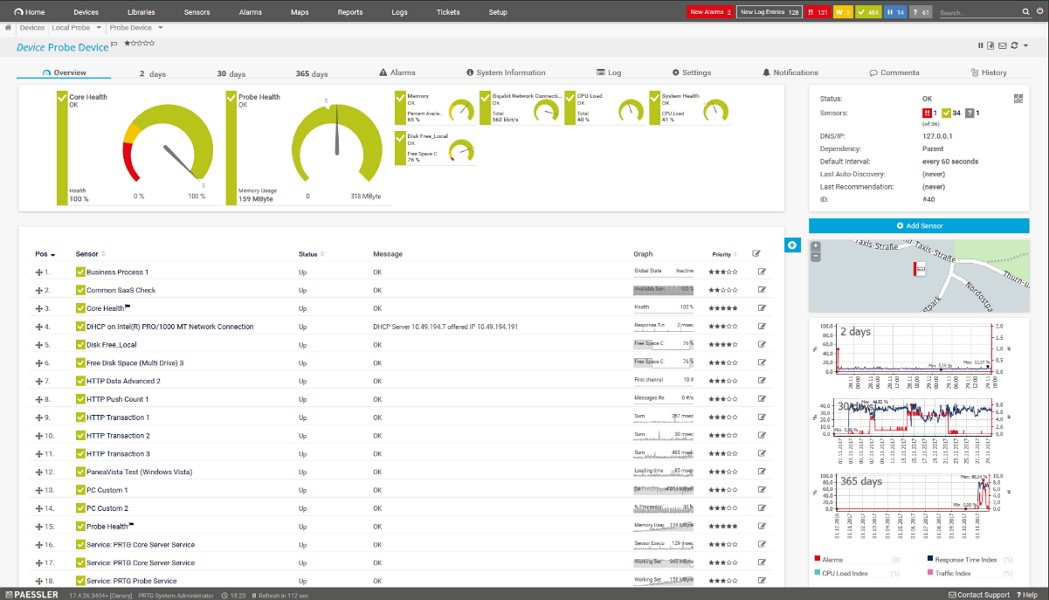
What sets it apart is how clearly it shows the data. Instead of combing through logs, you see intuitive dashboards and maps that make network activity easy to understand. You’ll know instantly if something’s down, overloaded, or behaving strangely. And when issues appear, PRTG alerts you by email, SMS, or push notification so you can act before they become serious.
It’s not just about reacting, though. PRTG stores historical data so you can analyze trends and spot recurring problems. This helps you plan upgrades, optimize resources, and keep your network healthy in the long run. In short, it works like a watchful eye over your entire infrastructure — always on, always ready.
Why should I download PRTG Network Monitor?
The best reason to download PRTG is peace of mind. Networks are the backbone of every business, and when they go down, everything stops. PRTG helps you stay ahead of problems instead of scrambling to fix them afterward.
One standout feature is proactive alerting. If a switch starts dropping packets or a server’s storage is almost full, you’ll know immediately — often before users notice anything wrong. That early warning can prevent downtime and keep productivity on track.
It’s also extremely versatile. PRTG doesn’t just monitor devices; it watches everything: routers, servers, virtual machines, cloud services, websites, and even environmental factors like temperature in your data center. You don’t need multiple tools — PRTG brings all your monitoring under one roof.
Despite its power, it’s easy to use. The software automatically discovers devices on your network and suggests sensors for them. Its dashboards are fully customizable, so you can focus on the metrics that matter most. Even if you’re not a network expert, you’ll find it straightforward to manage.
PRTG also helps you plan ahead. By analyzing historical data, you can predict when you’ll need more bandwidth, storage, or computing power. That foresight makes budgeting and scaling much simpler. And because it can spot unusual traffic patterns, it also acts as an extra layer of security, alerting you to possible breaches or suspicious activity.
Is PRTG Network Monitor free?
Well, yes and no, it depends on your needs.
Paessler offers a free 30-day trial of the unlimited edition of PRTG, which lets you explore every feature before deciding whether to invest in a license or stay free. Many organizations start with the free edition and upgrade as their networks grow, making PRTG flexible for evolving needs.
After that demo time, you can choose to stay with a free version of PRTG — and it’s surprisingly capable. It includes all the features of the paid version but limits the number of sensors you can use. For home labs, small businesses, or test environments, it’s often more than enough.
If you require more coverage, paid licenses scale with your requirements. Each sensor monitors a specific element — for example, CPU usage, bandwidth, or website availability — so you only pay for what you actually monitor.
What operating systems are compatible with PRTG Network Monitor?
PRTG’s core server software runs on Windows. It’s compatible with Windows Server editions and desktop versions like Windows 10 and 11. Installation is simple, and it fits smoothly into most IT environments.
Once installed, you’re not limited to Windows for monitoring. PRTG’s web interface works in any modern browser, so you can access it from macOS, Linux, or even mobile devices without extra software. Paessler also offers mobile apps for iOS and Android, giving you real-time monitoring and alerts wherever you are.
This cross-platform flexibility is one of PRTG’s strengths. While the core runs on Windows, you can manage and monitor your network from virtually any device, whether you’re at your desk or on the move.
What are the alternatives to PRTG Network Monitor?
Another one is Fing Network Tools, which is the most popular and easy, and quick. It applies to small networks or even at home, since you can scan the network and explore the speed of the network, and identify security threats within a small amount of time. Fing supports Windows, macOS, iOS, and Android, and even though it is not as universal as PRTG, it is not a bad option when a user requires quick diagnostics and search of the devices.
The other one is the NetWorx, which gives emphasis to the bandwidth as well as the data usage. It is light and easy to run on Windows, macOS, and Linux. In cases where you just want to determine how much data your network is consuming, and when, NetWorx does not need an effort to find out the architecture of the module, and will generate a simple representation of the reports, but it is not as detailed as PRTG.
Wireshark might suit as an extension of analysis, on a technical level. It is a free network protocol analyzer that recovers and examines network packets in real time and provides an unparalleled perspective into the flow of data in your network. It can be used with Windows, macOS, and Linux, and is the most suitable tool to conduct an investigation and troubleshoot security problems. It is, however, steep in learning and more specialist-oriented as opposed to PRTG, which is an all-in-one application.
Finally, it has the nperf Speed Test, which is a utility and is devoted to measuring network performance. It has the capability of measuring speed in downloading and uploading, latency, speed in browsing, and it is available on Windows, macOS, iOS, and Android. Although it is not a constantly monitored operation, it is well suggested that the quality of the network should be evaluated, and the problems with slow connections should be diagnosed.