NetFlow Analyzer is a comprehensive network traffic monitoring and bandwidth management tool that helps you understand how your network resources are being used, identify bottlenecks, and prevent potential issues before they escalate. By collecting and analyzing flow data from routers, switches, and firewalls it provides a clear picture of traffic patterns and helps optimize network performance. The software supports major flow protocols, including NetFlow, sFlow, IPFIX, and J-Flow, making it compatible with devices from multiple vendors, such as Cisco, Juniper, and Huawei.
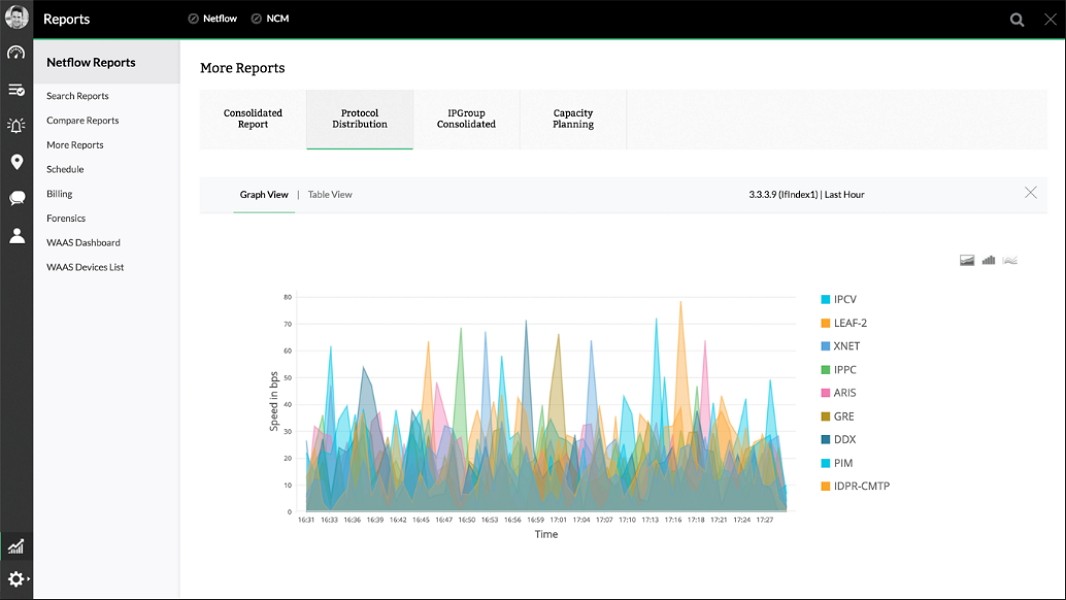
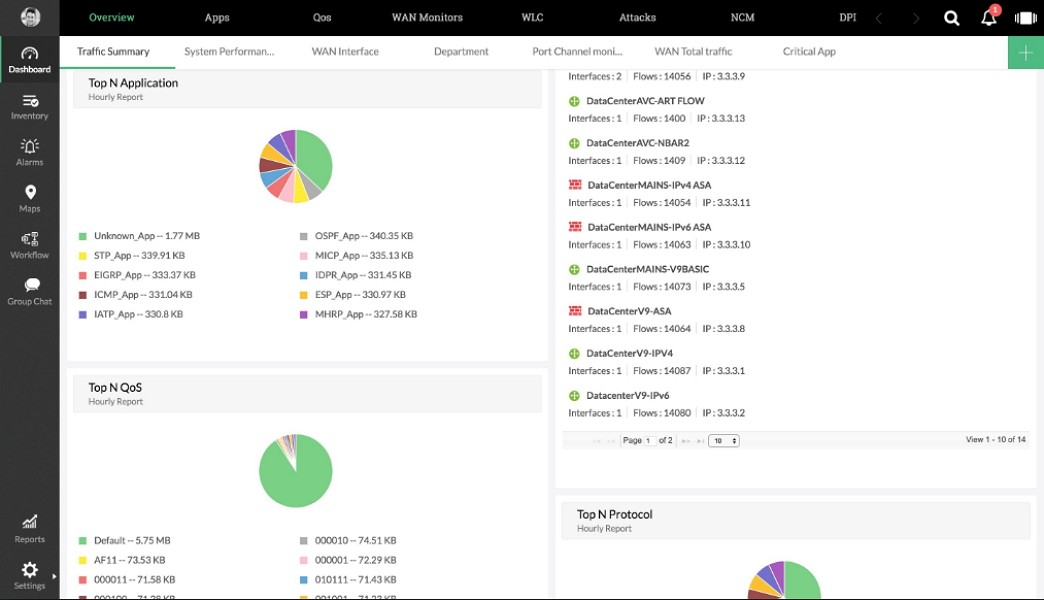
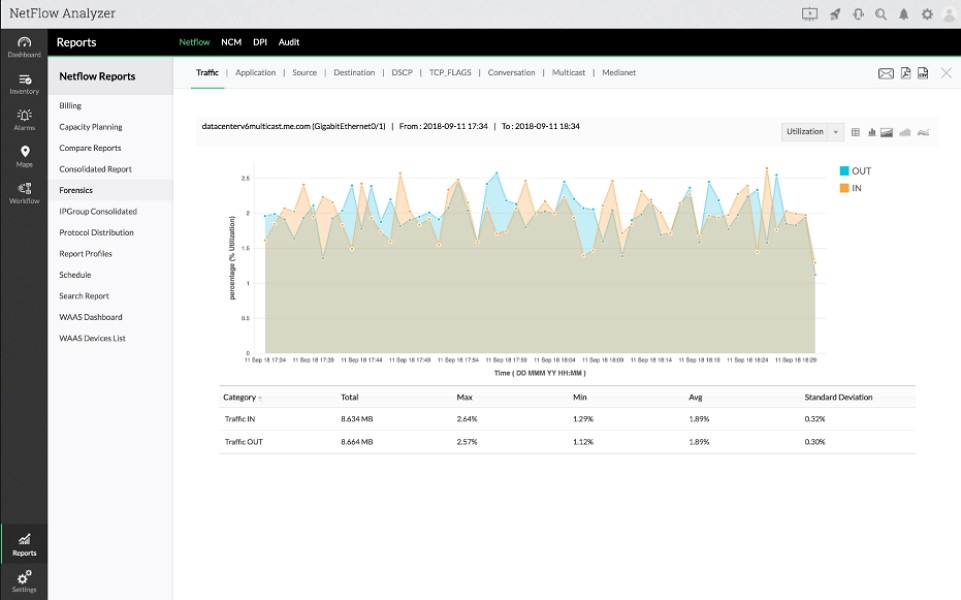
On the dashboard that NetFlow Analyzer provides, you can see a detailed overview of bandwidth usage in real time. It shows you which users, applications, or IP addresses are consuming the most bandwidth, how traffic is distributed across interfaces, and which protocols are being used. NetFlow Analyzer transforms raw flow data into intuitive visualizations, showing trends and anomalies through graphs and reports. These insights are invaluable for diagnosing slowdowns, preventing congestion, and planning for capacity expansion, especially in companies. System administrators can drill down into any device or link for an in-depth analysis and view both current and historical data.
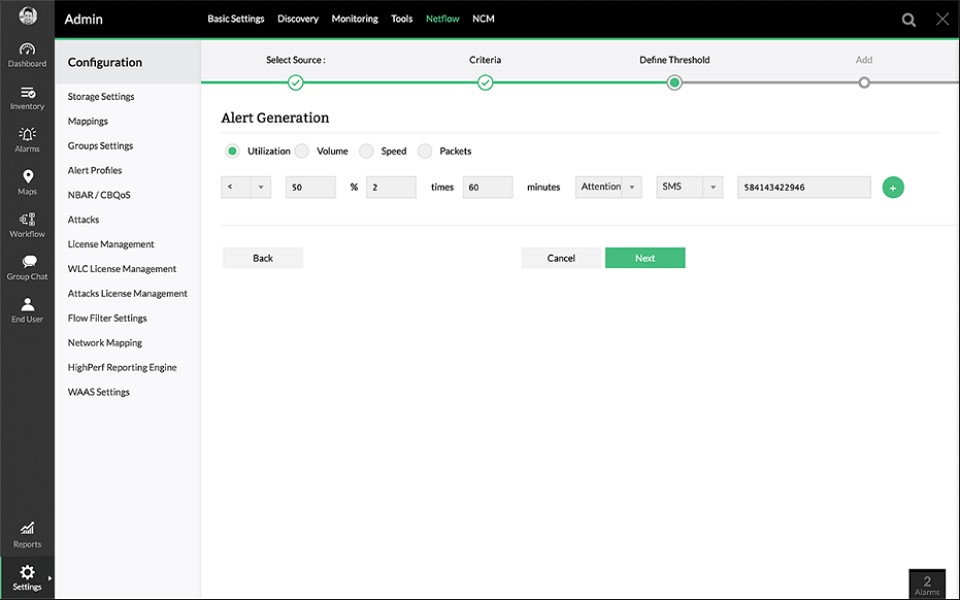
NetFlow Analyzer can also detect unusual activity, such as sudden traffic surges or unknown hosts, which may indicate potential threats. Its alerting system allows you to set custom thresholds for bandwidth usage or latency, triggering automatic notifications when these limits are exceeded. The software’s reporting tools make it easy to track usage by department, application, or protocol and to generate detailed reports for audits or compliance. You can use it as a personal user, get a free version, or pay for professional and enterprise editions.
Why Should I Download NetFlow Analyzer?
NetFlow Analyzer gives you real-time visibility into how your network is performing as it collects detailed flow data that tells you exactly what’s happening on your network. You can see who’s using the most bandwidth, which applications are causing spikes, and whether specific protocols are slowing things down. The graphical dashboard gives you an instant overview of activity, with the option to filter by device, IP address, or time period. This allows for fast troubleshooting, for example, if a certain user or application is monopolizing the network, you can quickly pinpoint it and take action.
What’s also great is that NetFlow Analyzer has multi-protocol compatibility, so whether your network runs on NetFlow, sFlow, IPFIX, or J-Flow, this software can collect and analyze data from all of them. This flexibility makes it ideal for diverse network environments, as the tool can also scale easily, monitoring thousands of interfaces across multiple locations. For organizations with distributed networks, the remote collector option consolidates data from various branches into a single, centralized view. You can even use the built-in forecasting tools to anticipate future bandwidth requirements and ensure your infrastructure stays ahead of demand.
NetFlow Analyzer offers a library of preconfigured reports, from top talkers and QoS analysis to department-level consumption. You can schedule reports to generate automatically or export them in various formats, such as PDF, CSV, or HTML. This feature saves time if you’re an IT manager who needs regular summaries for management or compliance purposes. Long-term data storage lets you compare current performance with historical patterns, helping you detect recurring issues or seasonal changes in usage.
With NetFlow Analyzer, you get anomaly detection that identifies traffic deviations, such as unexpected surges or connections to unfamiliar IP addresses. These alerts can help identify malware activity, data exfiltration, or unauthorized access attempts before they escalate into major incidents. You can send customizable alerts via email or SMS, so administrators can respond immediately, even when they’re off-site. Combined with the platform’s forensic analysis tools, this feature helps ensure network security while minimizing downtime.
Apart from all that, NetFlow Analyzer includes QoS and application-level analysis, which allow you to track how business-critical applications perform compared to recreational or nonessential ones. You can monitor voice and video traffic to ensure quality levels, prioritize bandwidth for essential services, and adjust QoS policies accordingly. NetFlow Analyzer helps you maintain performance consistency by providing insight into how bandwidth is allocated and its impact on end-user experience.
The interface of NetFlow Analyzer is good for all types of users, whether personal ones or small and large companies. The web-based interface is simple to navigate, with drag-and-drop widgets that allow you to create custom dashboards. You can personalize views for different roles, like engineers, security analysts, or executives, so each user sees only the data they need.
The tool can easily scale to meet enterprise-level requirements with numerous automation options. You can automate report generation, device discovery, and alert management, saving time and reducing manual oversight. The tool’s modular design lets you expand as your network grows, adding new collectors or devices without disrupting existing operations. You can download NetFlow Analyzer for Windows and Linux, and it comes in multiple versions, both free and paid.
Is NetFlow Analyzer Free?
NetFlow Analyzer offers both a free and paid version, and the Free edition includes basic monitoring features and supports up to two interfaces, which makes it suitable for small businesses or testing environments. There are also multiple paid editions like Standard, Professional, and Enterprise, and they come in various numbers of interfaces they can work on.
What Operating Systems Are Compatible with NetFlow Analyzer?
You can download and use NetFlow Analyzer on both Windows and Linux systems. For Windows environments, you can use it with Windows Server 2016, 2019, 2022, and 2025, as well as Windows 11. On Linux, it supports major distributions like Ubuntu, Debian, Fedora, CentOS, and Red Hat. Depending on your version, you need a different amount of free disk space, from 200GB to 1TB, at least 4GB of RAM, and a 64-bit system with a dual-core processor.
What Are the Alternatives to NetFlow Analyzer?
NetWorx is a cross-platform bandwidth monitoring tool that helps you track data usage and detect connectivity issues. It’s available for Windows, macOS, and Linux, and you can view real-time graphs, set data usage quotas, and generate daily or monthly reports. NetWorx is a great option both for individual users and small companies, and it offers a free 30-day trial before you need to buy a license.
Wireshark is a free, open-source packet analyzer tool with which you can capture and inspect network traffic in real time. It gives you visibility into every packet transmitted, allowing in-depth analysis of protocols, latency, and security issues. It supports advanced filtering, color coding, and export options for troubleshooting complex problems. While Wireshark is extremely powerful, you need some technical skills in order to interpret its data effectively, and it runs on Windows, macOS, and Linux.
PRTG Network Monitor by Paessler is an all-in-one monitoring solution that uses SNMP, NetFlow, and WMI to monitor network performance, devices, and applications. Use it to set up allowed services, monitor if everything is working correctly, and check devices connected to the network. It also has an interactive dashboard that offers maps, customizable alerts, and automated reporting. You can test it for 30 days for free and then use it on Windows computers.