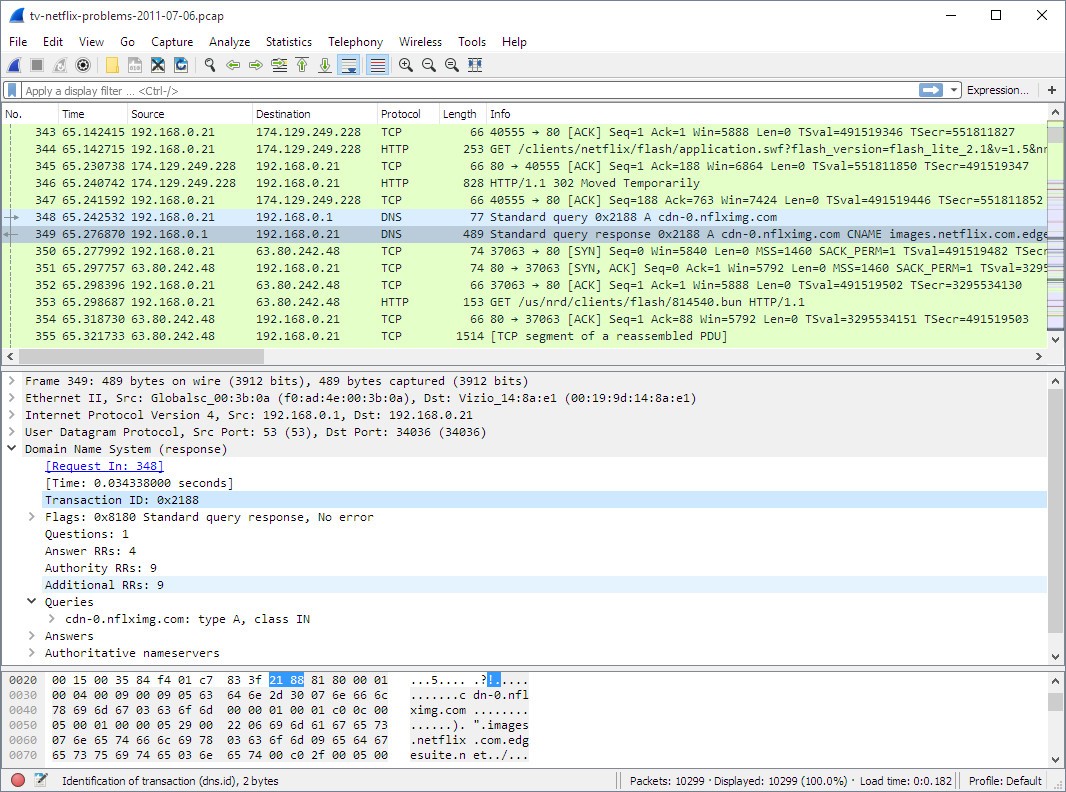
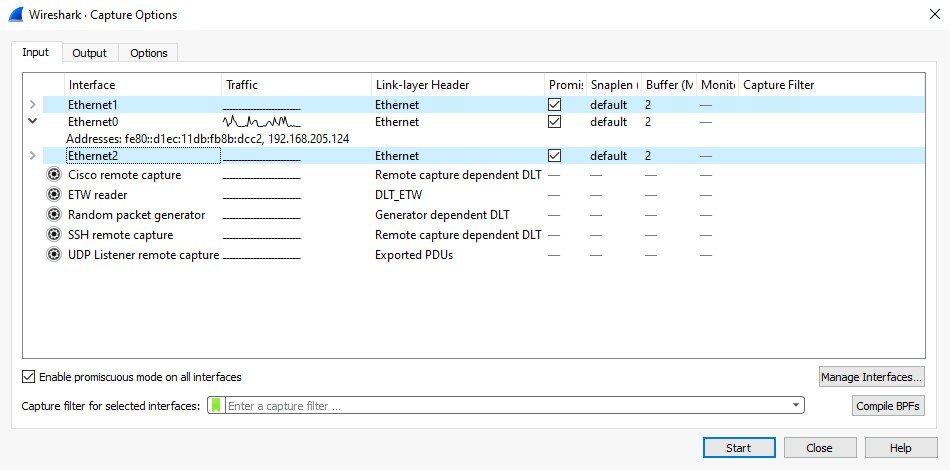
Wireshark is a network protocol analyzer. That means it captures data packets as they travel across a network and shows you exactly what’s inside them. If that sounds technical, think of it this way: Wireshark is like the difference between watching cars pass by on a highway versus actually opening the hood of each car to see what’s inside. You don’t just know that something is moving—you know what it is, where it’s headed, and how it’s behaving.
Originally known as Ethereal when it launched in the late 1990s, Wireshark quickly became a staple in the networking and cybersecurity world. Its open-source nature meant that it grew with the contributions of countless developers and experts, refining its ability to understand a massive range of network protocols. When it rebranded to Wireshark, its popularity didn’t dip—in fact, it soared. Today, it’s used in classrooms, corporate IT departments, government labs, and by enthusiasts who just want to peek under the hood of their own home networks.
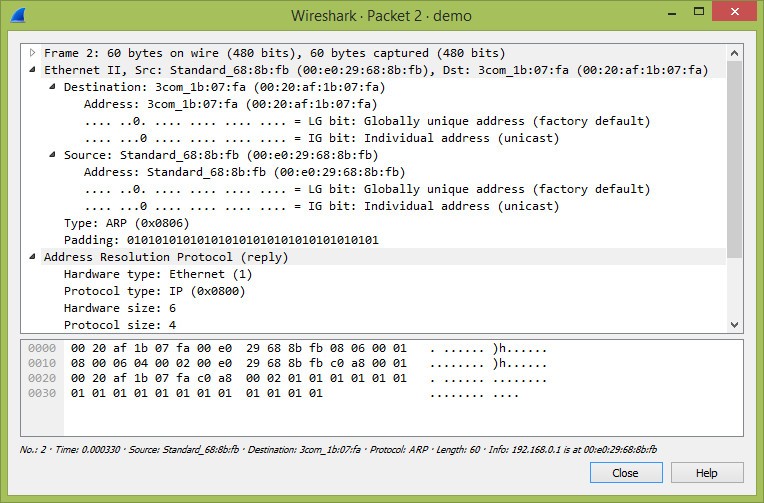
What makes Wireshark so impressive is not just its ability to capture data but how it interprets that data for you. Networks run on layers upon layers of protocols, each carrying its own rules and structures. Wireshark dissects these, presenting them in a way that’s far more readable than staring at raw binary or hex code. For a beginner, it can be eye-opening; for a professional, it’s indispensable.
Why should I download Wireshark?
The main reason most people turn to Wireshark is clarity. When something goes wrong with a network, the default tools available to an everyday user—like speed tests or ping commands—only scratch the surface. Wireshark digs deeper, revealing what’s really happening.
If you’re a network administrator, Wireshark becomes your truth-teller. Imagine someone at your office is constantly losing connection to a server. Without Wireshark, you might end up guessing: maybe it’s their device, maybe it’s the router, maybe it’s the ISP. With Wireshark, you can actually capture the traffic and trace where the communication is breaking down. Suddenly, you’re not stumbling around in the dark—you’re working with hard evidence.
For cybersecurity experts, the appeal is just as strong. Modern threats don’t always announce themselves loudly. Sometimes malicious software tries to sneak data out of a network, disguising it as regular traffic. Wireshark lets you see those packets, spot the unusual behavior, and figure out whether a system is compromised. It can also reveal attempts at scanning or probing a network, giving you a chance to respond before an attack escalates.
Even outside of IT jobs, Wireshark has value. Students learning computer science or networking often find it an invaluable teaching aid. Reading about a TCP handshake in a textbook is one thing; watching it happen live on your own machine makes the concept real. Hobbyists also use Wireshark to explore their home networks, figuring out what devices are chattering in the background or diagnosing why their streaming connection keeps buffering.
Is Wireshark free?
Yes, and not just free in the sense of a limited trial or “basic” version. Wireshark is completely free, open source, and released under the GNU General Public License. That means anyone can download it, use it, and even modify it. The openness doesn’t just save money—it creates trust. When you can look at the source code yourself, you know there’s no hidden agenda or backdoor quietly logging your activity.
This free model has been central to Wireshark’s success. Because no single company owns it, improvements come from a wide community. Developers from around the world contribute to keeping it current with new protocols, fixing bugs, and refining its interface. Universities, corporations, and government agencies use it every day, not because it’s the cheapest option, but because it’s one of the most effective tools available, period.
It’s almost counterintuitive. In many industries, the best tools come with the highest price tag. Wireshark proves that collaboration and openness can create something better than many commercial competitors. Free here doesn’t mean less capable—it means accessible to everyone, from a student on their laptop to an enterprise IT team managing thousands of devices.
What operating systems are compatible with Wireshark?
The platform's freedom is one of the largest strengths of Wireshark. It is not attached to a particular operating system. It is usable with Windows, where it would blend in with the drivers required to capture traffic. It is equally efficient on macOS, as it provides Apple users with the same insights into their networks without lowering the quality.
Additionally, Linux support is also robust, and numerous distributions offer Wireshark through their package managers. It also goes as far as UNIX-like systems like FreeBSD, implying that researchers and administrators operating in niché settings are not left behind.
This extensive compatibility facilitates the lives of those individuals working in mixed settings. In the morning, you could be analyzing a packet capture of a Linux server, in the afternoon, a Windows workstation, and in the evening, a MacBook, and so on. When using Wireshark, you don't need to use multiple tools; the same familiar interface and functionality are available wherever you go.
Another useful collaboration advantage exists. Packet captures may be exchanged among systems without concerns of compatibility. By sending a capture made on Windows, you can send it to another colleague on Linux, and they can open it without problems. Such uniformity is priceless in the case of spreading teams across devices and platforms.
What are the alternatives to Wireshark?
Wireshark is powerful, but there are times when you do not require the depth of Wireshark. Other tools are more convenient.
A good example is Acrylic Wi-Fi Home-Scanner WiFi. It does not involve examining packets, but instead it displays wireless networks with access points, signal strength, and interference. It is a much simpler method of making the most out of your Wi-Fi at home or in the office without having to understand all the details of packet captures.
The other alternative is inSSIDer, which is also networked on wireless networks. It is usually consulted by the IT professionals who want to visualize the channel use and recognize congestion. It will not present you with the tedious list that Wireshark offers, or its strength, where Wi-Fi coverage and performance need enhancement most simply.
Nirsoft WiFiInfoView is even more basic. It is a lightweight application that enumerates the Wi-Fi networks around and provides information such as channel, signal strength, and the type of encryption. It is not going to assist you in in-depth traffic analysis, but it is the best when you want a quick look at your wireless environment.