OpenAI built ChatGPT Atlas as a browser from the ground up, not a bolt-on AI feature for an existing one. That distinction matters. Instead of a chat window floating on top of Chrome or Edge, Atlas makes conversational AI the core of how you interact with websites, search results, and online content. You can talk to it while reading an article, ask follow-up questions about your search results instead of clicking through ten links, and get summaries or explanations without ever leaving the page you are on.
Right now, Atlas is only available on macOS, which limits who can try it. But for Mac users, the feature set is substantial. The browser does everything you expect from a modern browser (tabs, bookmarks, history, extensions), and then layers on a conversational AI system that follows you from page to page. Highlight a paragraph, and you can ask Atlas to explain it, compare it to something else, or break it down into simpler language. The search bar works like a conversation: type a question, get an answer, ask a follow-up, and the response evolves based on what you actually want to know.
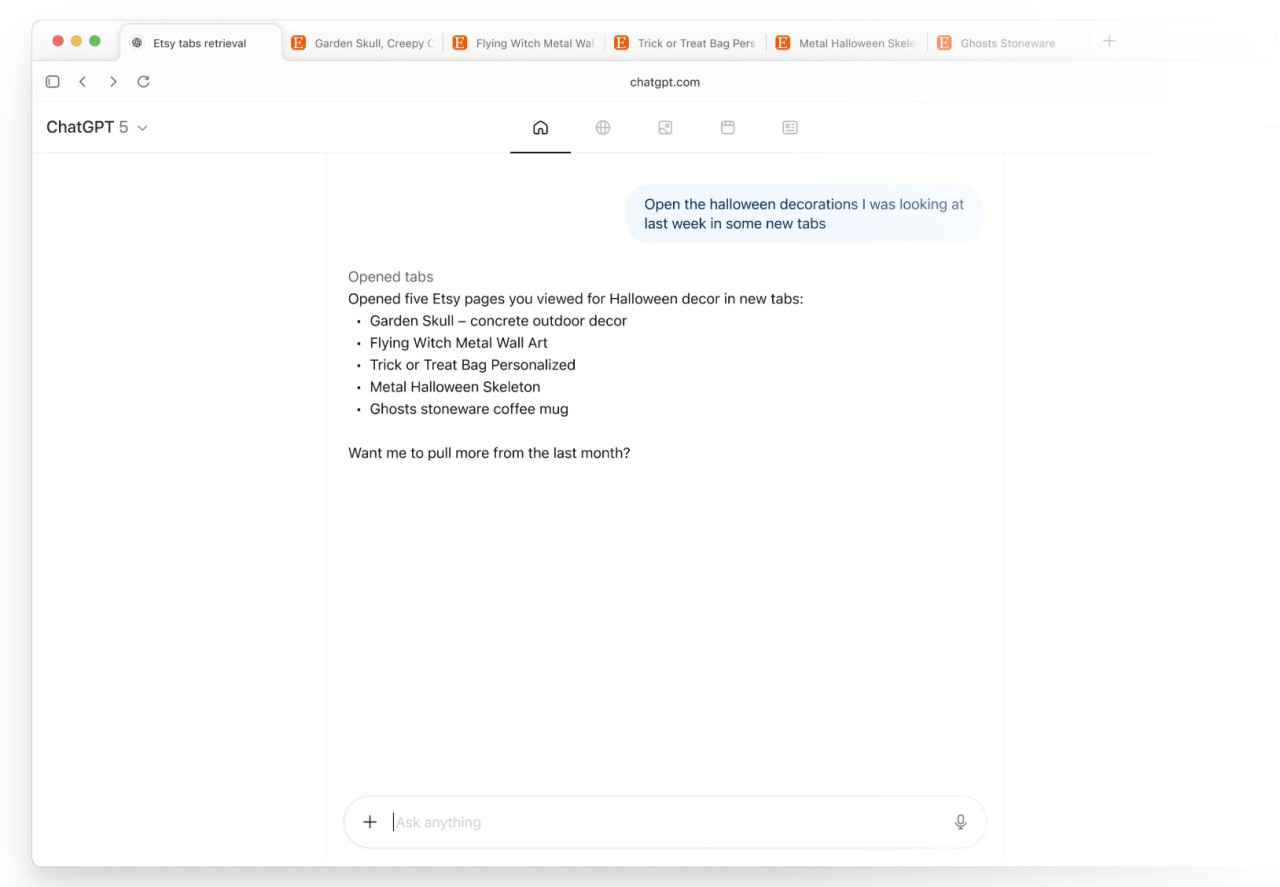
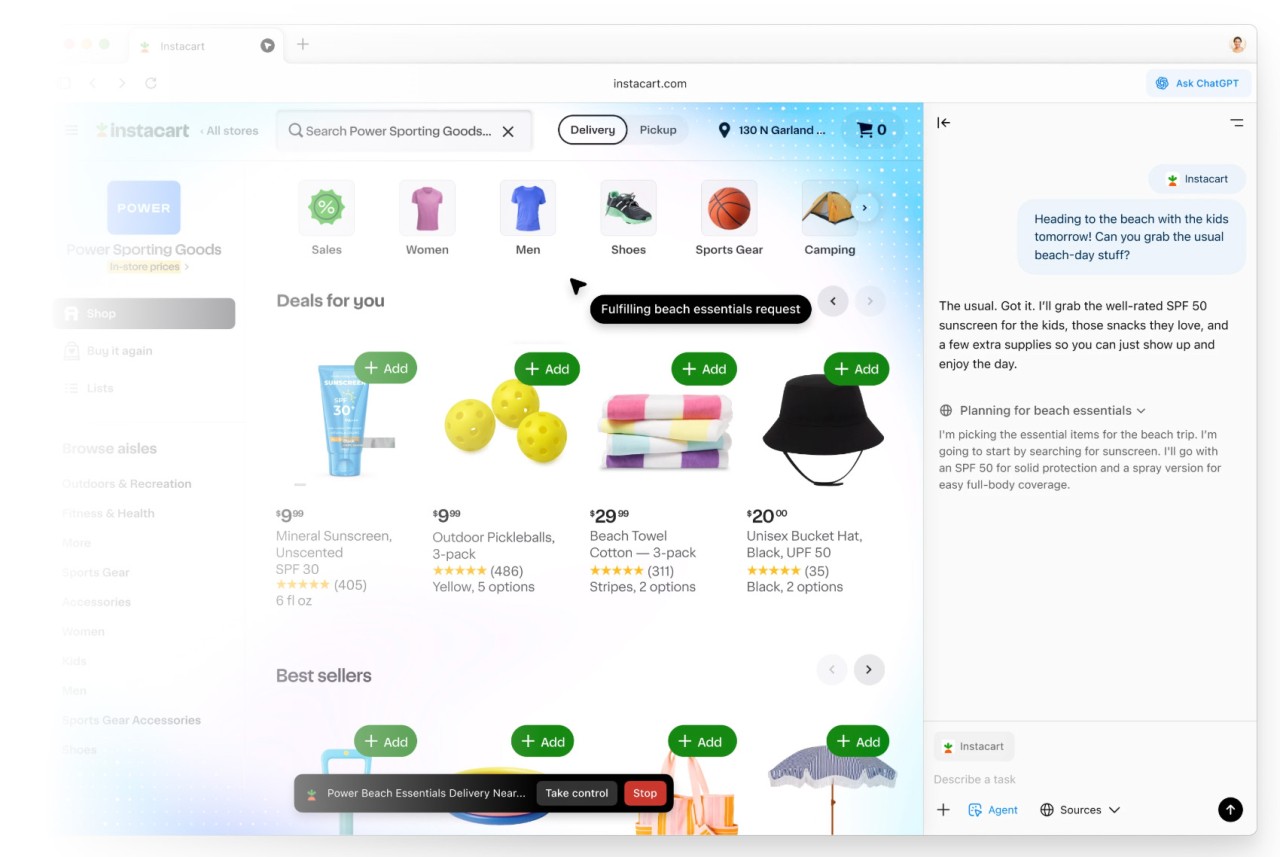
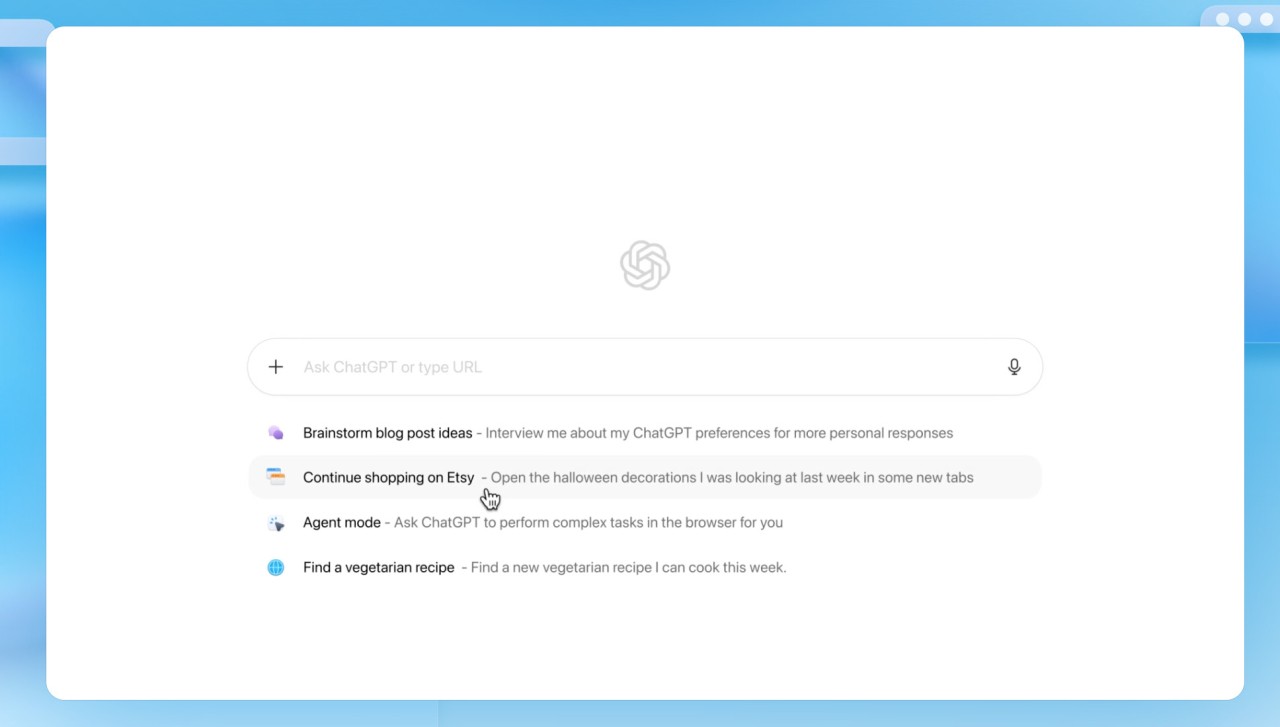
The agent mode takes things further. You can hand off repetitive web tasks to Atlas, things like scraping data across multiple sites, filling out forms, or monitoring a page for changes. The system pays attention to how you browse and adjusts its suggestions over time. You can even ask it to pull up something you were looking at days ago, and Atlas will find it without you needing to remember the URL or dig through your history.
Why Should I Download ChatGPT Atlas?
The pitch is simple: instead of treating your browser and your AI assistant as two separate tools, Atlas merges them. When you are researching something, you do not have to copy text from a webpage, paste it into ChatGPT, wait for a response, then go back to browsing. Atlas does all of that in place. Ask it to summarize the article you are reading. Ask it to compare two products across different tabs. Ask it to explain a technical paper in plain language. It responds right there, in context, without breaking your flow.
The sidecar panel is the main vehicle for this. It sits beside your active tab like a floating chat window, except it knows what you are looking at. Reading a legal document? Ask the sidecar to pull out the key clauses. Skimming a research paper? Ask for the methodology summary. Browsing a recipe site? Ask which recipe fits your dietary restrictions. The sidecar maintains context as you move between pages, so you do not have to keep re-explaining your question every time you click a new link.
Agent mode is where Atlas gets genuinely interesting for power users. If you subscribe to ChatGPT Plus, Pro, or Business, you can set up automated tasks. Track price changes on a competitor's site. Collect product specs from multiple listings. Fill out a web form using data from another tab. These are the kinds of tasks that eat up hours when done manually, and Atlas can handle them in the background while you focus on something else. The system learns your patterns over time, which means the suggestions get sharper the more you use it.
Privacy controls are built in. You can block Atlas from accessing specific sites if you want to keep certain browsing private. You can also turn AI features on or off at any time, so the browser works as a standard browser when you do not need the AI layer.
Atlas also works well as a learning tool. You can build checklists, track your progress through a topic, or get personalized reading recommendations based on what you have been browsing. Since it runs on the same models as ChatGPT, it handles reasoning, content generation, and nuanced responses just as well. Currently macOS only, free at launch, though some premium features need a ChatGPT subscription.
Is ChatGPT Atlas Free?
At launch, yes. You can download ChatGPT Atlas and access all core features, including conversational search and contextual help, at no cost. The free tier alone represents a significant shift in how browser search works, and there is no trial clock ticking in the background.
For ChatGPT subscribers (Plus, Pro, or Business), agent mode unlocks the more advanced automation features. This gives you access to task delegation, multi-page data gathering, and the browser's most powerful workflow tools. Everyone can browse with AI for free, and paid subscribers get the heavier automation on top of that.
What Operating Systems Are Compatible With ChatGPT Atlas?
ChatGPT Atlas currently runs only on macOS. OpenAI is building versions for Windows, iOS, and Android, but those are not available yet. The company is focusing on getting the Mac experience right before expanding to other platforms.
To run Atlas, you need a Mac with an Apple Silicon M1 chip or later, running macOS 14.0 or newer. If your machine meets those specs, you can download ChatGPT Atlas from the official website right now. Windows and mobile versions will follow, with desktop expected first and mobile devices after that.
What Are The Alternatives To ChatGPT Atlas?
Dia Browser, built by The Browser Company (acquired by Atlassian in September 2025), is another AI-first browser focused on productivity. It learns how you work and automates repetitive browsing patterns. Built-in "Skills" handle tasks like summarizing content, fact-checking claims, and planning activities. It also features a Memory system that remembers your preferences over time, tab mentions in chat, and the ability to attach browser content to conversations. Currently in beta on macOS by invitation only, with broader platform support planned.
Perplexity's Comet browser puts conversation-based search at the center of the experience. Perplexity made its name by giving accurate, cited answers to questions, and Comet extends that into a full browser. It has its own AI agent for automating web tasks, though early testing suggests those agents handle simple, single-step operations better than complex multi-step workflows. If you value sourced, factual answers over creative generation, Comet leans in that direction.
Google Chrome with AI Overview has the advantage of a three-billion-person user base. Google wove generative AI directly into Chrome through AI Overview and AI Mode, so users can get AI-powered answers without abandoning their existing browser setup. Chrome's massive extension library, deep Google services integration, and familiar interface make it the path of least resistance for anyone who does not want to switch browsers entirely.
Microsoft Edge leans on Copilot for its AI features, offering article summaries, content generation, and deep ties to Office 365 and Outlook. For Windows users already in the Microsoft ecosystem, Edge is a natural choice. Copilot Mode adds voice browsing, multi-tab analysis, and agent-like capabilities such as managing subscriptions or making bookings.
What separates Atlas from all of these is that OpenAI designed the browser around conversational AI from the start, rather than retrofitting AI features onto an existing browser shell. The result feels more integrated and more natural, since every feature was built with the assumption that the AI would be involved. Whether that matters more than Chrome's extension library, Edge's deep Microsoft ties, or Comet's citation-heavy approach depends entirely on how you use a browser and what you value most in your daily workflow. For users who already rely on ChatGPT and want that same experience woven into how they browse, Atlas is the most direct path to that future.