Boomerang for Gmail has become a well-recognized productivity solution because it tackles one of the most common issues people face: managing emails and scheduling effectively. Instead of juggling multiple tools for follow-ups, calendar coordination, or message tracking, it brings these features into one streamlined experience.
Originally introduced as a browser extension for Gmail, it has expanded into full mobile email clients for both Android and iOS, making it a cross-platform solution. The focus is on saving time, reducing stress, and improving communication without needing to jump between different services.
One of its most distinctive offerings is its patented Magic Live Calendar, which keeps shared availability up to date inside emails, no matter what email client the recipient is using. Paired with tools like Inbox Pause, AI-powered Respondable feedback, and integrated meeting scheduling, Boomerang for Gmail is more than a reminder app—it’s a full-scale productivity suite built around email.
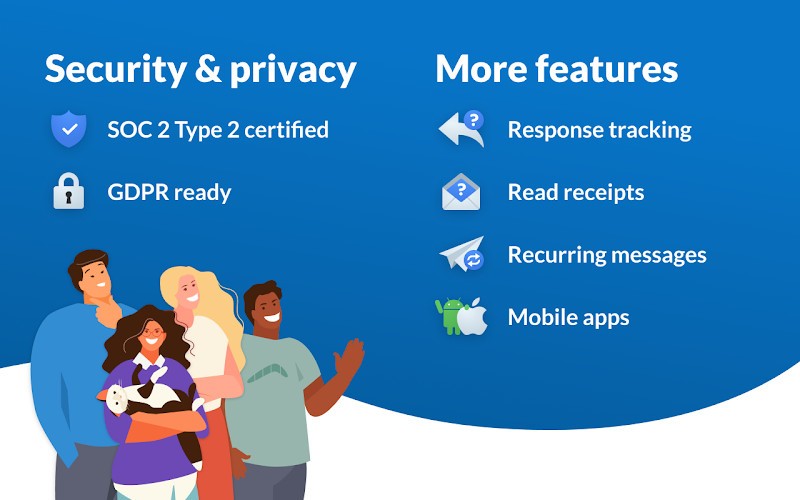
By providing detailed tracking, advanced search, scheduling flexibility, and compliance certifications like SOC 2 Type 2 and GDPR readiness, it positions itself as both powerful and secure.
Why should I download Boomerang for Gmail?
The main reason to download Boomerang for Gmail is the way it enhances Gmail with a range of features that make email handling faster, smarter, and less stressful. At its core, it provides scheduling functions that let you decide exactly when emails should be sent. The “Send Later” option allows you to draft messages at your convenience and schedule them for delivery when they’re most likely to be effective.
It also includes powerful reminder tools. You can set follow-up reminders that bring conversations back into your inbox if no one replies, ensuring you don’t lose track of important threads. Snoozing emails or “boomeranging” them back to the inbox at a chosen time allows you to stay focused without cluttering your view. For recurring communications, you can set messages to resend automatically.
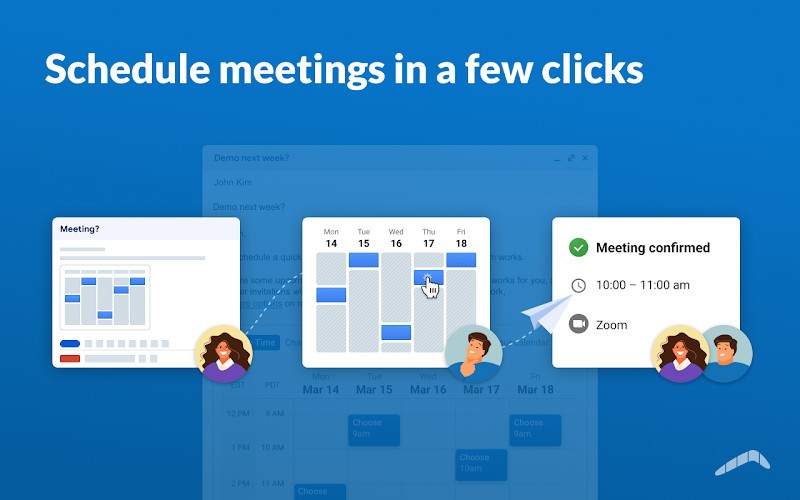
What really stands out is the set of scheduling features tied to meetings. With the Magic Live Calendar, recipients see your availability directly inside the email, and it stays up to date even if your calendar changes. Additional tools like Bookable Schedule, Suggest Times, Meeting Poll, Share Free/Busy, and Team Scheduling make it easy to coordinate without back-and-forth emails. These tools support multiple calendars and integrate directly with Zoom and Google Meet.
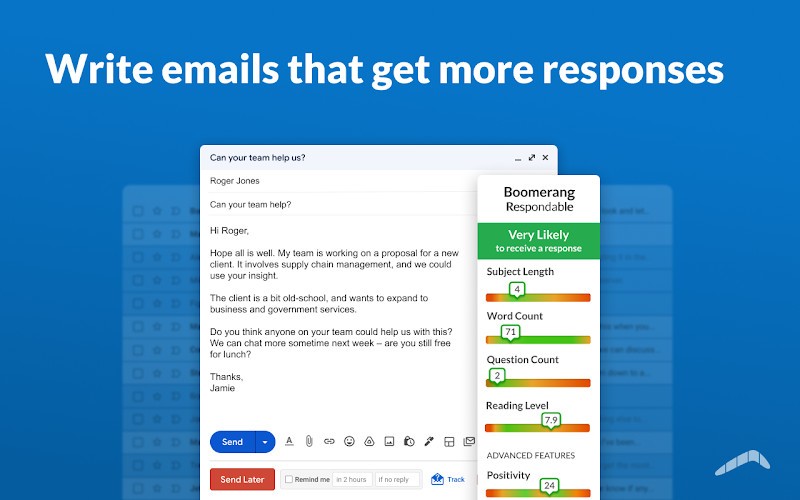
Another highlight is Inbox Pause, which lets you control when new emails arrive. You can schedule it to pause after hours, during focus sessions, or at specific times, preventing constant interruptions. On top of that, Boomerang for Gmail includes Respondable, an AI writing assistant that provides real-time suggestions on how likely your email is to get a response. This means you can adjust tone, length, and clarity before sending.
Is Boomerang for Gmail free?
Boomerang for Gmail is available with a free option, but it also has several paid tiers depending on how much functionality you need. New users can start with a 30-day free trial of the Professional plan without providing credit card information. After the trial, you can continue on the Basic plan, which is free forever but comes with limited message credits each month.
The Basic plan provides core functions like scheduling some messages. If you want expanded features such as unlimited send later options, advanced Inbox Pause features, recurring messages, unlimited meeting scheduling, AI-powered Respondable insights, and Salesforce or CRM integration, you’ll need one of the paid subscriptions.
The subscription tiers are Personal, Pro, and Premium. Personal is billed at $4.98 per month when paid annually, Pro at $14.98 per month annually, and Premium at $49.98 per month annually. Each higher tier removes limitations and adds professional-grade tools such as advanced tracking, mobile access, team scheduling, notes, and premium support. Group or team plans are also available for organizations that require multiple seats.
For mobile users, the apps are free to download on both Android and iOS. On iOS, in-app purchases are available under names like Boomerang Gmail Pro and Boomerang Outlook Pro, giving additional options for monthly or yearly upgrades. On Android, the app functions as a complete email client with free features and premium upgrades. This mix of free and paid options makes it accessible for individuals while offering powerful extras for professionals.
What operating systems are compatible with Boomerang for Gmail?
Boomerang for Gmail works across several platforms, covering both browsers and mobile devices. On desktop, the Gmail extension supports modern browsers, including Firefox version 38 and above, Chrome 5.0 and above, Safari 5.1 and above, Opera 15 and above, and Microsoft Edge 39 and above. This ensures that whether you’re using Gmail at home or work, the extension will integrate seamlessly.
For mobile, there are dedicated apps. The Android app, available on the Google Play Store, functions as a full email client and works with Gmail, Google Workspace, and Outlook accounts. It offers features like snoozing, recurring emails, scheduling, response tracking, Inbox Pause, read receipts, click tracking, advanced search with filters, multi-account support, push notifications, widgets, and tablet layouts. It currently lists offline support as “coming soon,” and it’s localized in German, Spanish, French, Japanese, Korean, and Portuguese.
On iOS, the Boomerang Mail app supports Gmail, Outlook, and Hotmail accounts. It requires iOS 12.0 or later for iPhone, iPadOS 12.0 or later for iPad, iPod touch with iOS 12.0 or later, and visionOS 1.0 or later for Apple Vision devices. The app is available in multiple languages, including Dutch, German, Spanish, English, Italian, Japanese, Portuguese, and French. Features include one-tap meeting scheduling, read receipts, Inbox Pause, follow-up reminders, AI writing feedback, dark mode, custom swipes, offline support, and the ability to set the app as the default mail client.
What are the alternatives to Boomerang for Gmail?
Though Boomerang of Gmail provides a variety of tools, other extensions and applications can be found, which cover the particular requirements in Gmail.
Mailtrack for Gmail, for example, is concerned with read receipts. It is a less powerful tool that informs you that your email has been opened without the scheduling and inbox control functions of Boomerang.
Checker Plus for Gmail provides a different angle, whereby one can have a quick overview of Gmail notifications and message previews without opening Gmail in a tab. It is convenient when users need to organize the messages more quickly, although it lacks such features as advanced scheduling, calendar features, and AI-based writing support.
ActiveInbox for Gmail is developed on the concept of task and project management in Gmail. It focuses more on structuring emails as work, and it ensures that people arrange their inbox systematically to fit the work practices of productivity. Active Inbox is more concerned with transforming emails into actions as compared to Boomerang, which revolves around the process of scheduling and automating.