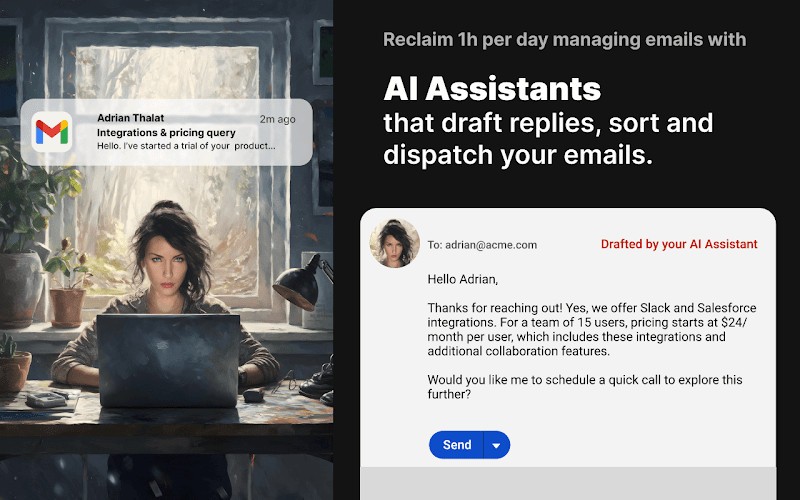
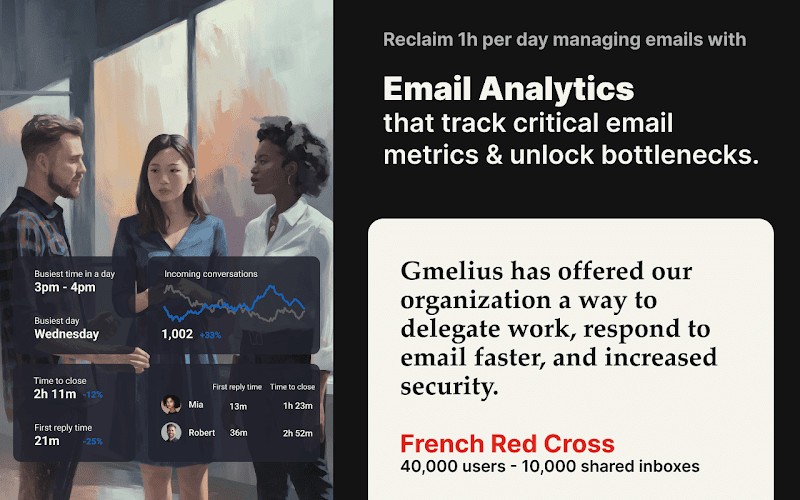
Gmelius for Gmail is a tool that quietly transforms your Gmail inbox into something far more powerful than just a place to read and send messages. At its core, it’s a Chrome extension, but calling it that almost undersells what it does. Once installed, your Gmail account becomes a flexible workspace where emails, tasks, and collaboration all come together. Instead of juggling half a dozen apps to keep your work in order, you stay inside Gmail and handle everything from there.
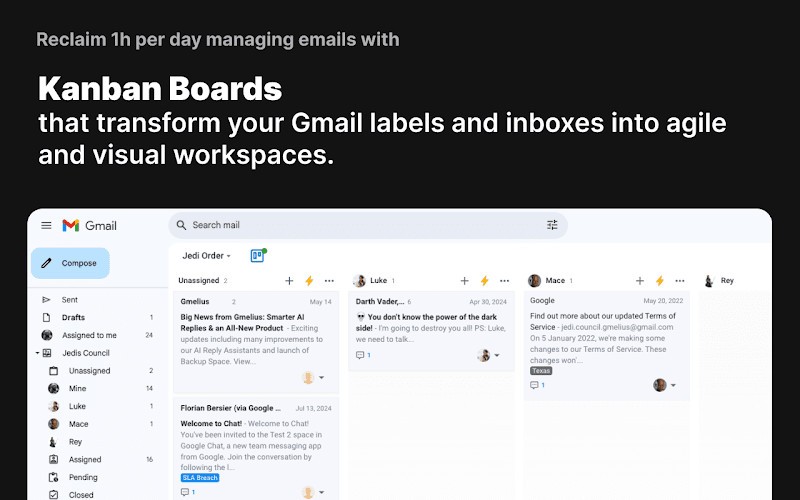
Picture this: you receive a long email from a client with multiple requests. Normally, you’d copy those requests into a task manager or share them with your team on Slack, then set reminders in yet another app. Gmelius cuts that routine down. With a couple of clicks, the email itself becomes a task, which you can assign to a teammate, track on a Kanban-style board, and follow to completion—all without leaving your inbox.
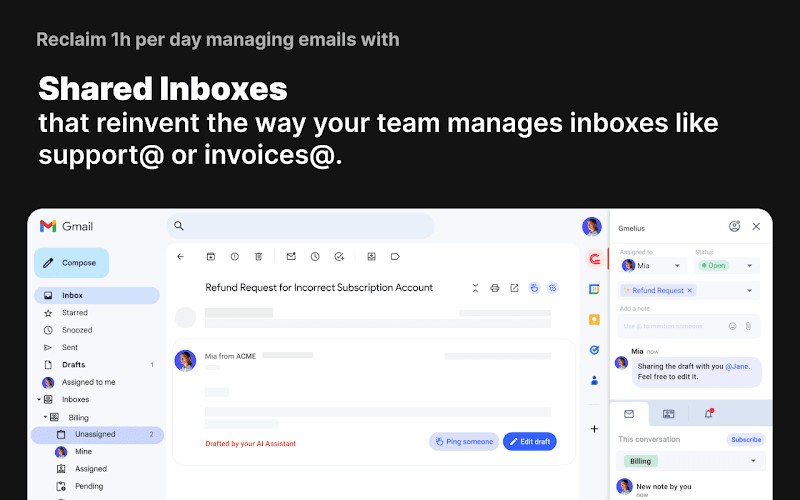
Shared inboxes are another standout feature. Teams that manage addresses like “[email protected]” or “[email protected]” often run into confusion about who’s answering which email. Gmelius clears that up by letting everyone see what’s being worked on, what’s pending, and what’s already done. That transparency makes teamwork smoother, especially for remote or hybrid setups where people aren’t sitting in the same office.
It’s also flexible enough to serve very different kinds of users. A freelancer can use it to organize client communication without extra software, while a growing business can lean on it for project tracking, team coordination, and even lightweight CRM features. In short, Gmelius for Gmail turns Gmail into more than an inbox—it becomes the center of your daily workflow.
Why should I download Gmelius for Gmail?
The simple answer is that it saves you time and helps you stay organized. Most of us lose hours switching between apps, forwarding emails, and reminding teammates about tasks. Gmelius keeps that work where it starts: in your inbox.
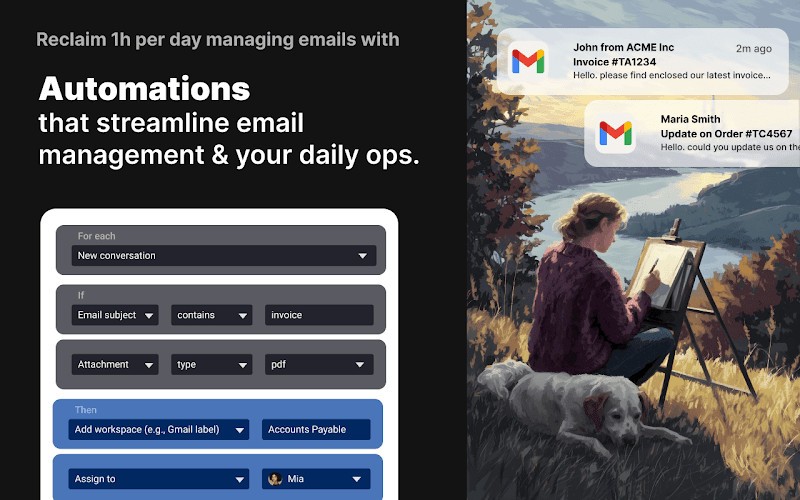
Gmelius for Gmail offers shared inboxes. If your team shares an address, everyone stays on the same page. You can see in real time who’s handling each message, which stops duplicate replies and missed opportunities. Repetitive steps—like adding labels, forwarding certain types of messages, or scheduling follow-ups—can all be automated. That means less busywork.
It also includes task and project management. Instead of letting emails pile up, you turn them into actionable tasks. They can be placed on boards, assigned to teammates, and tracked just like in dedicated project management software. While it’s not a full CRM platform, Gmelius gives you tools to track client interactions and maintain ongoing relationships without leaving Gmail.
The biggest reason to use it, though, is how natural it feels. You don’t need to learn a new system or drag your team onto a new platform. You keep working in Gmail, but suddenly, Gmail is much more capable.
Is Gmelius for Gmail free?
Yes, there’s a free plan, but it’s fairly limited. With the free version, you can try out some basics like simple task management and email tracking. That’s fine if you’re just curious about how it works or if you’re managing your own inbox without a team.
For most teams, the real benefits come with the paid plans. Features such as shared inboxes, workflow automation, Kanban boards, and advanced CRM options are only unlocked once you upgrade. Pricing is tiered, which means small teams don’t have to pay for more than they need, while larger organizations can access enterprise-level features.
The nice part is that you don’t have to commit up front. You can start free, see if it makes a difference, and then move to a paid plan when you’re ready. Many people begin by experimenting and quickly realize how much more efficient their email life becomes once they unlock the premium features.
What operating systems are compatible with Gmelius for Gmail?
With Gmelius for Gmail, compatibility is hardly an issue. Since it is an extension on Chrome, it can operate on any system on which Chromium (and derived browsers such as Chrome, Opera, Edge, and so on) may be operated. That is Windows, macOS, Linux, and Chromebooks. You can install Gmelius without problems, provided you can install Chrome.
It doesn’t stop there. Gmelius also supports iOS and Android mobile apps, which implies that you can always access your tasks and boards even when you are not at your desk. Your data is automatically synchronized whether you are on your Windows laptop and in the office, on your MacBook at home, or when you are travelling, checking your phone.
Installation is fast, and automatic updates are automatic; therefore, you do not spend a lot of time on software maintenance. Such flexibility matters a lot to the teams in which not all members share the same operating system. All of them are connected without having to make any special adjustments.
What are the alternatives to Gmelius for Gmail?
Although Gmelius for Gmail is a good choice, it is not the only one that allows for increasing the functionality of Gmail.
Streak - CRM for Gmail may be a more suitable choice in case you are more focused on client management and sales pipelines. It is built into Gmail, but it heavily relies on CRM capabilities, providing you with the means of tracking leads, deals, and customer interactions. It is not about task boards; rather, it is about sales workflows.
Kiwi for Gmail does it quite differently, removing Gmail from the Web browser and turning it into a desktop application. This makes Gmail look like a dedicated program, and additional productivity features are overlaid. It is less collaborative or task-focused than some, but is a cool alternative should you like using email as a standalone platform, rather than a Chrome tab.
G App launcher is the lightest amongst the three options. It does not come with project management or CRM features, and it is also a lot faster to alternate across Google applications. This tool could be sufficient in case you primarily need the commodity and less complicated movement between Gmail, Drive, Calendar, and other Google tools.