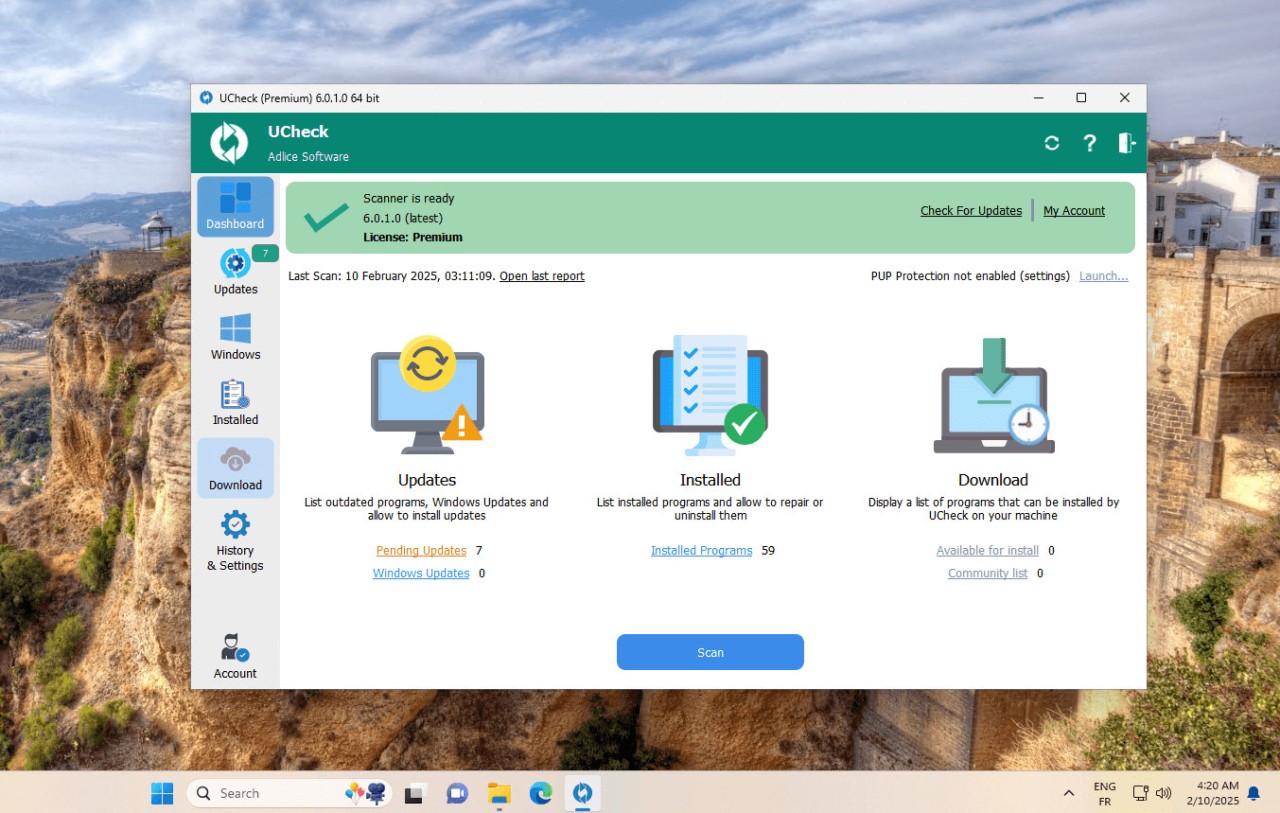
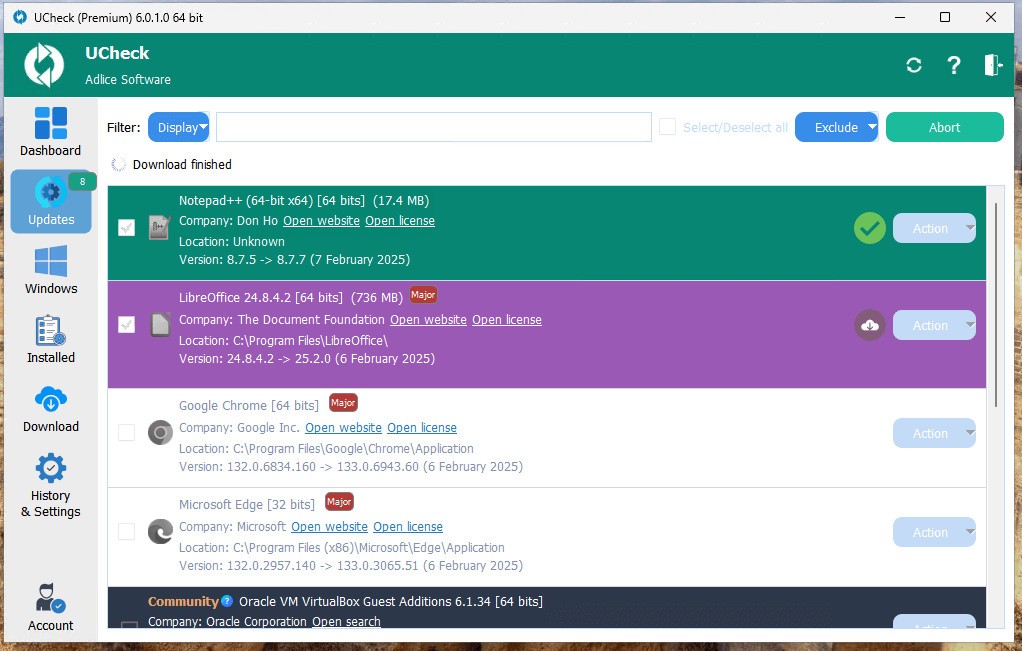
uCheck is a handy little utility built by Adlice Software that takes the pain out of managing programs on your computer. If you’ve ever had to open multiple apps one by one just to check for updates, you already know how much time that wastes. uCheck streamlines that process by scanning your system, detecting which applications are outdated, and then updating them for you—all in a matter of clicks.
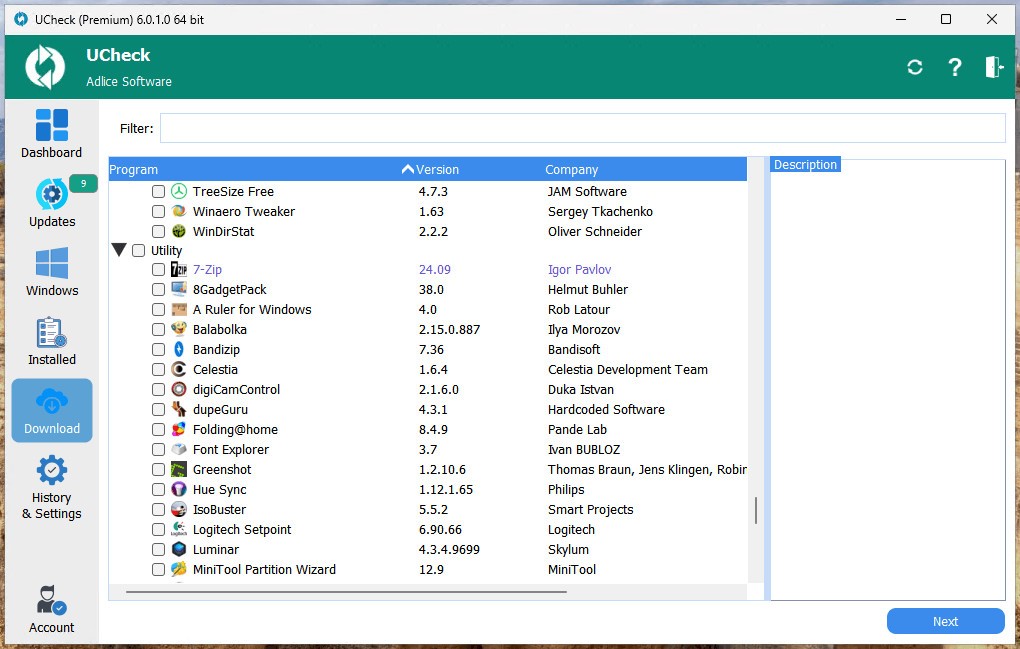
It’s not just an updater, though. uCheck doubles as a package manager, meaning it can install new programs directly from its software catalog and also uninstall apps you no longer use. Think of it as your one-stop shop for application management on Windows. Instead of bouncing between browsers, installers, and Control Panel, you can handle everything in one clean, simple interface.
The tool was designed to be lightweight and approachable. You don’t need to be a computer wizard to make sense of it. Once installed, you run a scan, uCheck pulls up a list of all your software, and you choose what to update, install, or remove. It’s that straightforward, which is exactly why so many people swear by it for keeping their systems secure and clutter-free.
Why should I download uCheck?
The main reason is security. Outdated programs are often the weak link that hackers exploit. An old version of a browser plugin, PDF reader, or messaging app might contain vulnerabilities that newer versions have already patched. uCheck keeps your apps current, closing those security holes without you having to lift a finger.
Another reason is convenience. Let’s be honest—most of us ignore update pop-ups until they become impossible to avoid. That procrastination can snowball into dozens of outdated apps clogging up your machine. uCheck flips the script. Instead of you waiting on notifications, it proactively finds what’s out of date and updates it in bulk. Imagine clicking “Update All” and watching every outdated app get patched in a few minutes.
It also helps with organization. Over time, most computers end up cluttered with apps you don’t even remember installing. uCheck’s uninstall feature makes it easy to tidy things up. You can scan your programs, spot the ones you never use, and remove them in a couple of clicks. It’s like spring-cleaning for your PC.
And let’s not forget about time savings. For IT pros managing several computers, or even just families with multiple home PCs, uCheck reduces hours of repetitive work into minutes. That’s time you can put back into something far more enjoyable than babysitting software updates.
So, whether you’re a casual home user who wants peace of mind or someone who manages dozens of machines, uCheck is worth downloading simply because it saves you headaches while making your computer safer and faster.
Is uCheck free?
Yes, uCheck does have a free edition, and for many people, it’s more than enough. With the free version, you can scan your entire system for outdated applications and then update them directly through the program. You also get access to its software catalog for installing new apps and the option to uninstall old ones. For home users who just want the essentials, it checks all the boxes.
That said, there’s also uCheck Premium, which unlocks extra features aimed at power users or businesses. The premium tier includes things like batch updating (so you can update everything at once instead of one by one), scheduling (set it and forget it), and silent updates that run quietly in the background. These are the kinds of features that really shine when you’re managing multiple machines or want updates to happen automatically without interruption.
The good part is you’re not forced into paying. You can stick with the free edition forever if it meets your needs. But if you find yourself relying on it daily and wishing it could do more, the premium upgrade is there to make things even smoother.
What operating systems are compatible with uCheck?
uCheck was designed specifically for Windows. It supports Windows 10, Windows 11, and some older versions as well. Because it’s lightweight, you don’t need a powerhouse machine to run it. Even on modest hardware, it performs scans quickly and processes updates without dragging down your system.
Right now, uCheck isn’t available on macOS or Linux, since both of those systems already have strong native package managers like Homebrew (on macOS) or apt/yum (on Linux). Windows, however, has historically lacked a simple, centralized way to manage apps, which is exactly the gap uCheck fills.
So, if you’re a Windows user looking for a painless way to stay on top of updates, installations, and uninstalls, uCheck is fully compatible and works right out of the box.
What are the alternatives to uCheck?
uCheck is a fantastic solution, but it is not the only software updater in the market. The following are the alternatives that can be considered:
Patch My PC is lightweight and easy to carry around, and it can support a very extensive list of applications. Similar to uCheck, it enables you to install, update, and manage the programs in bulk. It is free to use at home and has received a lot of acclaim in regard to speed and simplicity. Patch My PC is excellent to choose when you need something that works but does not have frills.
UniGetUI is a free (open source) front-end integrating several Windows package managers such as Winget, Chocolatey, and Scoop. It is more developed and targets power users who require flexibility and access to an enormous number of software repositories. Although it is not as user-friendly as uCheck, it is a fantastic tool for people who enjoy customization and control.
IObit Software Updater's offering is more commercial in its approach, as it is more polished in terms of the interface and has additional features like suggesting new apps to try. It is good with those who like a program that is aesthetically smooth, though it occasionally displays advertisements for other IObit products, which not all people are fond of. Nevertheless, it is a good option for ordinary users.
QuickInstaller, by its name, focuses on speed. It comes in handy, especially when installing new systems and requires installing a host of applications at the same time. Although this is not as broad in updating as uCheck or Patch My PC, it is strong in quick installations. It can help you save time tremendously when you need to set up new machines regularly.