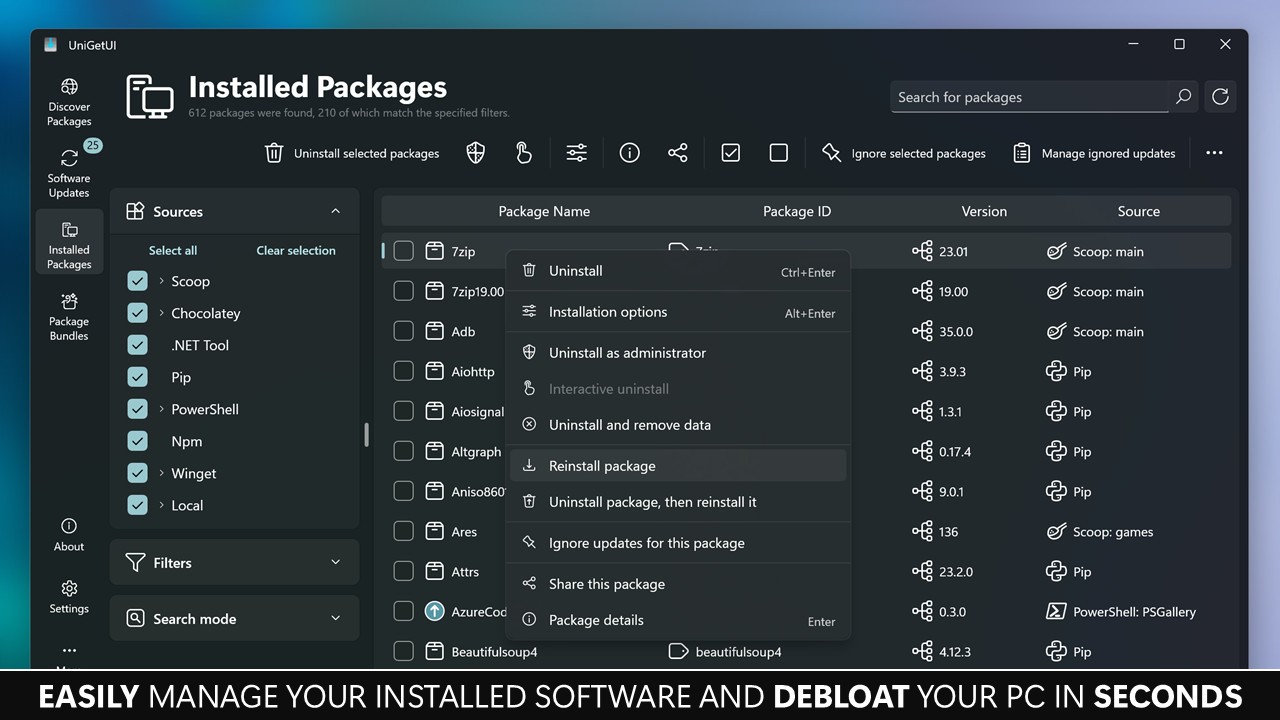
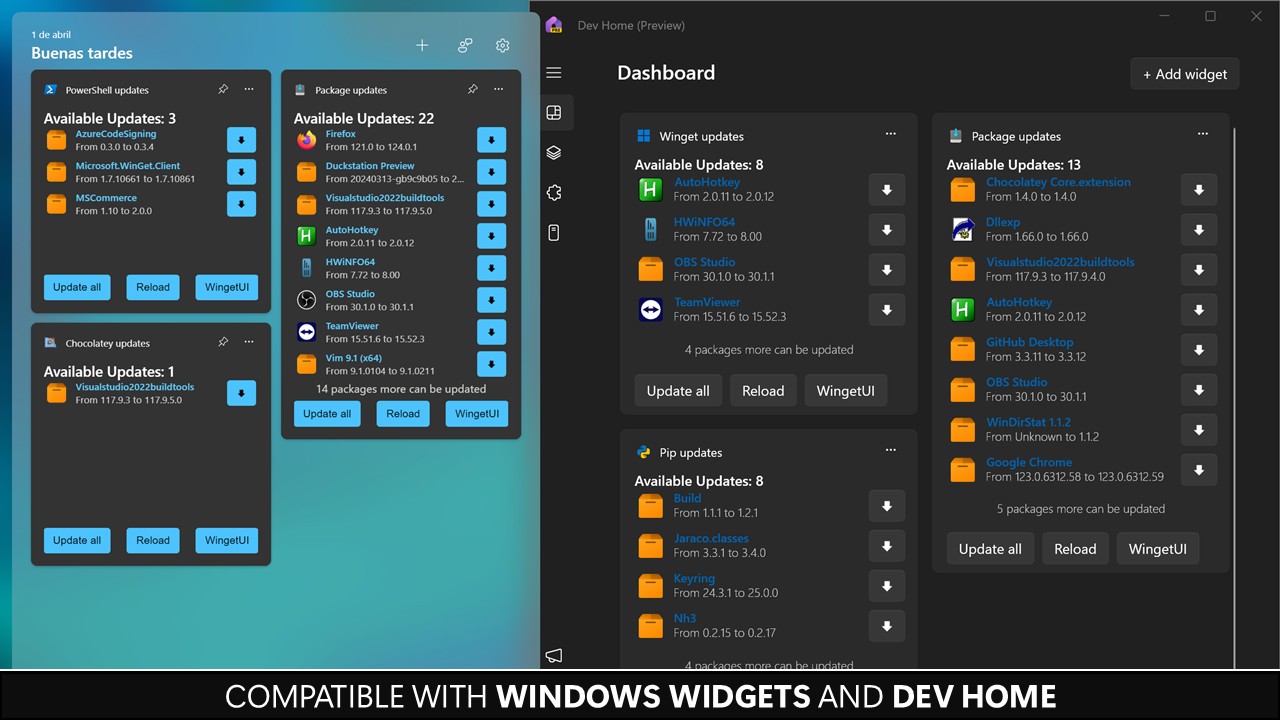
UniGetUI is an open-source software management tool that makes downloading, installing, and updating applications on Windows much easier. Instead of hunting across the web for installers or manually checking if your programs are up to date, UniGetUI puts everything in one place. It works as a graphical user interface that connects with package managers like Winget, Chocolatey, and Scoop, which are powerful on their own but can feel intimidating if you’re not comfortable with command-line tools. By combining them under one simple interface, UniGetUI lowers the barrier and makes advanced software management something anyone can handle.
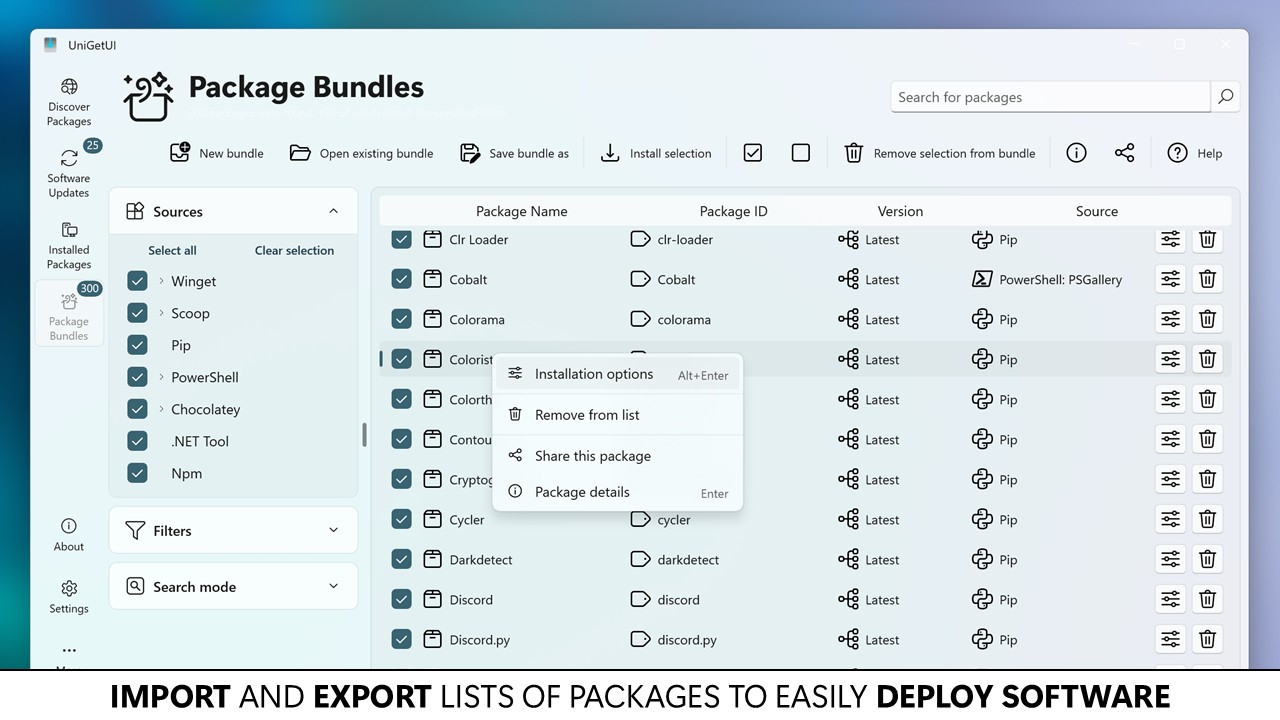
Think of it as a centralized hub for all your apps. If you want to install a new browser, media player, or productivity tool, you don’t need to search for download links or worry about grabbing files from the wrong site. UniGetUI pulls from trusted repositories, so you’re always getting official and safe versions of the software. That alone saves time and provides peace of mind. But the tool also helps with batch installs—meaning you can set up a new system with dozens of essential programs in one go, instead of downloading them one by one.
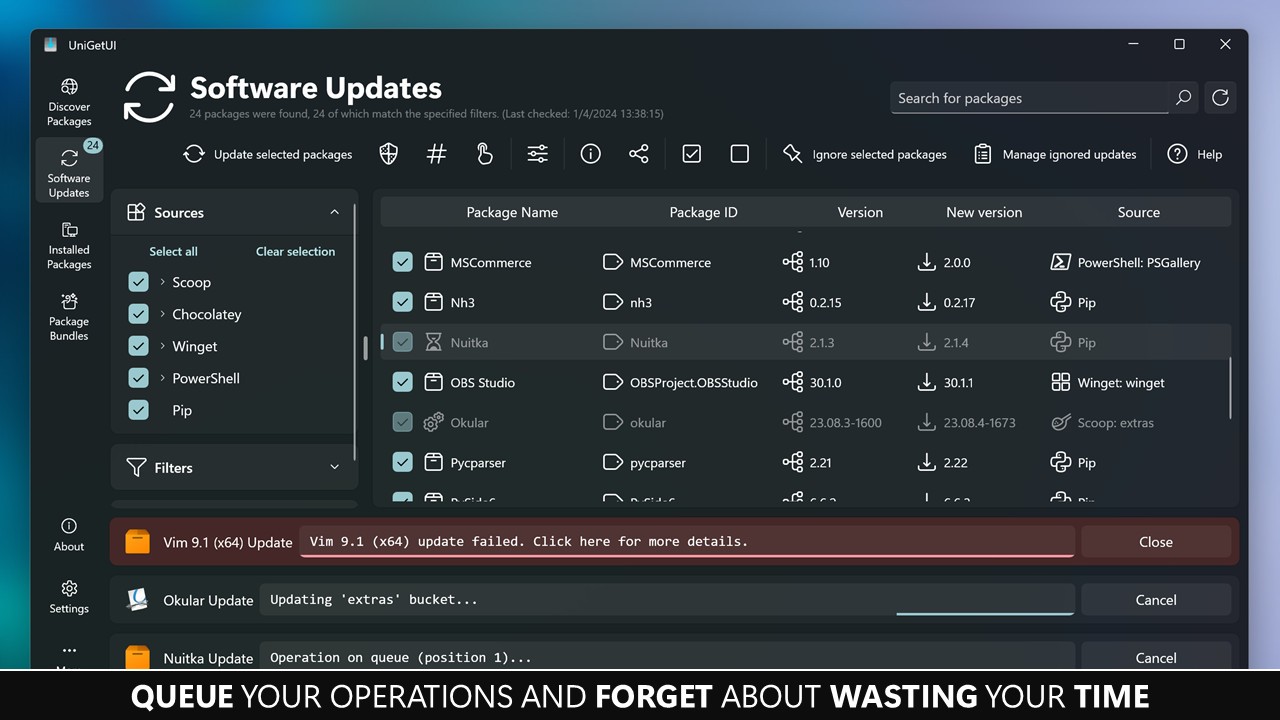
Beyond installation, it helps keep your software current. Outdated programs can leave you vulnerable to bugs or even security risks, but most people don’t have the time to track updates manually. UniGetUI checks versions for you and makes upgrading as simple as a click. It’s a time-saver, but more than that, it’s a way of maintaining a healthy, reliable computer without unnecessary hassle.
Why should I download UniGetUI?
The biggest reason to download UniGetUI is convenience. Anyone who has gone through the tedious process of setting up a fresh Windows installation knows how much work it takes. You install the operating system, then realize you need your browser, your favorite media player, office tools, chat apps, and more. With UniGetUI, you can do all of that at once. It takes what might have been a few hours of clicking through download pages and turns it into a streamlined process.
Another reason is safety. Too many people fall into the trap of downloading software from random websites that bundle in ads or, worse, malware. Because UniGetUI relies on established package managers, you know the files are coming from reliable sources. This eliminates the uncertainty that often comes with downloading programs from unofficial links.
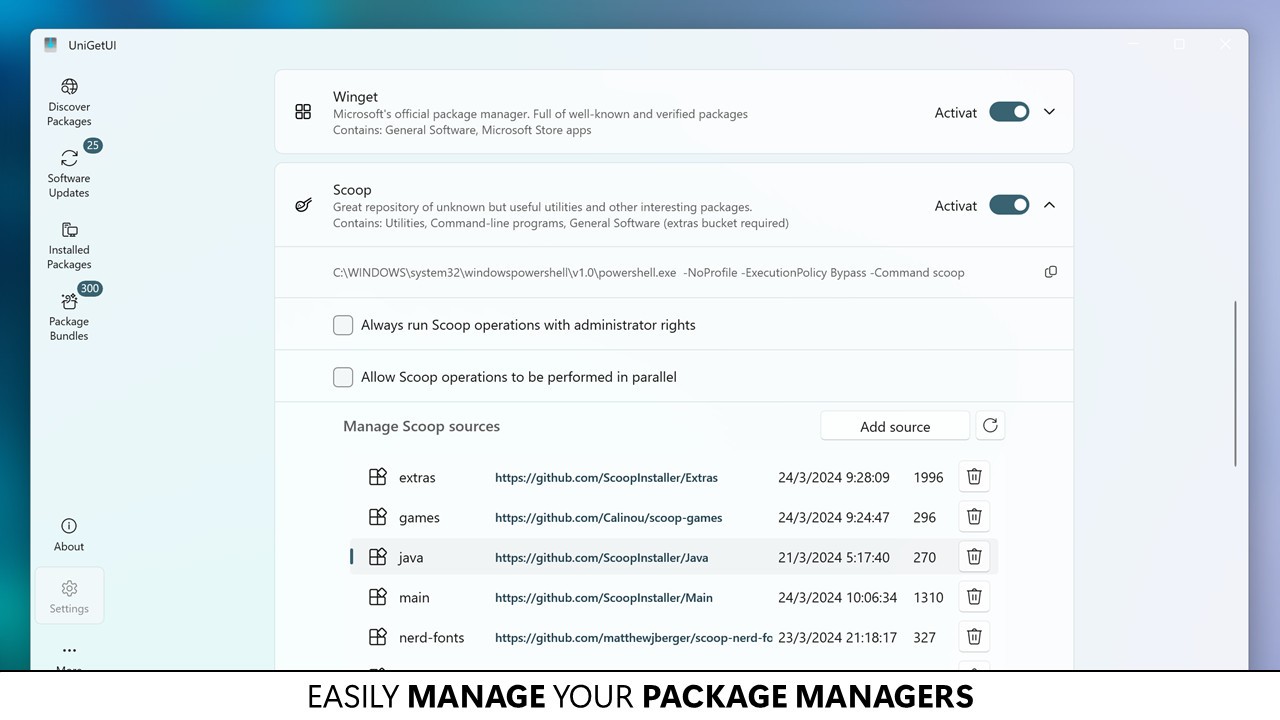
It’s also about control. For more advanced users, having multiple package managers integrated in one interface is powerful. You can choose whether to pull software from Winget, Chocolatey, or Scoop, depending on what you prefer. At the same time, beginners don’t need to think about those details—they just see an organized list of software ready to install or update. That flexibility means the program scales with your knowledge level.
Finally, it helps keep your machine clutter-free. Instead of stacking random installers on your desktop or forgetting where certain programs came from, you manage everything through one consistent interface. That level of organization is underrated but becomes invaluable over time, especially for people who rely on their computers for work or study.
Is UniGetUI free?
Yes, UniGetUI is completely free. It’s an open-source project maintained by volunteers and contributors who believe in making software more accessible. That means you don’t need to worry about subscription plans, hidden fees, or aggressive upselling. You download it, you use it, and that’s it.
Because it’s open source, you can also look at the code if you want to understand how it works or even contribute to its development. That transparency builds trust. You’re not dealing with a black box that hides what it’s doing in the background. Instead, you can be confident that the program is designed with the user’s interest in mind.
The free nature of UniGetUI doesn’t make it limited, either. You get access to the full functionality from the start. The developers don’t lock key features behind a paywall. This makes it especially appealing for students, casual users, and professionals alike who want efficient software management without adding to their expenses.
What operating systems are compatible with UniGetUI?
UniGetUI is designed specifically for Windows, and it runs smoothly on modern versions of the operating system, including Windows 10 and Windows 11. Since it’s tied to Windows-based package managers like Winget and Chocolatey, it’s naturally optimized for that ecosystem.
For most users, the installation process is straightforward. You download the installer, set it up, and within minutes, you’re able to browse through software categories and start managing your apps. The system requirements are modest, so it doesn’t demand a high-end machine to work properly. Even older Windows devices can run it without issue.
Right now, UniGetUI is not available on macOS or Linux. But that doesn’t make it less valuable—Windows remains the most widely used desktop operating system in the world, and UniGetUI fills a real gap for those users. By giving Windows something closer to the centralized package management systems found in Linux, it bridges a gap that many power users have wanted filled for years.
What are the alternatives to UniGetUI?
UCheck also dedicates much attention to the maintenance of the software. It will scan your system and enumerate old programs, and will give you the opportunity to upgrade them at high speed. Even though it includes a free version, the more advanced tools, including automatic updates, are exclusive to a paid plan. UCheck does not emphasize as much on a one-stop solution of the installation and updates as UniGetUI, which emphasizes updates only.
Another popular program that is well recognized, especially by ordinary users, is IObit Software Updater. It provides a convenient system of downloading and upgrading applications, and the fact that it suggests recommended applications is a bonus. However, it is a blogger creation, and not everybody is fond of commercial developers flooding them with commercials of paid IObit products. It is effective, although not as open-source and flexible as UniGetUI.
QuickInstaller can be used as the third alternative to perform the same, but it makes the process of installation easier. It is a commendable alternative in which many applications and cases need to be initiated and, consequently, is appealing to the IT engineers who are setting up multiple computers. However, it is not as flexible as it does not integrate several package managers, unlike UniGetUI. Despite the fact that QuickInstaller is really a useful tool in what it does, it does not provide a comparable one-stop management tool.